
If you’re trying to build a Lagoa effect from scratch, as described here, you may hit a little gotcha:

If you look into the Lagao presets, you’ll see that they get around this by using a simplified version of the Simulation Root:

You can import this compound from here:
$XSI_HOME\Addons\ICEFlowBuilder\Data\Compounds\Particles\Simulation Root.xsicompound
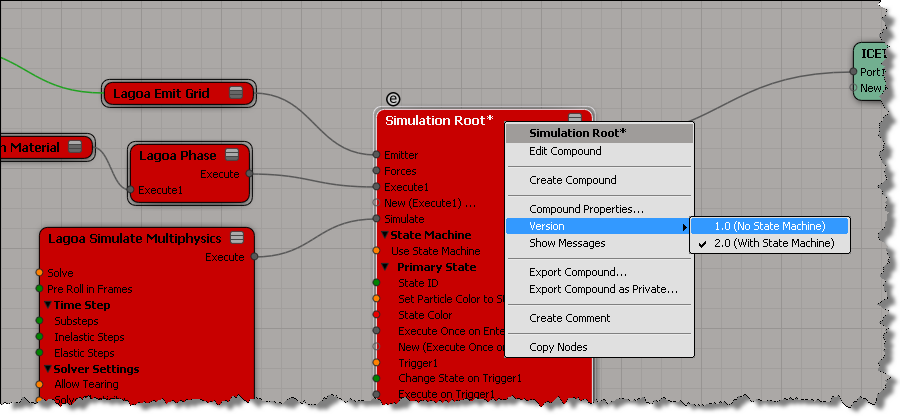
UPDATE: In the comments, Guillaume points out that you can simply right-click the Simulation Root node to change versions:
 eX-SI
eX-SI 
Or you can right click on the Simulation Root and choose Version > No State Machine ;).
You don’t need the embeded State Machine btw as Lagoa use its own one.