
I swear this didn’t work the first time I tried 😉 but you can use multiple texture maps.
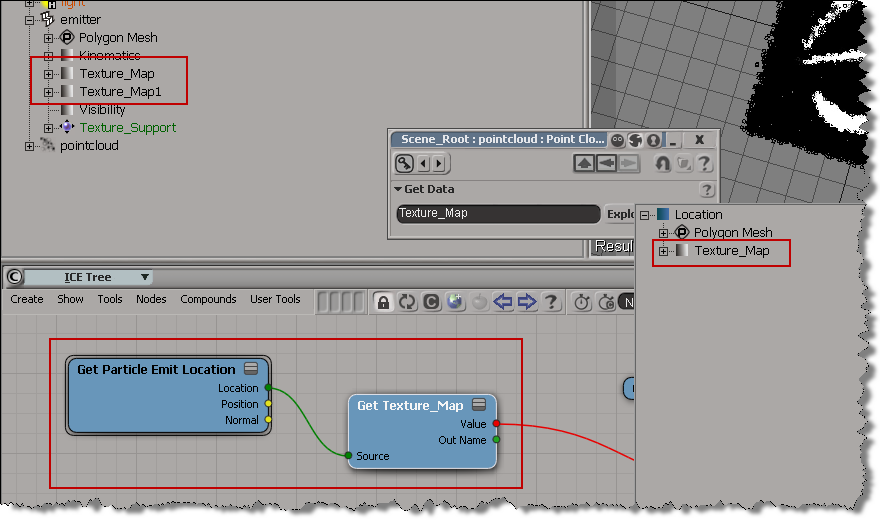
Just don’t use the Explorer button in the Get Texture Map Color PPG.
Here’s how (hat tip to Letterbox):
- Drag a Get Texture Map Color into your ICE tree.
This node will get the color from the first Texure_Map property you created. - Then just copy and paste that node, double-click it, and edit the name of the property (eg, change it to “Texture_Map1”).
The Explorer doesn’t want to let you use any other texture map:
 eX-SI
eX-SI 