
It’s documented in the SDK guide, but not in the User’s guide, so you may not know that the script editor supports bookmarks.
You can use Ctrl+F2 to set bookmarks in the script editor, and F2 and Shift+F2 to go to the next/previous bookmark. Ctrl+Shift+F2 clears all bookmarks.
By default, bookmarked lines are highlighted in the editing pane:
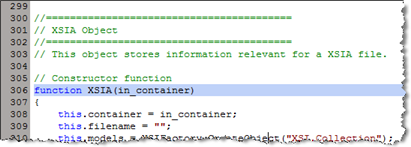
If the Selection Margin preference is set, then bookmarked lines are indicated by an icon in the margin:

HT: Chinny
 eX-SI
eX-SI 