- In ICE, a location is a handle to a specific spot/point/location on a geometric object.
- A location is defined by the topology, so it’s a property that doesn’t change when the 3d object deforms.
- You use locations to “get data”. Given a location you read data, such as positions, normals, and weight maps, from the underlying geometry.
Category Archives: ICE
Understanding context part II
Following up on my previous post about understanding context, here’s another [entry-level] video about context, this time looking at how “per-point context” is specific to an object.
Inserting an Execute node before the ICETree
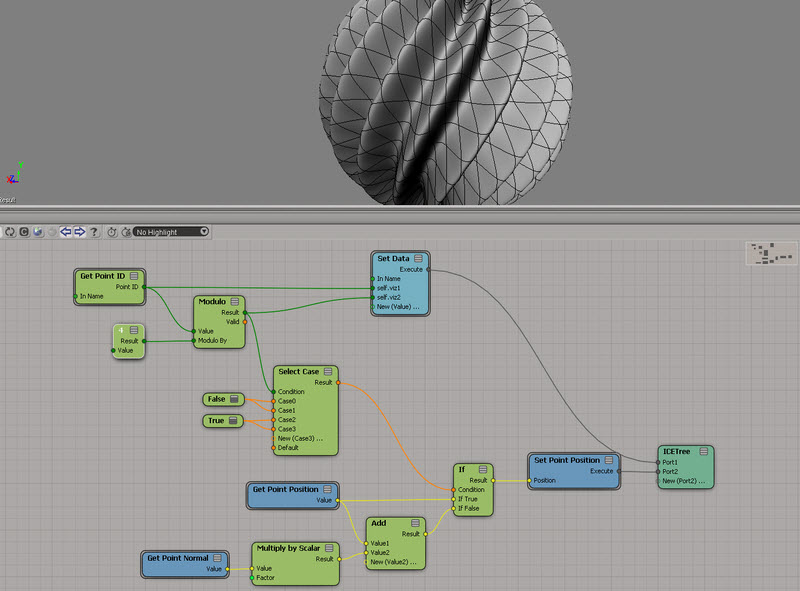
A little fun with modulo
Using the FCurve node in ICE
This video looks at using the FCurve node, together with the Rescale node.
Hat tip to everybody on the ICE: Fcurve use XSI list thread.
http://vimeo.com/26281613
After I finished the video, I realized I should have built a compound more like this:

Building a large array of booleans with the modulo trick
Setting boolean flags in ICE
Reserve Array
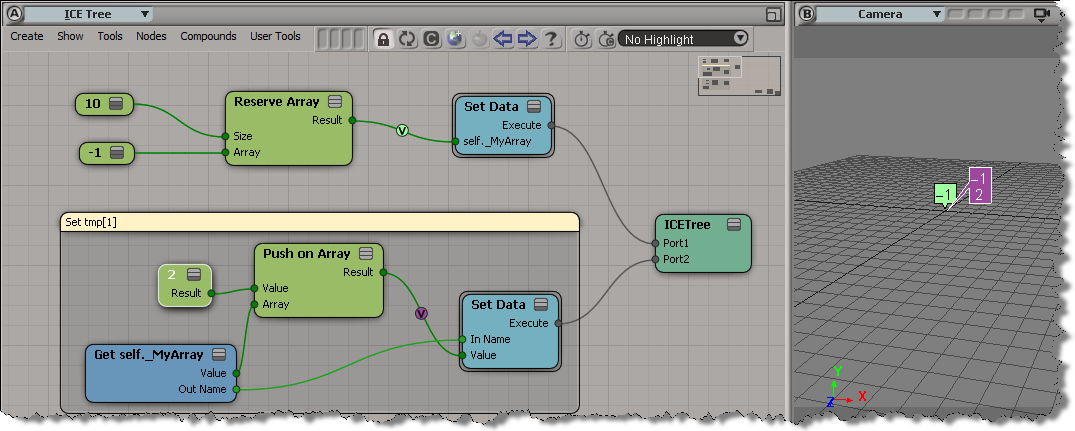
The Reserve Array node reserves memory for an array, but it doesn’t construct the array for you.
So, for example, if you try to use Set in Array you may find that it doesn’t work, because the array element you’re trying to set doesn’t exist yet. In this tree, Reserve Array gives me an array with one element. So trying to set the second element has no effect.

I’d have to use Push on Array here to get the desired result:

Or I could make sure the array elements exist like this:

I could also Resize the array after I reserve it.
Understanding Context in ICE
If you’re starting starting to work with ICE, you need to understand the concept of context.
http://vimeo.com/26272061
The case of the Filter node that didn’t work
In this case, the customer reported that the Filter node didn’t seem to work consistently. In the scene I examined, it seemed to be a problem with the construction stack: for some reason, the ICE tree operator wasn’t being pulled (evaluated). Here’s a quick walkthrough of the investigation 😉
I looked a little deeper into this case, using GetConnectionStackInfo, and I found that somehow the ICETree operator was below the cluster ops:
// INFO : Objects that read from the primitive: // matchstick.polymsh.secondaryshapemarker // matchstick.polymsh.animationmarker // matchstick.polymsh.shapemarker // matchstick.polymsh.modelingmarker // matchstick.polymsh.cls.pnt.clslist.Point.AddToClsOp // matchstick.polymsh.cls.pnt.default_Point.SetClsFromICEOp // matchstick.polymsh.Init_ICETree
If I created another ICETree op and moved it below (after) the original ICETree op, then the ICETree operator would have access to the cluster:
ApplyOp("ICETree", "matchstick.polymsh", siNode, null, null, 0);
MoveOperatorAfter("matchstick.polymsh", "matchstick.polymsh.Init_ICETree", "matchstick.polymsh.ICETree");
DeleteObj("matchstick.polymsh.ICETree");
// INFO : Objects that read from the Sphere primitive:
// matchstick.polymsh.secondaryshapemarker
// matchstick.polymsh.animationmarker
// matchstick.polymsh.shapemarker
// matchstick.polymsh.modelingmarker
// matchstick.polymsh.Init_ICETree
// matchstick.polymsh.cls.pnt.clslist.Point.AddToClsOp
// matchstick.polymsh.cls.pnt.default_Point.SetClsFromICEOp