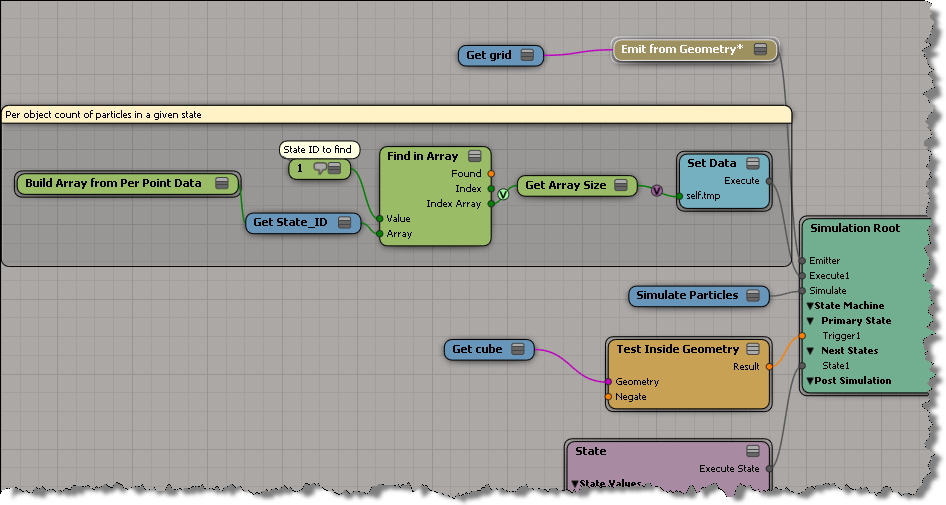
Getting the number of particles in a given state


There were two techniques suggested on the mailing list, but only one worked for me in Softimage 2012. There seems to be a problem with Get Set Sum (see the screenshot below). Using Filter and Get Set Size works just fine.

I was going to run the performance timers to see if there was any difference between the two techniques, but since the Get Set Sum doesn’t return the right number, there was no point.
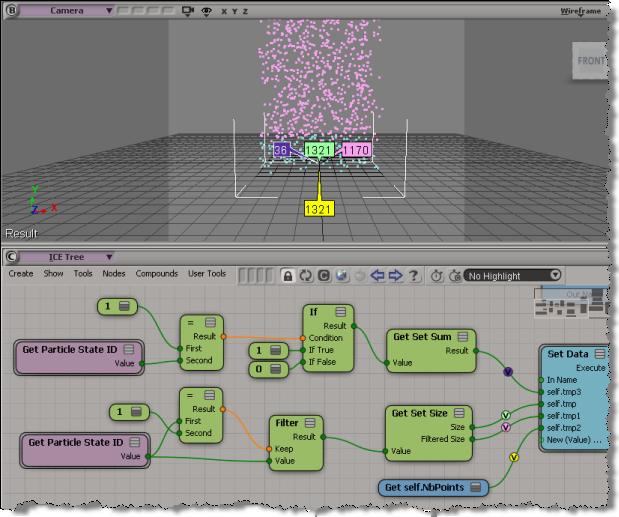
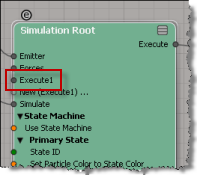
BTW, when you’re using the state machine with the Simulation Root, anything you plug into the Execute node is processed only in the initial state. If you want to something always processed (like the Set Data above), plug it into the post-sim execute port.
Basics of building your own strands


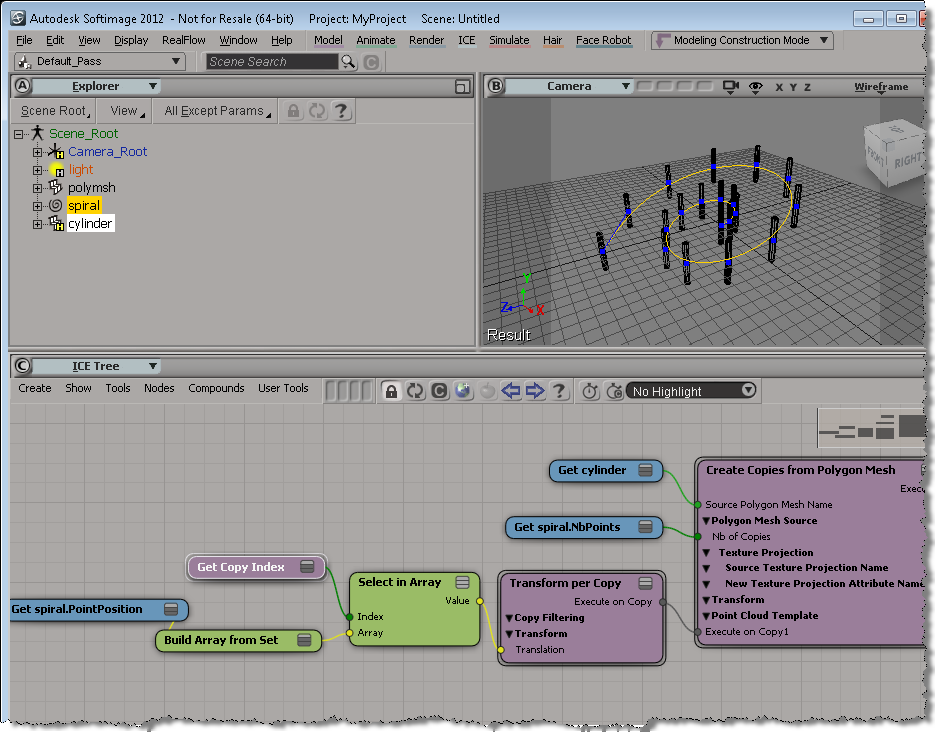
A quick overview of how to build strands by building your own StrandPosition and StrandSize arrays.

If you’ve looked into the Modeling_Columns_from_Strands sample scene, you’ve seen that there’s a Create Spiral Strands compound that creates the strands used for the extrusion. In this video, I go through the basics of creating strands that you can use for extrusions. There’s some small gotchas to watch out for.

http://vimeo.com/22305342

ICE: Array of cumulative sums


If you have an array like [4,9,7,2], how do you get an array like [4,13,20,22], where each element is the cumulative sum of elements in the first array?

One possible approach would be to use a Repeat with Counter with Select SubArray in Array.

Per object data in ICE


When you’re working with a point cloud, and you want to keep some data on a per-object basis, you need to use one of the Set nodes (like Get Set Or or Get Maximum in Set). Or sometimes you can use arrays, as shown below.

Here we get an array of the points that are in State 1, and then save the size of the array (eg the number of points in State 1) as a per-object value.

The Show Values in the viewport: