Related discussion on the XSI list: Lagoa 2 materials/phases with polyganizer
Lagoa Multiphysics on Vimeo – Melting Fluid by Byron Nash
Reply

If you have a Repeat with Counter setup in an ICE tree, and you want to do one thing for odd values of the loop counter, and another thing for even values, you can use the Modulo node.
Doing a modulo by 2 on the loop counter (self.CounterValue) will tell you whether the loop counter is odd (modulo by 2 = 1) or even (modulo by 2 = 0)

Here’s a [super simple] example that populates an array with different values based on whether the loop counter is odd or even.
Click to view full size.

I don’t know how I missed the Boolean/Scalar conversion nodes, but they provide a much easier way to convert the Test Inside Geometry results from per point to per object:

Troubleshooting doesn’t have to be fancy. Sometimes you just have to focus in on a specific part of an ICE Tree, and use Show Values to understand what is going on.
For example, as part of a larger ICE tree, I was using Test in Geometry and Get Set Sum as described by gray on xsibase (reply #8). But I wasn’t getting the result I expected.
So I broke out the Test in Geometry and Get Set Sum branch into a simple test scene, and used Show Values to help understand what was going on. As you can see in these screenshots, Get Set Sum is giving me different results based on the set I feed into it.
If I start with a set of Bools per Point and use an If node to map those boolean to integer values, I don’t get the result I expect.

Troubleshooting with Show Values

Simplified tree for testing
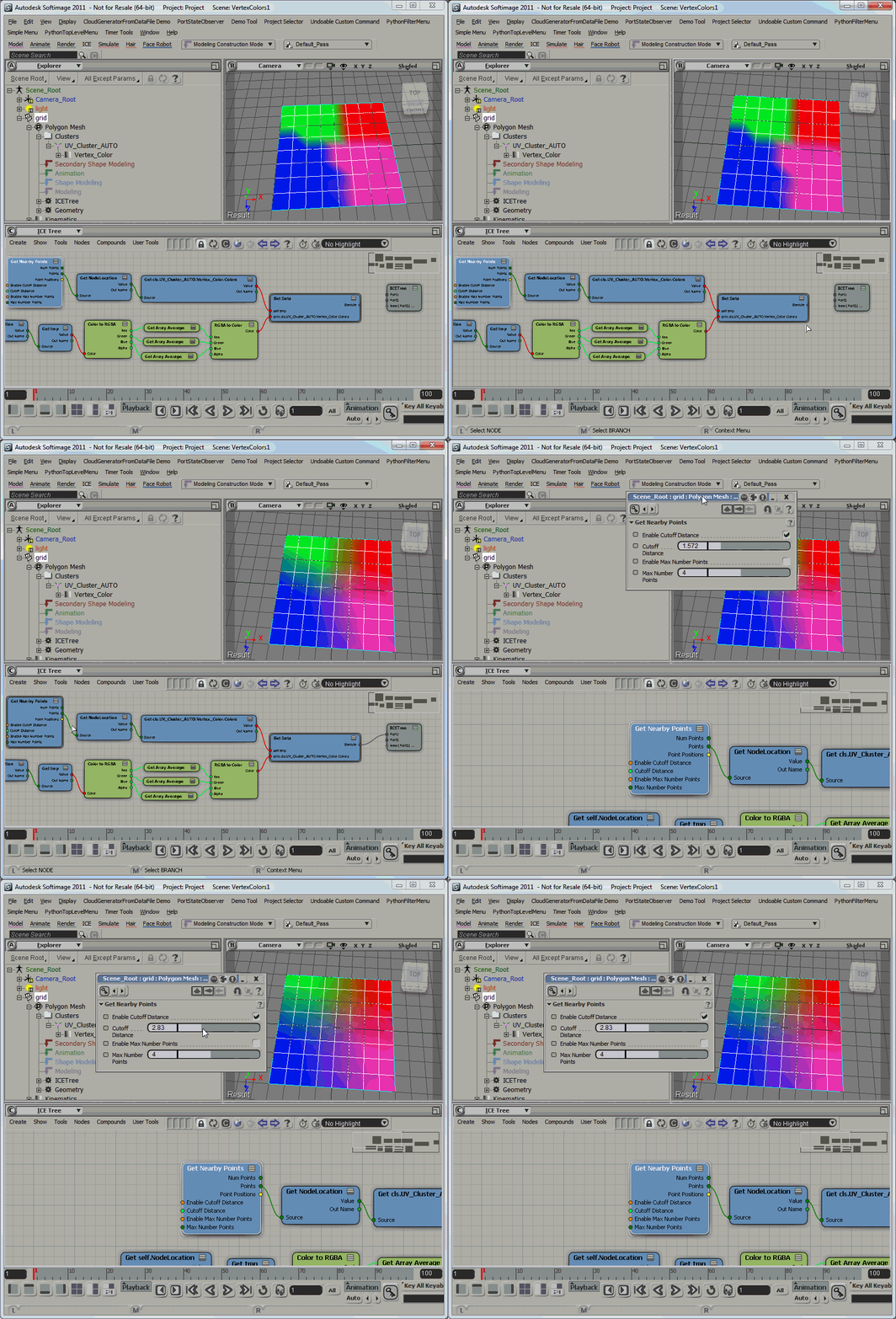
Using Get Nearby Points to average vertex colors
Here’s a screenshot of the ICE tree.
In the first branch, I get the vertex colors (via the NodeLocation attribute) of the nearby points, and store them in an attribute.
Then I get the saved vertex colors and do a simple Array Average on the RGB components, to give me a Color per Sample value that I can put back into the Color at Vertices (CAV) property.

Personally, whether it is ICE or scripting or C++, I’ll focus on specific pieces of the puzzle before I put everything together.
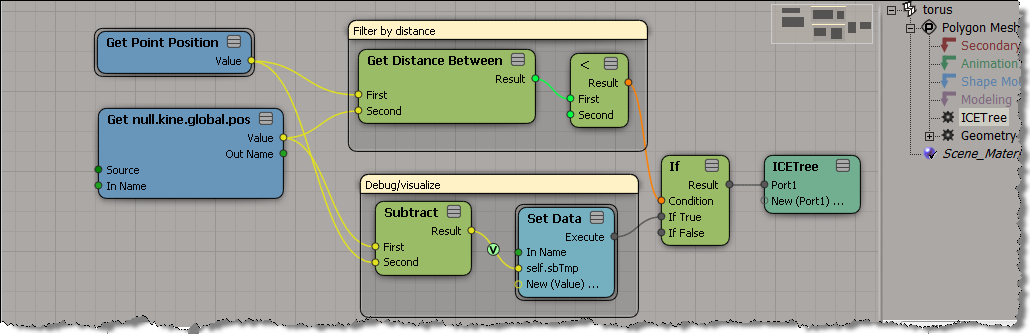
For example, for a simple bulge effect in ICE, I started by making sure I knew how to get the distance between a null and a mesh, and provide some sort of distance fall-off.
As has been noted by many others in many other [more detailed] videos, ICE is pretty good at giving you ways to visualize and debug:
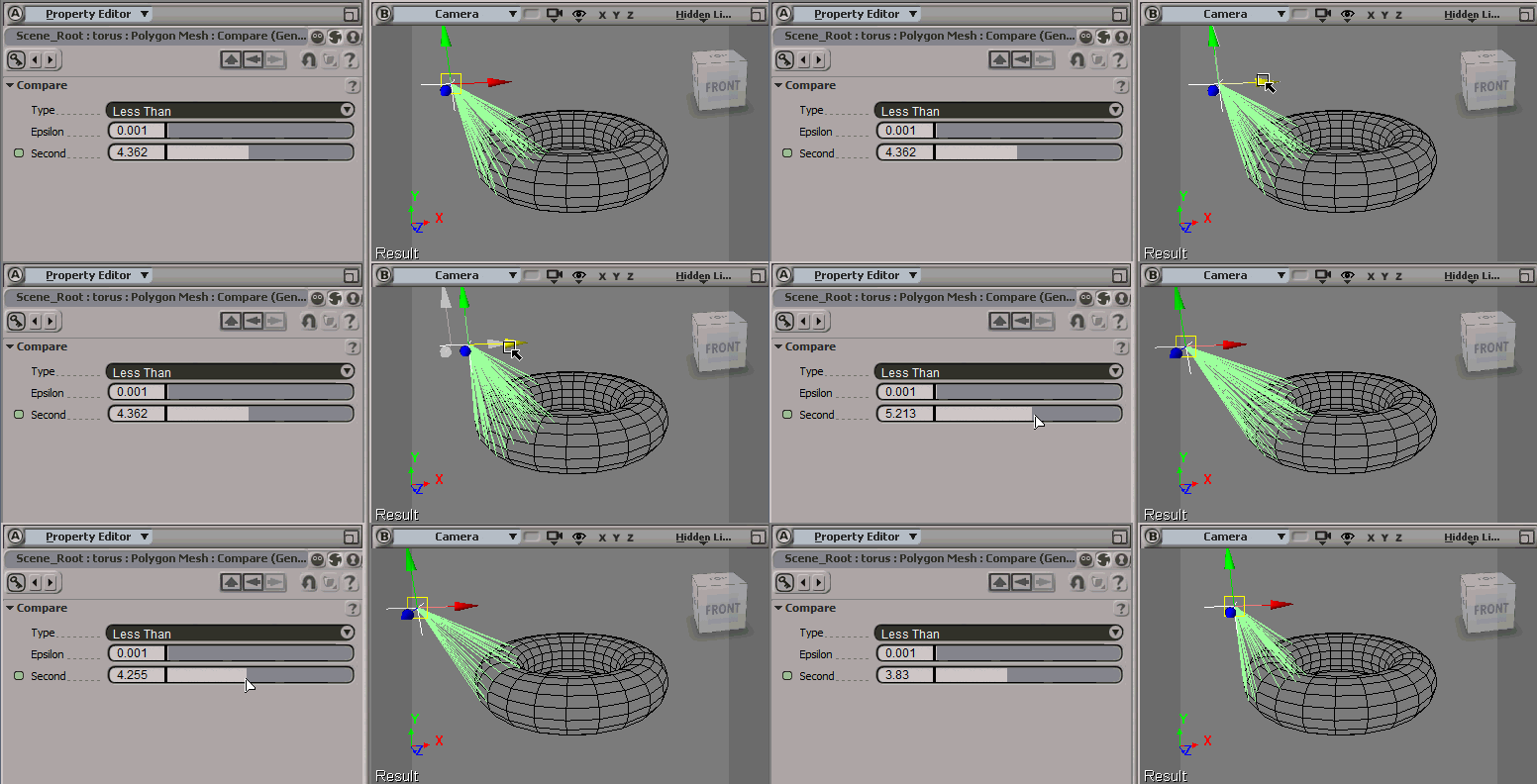
In this case, to help me visualize how many points would be “bulged”, I just had show some vectors:
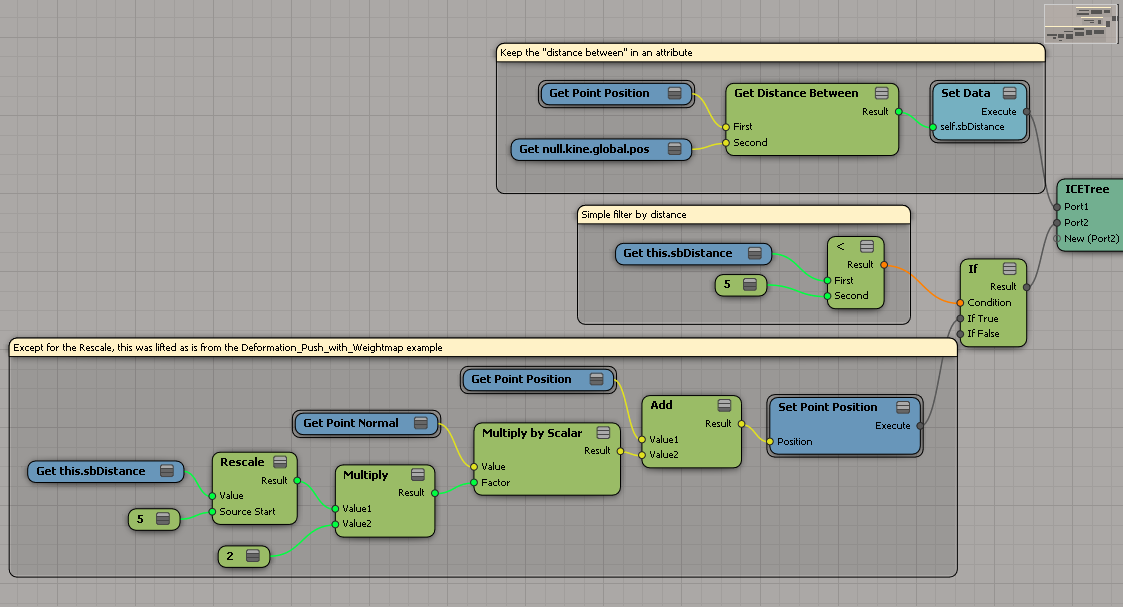
After a little fiddling around, I patched together a simple bulge operator with ICE:

Here’s the ICE tree, which is in the Modeling stack on the torus.
Right now, this works properly only when the torus is at the global origin (because Get Point Position returns local coordinates).
I’ve had a few cases recently where we had to figure out why certain nodes were red in an ICE tree. Usually this was in cases where someone was building something from scratch, or using factory ICE nodes in a slightly non-standard way.
For example, here’s an ICE tree with the Emit Splash from Surface Collision and Move Towards Goal compound.

Red means the evaluation of the compound is returning an error. You can see the first of the errors that are bubbling up if you point to an empty area on a compound. To see all the warnings and errors, right-click the node and click Show Messages.

In this case, the problem is that an attribute is not initialized. Some factory default compounds rely on other compounds (usually the emitters) to initialize certain attributes. When you start building up things from scratch, you’ll have to take care of the initialization.

 eX-SI
eX-SI 