Combining multiple Softimage 2011 serial numbers


If you had a combination of Softimage 2010 and Softimage Advanced 2010 licenses, you will be getting two separate serial numbers for Softimage 2011.

You’ll get one Softimage 2011 serial number for your Softimage 2010 license, and another Softimage 2011 serial number for your Softimage Advanced 2010 license.

Unfortunately, you cannot combine the two Softimage 2011 licenses into a single license (.lic) file.
Softimage and Softimage Advanced were separate products, that is why it was possible to combine the two licenses.

What to do? Contact your reseller or the Business Center and ask them to combine your two serial numbers into one master serial number for all your Softimage 2011 seats.
All Softimage 2011 network licenses include five Batch


As of the 2011 release, there is no longer separate “Softimage” and “Softimage Advanced” products. There is just one “Softimage” product:

  • A network license of Softimage 2011 includes five Batch licenses.
  • A standalone licenses of Softimage 2011 does not include any Batch licenses.

So, for example, if you had a network license of Softimage 2010 under Subscription, then your Softimage 2011 network license now includes five Batch licenses.

Craft Animation Studio bundled with Softimage 2011


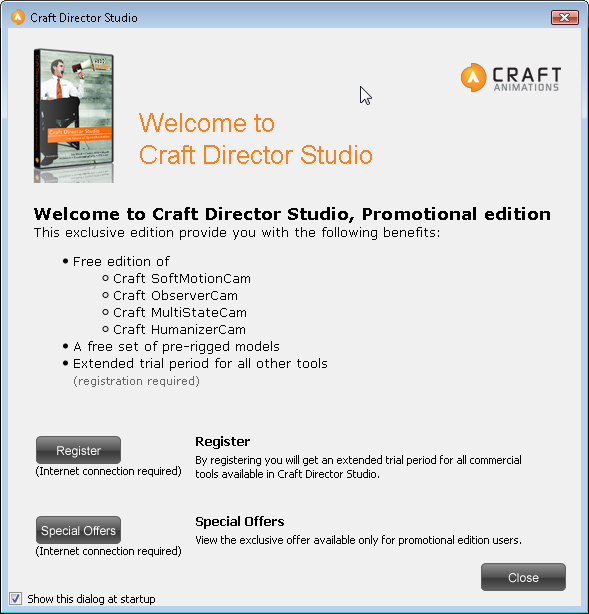
Craft Director Studio from Craft Animations is bundled with Softimage 2011 as a plug-in. You can install the plug-in from the Install Tools and Utilities section of the Softimage 2011 setup.

Craft Director Studio uses high-end artificial intelligence and autonomous control systems to streamline traditional animation processes, allowing you to spend more time on creating rather than on more tedious tasks.

Craft Director Studio includes:

• Craft Camera Tools: real-time camera control for immediate, professional-quality cinematic results.

• Craft Vehicle Tools: create the most realistic and accurate simulations for in-motion vehicles.

• Craft Accessory Tools: add the finishing touches to action-packed productions by simulating and animating props such as missiles, trailers, cog wheels, and other moving parts.

• Craft Freeware Tools: a free-to-use extended toolbox for Craft Director Studio allowing real-time recording, interaction, and depth orientation.

See beneath the fold for more details on which Craft tools are included.
Continue reading

Subscription Center down for maintenance this weekend


This weekend, the Sub Center and related sites such as registeronce will be down for a maintenance upgrade.
The scheduled downtime is from 12 Friday 4PM PDT to 14 Sunday 5PM PDT.
In EST, that’s from 7PM Friday till 8PM Sunday.

The new Create Service Request form will include several changes. First, when you fill in the form, you’ll be asked to pick your Issue from a drop-down list. For example, the Issue might be “Software won’t Start, Crashes or Hangs” or “Need technical assistance with Licensing” or “Suggesting a Change in the product”.

Next, and more interesting (at least to me), is that when you submit your SR (service request), the system will automatically search the autodesk.com KB for the answer to your question. Whatever you type in the Summary box will be used as the search text.

Yahoo pipe for the Softimage dicussion forums on The Area


I find it very hard to keep track of new posts on The Area. The View New Post and View Todays Active Topic pages just don’t do it for me.

So I created a Yahoo pipe to combine the RSS feeds for all the Softimage forums. You can find the pipe here:
http://pipes.yahoo.com/softimage/areaforums

The RSS feed for the pipe here:
http://pipes.yahoo.com/pipes/pipe.run?_id=571b2031be0ff54902079c11db49476c&_render=rss

Note that the forum RSS feeds always show the first post of the discussion, so the RSS feeds tell you only which discussions have been updated recently. You have to click through to see the most recent post.

One year ago


One year ago. Years of history being recycled outside the Softimage office on St Laurent. Just before we moved out and down to the Autodesk offices at the Old Port.

The rising sun over the recycling truck is a nice touch.

Fixes in Softimage 2010 SP1


Here’s a summary of what’s in SP1:

  • Face Robot on Linux Face Robot now works on Linux! As well, many fixes have been made to Face Robot.
  • Crosswalk 4.1 Softimage 2010 SP1 ships with Crosswalk v.4.1. The main purpose of the Crosswalk update is to support the Softimage Face Robot plug-in on Linux 64-bit systems. There were also a few other important fixes thrown in for good measure.
  • Particle Volume Shader Many fixes have been made to the Particle Volume shader. Note that this also affects the Particle Renderer shader compound which uses this shader.
  • Hair Many fixes have been made to hair on Linux.

For the full list of fixes in SP1, see the readme.

Softimage 2010 SP1 is now available


To all Softimage 2010 customers.

Softimage 2010 SP1 is complete, separate installation. You don’t have to remove Softimage 2010 first.
SP1 will install in its own folder, and create its own User location.

SP1 runs using your existing 2010 license.

If you have a network license:
When you install 2010 SP1, enter the product key 591B1 and the serial number 000-00000000.

If you have a standalone license:
When you install 2010 SP1, enter the product key 590B1 and your 2010 serial number.

Autodesk Softimage Promotion


See http://www.resources.autodesk.com/med/Autodesk_Softimage_Promotion

From the FAQ, here are some details:

From February 1, 2009 through January 15, 2010, Softimge XSI customers will have the option to migrate their existing products to the then current Autodesk Softimage products at 50% off SRP when purchased with Autodesk Subscription.

All migration purchases will be fulfilled with Autodesk network products. If standalone licenses are desired, a request to downgrade to standalone licenses should be noted on the order.