# ERROR : 2356 – This plug-in is not installed


If you see errors like this at startup or in the script history:

# ERROR : 2356 - This plug-in is not installed: rcCustomFilterSettings
# ERROR : 2356 - This plug-in is not installed: jhBatchieOptions 
# ERROR : 2356 - This plug-in is not installed: CM_DefaultPrimitives_Preferences
# ERROR : 2356 - This plug-in is not installed: Arnold Render Options

it is because of custom preferences. Notice how all the errors include works like “settings”, “options”, or “preferences”.

These custom preferences use a custom property plugin to define their PPG (property page) layout. You’re getting an error because the custom property plugin isn’t loaded into Softimage.

It could be that the plugin is no longer installed on your system. In this case, you can delete the instance of the custom property from Preferences > Custom in the explorer, and delete the corresponding .preset file from the Data\Preferences folder (of your Softimage User folder, or from a workgroup folder, depending on how the plugin was installed).

The other possiblity is that some other plugin is calling RefreshCustomPreferences before the custom property was loaded. For example, this can happen if a plugin installed in your User location calls RefreshCustomPreferences, and the custom property used by a preference is installed in a workgroup. Softimage loads plugins in the User location first, before workgroup plugins, so this would give you the “plugin is not installed error”.

Writing good bug reports


Good bug reports require effective communication, whether written, verbal, or visual.
Good bug reports are specific and reproducible.

Part of my job here is to translate incoming support cases into “good” bug reports for the development team.

Here’s a few tips for writing good bug reports:

Write a clear summary of the problem
The summary is a one-line description of the problem. This is the first thing that the bug reviewer is going to see, so it should clearly describe the problem. Try to be specific, and include keywords. The summary should include enough information to differentiate the report from other issues in the same general category. For example:

  • Bad: “render tree bug”
  • Good: “Missing connections after loading a pass preset in render tree”

Include repro steps
Do include the specific steps to reproduce the problem. Don’t leave out details.

Repro steps are probably the most important part of a bug report. Without them, IMO, it’s unlikely that the bug will ever be fixed.

Ideally, a bug report includes the minimal repro steps that isolate the problem.
If writing step-by-step procedures is not your thing, then recording a video could be an alternative.

If necessary, include scene files, models, or scripts to help reproduce the problem. For example, a stripped-down version of whatever you’re doing in your production scene may be helpful.

Describe the expected results, and the actual results

For further reading:

Friday Flashback #60


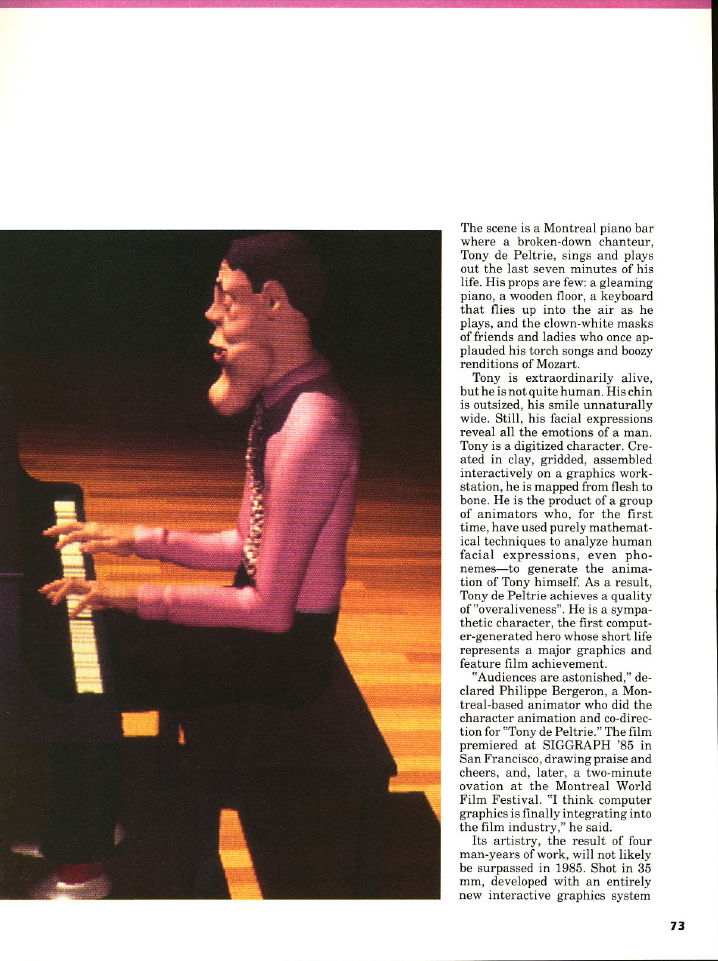
The roots of Softimage go back to 1985 and the animated short Tony de Peltrie, which was one of the first (if not the very first) computer-animated films to have a human character with facial expressions. The artist working on Tony de Peltrie was Daniel Langlois, who would go on to start up Softimage, with the goal of creating computer animation software for artists and animators (not programmers 😉

Tony de Peltrie
In the mid 80’s, four kids barely out of school directed Tony de Peltrie, a computer-animated short that took the animation world by storm and revolutionized the film industry. Produced by Pierre Lachapelle, and directed by Lachapelle, Philippe Bergeron, Pierre Robidoux and Daniel Langlois, Tony de Peltrie premiered as the closing film of Siggraph’85 – the largest computer animation festival in the world.As the lights dimmed, and Tony’s wonderfully sad eyes first appeared on the screen, the stunned audience fell silent. They were witnessing history. For the first time, a computer-animated human character was expressing emotions. The following week, Time Magazine concluded a two-page article on the festival with these words:

“But the biggest ovations last week were reserved for. Tony de Peltrie. Created by a design team from the University of Montreal, it depicts a once famous musician. tickling the keys and tapping his white leather shoes to the beat of his memories. De Peltrie looks and acts human; his fingers and facial expressions are soft, lifelike and wonderfully appealing.

In creating De Peltrie, the Montreal team may have achieved a breakthrough: a digitized character with whom a human audience can identify.”

— Phillip Elmer-DeWitt, Time Magazine, August 5 th, 1985

John Lasseter, one of the festival’s judges and future director of Toy Story, Toy Story 2, and A Bug’s Life, declared: “Years from now Tony de Peltrie will be looked upon as the landmark piece, where real, fleshy characters were first animated by computer.” (Maclean’s, September 9 th, 1985)

The short went on to win over twenty international awards, and was featured in hundreds of magazines all over the world. Today, Tony de Peltrie is considered to be the godfather of CGI characters.

Daniel Langlois working on Tony de Peltrie (1984)

Computer Graphics World article from October 15:

Finally, here’s a textual description of the making of Tony de Peltrie:

Bergeron P. (1985) Controlling facial expressions and body movements in the computer-generated animated short “Tony de Peltrie”, tutorial, SIGGRAPH 1985. This paper was part of a tutorial on animation and outlines a method of doing character animation. The example is a very well known piece of animation, “Tony de Peltrie”, about a piano player who is recollecting his glory days. Tony is not all that life-like in apprearance, but the animation is so realistic that by the end of the short, you are really feeling for him.

The animation was done on a 3-D interactive graphics system, TAARNA, which has been designed for use by people with no computer background. To animate the character, there were two major things that had to be done. Firstly, the facial expressions need to be defined (muscle movements) and secondly, the body motions (skeletal movements) must be layed out.

To get the required realism in the facial expressions, the animators photographed a real person doing 28 different facial expressions. The model had a grid of dark lines drawn on his face to correspond with the control points which would be on the animated figure. Only 20 of the photographs were digitised as the difference between some expressions is to small to warrant the time it would take to put them in. An example is the similarity between facial positions for “m” and for “b”. A clay model was made of Tony and a control grid was drawn onto it. The model was then photographed and digitised. The animators manually went through and matched up corresponding control points. This was not a simple matter as the grid on Tony’s face had a lot more points than the human model so a one to many relationship between the points had to be created. This caused a few problems with the animation which had to be ironed out later on.

Bergeron used an algorithm by Kochanek (SIGGRAPH, 1984) for interpolating between keyframes. This gave the freedom to choose and combine expressions and reduce or exaggerate them for added effect. The speech sequence was recorded onto tape, then the timing for the speech was noted. The timings for the speech were copied onto dope sheets and then the synchronising of speech was done using techniques very similar to traditional cell animation.

For the other parts of the face, a similar approach was taken although there weren’t as many key positions to record. For the eyebrows there were three positions, and for the eyelids, there were four positions.

The body of Tony was modelled with clay and then digitised as had been done with his head. The skeletal data, the hierarchy of body parts and where they bend, was done through TAARNA. TAARNA has five commands for skeletal manipulation: bend, twist, pivot, stretch and rotate. For each of these commands, the limb, the point of movement, and the degree of movement need to be given. The animator has to check that the movements are valid as TAARNA doesn’t check for impossible movements. To animate the body, there were three stages to be worked through. These stages are: specifying the key positions, interpolating between the key positions, and fitting the 3D model on each interpolated skeleton. This fitting includes putting the clothes on Tony and making wrinkles in the clothes when the body moves.

I’m off to Autodesk University this week


This week, I’m off to Autodesk University in Las Vegas. Four days of non-stop lectures, courses, and networking events/lunches/dinners. I’ll study hard, I promise 😉

There’ll be no time for sight-seeing, not like last time, when I took a couple of days to check out the surrounding desert:

I’ve pre-written and scheduled posts, so the blog will keep updating…

Friday Flashback #35


Customer story from IBC 2000 featuring Toonx, SOFTIMAGE 3D, and XSI.

FUNNY BUSINESS: ComicHouse Keeps Them Laughing
by Michael Abraham

I used to sneak comic books into class. That’s right, I admit it. More often than not, secreted behind my in-class copy of Lord of the Flies or The Decline and Fall of the Roman Empire would be the antics of Archie ‘n Jughead, the X-Men or, best of all, Mad Magazine. On occasion, while engrossed in my verboten reading, I would be discovered and scolded by teachers. It was worth it, of course, but I have to say that my regret today is more than palpable.

Don’t get me wrong. I feel no remorse for perusing comics when I was supposed to be studying the classics. No, my regret stems from the fact that, when my teachers told me comics wouldn’t pay the rent, I believed them. As it turns out, just as I was writing off all those panels of primary-colored excitement as the stuff of childhood, other people were planning a whole new world.

How’s this for timing? I graduated high school in 1984. In 1985, Hans Buying and Marcel Bosma – two aspiring comic strip artists living in Amsterdam – founded a cooperative especially for those underestimated and underappreciated comic strip artists and cartoonists. They called it ComicHouse.

Although Bosma elected to leave the company just a year after its inception, Buying worked hard to keep the dream alive. That faith has definitely paid off. Having recently moved to their new offices in Oosterbeek, ComicHouse is now the largest cartoon and animation agency in the Netherlands. Perhaps more importantly, however, is the fact that Buying and ComicHouse actively promote and protect the interests of over 30 prominent cartoon artists. In addition, the ComicHouse studio produces unrivaled traditional and digital animation for television and movie commercials, CD-ROMs, PSAs, computer games and Internet applications.

“We do somewhere around 10 commercials, 10 multimedia productions and 150 cartoon productions a year,” Buying says casually. “We also work a great deal with the art buying departments of all the major advertising agencies. We’ve been doing so much of that, in fact, that I seriously considered changing my first name to ‘Art.’ My wife wouldn’t let me though. She was too attached to Hans.”

Puns aside, the funny business of comic strips has changed since Buying set up shop a decade and a half ago: “

“In the beginning, using traditional animation for commercial purposes had some definite drawbacks,” Buying remembers. “Perhaps the biggest problem was establishing some sort of believable interaction between animated characters and the live-action product you were trying to sell. When SOFTIMAGE|3D was initially introduced to us, we saw that we could model, stage, light and animate products in a way that was completely unthinkable in a traditional environment. Keeping the dialectics of progress in mind, we came to a quick conclusion: ComicHouse had to invest in the best talent and state-of-the-art technology. As a result, our animation production process has changed dramatically in order to adapt both to new developments in the industry and to the heightened expectations of our clients. Working with Toonz and SOFTIMAGE|XSI, ComicHouse is better prepared than ever to compete with the world’s best-equipped studios. Both systems allow a company like ours to cut back on production time and budgets, keeping us competitive with similar European and Asian studios.”
In 1990, Buying partnered with Miriam van Velthoven, who now handles the agency’s daily production schedule. Recently, that schedule has included some striking work for well-known Pepsi Co. and Yazoo, a popular flavored milk kids’ drink in Europe. Both projects put ComicHouse and their technology to the test.


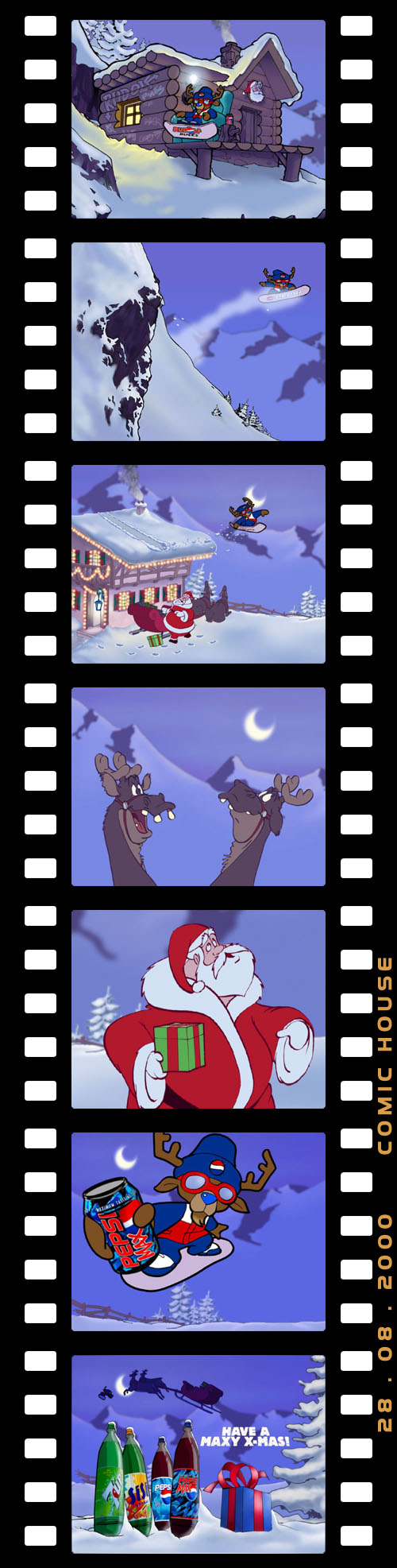
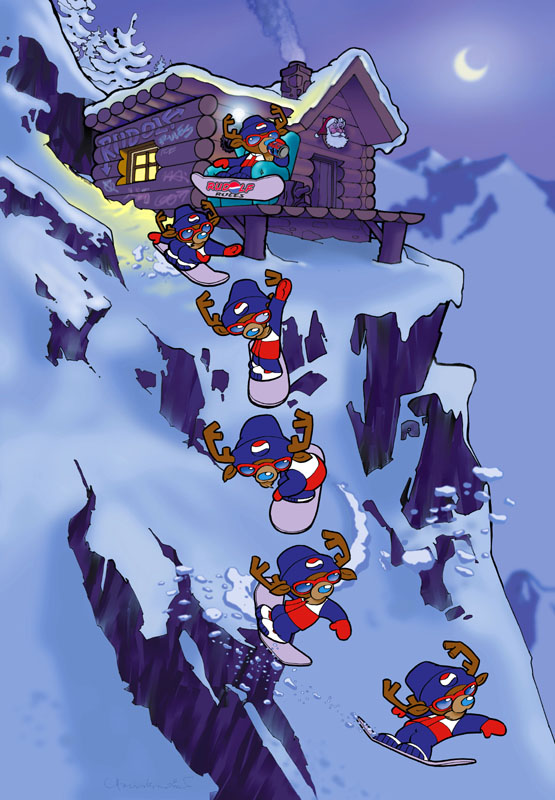
The Pepsi spot gave a new twist to an old theme. “Rudolph the Blue-Nosed Reindeer” offers a decidedly more hip version of the classic Christmas character. Forget all those reindeer games: this Rudolph finds his own fun, snowboarding to a grungy version of Jingle Bells, and using his boss’ house as a ski jump. This Rudolph is definitely the choice of a new generation.


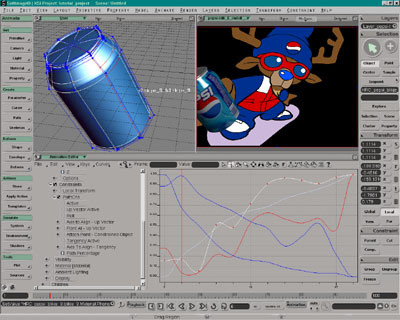
“As with most of our projects, all the animation on ‘Rudolph’ was first done by hand, then processed by cleanup and ink artists,” Buying explains. “The inked artwork was then scanned into Toonz and painted using the Ink and Paint module. All the Pepsi cans were created using SOFTIMAGE|3D. We used the rotoscope to load all the pencil tests into perspective view then, using the pencil animation frames as a reference, we positioned, rotated and scaled each can frame-by-frame. We rendered the cans and the packshot with the SOFTIMAGE cartoon renderer, matching the cartoon style as close as we could.”

While not as well-known as Rudolph – at least on this side of the ocean – the Yazoo character adorning bottles of the beverage was created by ComicHouse in 1988. When Campina, the company that produces Yazoo, wanted to repackage and remarket the product for the new millennium, they decided to go back to the source.
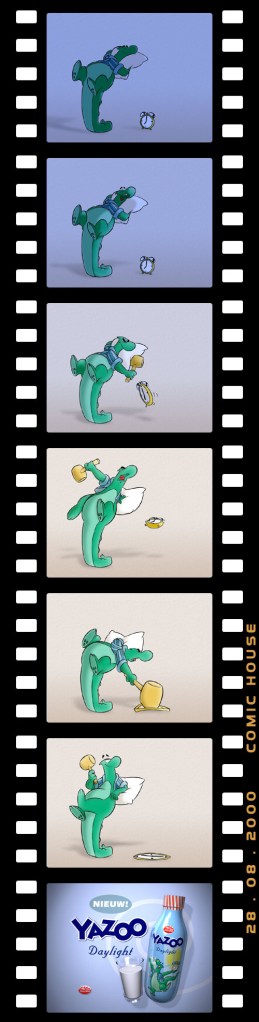
Aiming to make Yazoo a friendly and likable character, ComicHouse realized the unique nature of the task at hand: “It’s very unusual to shift the marketing focus away from the product to an animated character,” Buying admits readily. “Right from the very beginning, however, everybody wanted to make Yazoo a well-known and loved character. If we could do that, we figured that establishing a secondary link with the product would then be a logical and simple next step.”

To create a Yazoo for the next generation, ComicHouse used their substantial contacts to create a team of international animation talent. Top animators from the Netherlands, Great Britain and Canada all came to the ComicHouse studios in Amsterdam, where they worked on some fourteen Yazoo commercials.

According to Buying, the biggest challenge on the Yazoo spots turned out to be not with the character, but with the beverage itself. Faced with the seemingly innocuous task of modeling a glass filling with milk, the ComicHouse team worked for days without success. After numerous failed attempts – and more than one system crash – Buying and his team arrived at a novel solution:

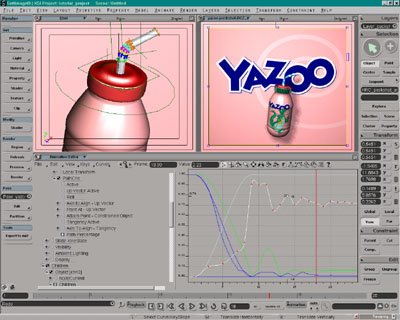
“In the end, it went something like this,” says Buying. “We started by modeling the milk itself, then split the model horizontally and applied some waves and animated the top half of the model. After creating a modeling relation, we extracted the top and bottom curves created and combined them into a believable milk flow. All other animation was done by keyframing and some minor tweaking of function curves. The character animation and all the inking of cells was done by hand. We then scanned all the artwork into Toonz and colored everything digitally. To get a good 3D look for the character, we animated an FX level for the shadows, then used the Toonz plug-in for the highlights.”

Whether it’s Rudolph or Yazoo, ComicHouse characters and animation have been delighting clients and garnering awards for many years now. The company is also a founding member of the Society of Artists Agents Holland (SAAH) and a member of the Dutch Designers Association (BnO). And the activity and adulation don’t seem destined to slow down anytime soon. ComicHouse seems ready to keep people laughing for many years to come.

Softimage 2012 SAP Features


Update: See Planet Softimage for more details and vidoes.

Features:

  • Modeling tools—Enjoy new options for thickness, hole capping, edge cutting, and extrusion, together with a new Add Smooth Edge Loop tool.
  • Selection tools—Create different component selections faster and more easily.
  • Bullet Physics—Take advantage of enhanced collision detection in ICE (Interactive Creative Environment) and rigid body simulations with newly integrated Bullet Physics.
  • Animation & scene management—Enjoy improved overall productivity with a number of enhancements that increase efficiency throughout the pipeline.
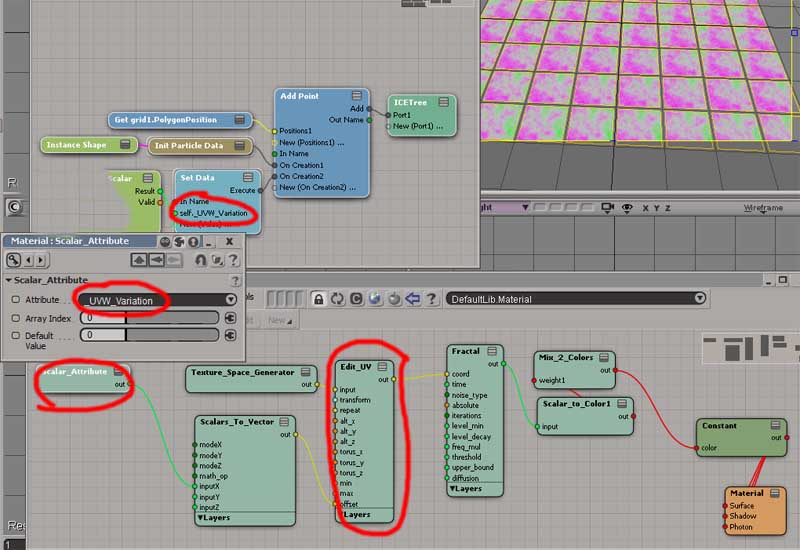
  • ICE enhancements—Now customize production and pipelines more easily with the ability to attach and run script code inside ICE Compound Property Pages.


via Autodesk – Subscription Advantage Pack for Autodesk Softimage 2012.