Messing around with vertex colors


Using Get Nearby Points to average vertex colors

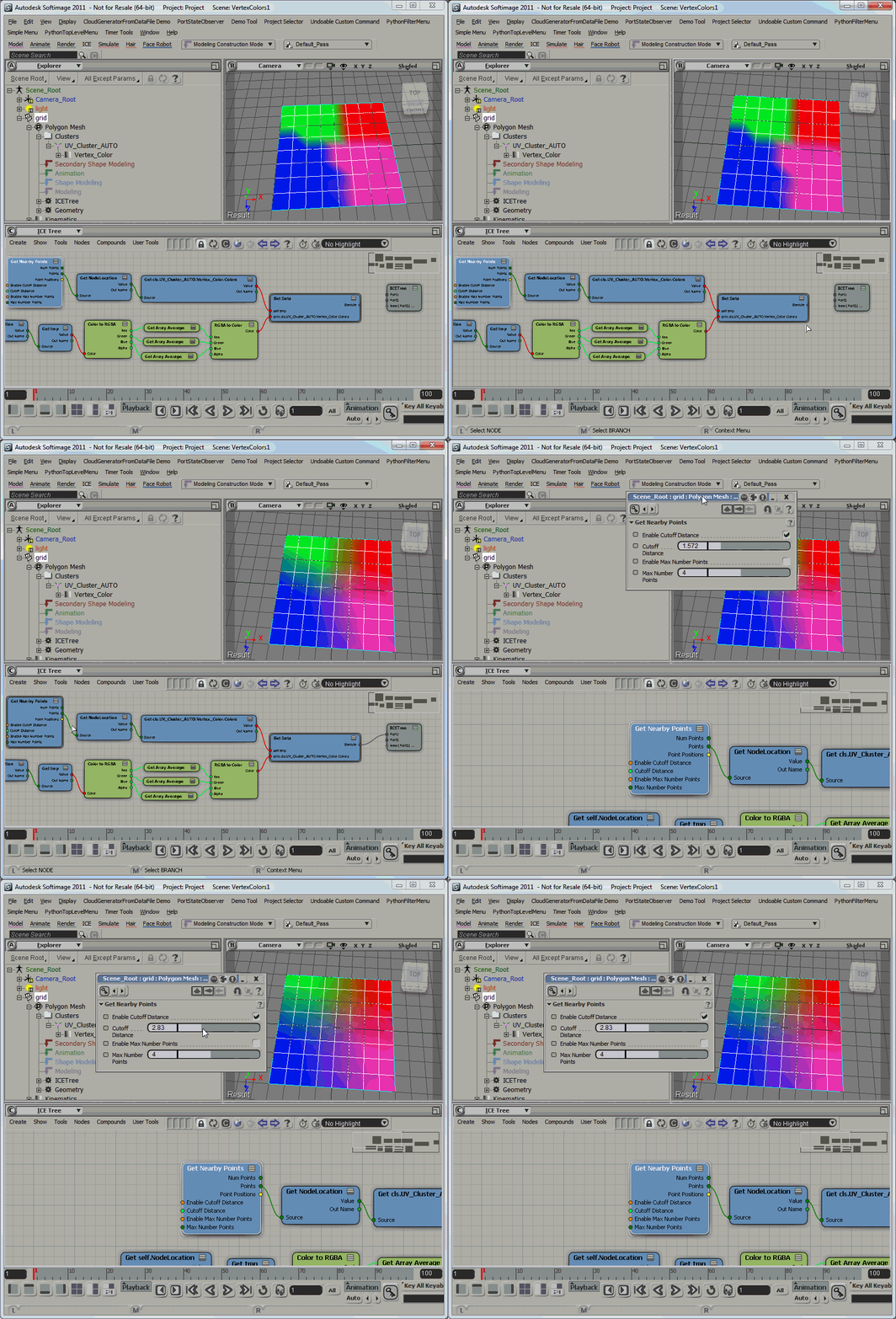
Here’s a screenshot of the ICE tree.
In the first branch, I get the vertex colors (via the NodeLocation attribute) of the nearby points, and store them in an attribute.

Then I get the saved vertex colors and do a simple Array Average on the RGB components, to give me a Color per Sample value that I can put back into the Color at Vertices (CAV) property.

Finding shaders


Before Softimage 2011, we used to use FindObjects() with a shader CLSID to find all instances of a shader. But as of Softimage 2011, all shaders have the same CLSID, so you have to use the ProgID to find all instances of a certain type of shader.

// Find all Color_correction shader nodes

var sProgID = "Softimage.sib_color_correction.1.0"

var oShaderDef = Application.GetShaderDef( sProgID ) ;
oEnum = new Enumerator( oShaderDef.ShaderInstances ) ;
for (;!oEnum.atEnd();oEnum.moveNext() )
{
	var oShaderInstance = oEnum.item() ;
	LogMessage( oShaderInstance.fullname );
}

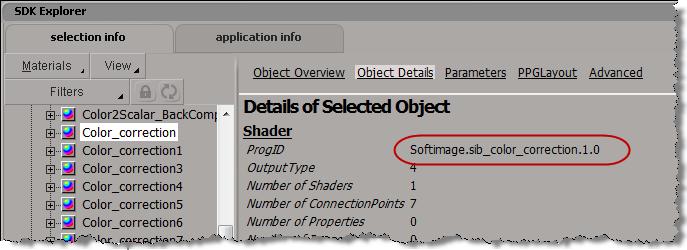
You can find the ProgID of a shader using the SDK Explorer:

Developing with ICE


Personally, whether it is ICE or scripting or C++, I’ll focus on specific pieces of the puzzle before I put everything together.
For example, for a simple bulge effect in ICE, I started by making sure I knew how to get the distance between a null and a mesh, and provide some sort of distance fall-off.

As has been noted by many others in many other [more detailed] videos, ICE is pretty good at giving you ways to visualize and debug:

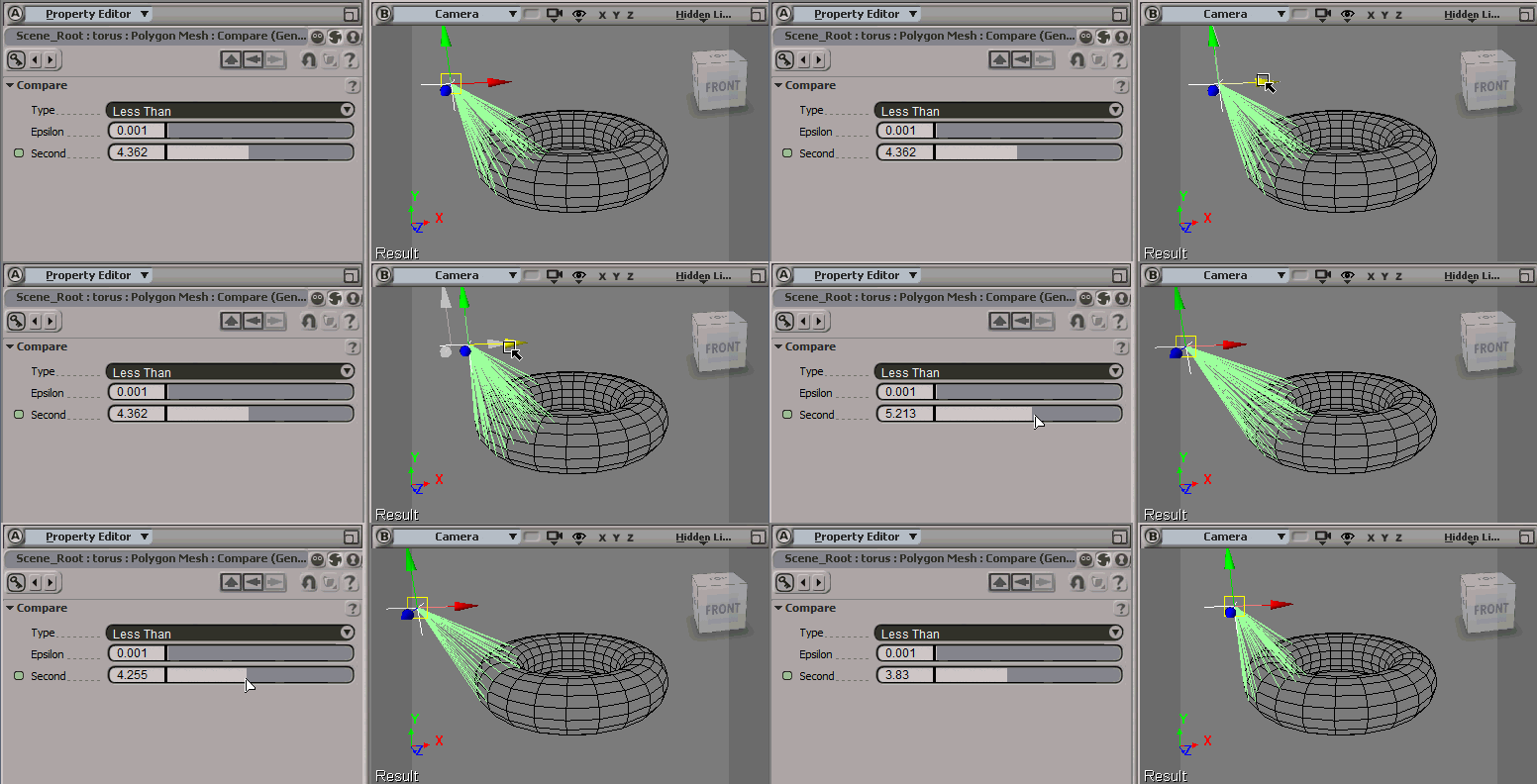
In this case, to help me visualize how many points would be “bulged”, I just had show some vectors:

Simple bulge


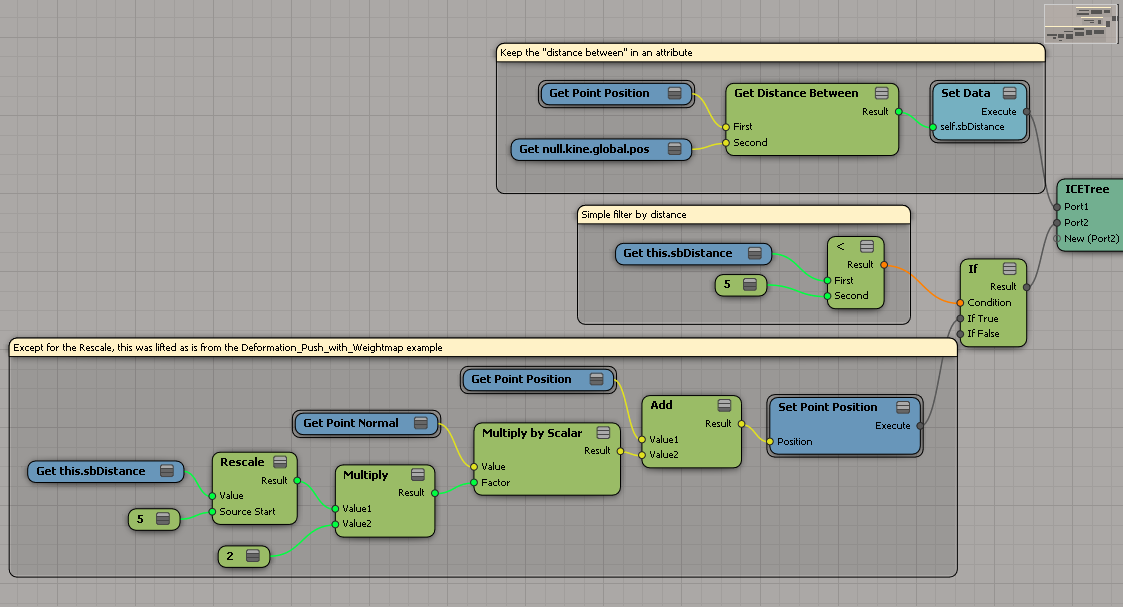
After a little fiddling around, I patched together a simple bulge operator with ICE:

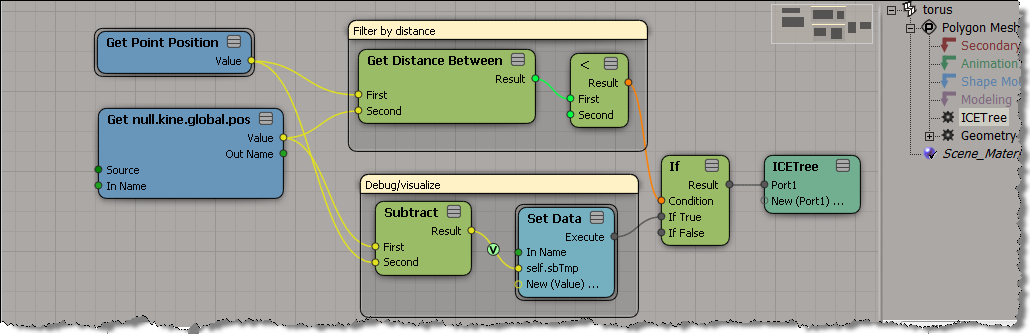
Here’s the ICE tree, which is in the Modeling stack on the torus.
Right now, this works properly only when the torus is at the global origin (because Get Point Position returns local coordinates).

The support funnel


A company’s product support model can be visualized as a funnel.

For every N customers who need help, only a subset will require direct one-on-one support

  • At the top of the funnel is the self-service component, where you hope the majority of users can find their answers. Ideally, there’s a support portal that brings together documentation, KBs, FAQs, blogs, forums, videos, and tutorials, and provides an integrated search, and possibly some sort of interactive guided question-and-answer technology. In practice, most self-service sites are usually a loose collection of these different components, which rely on the user’s ability to define good search queries.
  • Next in the funnel are forums and user communities, where you can get help from other users and, in some cases, from staff who monitor the communities.
  • For a company like Autodesk, partners provide the next level of support (this is not so true for Softimage, but is true for most other Autodesk products).
  • Finally, at the narrow end of the funnel, is the one-to-one support provided by people like me, the “technical specialists” (I’m not sure why, but I loathe that title).

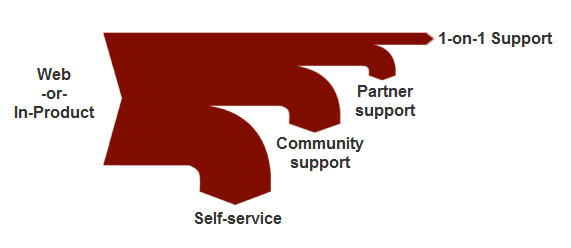
Now, the funnel analogy is not “correct” in the literal sense. In a real funnel, everything that comes in eventually flows through the bottom of the funnel. In the support funnel model, the number of customers decreases as you move down the funnel. A more accurate diagram of the support model would be a sankey diagram, which shows the proportionate number of customers served by each level of support:

Satellite rendering licensing


A recent drop of mental ray included a change to satellite licensing scheme.
Satellite licensing will be per machine, not per CPU. You’ll get four machines (instead of the current four CPUs).

Softimage 2011.5 (Subscription Advantage Pack) doesn’t have this particular drop, but you will see this change in subsequent releases.

ERROR : FATAL: DB 1.0 fatal 041500: interrupted by exception code 0xc0000005 (access violation)


‘ ERROR : FATAL: DB 1.0 fatal 041500: interrupted by exception code 0xc0000005 (access violation)

The exception code 0xc0000005 (access violation) indicates this is probably a memory access error. The software is trying to access a region of memory that it shouldn’t be accessing. In general, this could be a problem in the code (for example, a NULL pointer), faulty RAM, or even a bad device driver.

If you get this error with any scene (for example, with one of the sample scenes that ships with Softimage), then that may indicate the problem is specific to your computers. Or if you get the error only with a certain computer, that would indicate a possible problem with that one computer.

If you get this with just some scenes, then that points to a problem in the software (or perhaps the scene). It could be that something about the scene triggers certain conditions in the software, and the software then causes the error. In general, I would try breaking down the scene to try and isolate the root cause. It could be the overall complexity of the scene, or a specific element of the scene.

In one case I had recently, the user got this 0xc0000005 (access violation) error and then an endless series of bad message…0xbad0bad errors. We traced the access violation error back the number of different animated objects that were being instanced through ICE using assemblies.

Assemblies are used when an ICE trees use one of these compounds:

  • Set Instance Geometry
  • Set Particle Instance Animation Time
  • Control Instance Animation
  • Control Displacement Instance Animation

Using assemblies can be memory-intensive, so it appears that when you’ve got a lot of particles and a lot of animated instances of many objects, satellite rendering may fail with a memory access error (actually, the frame was rendered, but XSI was hung up after because of the errors).

Ref: Access Violation? How dare you …

Installing the Autodesk Network License Manager (aka LMTOOLS)


You can use the Softimage Setup program to install the Autodesk Network License Manager (video). Just click Install Tools and Utilities.

Alternatively, if you don’t have the full Softimage Setup on your license server computer, then you can download a standalone installer for ADLM from http://usa.autodesk.com/getdoc/id=TS13737466