Saturday snippet: short-circuit evaluation


If you’re new[ish] to scripting, here’s a Python snippet that illustrates short-circuit evaluation of boolean expressions.

In this snippet, short-circuit evaluation is used to avoid errors. For example, if there is no such ICE attribute (nb is not None) then there is no attempt to try and use the ICE attribute methods like IsDefined.

The expression in the print statement also relies on operator precedence (not has higher precedence than and, so everything works as expected).

# Assume a polymesh is selected...
o = Application.Selection(0)

# Check the intrinsic ICE attribute
nb =  o.ActivePrimitive.ICEAttributes("NbPoints")
print nb is not None and nb.IsDefined and nb.DataArray[0] <= 0

The above snippet also relies on operator precedence (not has higher precedence than and, so everything works as expected).

Since or has higher precedence than and, you could write something like this:

nb.IsDefined and nb.DataArray[0] <= 0 or o.ActivePrimitive.Geometry.Polygons.Count <= 0

But I’d probably put in the parentheses just to be clear:

(nb.IsDefined and nb.DataArray[0] <= 0) or o.ActivePrimitive.Geometry.Polygons.Count <= 0

Finding empty polygon meshes


Now that there are intrinsic ICE attributes like NbPoints and NbPolygons, there a couple of ways you can check for an empty mesh:

# Assume a polymesh is selected...
o = Application.Selection(0)

# Check the intrinsic ICE attribute
nb =  o.ActivePrimitive.ICEAttributes("NbPoints")
print nb.IsDefined and nb.DataArray[0] <= 0

# Check using the object model
print o.ActivePrimitive.Geometry.Points.Count <= 0

The typical way to package this up for users it to define a filter. Then a user just has to select the filter and press CTRL+A. Here’s the Match callback for a filter that finds empty polygon meshes. Note that I switched to checking the number of polygons. That way, if somehow there was something weird like a mesh with just one point, you’d still find it.

The intrinsic attribute NbPolygons should always exist, but just to be sure I check IsDefined, and if that is False, I fall back to checking Geometry.Polygons.Count.

# Match callback for the EmptyPolygonMesh custom filter.
def EmptyPolygonMesh_Match( in_ctxt ):
	Application.LogMessage("EmptyPolygonMesh_Match called",constants.siVerbose)

	o = in_ctxt.GetAttribute( 'Input' )
	if o.type == 'polymsh':
		nb =  o.ActivePrimitive.ICEAttributes("NbPolygons")
		return (nb.IsDefined and nb.DataArray[0] <= 0) or o.ActivePrimitive.Geometry.Polygons.Count <= 0
	else:
		return False

I packaged the filter as an addon. Get it here.

Tip – UI color widgets have a visual cue for gamma correction


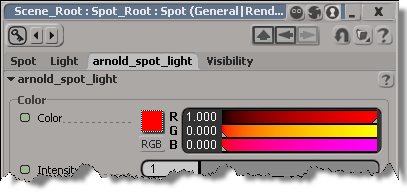
In the Display > Color Management preferences, you can turn on gamma correction for UI widgets like the color chip. On the PPG, there’s a visual cue (a “dotted highlight”) that tells you whether gamma correction is on.

Gamma-corrected color widget:

Image

Regular color widget (no gamma correction):

Image

Also, you can right-click the color chip to toggle gamma correction on and off for that specific widget.

This is all in the docs, but I have to admit I found that out only after I noticed this on my own. Too bad, because if I had known this, I would have figured out sooner why my color chips looked so “faded”:

Image

(because at some unknown point in time I had enabled the display of gamma correction for UI widgets, and then set the Profile Source to “From LUT File”)

Importing multiple FBX files with drag-and-drop


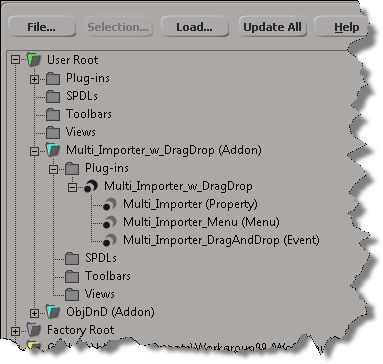
As an exercise, I updated Tim Crowson’s Multi_ImporterPPG addon with a DragAndDrop event, so you can import multiple files with a single drag-and-drop. You can download the modified version here.

Here’s the DragAndDrop event handler. The doit() function is also used by the Import menu command; I just had to generalize it a bit to work in either case (menu or drag-and-drop).

def Multi_Importer_DragAndDrop_OnEvent( in_ctxt ):

	action = in_ctxt.GetAttribute( "DragAndDropAction" )
	source = in_ctxt.GetAttribute( "DragSource" )

	if action == constants.siSourceDragAction:
		if re.search( r"\obj$", source, re.I ):
			in_ctxt.SetAttribute( "DragSourceSupported", True )
		elif re.search( r"fbx$", source, re.I ): 
			in_ctxt.SetAttribute( "DragSourceSupported", True )
		elif re.search( r"emdl$", source, re.I ): 
			in_ctxt.SetAttribute( "DragSourceSupported", True )
		elif re.search( r"lwo$", source, re.I ): 
			in_ctxt.SetAttribute( "DragSourceSupported", True )
		else:
			in_ctxt.SetAttribute( "DragSourceSupported", False )
		
	
	if action == constants.siSourceDropAction:

		Application.SetValue('preferences.Interaction.autoinspect', False, '')

		if not Application.ActiveSceneRoot.Properties( 'Multi_Importer' ):
			vtcol = Application.AddProp('Multi_Importer','Scene_Root')
			p = Application.Dictionary.GetObject( vtcol.Value("Value") )

			# Set the flag that hides certain parts of the PPG layout
			p.Parameters("bMenuCommand").Value = False

			# Inspect the PPG in modal mode
			Application.InspectObj( vtcol.Value("Value"), "", "", 4 )

			p.Parameters("bMenuCommand").Value = True
			
		p = Application.ActiveSceneRoot.Properties('Multi_Importer')

		options = { 
			'OBJgrouping' : p.Parameters('importOBJgrouping').Value,
			'OBJhrc' : p.Parameters('importOBJhrc').Value,
			'importOBJnormals' : p.Parameters('importOBJNormals').Value,
			'includeOBJmat' : p.Parameters('includeOBJMaterial').Value,
			'includeOBJuv' : p.Parameters('includeOBJUV').Value,
			'includeOBJwrap' : p.Parameters('includeOBJUVWrap').Value,
			'fbxScale' : p.Parameters('fbxScale').Value,
			'importEMDLasRef' : p.Parameters('importEMDLasRef').Value,
			'lwoScaleFactor' : p.Parameters('lwoScaleFactor').Value
			}
		
		doit( source, options )
	
	return True

Saturday Snippet: Getting a list of properties and methods with Python introspection


If you’ve ever wanted to get a list of properties and methods support by an object, here’s how.
Copied from the Softimage wiki

def GetFunctions( dynDisp ):
	"""returns a sorted and unique list of all functions defined in a dynamic dispatch"""
	dict = {}
	try:
		for iTI in xrange(0,dynDisp._oleobj_.GetTypeInfoCount()):
			typeInfo = dynDisp._oleobj_.GetTypeInfo(iTI)
			typeAttr = typeInfo.GetTypeAttr()
			for iFun in xrange(0,typeAttr.cFuncs):
				funDesc = typeInfo.GetFuncDesc(iFun)
				name = typeInfo.GetNames(funDesc.memid)[0]
				dict[name] = 1
	except:
		pass # Object is not the dynamic dispatch I knew
	ret = dict.keys()
	ret.sort()
	return ret

import pprint

funcs = GetFunctions(Application)
Application.LogMessage(pprint.pformat(funcs))

funcs = GetFunctions(Application.ActiveSceneRoot)
Application.LogMessage(pprint.pformat(funcs))

Friday Flashback #90


RIP xsibase.com

Here’s an xsibase article from a little over a decade ago…

XSI Base Team Visits Softimage Headquarters
A part of the XSI Base team visited the headquarters of Softimage in Montreal. Read what came out at this meeting and what we saw there.
August, 3rd, 2002, Written by Bernard Lebel

Will Mendez, Bernard Lebel, Raffael Dickreuter in front of the Softimage building.

As some of you know, XSI Base officials (Raffael Dickreuter – raffael3d, Bernard Lebel – Atyss, and Will Mendez – XSIWILL) went to Softimage Headquarters on July 19, 2002. We think that the users of XSI Base should be informed of what came out from this visit as it was intended to create links with Softimage officials.

Our host was Michael Sheasby, Director of Business Development. We visited the building, and we got lost in 10 seconds. The building is built like a kind of donut, though it is split in many sections. It was designed by Daniel Langlois himself, founder of Softimage. It has a very modern design, with lots of glass and aluminium. Lots of sun too that comes inside. The roof is made in glass in the middle of the “donut”, so the sun lights everything in the middle.

Unfortunately the building was almost empty, because it was 2 days before Siggraph and everybody had left to prepare the event. But we saw many known names next to offices.

We met with Pierre Tousignant and said a quick hello to Theo Diamantis (who tried to speak Spanish with Will).

There was a lot of things that Michael couldn’t discuss, for obvious reasons. We had the great privilege of seeing the Manta storyboards. However, even if all of them were on the wall, we couldn’t see the end. Michael started to tell us the story, but when he reached the last boards he nearly threw us out of the office! It’s strange, because he told us that the Manta project will never be finished.

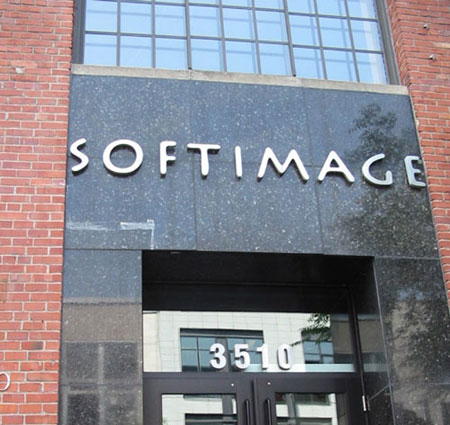
Softimage Headquarters in Montreal

So finally we sat in a conference room and had a good meeting with Michael. Here’s what came out of it as far as XSI Base is concerned:

– Micheal had the kindness of revealing a feature of XSI 3.0 (he asked to not publish it until Siggraph, but now….). You see, they replaced the particle system in this release. Now, you can freeze the particle simulation, put bones inside and envelope it, in order to animate it. Basically you can animate the particle cloud like enveloped geometry. That’s all he said, so don’t email us to try to learn more.

– You might know that a good resource page is on its way for the forum. Since Raffael wants this page to be fully compatible with the Net View (so you can access it through XSI), he had to know if it was feasible. It is, and Softimage assured us that they would collaborate on any issue we have with this system.

– Softimage will collaborate to the creation of the resource page, by providing informations about schools, products and other useful informations.

– We are now part of the media group. Now, whenever Softimage has an annoucement or press release to make, we are among the first to learn about it, thus we can inform you about Softimage news.

– Softimage will give us the details about how to become a Softimage Certified Instructor, as several people asked for this information. We will then share it with you.

– Softimage gave us merchandise (mostly Manta posters) so we can distribute these to the users, through activites (like the monthly contest).

In the end, it was a very interesting meeting, we established a collaboration with Softimage (though we remain independant). Softimage gave us their full support for what we asked, and the XSI Base users will benefit from this.