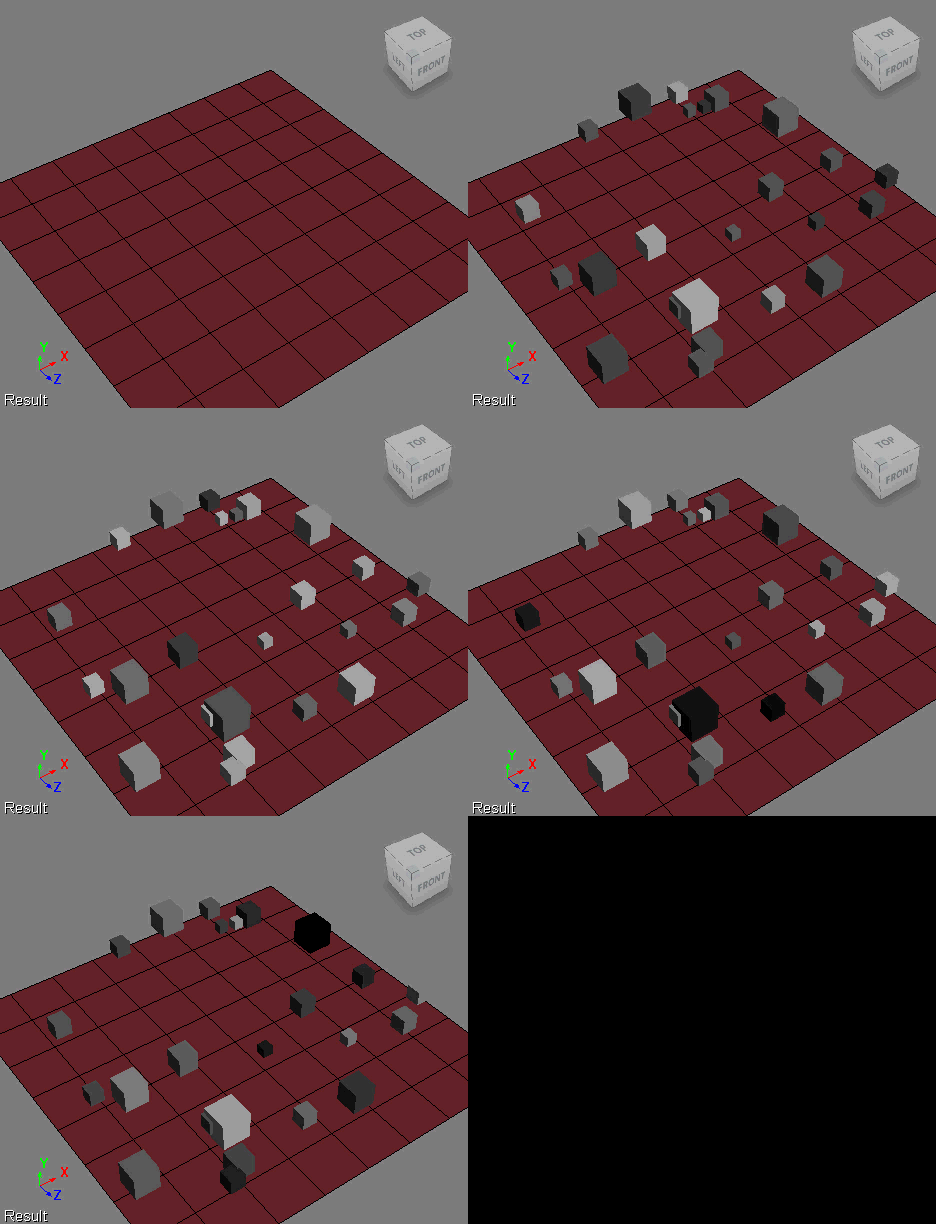
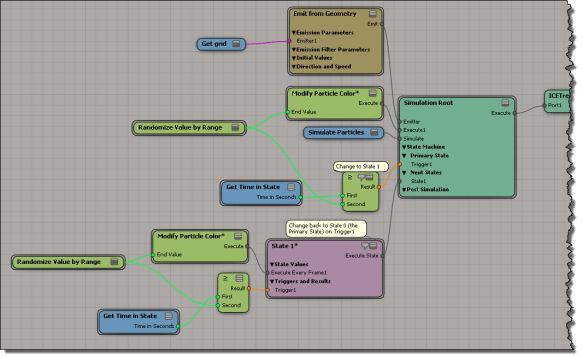
Here’s an ICE tree that uses a simple two-state setup to gradually move particle colors through two gradients (in State 0, the gradient is from black to white, and in State 1, from white to black). Randomizing the End Time gives me some variation between particles, and I customized the Modify Particle Colors to use “time in state” so I could use that as the trigger test.
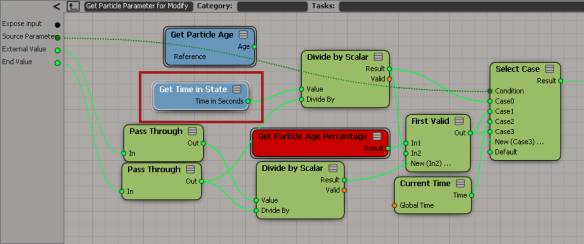
In the Modify Particle Color compound, I simply swapped Get Particle Age for Get Time in State.

Tag Archives: ICE
Building an array for weighted random selection
Here’s a little ICE tree that takes an array like
[ 0.1, 0.2, 0.2, 0.5 ]
and builds an array where
- 10% of the elements have value 0
- 20% of the elements have value 1
- 20% of the elements have value 2
- 50% of the elements have value 3
This is something I wanted to do for randomizing with weighted probabilities. The array [ 0.1, 0.2, 0.2, 0.5 ] is the weights I want to use for the values 0, 1, 2, and 3. The idea is that if I randomly select from the larger array, the weights will determine how likely I am to get each value (eg if 50% of the elements have value 3, then I’ll be much more likely to get that value when I randomly select).
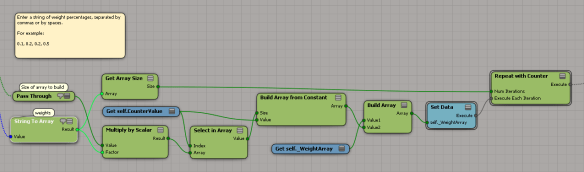
To automatically build the array, I had to use a Repeat with Counter; I didn’t see around that.
So, for example, in an array of 1000 elements, I would have 100 elements with the value 0, 200 elements with the value 1, 200 elements with the value 2, and 500 elements with the value 3.
That works fine if the input array of weights adds up to 1, but what if I start with an array like [2 4 2 8 16] ?
To handle that, I need to make a small change:
Tip: Middle-click ICE tree connections to hide and show values
Screenshots of the week
Exploring the power of Non-Linear Character Setup with Autodesk Softimage
by Adam Sale

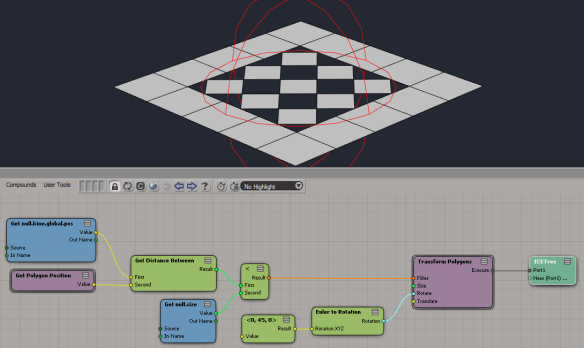
Transform polygons (from the PolygonTopoPack)
by iamVFX

Triple subdivide (with the latest PolygonTopoPack)
by iamVFX

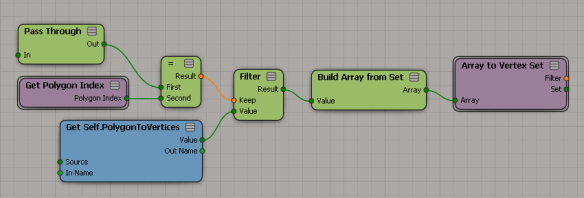
Change context from polygons to vertices (with the latest PolygonTopoPack)
by iamVFX

Squash Stretch Volume Preservation with ICE (Fstretch like)
Negative scalar slider range
by NNois

Showing per-sample colors in ICE
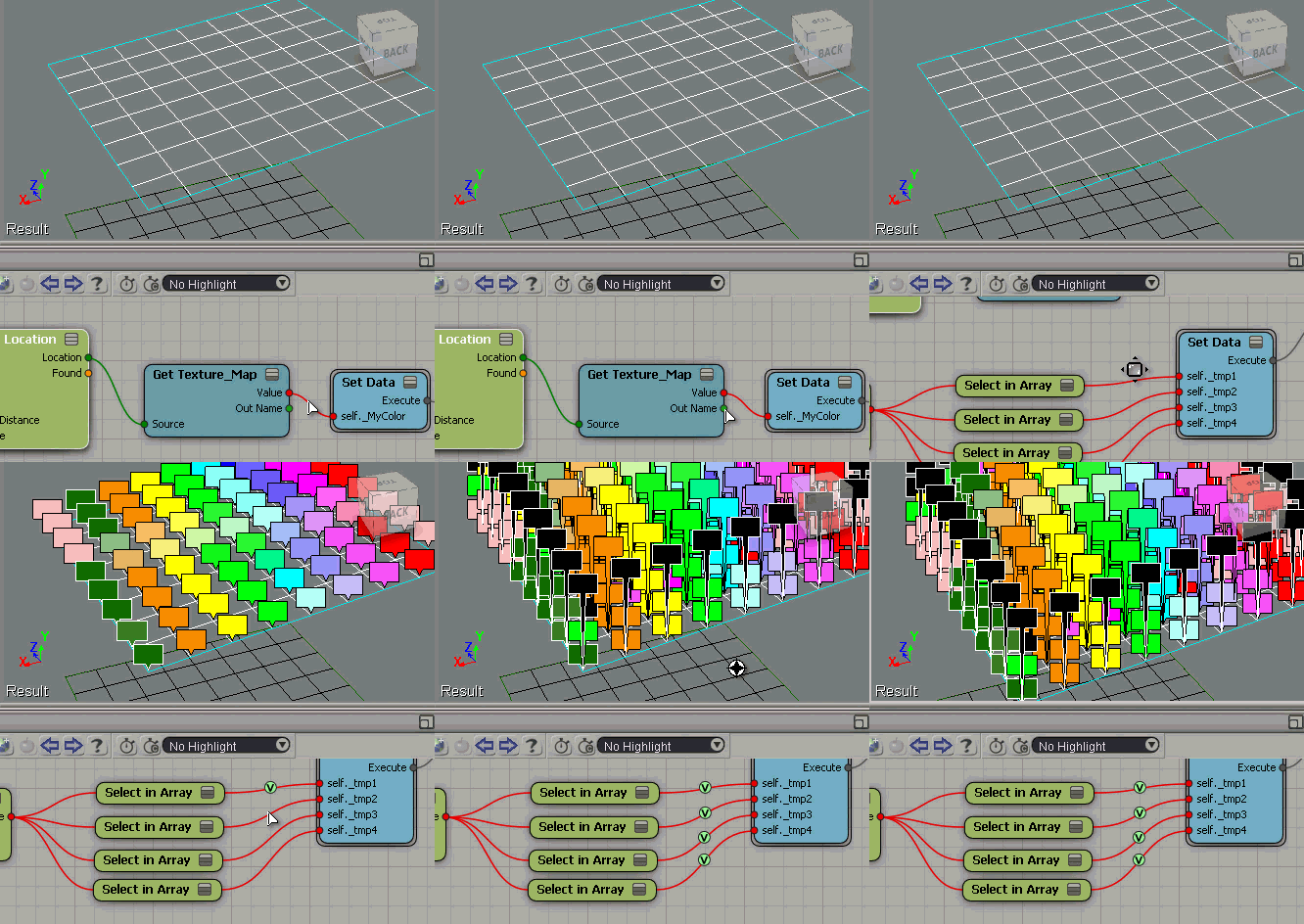
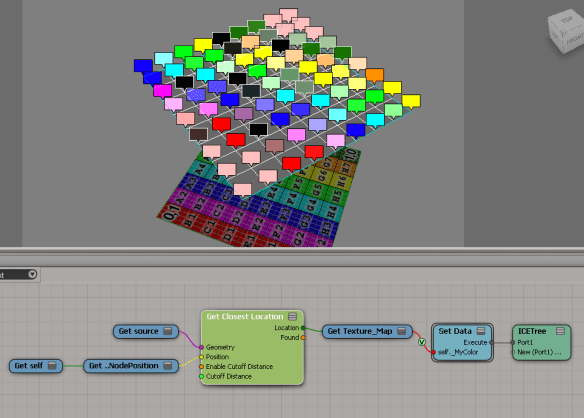
Suppose you have some per-sample attributes on a mesh. For example, suppose you’re getting the texture map colors from another mesh like this:

The Show Values makes it look like you’re getting one color per vertex, but that’s not true.
If you do a Show Values like this (numeric), you’ll see that you’re getting multiple values (one per sample).

To see all the values as colors, you need to offset each Show Value. Otherwise they just stack up on each other, and it looks like just one color.

Randomizing with weighted probabilities
The question came up the other day of how to use Randomize Value by Range so that some values were more likely to come up than others. For example, suppose you wanted some shapes to be instanced 4 more times than some other shape…
From http://docs.python.org/3.2/library/random.html
A common task is to make a random.choice() with weighted probabilities.
If the weights are small integer ratios, a simple technique is to build a sample population with repeats:
>>> >>> weighted_choices = [('Red', 3), ('Blue', 2), ('Yellow', 1), ('Green', 4)] >>> population = [val for val, cnt in weighted_choices for i in range(cnt)] >>> random.choice(population) 'Green'
So basically, if I want shape 1 to have a weight of 4 (so that roughly it is used 40% of the time), I would build an array that looks something like this:
[0, 0, 1, 1, 1, 1, 2, 2, 3, 3]
Then I generate a random integer and use it to select from that array. Because the “1” appears more often in the array, in the long run it should be more likely to be randomly selected.
Here’s an ICE tree where I apply this technique:
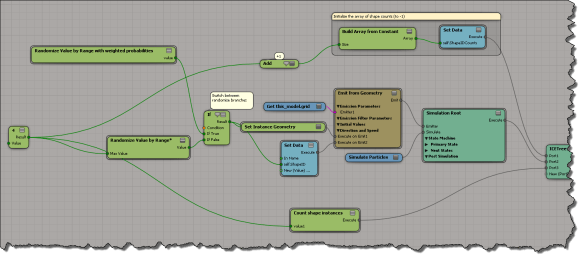
scn file here if you want it
This is what goes on inside the compound where I randomly select from the “weighted array” of possible shape IDs:

And here’s how I build an array with repeated values (the number of repetitions corresponds to the weight):

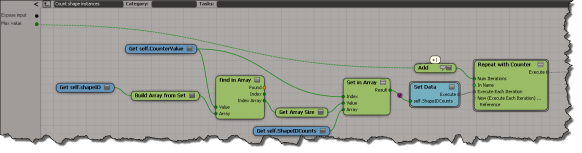
To get an idea of whether this works on not, I keep track of the number of instances of each shape:
Scripting – Finding the objects in different SimulationEnvironments
Here’s a script that goes through the SimulationEnvironments of a scene and find the 3d objects in each SimulationEnvironment. This snippet builds a dictionary of 3d objects, indexed by simulation environment.
from siutils import si
si = si() # win32com.client.Dispatch('XSI.Application')
from siutils import log # LogMessage
from siutils import disp # win32com.client.Dispatch
from siutils import C # win32com.client.constants
from xml.etree import ElementTree as ET
# Use a dictionary to store the 3d objects keyed by Environmen
dict = {}
for e in si.ActiveProject2.ActiveScene.SimulationEnvironments:
stack = XSIUtils.DataRepository.GetConnectionStackInfo( e.SimulationTimeControl )
xmlRoot = ET.fromstring( stack )
for xmlConnections in xmlRoot.findall('connection'):
o = xmlConnections.find( 'object' )
dict[ si.Dictionary.GetObject( o.text ).Parent3DObject.FullName ] = e.FullName
log( "3DObjects and their SimulationEnvironments" )
for key, value in dict.items():
log( "\t%s, %s" % (key,value) )
log( "" )
log( "SimulationEnvironments and 3DObjects" )
dictvals = set( dict.values() )
for env in dictvals:
log( "\t%s" % env )
list = [k for k, v in dict.iteritems() if v == env]
for o in list:
log( "\t\t%s" % o )
Here’s some sample output from the script:
# INFO : 3DObjects and their SimulationEnvironments # INFO : pointcloud1, Environments.Environment # INFO : Point_cloud_chaser.pointcloud2, Environments.Environment1 # INFO : grid, Environments.Environment # INFO : Point_cloud_chaser.pointcloud1, Environments.Environment1 # INFO : pointcloud, Environments.Environment # INFO : Point_cloud_chaser.pointcloud, Environments.Environment1 # INFO : # INFO : SimulationEnvironments and 3DObjects # INFO : Environments.Environment1 # INFO : Point_cloud_chaser.pointcloud2 # INFO : Point_cloud_chaser.pointcloud1 # INFO : Point_cloud_chaser.pointcloud # INFO : Environments.Environment # INFO : pointcloud1 # INFO : grid # INFO : pointcloud
Sticking points to an enveloped mesh
Screenshots of the week
Storing lights in a channel
by kosyan

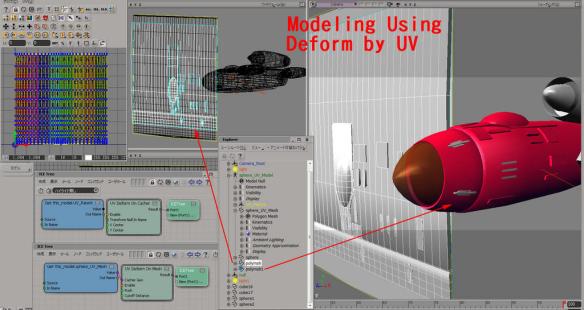
Modeling using Deform by UV
by SI_UserNotes

related video:
http://www.youtube.com/watch?v=_YrqsoXFZCc
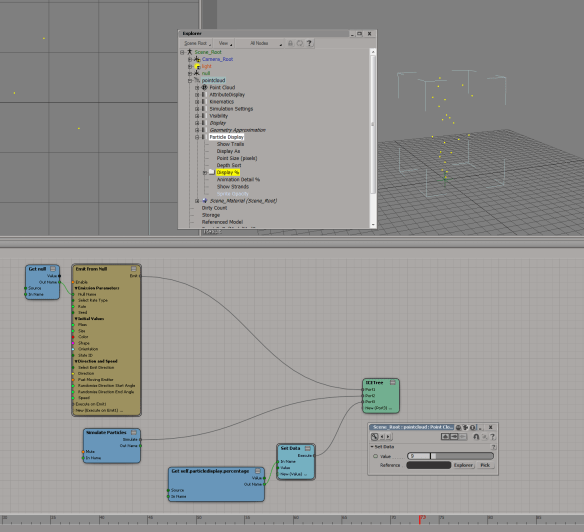
Particle display percentage
by Mr Core

EMFluid as a 2D emitter
Softimage key reducter
by moxmotion

Boolean operations on ICE arrays
While it is true that non-zero values are considered True, this applies only to input values. ICE nodes that return a boolean value will always return either 1 or 0.
Based on this, you can do an element-wise logical operation on array by summing up the array elements.
If the sum is greater than zero, then you know there was at least one True value, so a logical OR would return True. And if the sum was less than the array size, then at least one boolean element is False, so a logical AND would return False.