Using the PolygonArea ICE attribute to select similar polygons


After seeing this select similar post on xsibase, I wrote this Python example that uses the PolygonArea ICE attribute to find polygons with similar areas. I didn’t want to use a custom preference or any ppg, so this script looks for [more-or-less] equal areas rather than for a value range. It’d probably be more useful to look for areas within a certain range (but that would require user input).

To use this script, select a polygon and then run the script. It’ll select all polygons with the “same” area.

This ss_SelectSimilarPolys add-on uses a threshold to define an area range (and it uses PolygonArea too). RCTools also lets you specify an area range, along with a number of other things like number of edges and poly orientation, in its custom Polygon selection filter.

from siutils import si		# Application
from siutils import sidict	# Dictionary
from siutils import sisel	# Selection
from siutils import log		# LogMessage
from siutils import C		# win32com.client.constants

# Number of decimal places
# For example, do I match .776 or .78 ?
# With 2 decimal places, anything in the range (7.75, 7.85) will be caught by .78
gPrecision = 2

# Need this for .Polygons later...
def dispFix( badDispatch ):
	import win32com.client.dynamic
	# Re-Wraps a bad dispatch into a working one:
	return win32com.client.dynamic.Dispatch(badDispatch)


# Get selected polygons
polys = sisel(0).SubComponent.ComponentCollection

# Get index of first selected polygon
ix = polys(0).Index

# Get primitive of parent 3D object
prim = sisel(0).SubComponent.Parent3DObject.ActivePrimitive
prim = dispFix(prim)

# Get PolygonArea DataArray (which is a tuple)
attr = prim.GetICEAttributeFromName( "PolygonArea" )
areaData = attr.DataArray

# Round PolygonArea to the specified precision
roundedAreas = [round(x,gPrecision) for x in areaData]

# Get the area that you want to match
areaToMatch = roundedAreas[ ix ]

# Get all polys with a similar PolygonArea and select them
#
# Function findall from http://effbot.org/zone/python-list.htm
def findall(L, value, start=0):
        # generator version
        i = start - 1
        try:
			while 1:
				i = L.index(value, i+1)
				yield i
        except ValueError:
            pass
			
for ix in findall(roundedAreas, areaToMatch ):
	sisel.Add( prim.Geometry.Polygons( ix ) )

The case of Find in Array that didn’t find anything


So, the other day I was trying to use Find in Array , but it wasn’t finding anything. At first I thought there was wrong with the data I was feeding into Find in Array, but then I did a quick test of Find in Array and found out what was going on.

By default (in 2012 SAP at least), the Epsilon is 0 and Find in Array doesn’t find anything. For example, here Find in Array doesn’t find the vector (0, 0, 0) in the array, even though (0,0,0) is in the array three times:

If you bump up the epsilon to 0.001, then Find in Array does find the specified value:

It’s often a good idea to isolate a branch, or create a simple test ICE tree, to figure out how things work.

Interpolating between array elements


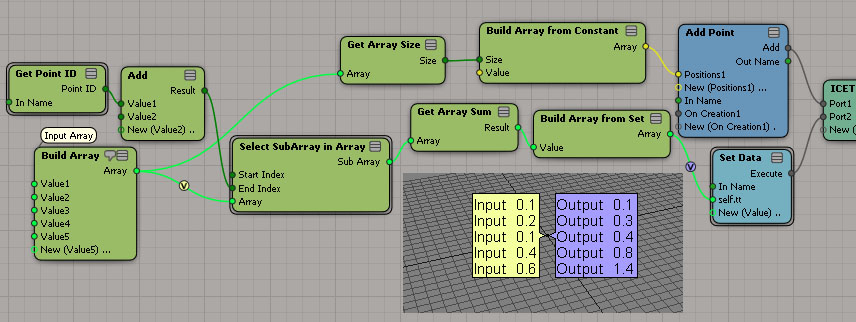
On the XSI mailing list last week, there was a question about “resizing an array using interpolation”.
The goal was to resize an array by interpolating between the elements of the original array.
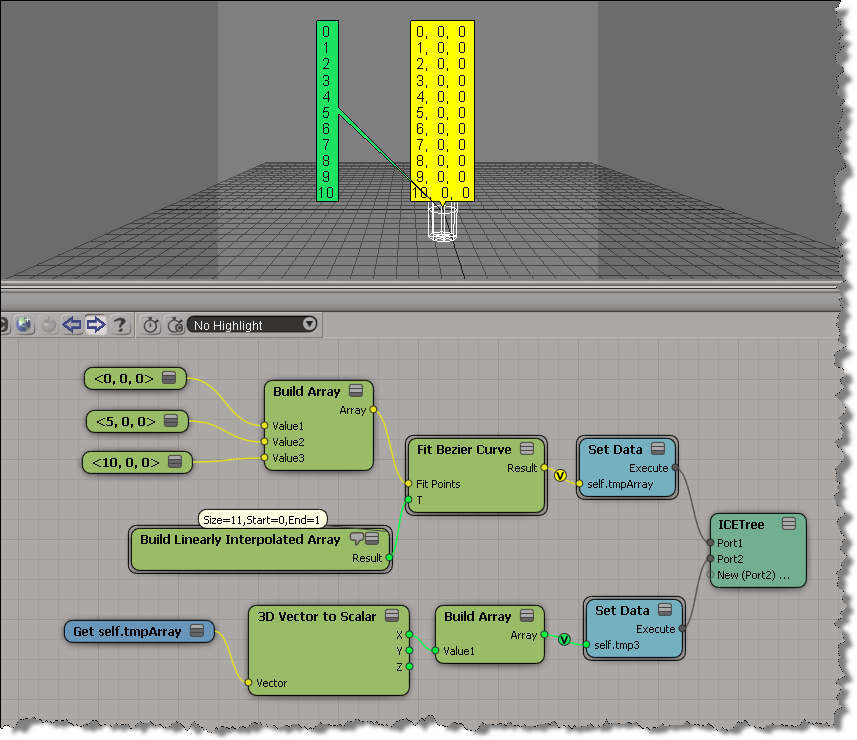
For example, given this array:

[0, 5, 10]

how to you get this array ?

[0, 1, 2, 3, 4, 5, 6, 7, 8, 9, 10]

Alan Fregtman suggested bezier interpolation with the Fit Bezier Curve compound. I gave it a try, and here’s a screenshot. I added a branch to go back to a scalar array from the vector array.

Tip: Selecting objects from inside an ICE Tree view


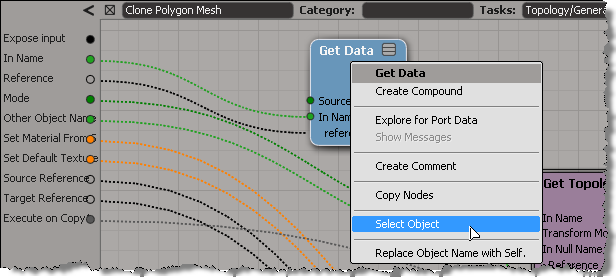
ICE tree views are typically locked, so that they don’t constantly update while you’re working with a scene and selecting different objects. But what do you do if you want to select an object referenced in the ICE tree? Do you have to hunt down the object in the explorer?

Nope. As of 2011.5, you can right-click a Get Data node to select the referenced object.

This works with the self, this_model and this_parent tokens too.

It also works on an Get Data inside a compound, if the Get Data In Name is connected to a valid reference. So, you don’t need to exit a compound just to select an input object.

hat tip: Guillaume Laforge

Friday Flashback #36


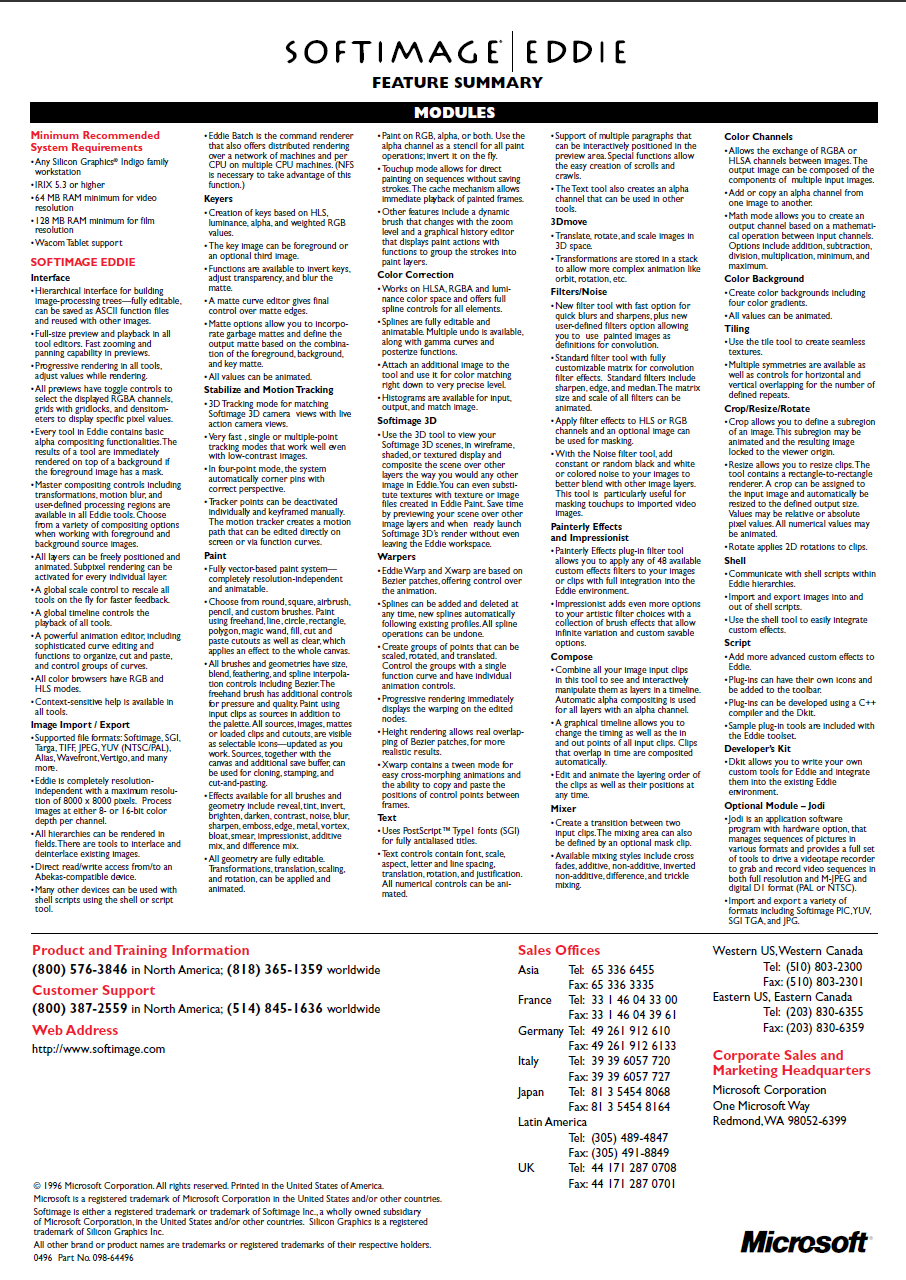
Last week’s flashback post and its historically-inaccurate screenshot spawned an XSI list discussion that included this mention of Softimage Eddie. Softimage® Eddie was an award-winning video compositing, editing and processing tool that ran exclusively on Silicon Graphics® Indigo workstations. Required 64MB RAM for video, 128MB for film. Approximate retail price was $7,995 (U.S.).

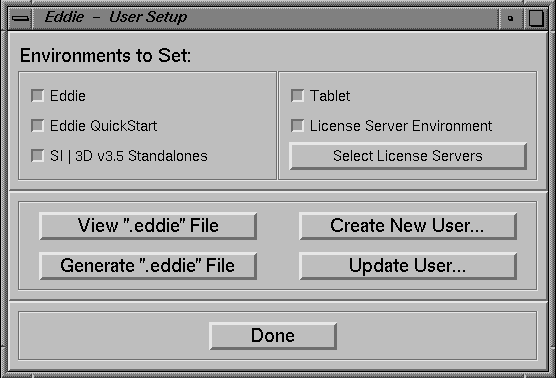
So I thought I’d pull together some Eddie screenshots, but it wasn’t easy to find any. All I turned up was the logo, some Eddie icons, and some install screenshots.

Eventually I found something on the Fuel for the Mind CD (thanks to Miquel Campos 🙂 that showed the node-based UI, but the image quality is pretty poor.

Softimage Eddie – a professional post-production studio at your fingertips:
http://vimeo.com/29476029

And here’s the Eddie brochure:

The case of the pass that wouldn’t duplicate


In this case, CTRL+D on a pass would appear to work, but the pass wouldn’t show up in the explorer.

The problem turned out to be in the Duplicate options (the Hierarchy pref was set to None: hat tip to Chinny for spotting that). To duplicate passes, Hierarchy has to be set to Share Parent.

We confirmed this by looking at what was logged in the script history.

The problem is the 4th argument to Duplicate. That’s the Hierarchy argument, and 0 means siNoParent.
So the Duplicate command was creating a pass with no parent, so the new pass was just sort of “floating” around in the scene, until it was discarded during a save operation.

// Duplicate a pass but don't give it a parent
var x = Duplicate("Passes.Default_Pass", null, 2, 0, 1, 0, 0, 1, 0, 1, null, null, null, null, null, null, null, null, null, null, 0);

// It was created, but not placed in the pass list:
LogMessage( x.Count );
LogMessage( x(0).FullName );
InspectObj( x(0) );

Checking the version of JScript available in Softimage


LogMessage(GetJScriptVersionInfo());

function GetJScriptVersionInfo()
{
    var s;
    s = ""; // Build string with necessary info.
    s += ScriptEngine() + " Version: ";
    s += ScriptEngineMajorVersion() + ".";
    s += ScriptEngineMinorVersion() + ".";
    s += ScriptEngineBuildVersion();
    return(s);
}

On Linux:

// INFO : JScript Engine Version: 5.1.4411

On Windows:

// INFO : JScript Version: 5.8.16762

Friday Flashback #30


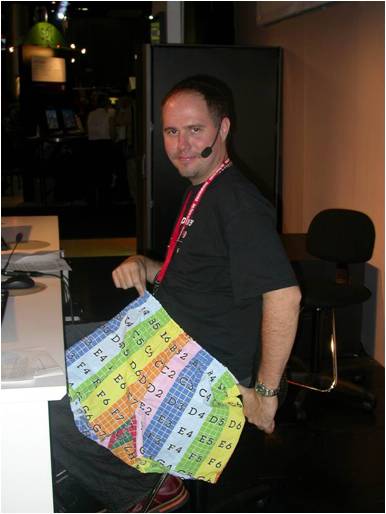
The noIcon_pic shorts demo from the SIGGRAPH 2004 User Group:

Some background on how the noIcon shorts came to be:

Interview With Mark Schoennagel
by Raffael Dickreuter, Bernard Lebel, Tülay Tetiker
September, 23rd, 2004,

What about those noIcon boxers at the Siggraph 2004 User group? Any chance we can get some of these? Tell us how you came up with that idea.
How was that for ridiculous? Dropping my pants on stage… I never thought I’d do that… well, while working anyway! Actually Gino Vincelli’s wife made them. Gino works for us in Montreal and is the voice on many of the training materials we make. His wife works as a fashion designer and can print just about anything, so they made these boxers! I hadn’t really decided if I was going to actually drop through on stage, or how, but somewhere during the second demo I thought “heck, just use primitive man and put the “no icon” texture on it.. then … well.. drop your pants.” So that’s what I did. Nice ass I got there huh? I think Chinny thought so, because he forgot to play the next video clip. Maybe they’ll be on the web store by popular demand, or maybe a limited tradeshow edition – we’ll see.

From an interview with Gino Vincelli (ATC Manager and Senior Instructor of Softimage)
by Raffael Dickreuter, Will Mendez, Bernard Lebel
February, 10th, 2005

Can you tell us how you got the idea for the no-icon shorts?
Well when you work at Softimage and within the 3D community, you’re generally surrounded by weird people and it rubs off on you! Ha! Ha! In XSI, as you know, if you forget to save your images when creating a new database you will end up with characters or objects “wearing” the no-icon default texture. I just thought it would be cool to produce real no-icon clothes such as the shorts as if whoever was wearing them had forgotten his or her textures at home. I know… way too much time on my hands… I got a real kick out of seeing Mark Schoennagel drop his pants to show off the no-icon shorts at the Siggraph user group. The guy is gutsy!