The future of 3d animation began 14 years ago on this day, Jan 17th. Was it worth the wait?

Teaser from http://www.3dwillneverbethesame.com
Friday Flashback #155
2

The future of 3d animation began 14 years ago on this day, Jan 17th. Was it worth the wait?
Teaser from http://www.3dwillneverbethesame.com
Here’s the question: How do you get the texture support created by CreateProjection?
You’re supposed to be able to get the support name from an output argument, but that doesn’t work.
from sipyutils import si		# win32com.client.Dispatch('XSI.Application')
from sipyutils import log		# LogMessage
from sipyutils import C			# win32com.client.constants

si = si()

x = si.CreateProjection("sphere", C.siTxtSpherical, "", "SupportName", "Texture_Projection", "", "", "")

log( x.Value("SupportName") == None )

log( x.Count );
log( x(0) == "" );
log( x(1) );
So instead, I get the PropertyName and from CreateProjection and work my way over to the texture support, via the TextureOp.
import win32com.client

from sipyutils import si		# win32com.client.Dispatch('XSI.Application')
from sipyutils import log		# LogMessage
from sipyutils import C			# win32com.client.constants

si = si()

def dispFix( badDispatch ):
    import win32com.client.dynamic
    # Re-Wraps a bad dispatch into a working one:
    return win32com.client.dynamic.Dispatch(badDispatch)

o = si.Selection(0)

x = si.CreateProjection(o, C.siTxtSpherical, "", "Texture_Support", "Texture_Projection", "", "", "")
#CreateProjection( [InputObjs], [Type], [UVDefaultType], [SupportName], [PropertyName], [Parenting], [Fitting], [Camera] );

y = win32com.client.Dispatch( "XSI.Collection" )
y.Items = "%s.polymsh.cls.*.%s" % (o.FullName, x.Value("PropertyName") )

log( y.Items )

txtprop = si.Dictionary.GetObject( y(0).FullName )
op = txtprop.NestedObjects( "TextureOp" )

# re-dispatch it to avoid "object has no attribute 'InputPorts'" error
op = dispFix(op)

txtsupp = op.InputPorts(2).Target2.Parent3DObject

log( si.ClassName(txtsupp) )
si.SelectObj( txtsupp )
The SDK Explorer is good for finding these kinds of port connections:

PS: Here’s a JScript version.
x = CreateProjection("cylinder", siTxtPlanarXY, siTxtDefaultSpherical, "Texture_Support", "Texture_Projection", null, siRelDefault, null);

var y = new ActiveXObject( "XSI.Collection" );
y.Items = "cylinder.polymsh.cls.*." + x.Value("PropertyName")

txtprop = Dictionary.GetObject( y(0).FullName );
op = txtprop.NestedObjects( "TextureOp" );

txtsupp = op.InputPorts(2).Target2.Parent3DObject

LogMessage( ClassName(txtsupp) );
SelectObj( txtsupp )
You can use the undocumented selectednodes attribute, which was added in Softimage 2014.
views = Application.Desktop.ActiveLayout.Views
v = views.Find("Fx Tree") or views.Find("View Manager").Views.Find("Fx Tree")
if v:
    print v.GetAttributeValue("selectednodes")  # None
The FxTree view also has a targetcontent attribute, which is documented.
* hat tips to csaez (code) and luceric (attribute)
Relative rotation
by Mathaeus

atan angle visualization
by Mathaeus
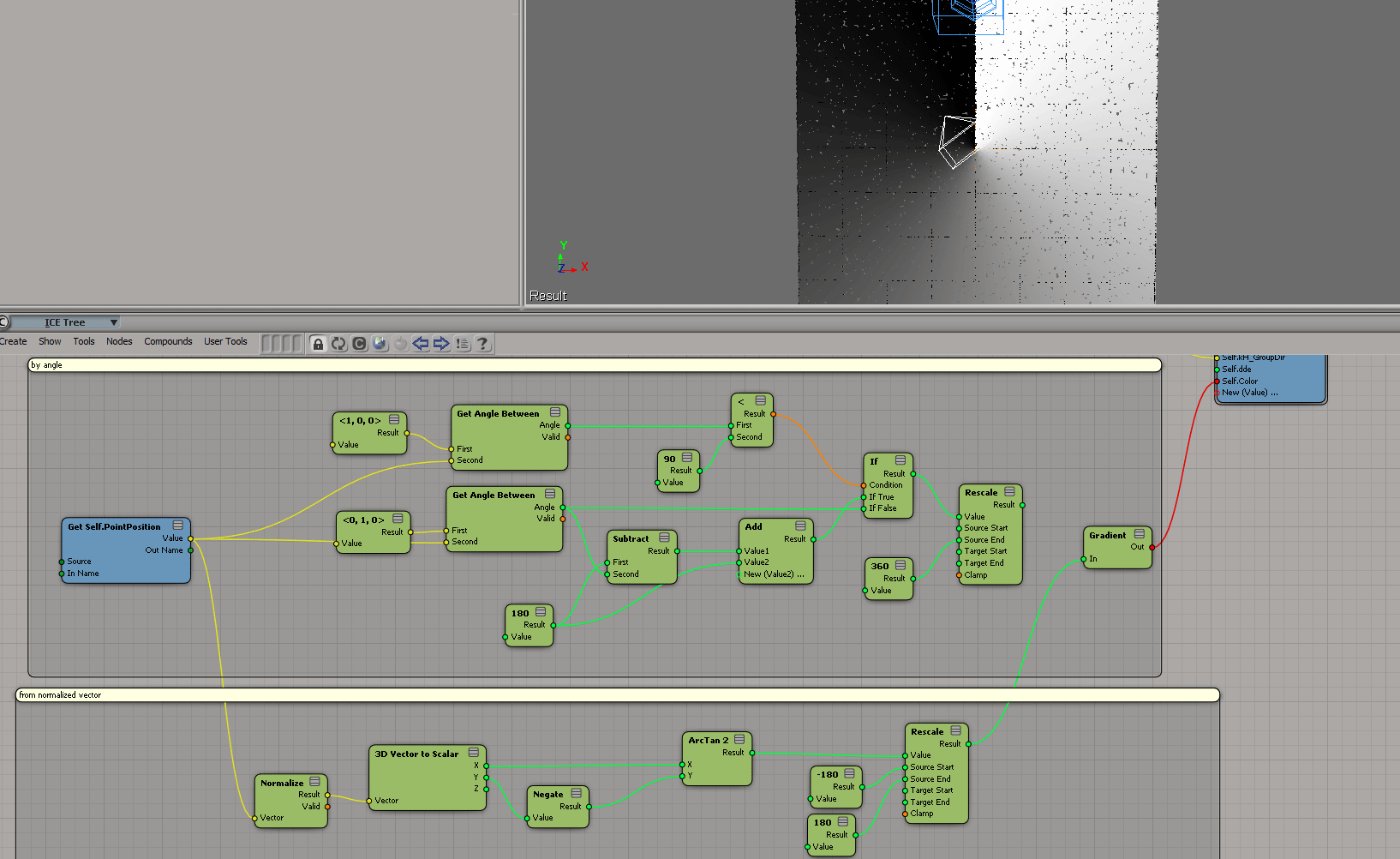
Color depending on height (render tree)
by NNois
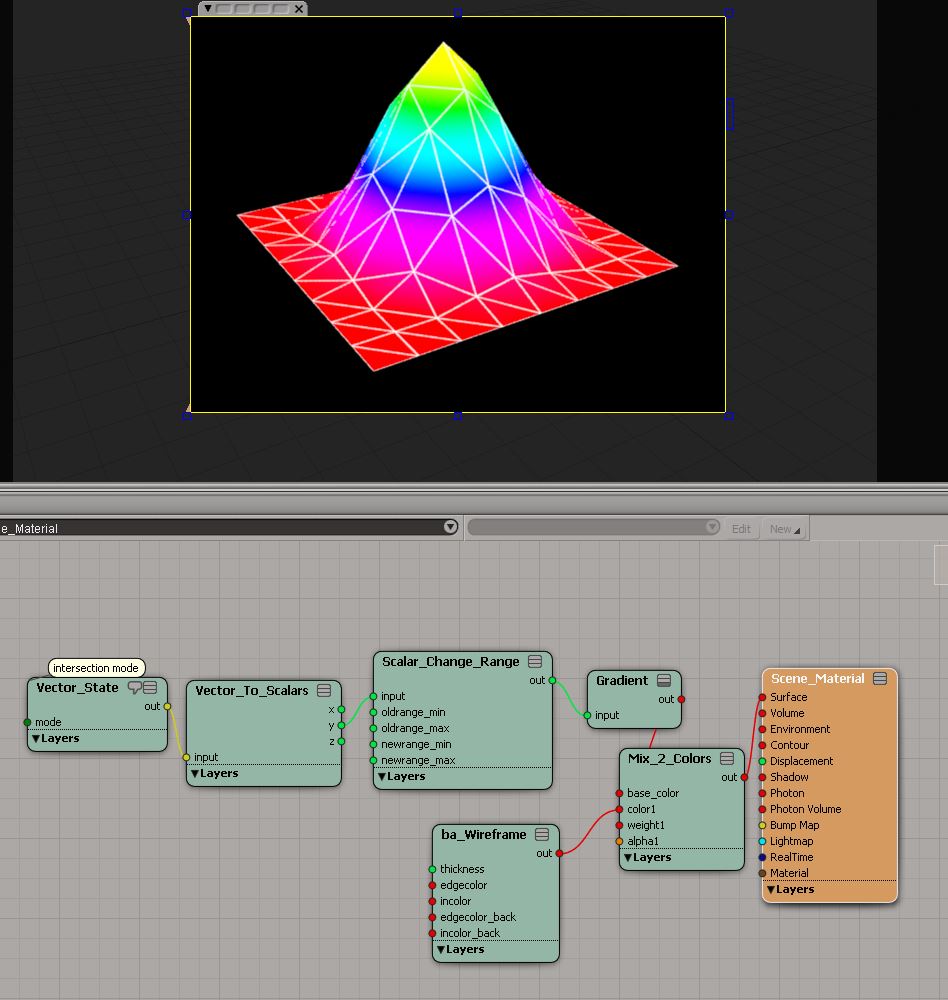
Color depending on height (ICE tree)
by caledonian_tartan
OpenVDB to Softimage
by Mr.Core


ICE crusade to Houdini VDB Fracture
Feathers system
Krakatoa For Softimage Update
Partio Export For Softimage
What was happening on the XSI list 13 years ago?
In the past few weeks, I’ve compiled annual summaries for five different lists, so here’s one more, this time for Jan 2001 on the XSI mailing list.
I pulled a listing of the Jan 2001 posts out of the wayback machine, and stuffed them into a word cloud. There were a lot of names I recognized; many of them still posting on the list. Do you see yours? 🙂

There were almost a thousand posts. Here’s the top topics of discussion:
XSI 1.5 inspired a lot of discussion, there were many small threads about that update:
Top posters
I’ve noticed this a handful of times, where a node like Get Data isn’t found in the preset manager. Clicking the Update button always fixes it for me.
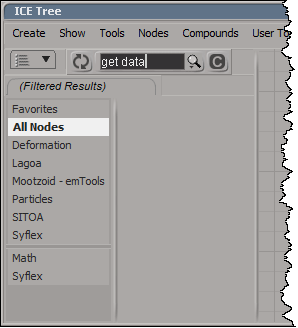
The last time this happened, instead of clicking Update, I started Process Monitor and did a few more searches in the preset manager. In my case, Softimage searching only the compounds, not the presets in %XSI_HOME%\Data\DSPresets\ICENodes. That’s why nodes like Get Data weren’t found.
Clicking Update forced Softimage to search both the compounds and presets.
A weightmap is per-point, but it’s per-point on the emitting geometry, not the point cloud. So you can’t just do a plain “get weights” if you want to use the weightmap to control particle values like Velocity or Speed.
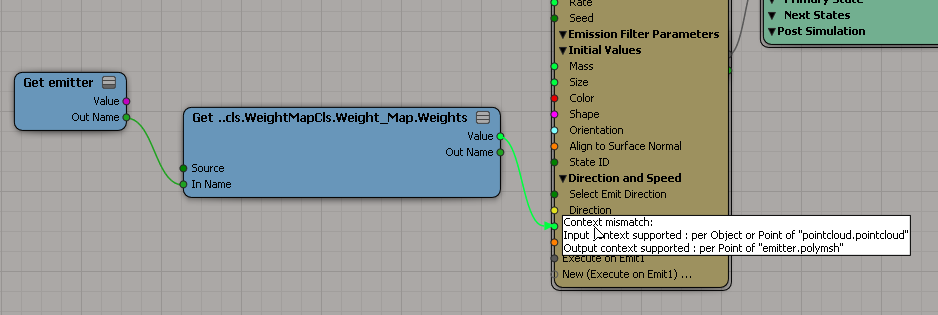
Instead, you use get a location, like the particle emit location, and then get the weightmap value at that location. Then you’ll have a particle per-point context to work with.

When you get the weight at a location, you get an interpolated weight value.
I read somewhere that installing PyQtForSoftimage could be difficult, so I gave it a try. I didn’t have any problems.
For my test, I installed PyQtForSoftimage in Softimage 2014 SP2, using Python 2.7.3 and pywin32 218.
Here’s a recipe that will work with Softimage 2014 and earlier. But if you’re using Softimage 2014, you can skip the part about using the system Python. Instead, use PYTHONPATH to point to folder where PyQt4 is installed (hat tip: Tim C).
On-sentence-summary
You need to switch from the Python installed with Softimage to the system Python (and pywin32), install PyQT, and then install the PyQtForSoftimage addon.
General Recipe

Or edit your prefs file (%XSI_USERHOME%\Data\Preferences\default.xsipref) and add this line: scripting.sipython = False

I found that the ExampleDialog and ExampleSignalSlot examples did pop up dialogs, but the Log Text button didn’t log anything to the history log.
Softimage 2014 Recipe
Two “top 11” lists (because 10th and 11th place were so close, I went with 11).
Only posts that started in 2013 are included.
Actually, looking at the two lists, it seems there was really only one main “hot topic”.
Top 11 most replies
Top 11 most viewed
Sumatra splash screen

Possibly just a mock up.

