Instance master models and point clouds


Point clouds are just another type of 3D object, so you should be able to safely put them in an instance master, and have them show up in the instances.

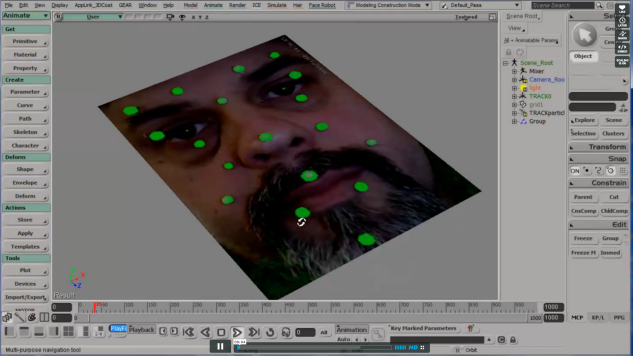
This ICE tree adds a point for each person in the instance master. Here I added some spheres, but I could just of easily instanced some geometry and put a halo over everyone’s head.

If the instance master model is not at (0 0 0), then when I parent the point cloud to the model, the point cloud gets a local pos offset. So, I can either manually reset the local pt cloud pos to 0 0 0, or handle it in the ICE tree (by undoing the local pos offset by multiplying by the inverse transfo matrix).

Selection filter for objects with ICE trees


Here’s a custom filter for selecting objects with ICE trees: psCustomFilters.xsiaddon. The filter appears as Obj_w_ICETree in the filter list of the Select panel in the MCP:

You can use this filter in the MCP Select panel (choose the filter and then press Ctrl+A to select all objects with an ICE tree).

Or you could make a toolbar button with these snippets:

// JScript
SelectAllUsingFilter("Obj_w_ICETree", siCheckComponentVisibility, null, null);
#Python
from siutils import C		# win32com.client.constants
Application.SelectAllUsingFilter("Obj_w_ICETree", C.siCheckComponentVisibility, "", "")

Copying a polygon attribute to vertices


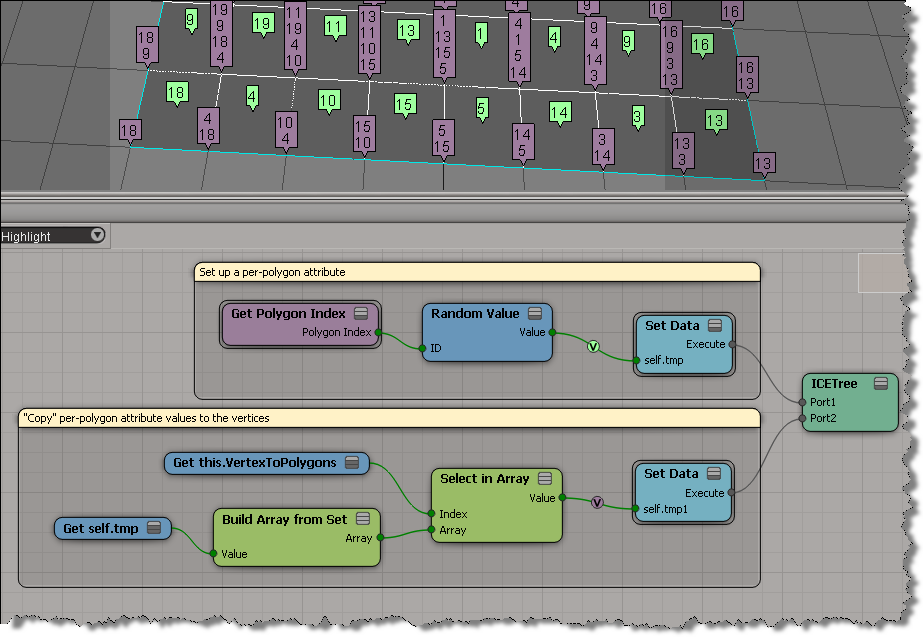
This question came up last weekend (on si-community and xsibase): how do I copy a polygon attribute to a point attribute?

As Chris_TC and gray pointed out, a point can be associated with multiple polygons. So you use VertexToPolygons to either build a per-point array of polygon attribute values, or you do something like average the polygon attribute values and store that as a point attribute value.

Using arrays to avoid Repeat part II


Part I is here

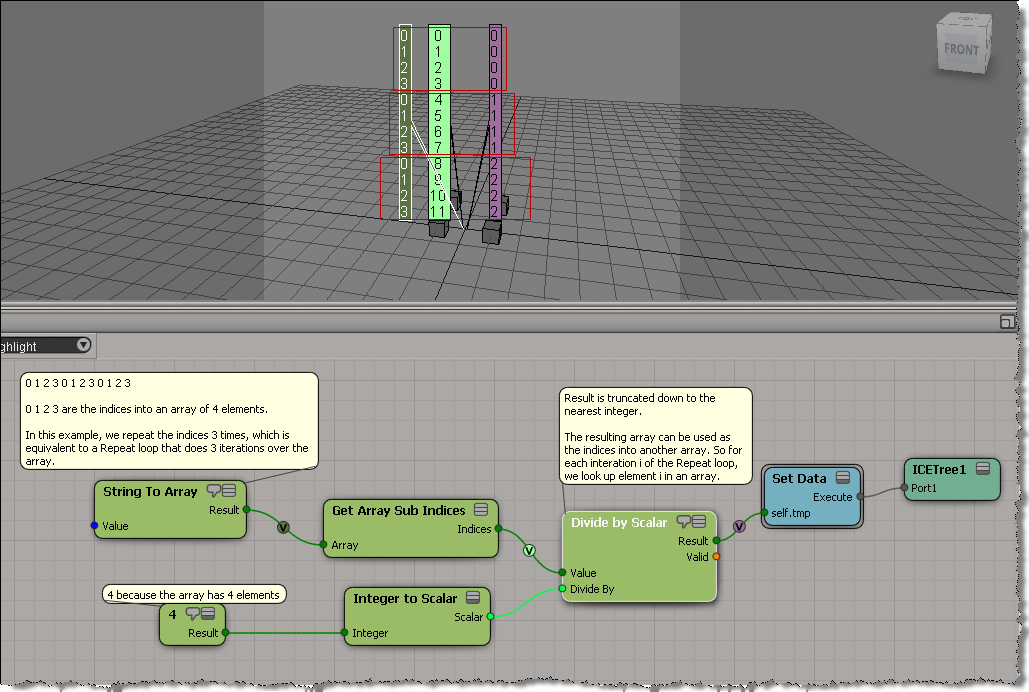
Another building block for using arrays instead of Repeat loops: an array that looks like [0,0,0,0, 1,1,1,1, 2,2,2,2, …].

Again, the trick is to use this array as the indices for Select in Array.

Here’s how to build this kind of array:

Here’s a simple example. I get the positions of the objects in a group, and then use those positions to add points in a point cloud. Basically, I have a group of objects, and an array of vectors (the interpolated array). When I add a point, I take an object position and add a vector to it to get the point position.

In pseudo-code:

For each object in group
      for each vector in array
             Add Point
             Point Position = vector + object position 

If that ICE tree is hard to follow, then it may help to use some attributes to store intermediate values(arrays). That way you can separate out some branches of the tree: