Installing compounds and addons in a workgroup
Reply

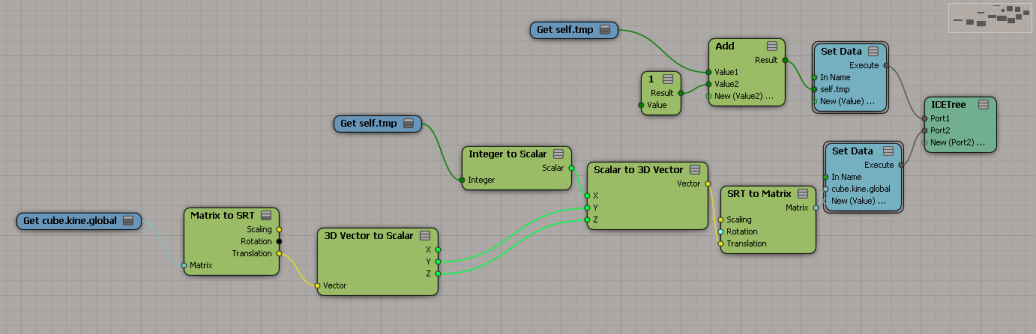
Sticking an ICE tree on a mesh and then getting the kine.global, updating it, and setting the kine.global doesn’t really work. And I’m not sure it should. Between ICE optimizations and the way the XSI evaluation model works, I don’t think you’ll get consistent updates. SCOPs are similar, but they have that Always Evaluate flag to force evaluations.

Second attempt. I also have an ICE Tree in the Modeling region that initializes self.tmp.
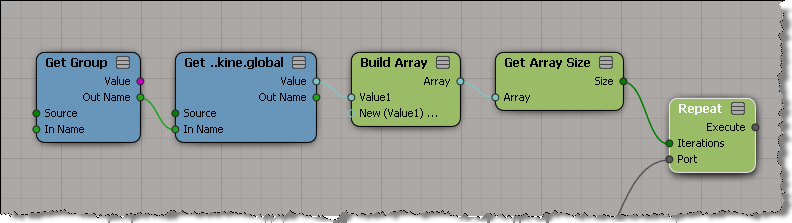
 You can get data from the members of a group, and even loop over that data, but you cannot set data on individual group members. I’ve seen this question come up on several forums, mailing lists, and beta lists. You can’t store a reference in an attribute (so you can get it later and plug it into Set Data). You can store a string (eg the object name) in a string, but you cannot convert a string into a reference. And you can’t plug your Get Group into a Set Data.
Things like references and execute ports are part of the pre-evaluation stage. They must be resolved before the ICE tree is evaluated. Everything else in the ICE tree is the stuff that has to be constantly re-evaluated. So driving a reference port with another ICE node doesn’t really fit into the way ICE was designed to work.
For something like (resolving connections), you’re better off using a script to set up your ICE trees.
PS – Looping itself doesn’t seem that hard to figure out.
Check out Thiago’s latest.
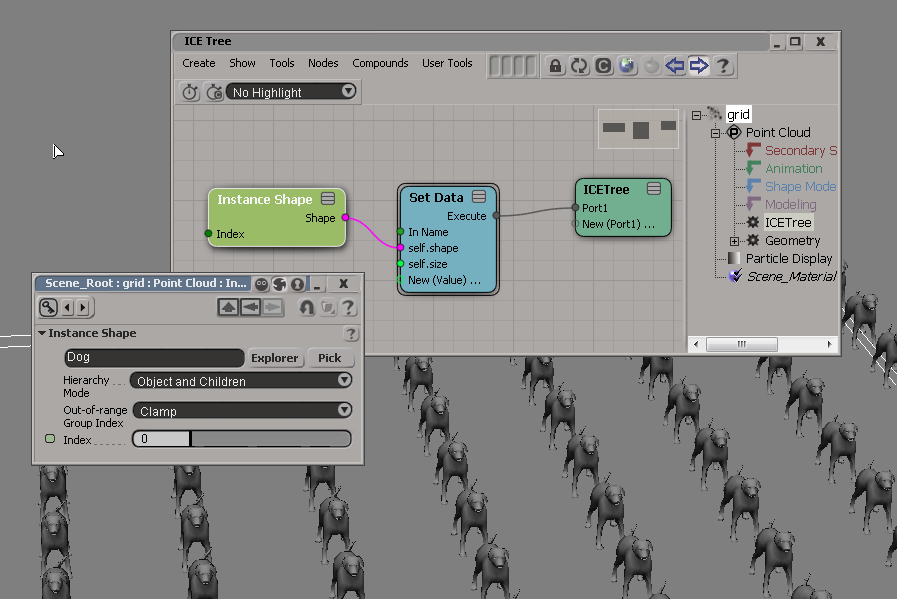
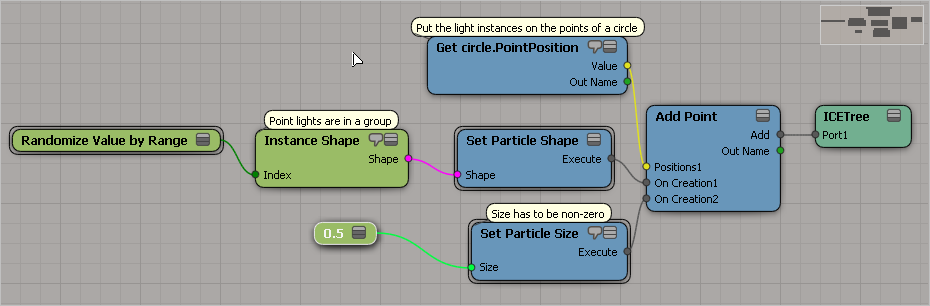
To put instances of an object on a point cloud primitive, such as a grid, you can use Set Data to set the shape and size of the points. By default, the size is zero, so you have to initialize the size to see the instances.
 You can display sprites (an image sequence) on ICE particles.
Just set up a render tree on the point cloud that uses an image sequence, and then use an ICE attribute to drive the Time Source of the image sequence.
First, here’s a basic render tree for the point cloud:

In the ICE Tree for the point cloud, you can set up an attribute that will be used as the Time Source for the image sequence. For example, suppose you wanted to randomly display a sprite from a sequence. In the ICE Tree, you could put a random number in an attribute for each particle.

Then you could use that attribute to drive the Time Source of the image sequence:


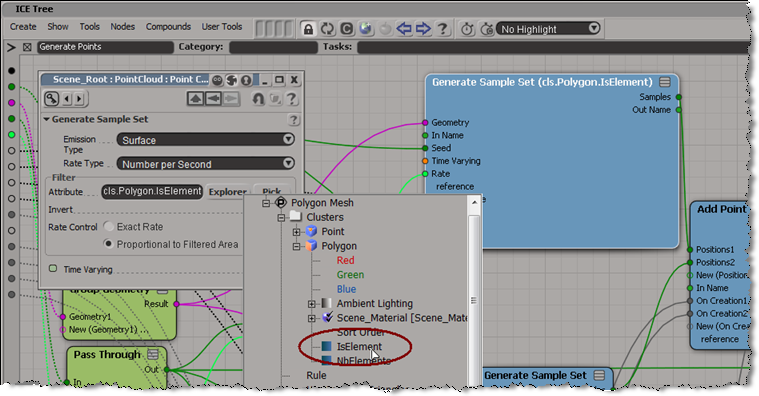
To emit particles from a cluster:
– In the ICE Tree, edit the Emit from Surface compound
– Edit the Generate Points compound
– Open the PPG for Generate Sample Set.
– Under Filter, click Explorer and locate the IsElement attribute of the cluster.
I created a cube, put it in a model, and animated the cube’s rotation.
Then I set up this ICE tree, and when I play back the simulation, the instances have the animated rotation.

Here’s a short video that shows how to set it up:

Click to play video
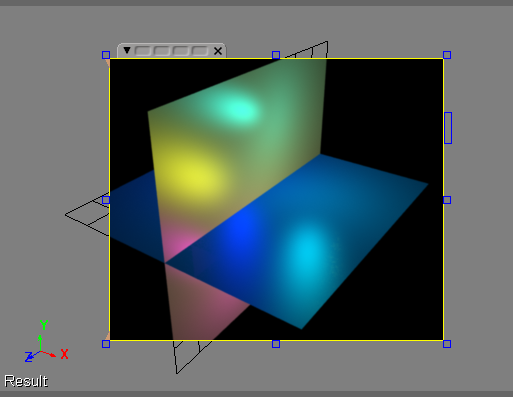
You can use ICE to instance lights in a point cloud. Just use the Instance Shape (and make sure you don’t have ShapeInstanceTime anywhere in your ICE tree). Also, self.size must be defined and set.
If the lights are in a group, select Object Only as the hierarchy mode.
To visualize vectors, I added some points to an empty point cloud, and in Show Values, I set Display As to Vector + Length:

Another way to visualize the vectors you are working with is to use an ICE array with Display As=Line. This ICE tree draws a line from the global origin to the camera interest, from the camera interest to the camera, and finally from the camera back to the global origin.

 eX-SI
eX-SI 