Workarounds for caching ICE attributes [and sidestepping ICE optimizations]


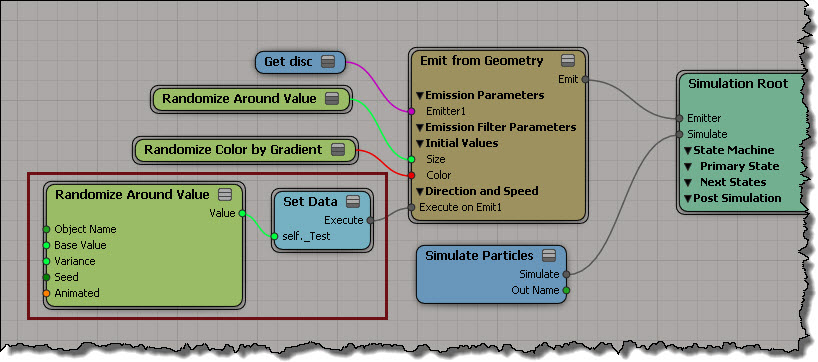
Because of how ICE is optimized, it won’t bother setting data if you never use that data (see Beware of ICE Optimizations here). For example, suppose I have a point cloud where I set a per-point scalar value, but I never use that scalar data (because I just want to cache that value and use it later).

ICE_Opt_1

That scalar attribute is never used, so it is optimized away (it makes sense: you’re not using it, so why keep it?). You won’t see that attribute in the Cache Manager, and the Cache on File node won’t write it out (even if you add that attribute to the list).

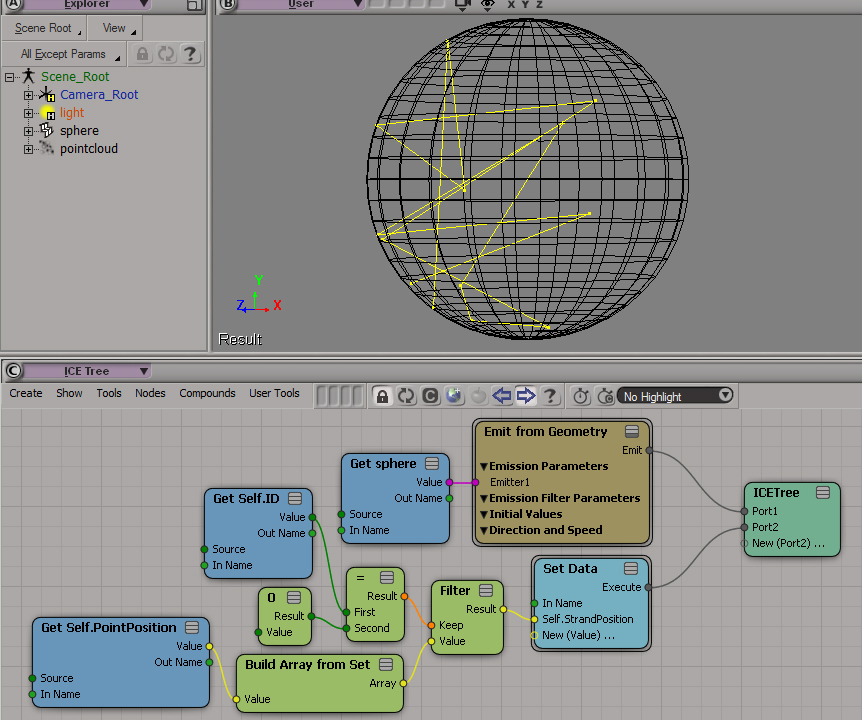
One way to force ICE to evaluate the attribute so you can cache it is to create an Attribute Display property for the attribute, but disable Show Values.
ICE_Opt_AttributeDisplay

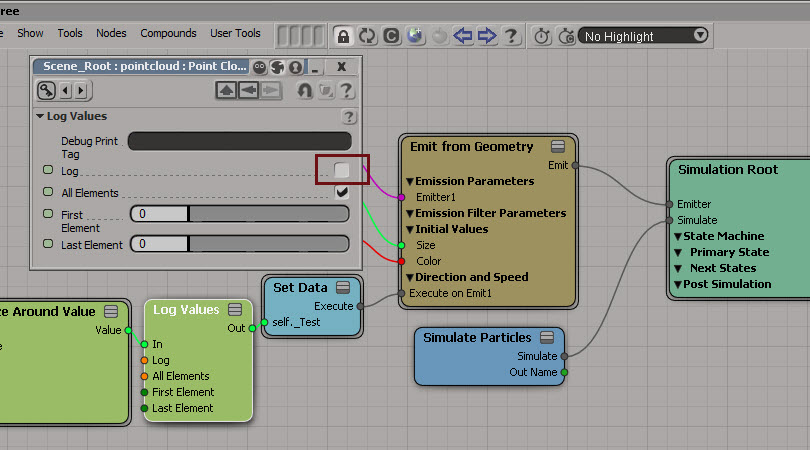
Another way is to insert a Log Values node, and disable logging.
ICE_Opt_Log

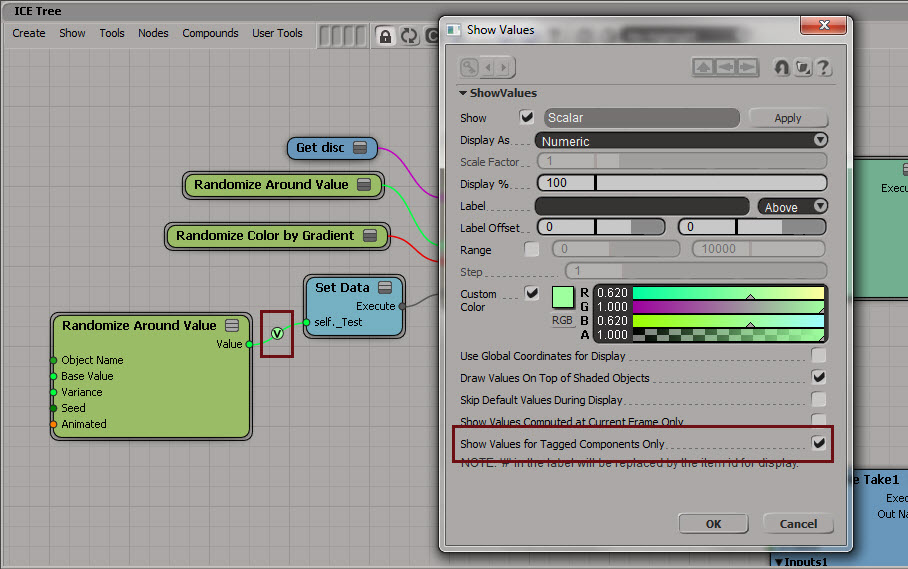
Yet another way is to use Show Values. Enable Show Values for Tagged Components Only to hide the values (if you’re going to tag components, you could set the Display % to 1).
ICE_Opt_ShowValues

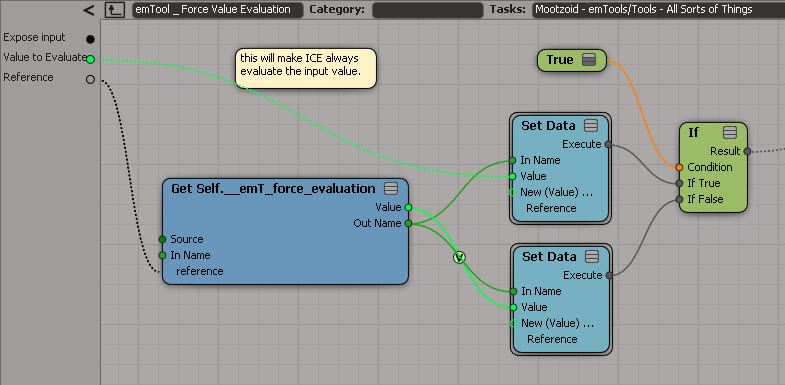
And last but not least, if you have emTools from Mootzoid, you can use the Force Value Evaluation node, which uses a Show Values on a value that is never set.
emToolsForceValueEvaluation

hat tips to Stefano, Mathieu, and Vincent on the SItoA list

Checking what attributes are in a cache


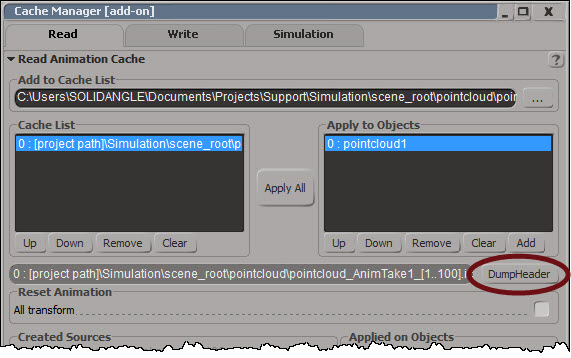
On the Read tab of the Cache Manager there’s a Dump Header button:
CacheManager_DumpHeader

Dump Header dumps the cache header and attribute list to XML and pops up NetView:
DumpHeader_XML

If you want to dump the XML and parse it yourself, you can do it with this scripting command:

Application.DumpCacheHeader("[project path]\\Simulation\\scene_root\\pointcloud\\pointcloud_AnimTake1_[1..100].icecache", False)

Subscription Extra: CrowdFX Plotting Plugin


I see there is an Extra for Softimage Subscription customers. It’s a plugin that adds two commands for exporting CrowdFX:
Export Crowd as FBX (Null Rig) – Exports a null rig for each actor including the animations created by the crowd simulation
Export Crowd as FBX (Null Rig and Geometry) – In addition to the null rig, it exports one geometry per actor enveloped to the null rig
There’s some docs on the Documentation tab in the Sub center.
CrowdFXPlottingPlugin

Shared ICE trees


Sometimes you’ll see an ICE tree in italics in the explorer.
shared_ice_tree_1
The italics mean that the ICE tree is not owned by the object, but by another object. By “not owned”, I mean that the ICE tree is not plugged into an execute port on an ICETree node in the stack of the object. In this case, the italicized ICETree is not owned by Growing_Strands_PointCloud, but by polymsh.

Roughly speaking, the italics mean “this ICE tree isn’t defined here, but it does use this object”.

shared_ice_tree_2

Note that you can drag this shared ICE tree to another location in the stack.

Emitting points from polygons


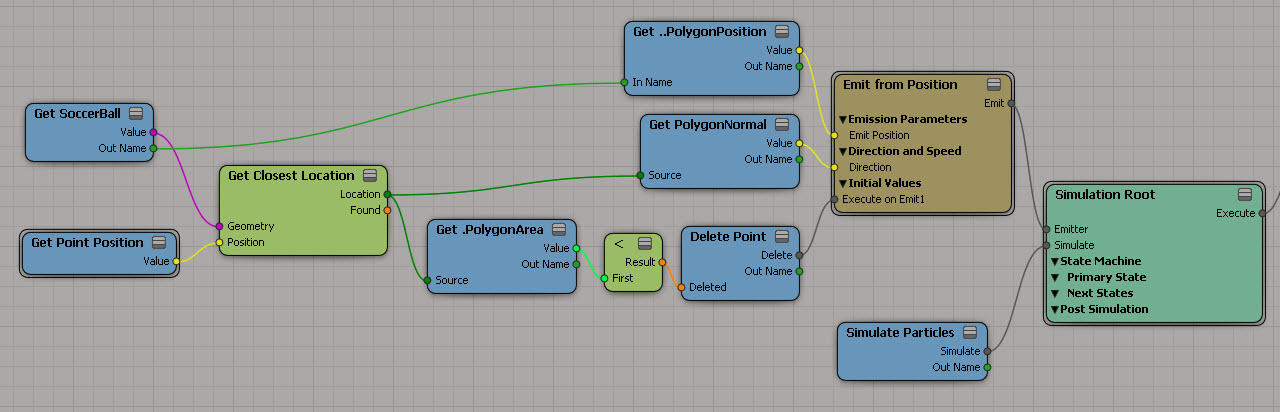
Here’s an ICE tree that emits points from the polygons on the emitter, using their PolygonPosition attributes.

Emit_points_from_polygons

As an exercise, I went to the trouble of using the PolygonNormal as the direction vector. That was slightly complicated, because I couldn’t use the EmitLocation attribute to get at the PolygonNormal. I had to use Get Closest Location with the new PointPosition instead. That’s because when you use positions instead of locations with Add Point (which is inside Emit from Position), then the EmitLocation attribute is “meaningless”, to quote the documentation.

There’s no such thing as PolygonLocation, so I had to use the PolygonPosition attribute.

Note also that I filtered out some polygons, so that I emitted points only from the faces of the soccer ball.

Emit_points_from_polygons_ex

Creating points on a group of meshes


From the docs:

Getting Scene data on Groups
When getting per-component data, such as PointPosition, the results are correct only when all objects in the group have the same number of components. As a workaround, one possible way to get, for example, all point locations is to plug the Get Data (group) node’s value into the Geometry port of a Generate Sample Set node with Emission Type set to Point and Rate Type set to All Points.

Here’s a screenshot of that workaround:
Group.GenerateSampleSet.PointPosition

Compare with: Getting point positions from a group

Screenshots of the week


Domemaster3D lens shader for Softimage
by Andrew Hazelden
Using-the-domemaster3D-lens-shader

Autodesk promos Softimage
AutodeskPromos_Softimage

Some tips on working with large numbers of particles
by Tekano
many_part5icles

Softimage ICE and Maya Fluids collaboration

Instance on curve
by julca
quick_correct_orientation

Strand clip
by Tekano
Capture_simple_strand_clip

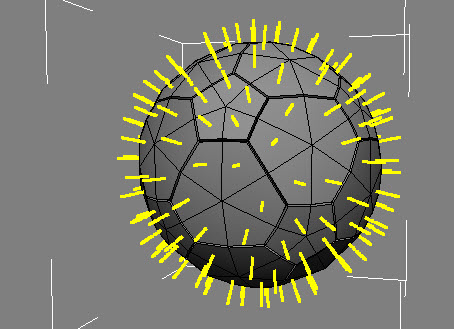
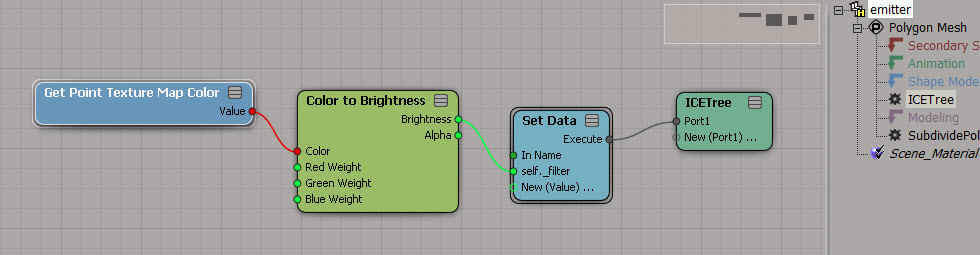
Generate Sample set with texture map
by gotchee
ICE_Tree_Screenshot2

ICE Create “real” copies along curve and more
by NNois
NN_Generate_On_Curve_TransformObject

stBasket compounds set

Softimage 2014 Pickup: Camera Sequencer
by born digital Kitamura
1366602721SequencerCamera1_2b

ICE Framework: Context
by SoftimageHowTos