The case of the pass that wouldn’t duplicate


In this case, CTRL+D on a pass would appear to work, but the pass wouldn’t show up in the explorer.

The problem turned out to be in the Duplicate options (the Hierarchy pref was set to None: hat tip to Chinny for spotting that). To duplicate passes, Hierarchy has to be set to Share Parent.

We confirmed this by looking at what was logged in the script history.

The problem is the 4th argument to Duplicate. That’s the Hierarchy argument, and 0 means siNoParent.
So the Duplicate command was creating a pass with no parent, so the new pass was just sort of “floating” around in the scene, until it was discarded during a save operation.

// Duplicate a pass but don't give it a parent
var x = Duplicate("Passes.Default_Pass", null, 2, 0, 1, 0, 0, 1, 0, 1, null, null, null, null, null, null, null, null, null, null, 0);

// It was created, but not placed in the pass list:
LogMessage( x.Count );
LogMessage( x(0).FullName );
InspectObj( x(0) );

Operating systems


The other day I ran a report on the Softimage support cases since Dec 2010, and broke that down by Operating System:

Now this isn’t necessarily representative of the entire user base, because I’ve heard that typically only 5% of Subscription customers ever use support. This chart represents only the Softimage users who contact support, and relies on the user-selected values for the operating system.

Note the low number of Vista cases. It’s almost all XP or Windows 7, and the XP cases come mostly from Japan.

The case of the write-protected directory ‘.’


In this case, the customer got this error when he tried to render just a normal channel (with no Main channel):

' ERROR : Directory '.' is write-protected.
' ERROR : 21000-REND-RenderPasses - Unspecified failure - [line 258 in C:\Program Files\Autodesk\Softimage 2012 SP1\Addons\RenderManager\Application\Plugins\RenderManager.vbs]
' ERROR : 21000-CUST-RenderCurrentFrame - Unspecified failure

Now, ‘.’ usually means the current directory, and for XSI.exe the current directory is going to be %XSI_BINDIR% aka C:\Program Files\Autodesk\Softimage 2012 SP1\Application\bin. On Vista and Windows 7, it’s pretty common for users not to have write permissions in that folder. On my PC, I’m a member of the local Administrators account, which has write permissions, so I couldn’t repro the problem until I denied myself access.

Here’s a video walkthrough of using Process Monitor to troubleshoot this kind of problem:
http://vimeo.com/26590768

SIGGRAPH 2011 – Autodesk Student Experience Event


Autodesk Student Experience Event – exclusively for students

On Sunday, August 7, 2011, Autodesk will be hosting the Autodesk Student Experience event, a series of workshops and presentations exclusively for students. This full day of events will feature classes, one-on-one feedback sessions with Autodesk technology experts, a seminar from Carlos Baena of Animation Mentor and a keynote presentation by Duncan Brinsmead, principal scientist at Autodesk.

There will also be a Softimage Class with Adam Sale, and Mark Schoennagel will be available to answer Softimage questions.

via Area :: SIGGRAPH 2011.

Friday Flashback #25


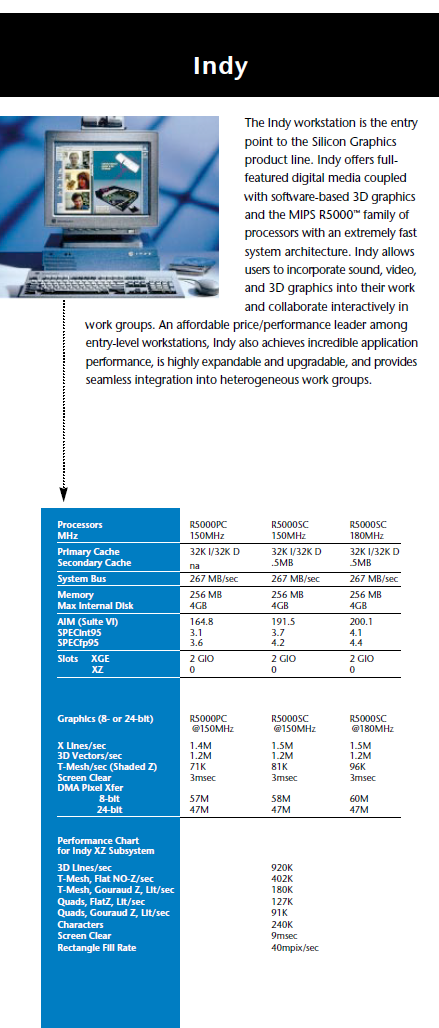
When I started at Softimage back in 95, the only machine on my desk was an SGI Indy. I had come from a hard-core UNIX software dev shop, so I was pretty comfortable with that. Eventually I got a Windows NT box too, but I held on to the Indy until 2000.

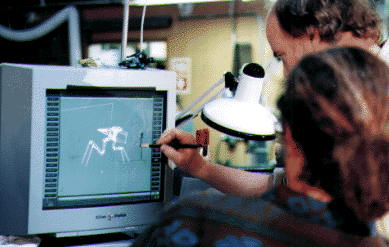
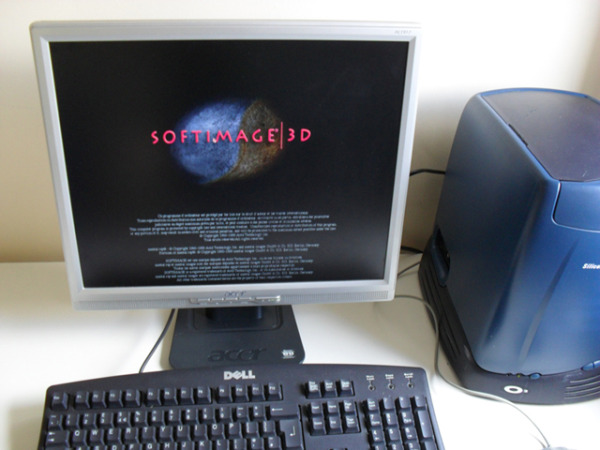
Here’s a few pics of SOFTIMAGE|3D running on SGI hardware that I found through google:


From the Summer 97 Softimage Resource Guide:

And the Indy specs from 96:

Surveys, the ultimate question, and the net promoter score


The above poll is an example of an ultimate question that can be used to calculate a net promoter score.

If you’re a Subscription customer and you’ve logged some support cases, you may have received a survey invitation. You may have even filled the survey out 😉

These customer satisfaction surveys are based on the Net Promoter methodology, which uses a “would you recommend” question to divide customers into three categories: Promoters, Passives, and Detractors.

The “would you recommend” question is known as the ultimate question, and uses a 0-to-10 point rating scale:

  • Promoters (score 9-10) are loyal enthusiasts who will keep buying and refer others, fueling growth.
  • Passives (score 7-8) are satisfied but unenthusiastic customers who are vulnerable to competitive offerings.
  • Detractors (score 0-6) are unhappy customers who can damage your brand and impede growth through negative word-of-mouth.

Based on the survey results, a Net Promoter Score is calculated:

The general idea is that if you know your NPS, you can focus in on what you need to change to increase promoters and decrease detractors. This requires a dialog with your customers; currently support managers are responsible for following up with detractors to find out what went wrong during the support case.

So far, in practice, what I observe is that we don’t get enough surveys returned, so every single detractor has a huge impact on our NPS. Looking at my own NPS scores, I think I would have to focus not on detractors (unless I really messed up) but rather on the passives. Because if you had only one detractor, but everybody else was a passive, you’d end up with a negative NPS. Hardly something to brag about, and certainly not something that will look good to management.