Creating a point cloud using the positions of model instances


This is a scenario that came up on xsibase: suppose you have a model that includes multiple objects, and that you create many instances of that model. How do you create a point cloud that has a point for every object in every instance?

Put the model objects in a group, and put the instances in another group, so that you have a setup like this:

Then you can use Get Data with the groups to get two arrays: an array of the object positions, and an array of the instance positions. The objects are all positioned relative to an instance, so you can work out where to add the points.

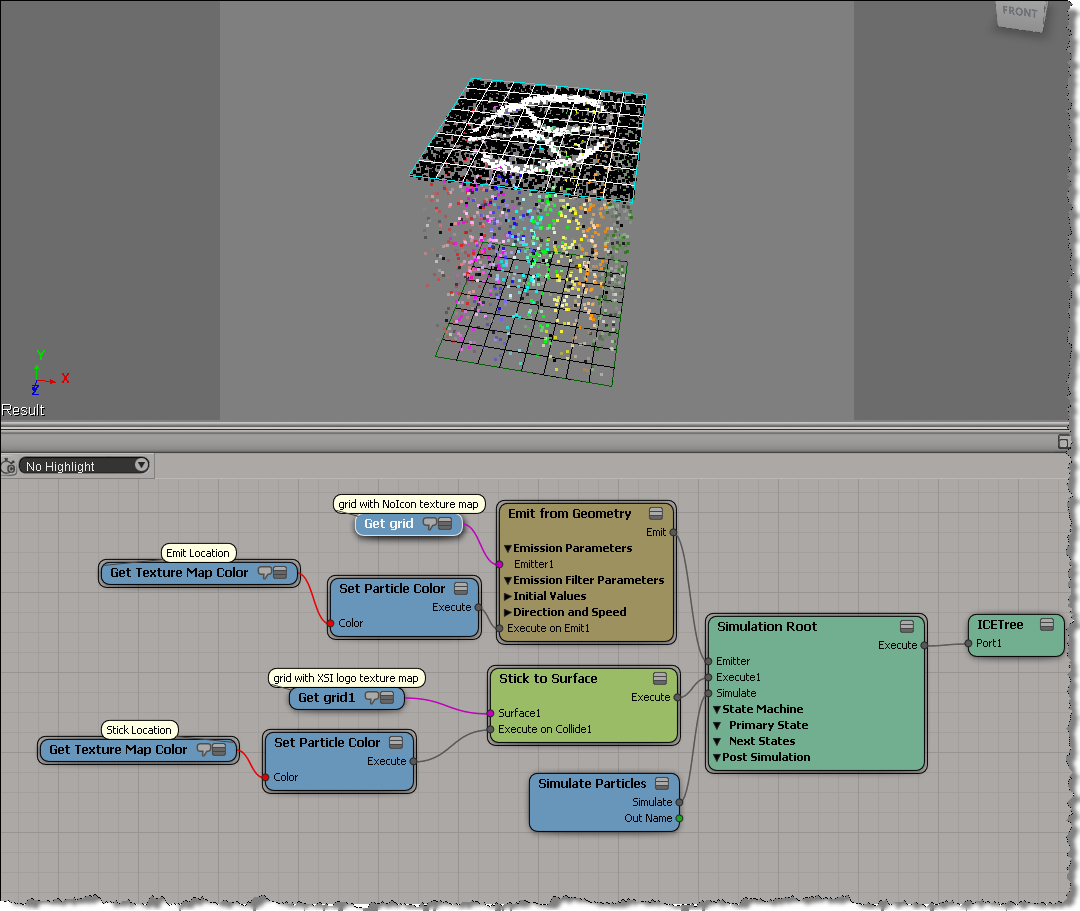
Here’s how to do it with a Repeat node. Note that you need just one Repeat node: you don’t have to loop over the object kine.local.pos arrays, you can just use Multiply Vector by Matrix to multiply an array of vectors by an array of matrices. If you understand that, then you’re “thinking in ICE”.
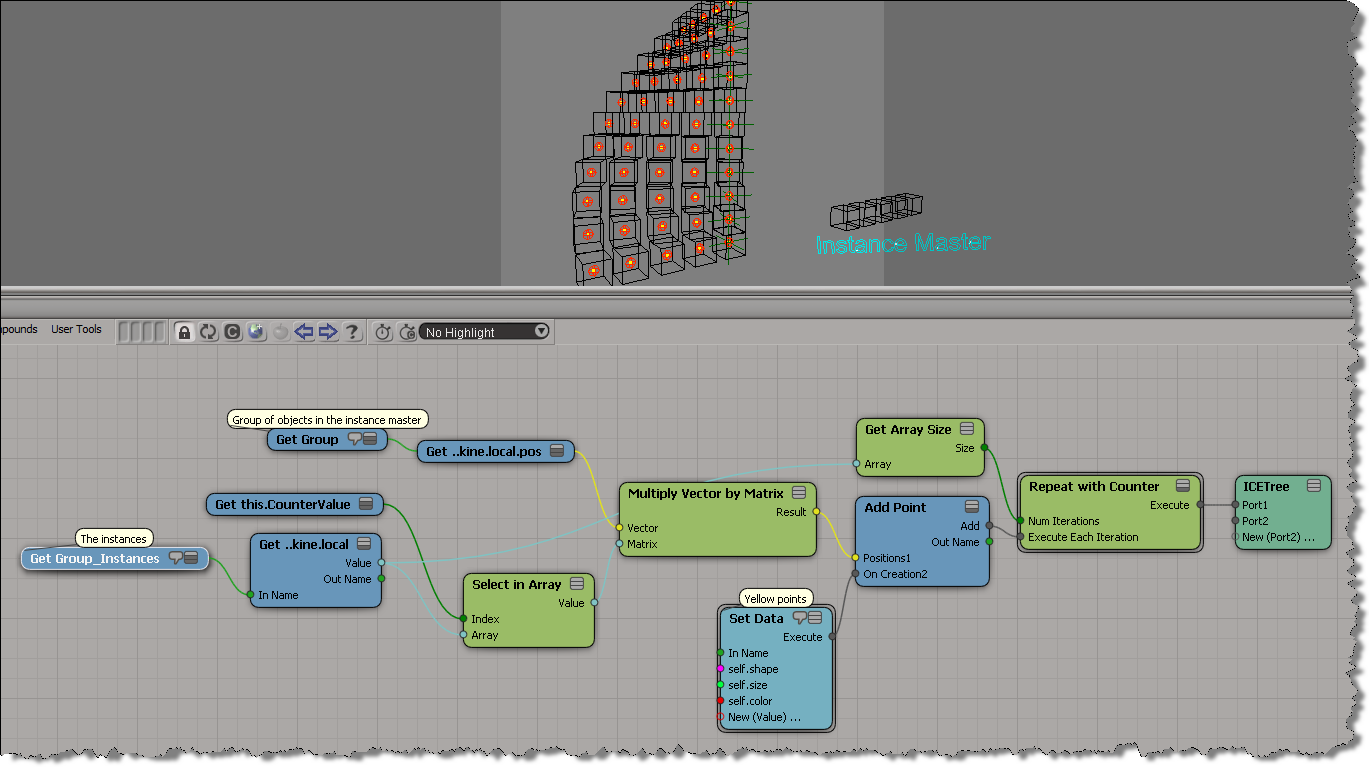
Here’s how to do it without a Repeat node. Again, if you understand this, you understand how to think in ICE.

Friday Flashback #52


Back when I was a programmer-writer on the SDK team, I’d never heard of a dongle and I’d never had to deal with any licensing stuff (I just installed the overnight build and it ran). Those were the days.

Then in late 2005 I was moved to the Support team and I found out all about dongles and licensing.

Dongles were always a hassle: getting the OS to recognize the dongle, getting the driver installed, verifying whether or not the dongle was bad/defective,… For awhile my xsibase account sig included the phrase “I hate dongles”.

Dongles often got damaged or lost, for various reasons, including but not limited to:

  • It just stopped working…
  • My sister kicked it
  • The dog got under my desk and broke off the dongle
  • Some student stole it (probably thought it was a USB key)
  • It broke when I tried to chain it to the computer
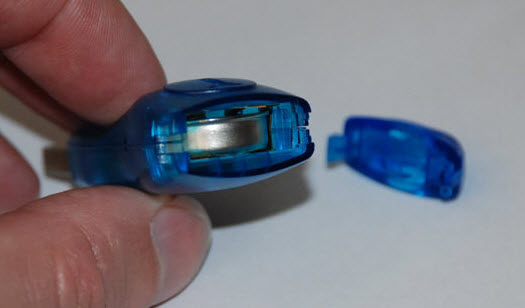
  • Stopped working when I tried to replace the battery (to which I would reply “that was no battery, that was the iButton itself!!!”)
  • Our building burned down (not funny because it was true…they sent me a photo)

Softimage used various types of dongles over the years, but I really only had experience with the blue iButton dongles.
Here’s some of the other dongles…

SOFTIMAGE|3D

Softimage XSI 1.5

Softimage XSI 3.0 and later


Disabling command logging temporarily


From the curiosity drawer. This python snippet uses “v1.5 command” functionality from back in the day to disable command logging for a specific command invocation.

from siutils import si		# Application
from siutils import log		# LogMessage
from siutils import disp	# win32com.client.Dispatch
from siutils import C		# win32com.client.constants


sClassID = "{19085F81-CDD6-471C-9CA1-7C7F4F2A0166}"

# This command is logged
si.FindObjects( "", sClassID )

log( "--------------------------" )
# Get the command and disable logging
oCmd = si.Commands("Find Objects")
oCmd.SetFlag( C.siNoLogging, True )
 
# Not allowed to update existing commands with Update()
# so we have to manually set arguments and execute the command
oCmd.Arguments(0).Value = ""
oCmd.Arguments(1).Value = sClassID

oICETrees = oCmd.Execute();    # Execute - nothing logged
for t in oICETrees:
	log( t.FullName )
log( "--------------------------" )
 
# This still is logged, no need to reset flag because we never updated the command
si.FindObjects( "", sClassID )

The typical way to [temporarily] disable command logging is by setting the cmdlog preference:

Application.Preferences.SetPreferenceValue( "scripting.cmdlog", False )
Application.CreatePrim("Cone", "MeshSurface", "", "")

Softimage resets the pref automatically.

You could use a Python decorator to do this.

Scene walkthrough – Polygons following particles


In this video, I do a walk through of a scene posted by Guillaume Laforge on the XSI mailing list. In the scene, Guillaume uses a point cloud to drive the polygons of a mesh, so that the polygons follow that transformations (pos and ori) of the particles. ICE modeling is used to “break up” the mesh into polygons. Includes a description of how vector subtraction is used to locate points relative to a polygon center.

http://vimeo.com/34804805

Tip: Use String to Array to quickly populate arrays


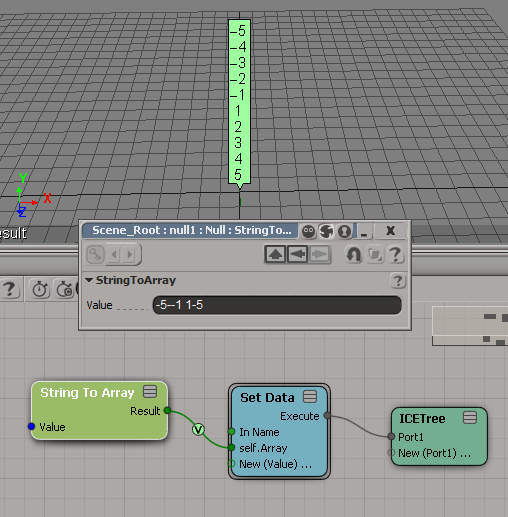
String to Array is handy for testing when you need some sample data. Why bother adding ports to a Build Array node and typing in values, when you can just paste in a string. Depending on where you get the raw array data, sometimes all you need to do is a little search/replace magic in your favorite text editor, and then you’ve got a string you can paste into String to Array.

Here’s a couple of examples:

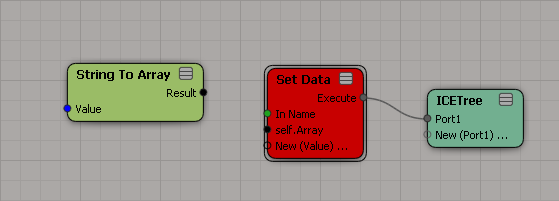
Note that the type of the array elements is defined by where you plug in String to Array. So if you want to put the array into an attribute, you’ve got to define the type of the attribute first.

A new attribute has no type:

Use a constant node to set the attribute type:

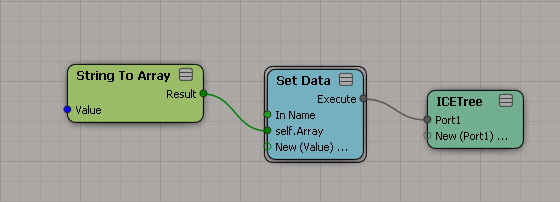
Now plug in String to Array: