PPG logic for ICE compounds


New in the 2012 Advantage Pack: PPG logic for ICE compounds.

In the compound properties, there’s a PPG Logic button that opens up a script editor where you can define some PPG callbacks:

  • OnInit is called when a user opens the PPG.
    You can use this callback for initialization code, but you cannot define the PPG layout (eg add tabs, groups, or buttons). ICE has its own layout code and ignores any PPGLayout you might define.
  • _OnChanged is called when a user changes a value in the PPG.
from siutils import log		# LogMessage

def OnInit( ):
	log("Modulate_by_Fcurve_OnInit called")
	oPPG = PPG
	oLayout = oPPG.PPGLayout
#
# Clamp exposed port
#
def Clamp_OnChanged():
	log( PPG.Clamp.Value )
#
# Input Range Start exposed port
#
def Input_Range_Start_OnChanged():
	log( "Input Range = ( %.2f, %.2f )" % (PPG.Input_Range_Start.Value, PPG.Input_Range_End.Value ) )

#
# Input Range End exposed port
#
def Input_Range_End_OnChanged():
	log( "Input Range = ( %.2f, %.2f )" % (PPG.Input_Range_Start.Value, PPG.Input_Range_End.Value ) )

The “PPG logic” is saved in the element of the .xiscompound file.

It’s Alive! Get it Now!! Softimage 2012 Advantage Pack


Sign in to the Subscription Center and get it now.
autodesk.com/subscriptionlogin

You don’t need a new serial number. The Advantage Pack (aka 2012 AP) runs with your 2012 license. So, if you have a Network license, just point 2012 AP to your license server. If you have a Standalone license, enter your 2012 serial number at startup.

Use the same product key as 2012: 590D1

The 2012 AP will install in a folder named Softimage 2012.SAP.
For example: C:\Program Files\Autodesk\Softimage 2012.SAP.

Animated transitions in the viewport


The ViewCube supports “animated transitions”, which are the smooth changes between different viewing angles.

There’s a hidden (aka officially unsupported) preference that extends animated transitions to everything, like the F and A shortcut keys for framing objects.

SetValue "Preferences.camera.animate", 1

There’s also another [hidden unsupported] preference to change the camera transition speed for this hidden feature:

SetValue "Preferences.camera.animateduration", 0.25

Value is in seconds. Default is 0.5, and be careful not to set it too high by accident…

Note On Linux, there’s a viewport glitch with this preference, so I wouldn’t use it.

Startup comparison for Softimage, 3ds Max, Maya


The other day I was using Process Monitor to see where Softimage spent its time during startup, and I was curious to see how Softimage compared to the big two. So, here’s some numbers.

I did this shortly after restarting my machine, so I didn’t have my usual kazillion different windows and apps open. Softimage didn’t have any workgroups, and Max and Maya were pretty much fresh installs.

Total Elapsed Time Total Event Duration # Logged Events
Softimage 34s 2.76s 817.4K
Maya 46s 38.7s 58K
3ds Max 2:03 81s 195K

Total elapsed time is the time from the first logged event to the last.
Duration is the sum of all event durations in the Process Monitor log.

If we look at the process activity timelines, we can see that:

  • Softimage uses the registry way more than Maya or 3ds Max.
  • Maya does more file i/o in terms of bytes, but Softimage has more file i/o operations. When a machine is more loaded up (more runnung processes), this is where Softimage spends more time.

Friday Flashback #36


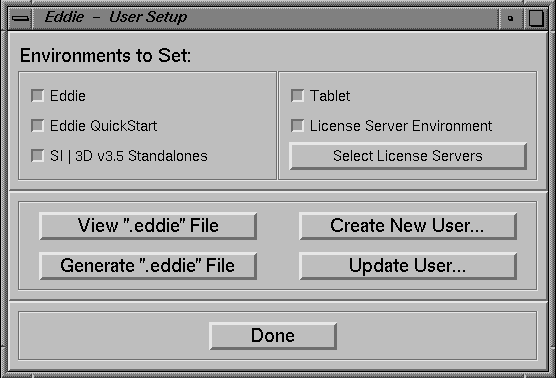
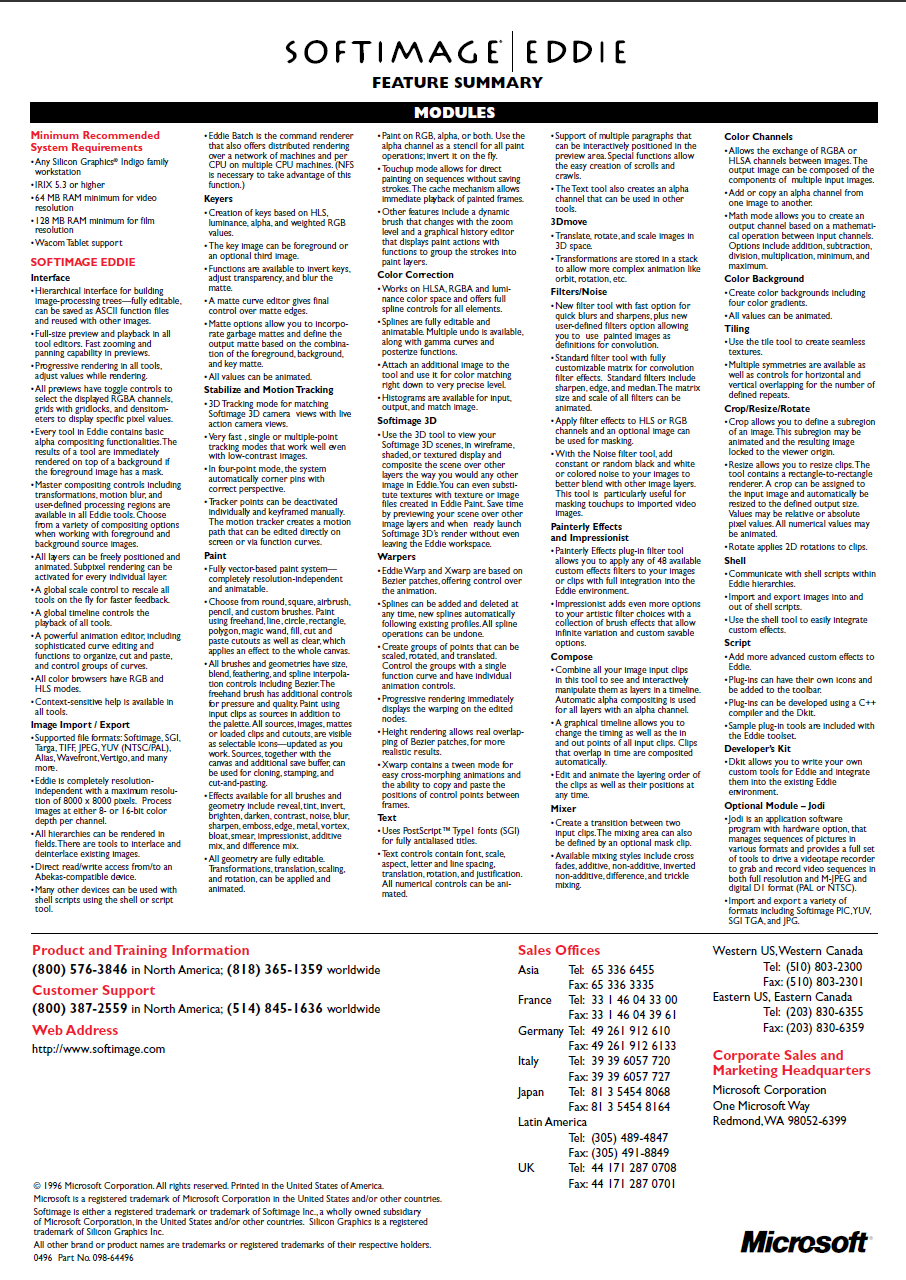
Last week’s flashback post and its historically-inaccurate screenshot spawned an XSI list discussion that included this mention of Softimage Eddie. Softimage® Eddie was an award-winning video compositing, editing and processing tool that ran exclusively on Silicon Graphics® Indigo workstations. Required 64MB RAM for video, 128MB for film. Approximate retail price was $7,995 (U.S.).

So I thought I’d pull together some Eddie screenshots, but it wasn’t easy to find any. All I turned up was the logo, some Eddie icons, and some install screenshots.

Eventually I found something on the Fuel for the Mind CD (thanks to Miquel Campos 🙂 that showed the node-based UI, but the image quality is pretty poor.

Softimage Eddie – a professional post-production studio at your fingertips:
http://vimeo.com/29476029

And here’s the Eddie brochure:

Softimage startup times


Here’s a few things you can do to diagnose slow startups.

First, try starting Softimage in the factory-default configuration. The quickest way to do that is to simply rename your Softimage User folder. If you see a difference in startup times, then it may be due to workgroups or the addons and plugins you have installed.

You can use the XSI_LOG_LOAD_TIME environment variable to log the load times for libraries and plug-ins at startup. Add this line to your setenv.bat, or set it in a Softimage command prompt before you run xsi.exe:

set XSI_LOG_LOAD_TIME=1

That will get you something like this in the history log:

// Initialize Mental Ray: Elapsed time (ms): 563.28
// Load Command Definitions: Elapsed time (ms): 1293.66
// Project List Initialization: Elapsed time (ms): 53.00
// Load Views and Shelfs: Elapsed time (ms): 1453.46
// Scan for Custom SPDLs: Elapsed time (ms): 74.33
// Load Layouts: Elapsed time (ms): 356.29
// Loading User plug-ins: Elapsed time (ms): 239.25
// Loading User addon plug-ins: Elapsed time (ms): 0.28
// Loading Workgroup plug-ins: Elapsed time (ms): 0.00
// Loading Workgroup addon plug-ins: Elapsed time (ms): 0.00
// Loading Factory plug-ins: Elapsed time (ms): 2173.86
// Loading Factory addon plug-ins: Elapsed time (ms): 2611.39
// Loading setup plug-ins: Elapsed time (ms): 0.03
// XSI Init: Elapsed time (s): 31.92

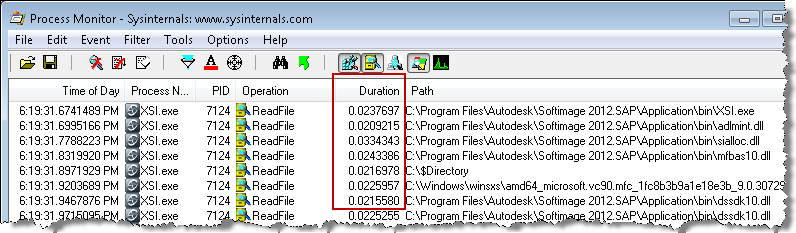
Another thing you could do is run Process Monitor to capture a log of all XSI.exe startup activity, and then check the log for any “suspicious” activity. All the entries are time-stamped, and you add a Duration column to see how long activity took.

You can even filter on the Duration, to quickly check for anything that took excessively long (for example, Duration more than 0.02). The Tools menu also has some useful stuff, like a File Summary:

and a Process Activity Summary:

NOTE The time spent can vary from startup to startup, so I wouldn’t jump to conclusions based on just one log. I’d log multiple startups to see if there was a definite pattern. For example, one time I saw xsi.exe spend three seconds reading adlmint.dll, the next time it was less than .001s.

Setting up machines for satellite rendering


I saw a case recently where a customer was asking “what to install on a satellite machine,” and “what do I do for licensing?”

The simplest answer is “just install Softimage in 30-day trial mode” and then set up the satellite service. That’s it.

The satellites don’t use a license. Only the master computer needs a license, and it’s the master that controls the maximum number of satellite machines (4).

If you have a network license, you may want to set up the satellites so you can run Softimage or xsibatch. In that case, you’ll want to point the satellite to your license server. You can either do that during the install, or by editing setenv.bat afterwards.