http://vimeo.com/25238551
Softimage|XSI The Bottom Line
Friday Flashback #23
Reply

http://vimeo.com/25238551
Softimage|XSI The Bottom Line
There seems to be a bit of UI glitch in the Color Management preferences PPG. If you choose From LUT File in the Source list, you cannot select a LUT file from the Filename list. In fact, the Filename list just lists No LUT.
Here’s a couple of workarounds:
Application.SetValue("preferences.Display.color_management_source", 1, "")
Application.SetValue("preferences.Display.color_management_lut_filename", "sRGB_10bits.lut", "")
BTW, this issue is already logged and fixed internally.
Here’s a simple example that puts a mesh at each point of an arc curve.
The PointReferenceFrame is a 3×3 matrix, so you have to extract the SRT to get the rotation.
I cheated by rotating the original object instead of applying an adjustment in the ICE Tree.

For the Scene Layer Manager, there is a selectedlayer attribute.
For the Schematic view, there are two view attributes: AnchorPointID and Target.
Target is available for the node context menu only.
Here’s some code from the new Schematic example in the XSI SDK workgroup:
def XSILoadPlugin( in_reg ):
	#...
	in_reg.RegisterMenu(C.siMenuSchematicNodeContextID,"LogNodeInfo_Menu",False,False)
	#...

def LogNodeInfo_Menu_Init( in_ctxt ):
	oMenu = in_ctxt.Source
	oMenu.AddCallbackItem("Log Node Info","log_info_cb")
	return True

def log_info_cb( ctxt ):

	Application.LogMessage("log_info_cb called")

	# Returns the view object or a list with the view object and the target node (siMenuSchematicNodeContextID only)
	target = ctxt.GetAttribute('Target')
	anchorPtID = ctxt.GetAttribute('AnchorPointID')
	# ...
Misc notes from frontline support…

API 0.0 error 301098: c:\test.72.mi, line 1484: too many literal bytes for texture (null)
xsibatch didn’t complain, btw.
The only previous reports of that error that I could find were from 10 years ago.
The customer converted the image to another format to get around the error.
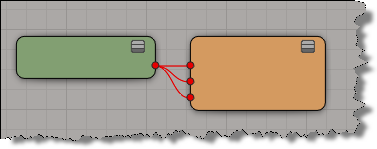

Using an undocumented preference value, you can use the undocumented XSIUtils.DisplayHtmlHelp method to open compiled help files. To find the undocumented preference value, I had to go into the Softimage source and find the implementation of DisplayHtmlHelp().
Prior to 2012, DisplayHtmlHelp worked with CHM files, since the Softimage help itself was compiled. But as of 2012, DisplayHtmlHelp now works with HTML files by default.
// Set the helplocationtype to CHM
var tmp = Preferences.GetPreferenceValue( "General.helplocationtype" );
Preferences.SetPreferenceValue( "General.helplocationtype", 3 );

// Open a specific topic in a compiled help file
var s = "C:\\Program Files\\7-Zip\\7-zip.chm::/fm/plugins/7-zip/options.htm";
XSIUtils.DisplayHtmlHelp( s );

// IMPORTANT: Restore pref after
Preferences.SetPreferenceValue( "General.helplocationtype", tmp );

If you use a registry cleaner, you’re most likely going to have to run runonce.bat to restore the Softimage registry entries. For example, see here and here.
A recent thread on xsibase touched upon whether or not registry cleaners are necessary. Personally, I doubt it. I recently googled “registry cleaners” and went through the first 20 pages of results. Most of the hits were sites selling registry cleaners, and most of the URLs had “registry cleaner” in them. In those 20 pages of google hits, I found only a handful of pages that had a substantive dicussion of registry cleaners, and I didn’t find any performance metrics or results.
By default, SP1 disables tablet pressure support (to avoid problems stopping playback of heavy simulations).
To enable table pressure support:
set XSI_ENABLE_WINTAB_SUPPORT=1
Sometimes customers ask questions like this about the error reports:
Is there a way we can subscribe to the CER reports? like if i enabled it could we get reports that mean something to us? or is it always going to be low-level debug info for developers only?
Well, the CER reports are mostly low-level details, like call and thread stacks, that are useful only to our developers. But sometimes these can provide an obvious clue (for example, Softimage is crashing while parsing an addon XML file). Other times they don’t tell a non-developer like me [or maybe you] much.
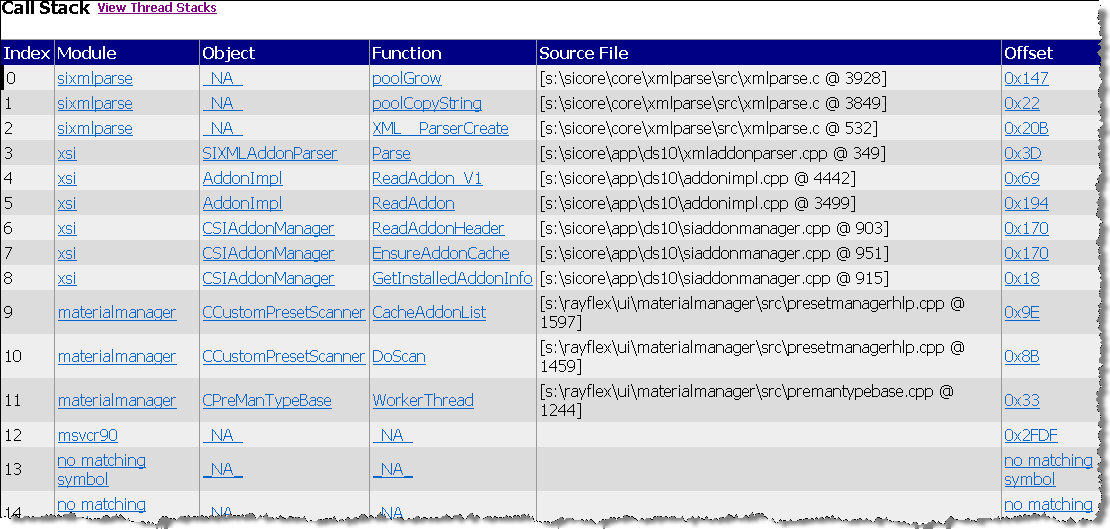
Call stack

Thread stack
CER reports are basically call stacks (like the one I sent before) and crash dump files (which are saved in the user folder after a crash). The reports do also include some info about the OS and the graphics card, which can be useful to the support agent.
Our internal CER tools do some grouping of crash reports based on the area of the code where the crash happened, which can be useful as an aggregate measure. You can read more about CER here.
If you want to view the CER files, you can do that before you send or cancel the report. Just click View Report Details. You can even grab the report files if you want: some are in your Softimage user folder, and others are in the %TEMP% folder (in a XSI_Temp subfolder that is removed when XSI.exe exits).

 eX-SI
eX-SI 