There’s something familiar-looking about some of the node-based editors in this games technology preview:
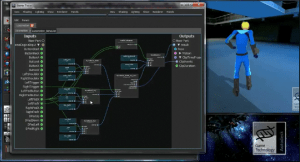
Games technology preview
Reply

There’s something familiar-looking about some of the node-based editors in this games technology preview:
GDC reel from 2002. Video quality is a bit low, I known.
If the video doesn’t load here, you can see it here.
Recently, I had a case where the customer reported that his rig “exploded” when he tried to load and apply a .motion file.
Since the customer was from EMEA (that’s Autodesk-speak for Europe/Middle East/Africa), I figured this was most likely this is because of the Number format in the Windows Region and Language settings. I was able to reproduce the problem by changing my Region and Language Format at Germany. Except that my character didn’t explode; rather, it ended up 121800 units from the origin looking like a Star Trek transporter malfunction.

To fix this:
Try changing the Decimal Symbol to a period (.) and the Digit Grouping Symbol to a comma (,).
Or switch the Format to English (United States).
You can use the ActivePrimitive.ConstructionHistory to find out where an ICETree is in the construction stack.
var o = Dictionary.GetObject( "someobject" );
var sMarker;

oEnum = new Enumerator( o.ActivePrimitive.ConstructionHistory );
for (;!oEnum.atEnd();oEnum.moveNext())
{
	if( oEnum.item().BelongsTo( "MarkerOperators" ) )
	{
		sMarker = oEnum.item().type;
	}
	else if (oEnum.item().IsClassOf( siICETreeID  ) == true )
	{
		LogMessage( sMarker + " -> " + oEnum.item().name );
	}
}
// INFO : simulationmarker -> ICETree1
// INFO : modelingmarker -> ICETree
And here’s a Python version courtesy of Alan Fregtman of the Softimage mailing list.
How to tell if a given ICETree object is simulated or not
# ---------------------------------
xsi = Application

obj = xsi.Selection(0)
markers = ["secondaryshapemarker","postsimulationmarker","simulationmarker","animationmarker","shapemarker","modelingmarker"]
opstack = obj.ActivePrimitive.ConstructionHistory

for op in opstack:
	if any([op.FullName.endswith("."+marker) for marker in markers]):
		lastMarker = op.FullName

	if xsi.ClassName(op) == "ICETree":
		print op.FullName+" is under marker: "+lastMarker.split(".")[-1]
Interesting. This company uses a smiley-face rating system for their customer support. And they publish the last 100 results.

After every interaction with our support team, a customer is asked to rate the experience by clicking one of three ratings: “It was great” (happy face), “It was OK” (flat-line face), or “It wasn’t good” (frown face).
via 37signals: Customer Support Happiness Report.
At Autodesk we use a scale from 0 to 10, which is broken down like this:
0-6 )-:
7-8 |-:
9-10 (-:
If you get this error when you try to use UserTools to edit setenv.bat:
---------------------------
Error
---------------------------
An error occured trying to save file 'C:\Program Files\Autodesk\Softimage 2011\Application\bin\Setenv.bat' !
---------------------------
OK
---------------------------
then you have to run UserTools with elevated privileges.
Right-click the UserTools shortcut and click Run as Administrator.
-or-
Right-click UserTools, click Properties, go to the Compatability tab, and under Privilege Level, select the “Run this program as an administrator” check box.
You can get this error when you try to view in-progress frames with imf_disp.
To get around this error, try unsetting the MI_ENABLE_PIPE_MODE environment variable in setenv.bat.
By default, MI_ENABLE_PIPE_MODE is set to 1. To unset the variable, just delete the “1” so there is no value after the equal sign (=).
rem Render variables
set MI_ENABLE_PIPE_MODE=
MI_ENABLE_PIPE_MODE is actually more for people who are having problemswith firewalls when running Softimage (such as constant “do you want to block/unblock” messages). It prevents mental ray from opening up tcp/ip sockets. Available on Windows only
A quick look into how non-simulated ICE trees behave when you use them to place points on a deforming surface.
 There’s an interesting
thread on the mailing list about the [many] different uses of ICE in production:
ICE – The Universal Swiss Army Knife For Production
“I turned to my office mate and asked, “Did I mention today yet how much I love ICE?” and he replied “not yet, but it seems to be a daily thing with you.” So it got me to thinking, it might be fun (and useful) to start up a thread about the 1001 daily production uses for ICE technology that nobody thought about when it was being designed.”
– Brad Gabe
This is a very simple walkthrough of how to use nCache to move a point cloud from Softimage to Maya without using ICEFlow (for example, suppose Softimage and Maya were on different computers).
 eX-SI
eX-SI 