For those of you not on Subscription, here’s the current Report a Bug form.
hat tip: Jill Ramsay
And here’s an older post about writing good bug reports.

For those of you not on Subscription, here’s the current Report a Bug form.
hat tip: Jill Ramsay
And here’s an older post about writing good bug reports.
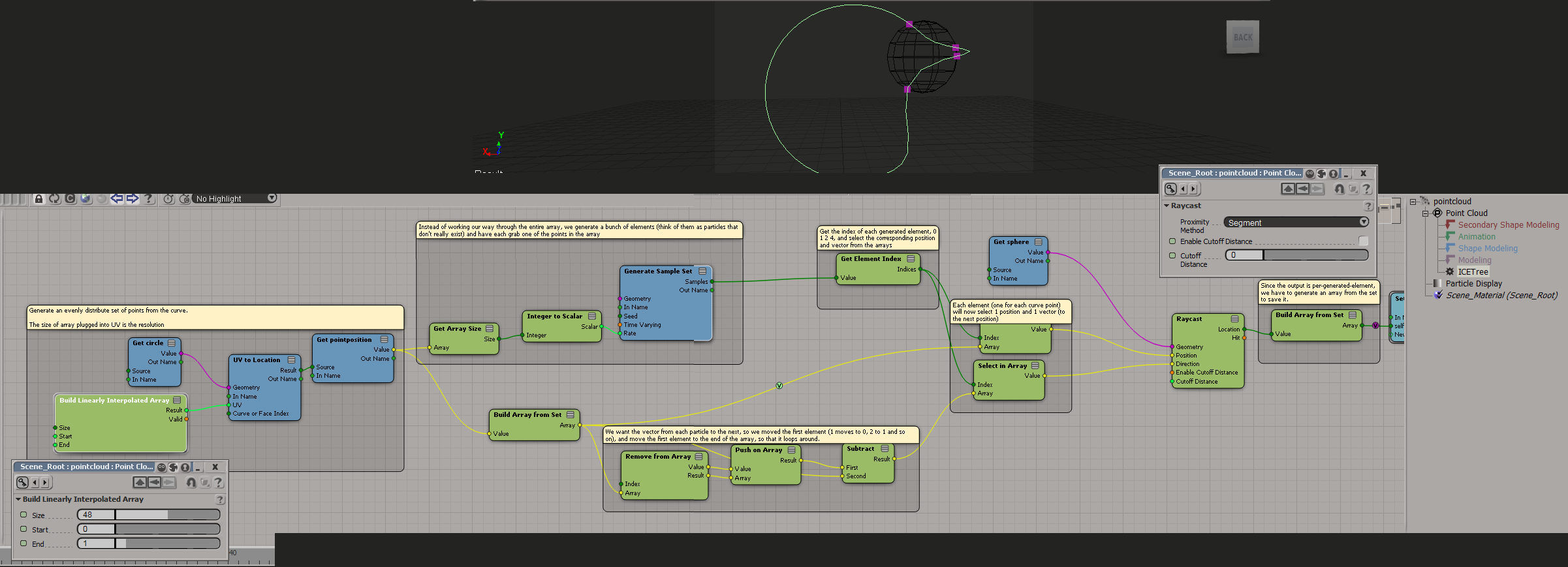
Intersection of curve and geometry
by Mathias
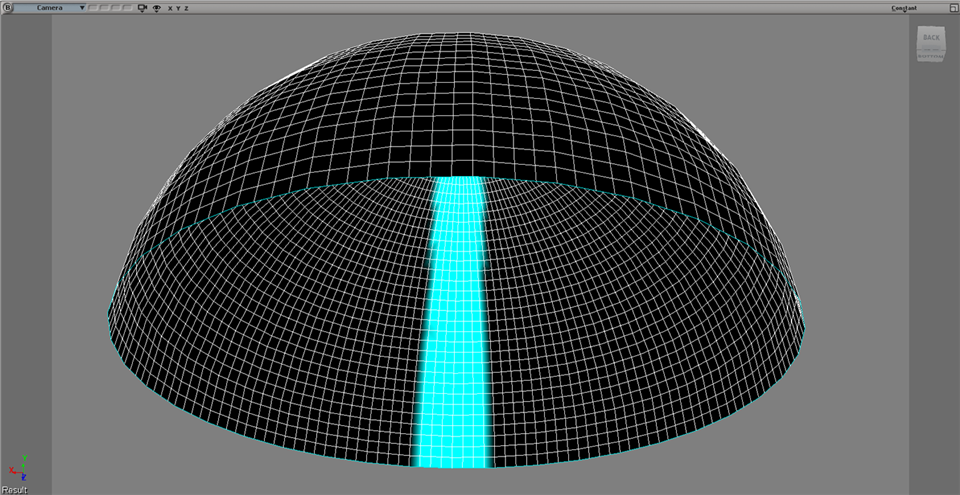
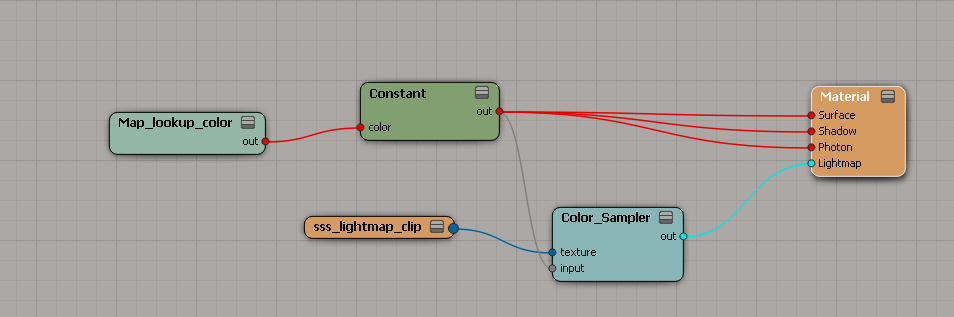
Softimage Domemaster3D Screen Space Weightmaps*
by AndrewHazelden
* this one is from a couple of weeks ago
Softimage to Maya Bridge: Exploring Maya’s Layout and Creating Shelves
Softimage|XSI screenshot from May 2000 (NetView is showing NBA playoff results from that year).

emTopolizer2 2.30 Tutorial 02 – Particle Cache File Tools
https://vimeo.com/95729676
More on Weights – Merge, Filter, Smooth compounds
Weight map Decay/Stay
by sant0s

The State of the Art
SOFTIMAGE|3D is the art, skill and rhythm of 3d animation –
system for animators who have consistently produced ground
breaking animation, signature effects and photo-realistic
imagery. It is the result of a decade of evolution – from
interface design that put control back into the hands of
artists, to the breakthrough character animation of
Godzilla. SOFTIMAGE|3D The State of the Art, Defined.

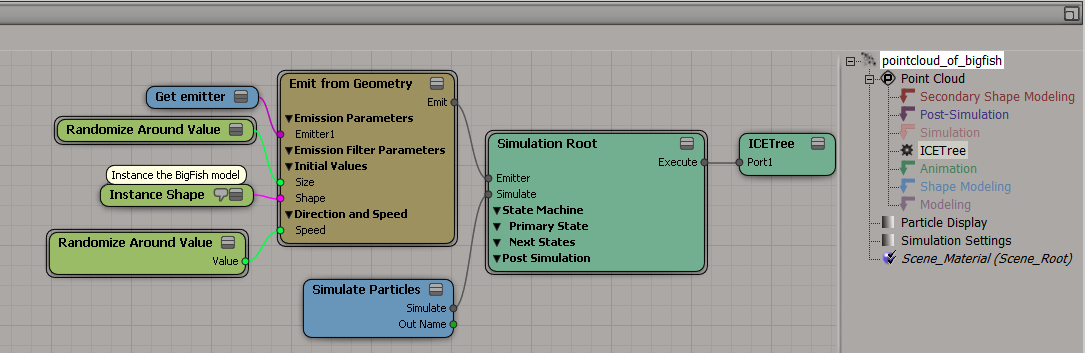
Suppose you want to emit particles from the instances in a point cloud. For example, suppose you have a point cloud of instances of a BigFish model, and you want to emit little fish from each BigFish instance.

One simple approach is to set up a point cloud on your master BigFish instance, and do the emitting there.

Then when you emit the point cloud of BigFish instances, use InstanceShape instead of Set Instance Geometry.
From a picture dated 12 May 2004, a variety of memorabilia, including:

POWERUP: power up to SOFTIMAGE|XSI Essentials from 3ds max
we’ll match your upgrade price.

2005 web banner on softimage.com
If you’ve got a lot of add-ons, you probably have a bit of clutter in the browser Paths menu. Like this:
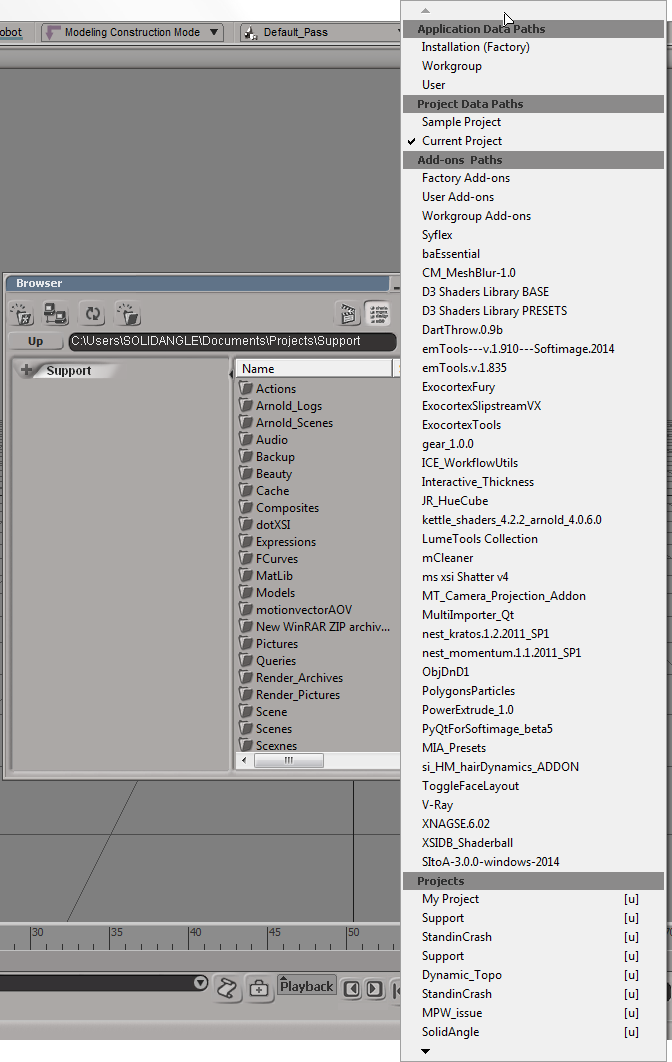
You can get rid of all those add-ons by cleaning out the Addons/InstalledAddons folders in your User and Workgroup locations. Softimage checks those folders (at startup) to build the list of add-ons for the Paths menu.
Don’t worry; removing the .xsiaddon files from the InstalledAddons folder doesn’t uninstall the addons.
SOFTIMAGE Creative Environment User Guide

Apparently that creature on the cover is known as Creeps (note: link is to a youtube video that isn’t available in my country).
Posted on FB by Lucca Prasso
Note the names of the books in the background: “How to be a Genius”, “How to cook a Dinosaur”, and “The Complete DNA”.
Also, what’s up with a “User Guide” being labelled a “Comprehensive Reference Guide” ?

 eX-SI
eX-SI 