How to check if an object exists with no error handling


Yes, this old chestnut…I thought I had posted this ages ago, but I don’t see in the archives, so:

If you want to check if an object exists, and you don’t want to deal with any error handling, then do it this way:

from sipyutils import disp		# win32com.client.Dispatch

def objExists( name ):
    c = disp( "XSI.Collection" )
    c.Items = name
    return not( c.Count == 0 )

print 'Object does exist' if objExists( "XSI_Man.geom" ) else 'Does not exist'

Getting the plugin path


You can use the OriginPath property to get the location of a plugin, but OriginPath is available in the scope of a plugin callback only.

__sifile__ and __sipath__, however, can be used in the global scope.

import win32com.client
from win32com.client import constants

import sipyutils

Application.LogMessage( "Global: __sipath__=%s" % __sipath__ )
Application.LogMessage( "Global: __sifile__=%s" % __sifile__ )

null = None
false = 0
true = 1

def XSILoadPlugin( in_reg ):
	in_reg.Author = "SOLIDANGLE"
	in_reg.Name = "TestPlugin"
	in_reg.Major = 1
	in_reg.Minor = 0

	#Register plugin items

	Application.LogMessage( "XSILoadPlugin: __sipath__=%s" % __sipath__ )
	Application.LogMessage( "XSILoadPlugin: __sifile__=%s" % __sifile__ )
	Application.LogMessage( "XSILoadPlugin: in_reg.OriginPath=%s" % in_reg.OriginPath )

	return true

The above will output something like the following:

# INFO : Global: __sipath__=C:\Users\SOLIDANGLE\Autodesk\Softimage_2015\Application\Plugins
# INFO : Global: __sifile__=C:\Users\SOLIDANGLE\Autodesk\Softimage_2015\Application\Plugins\TestPlugin.py
# INFO : XSILoadPlugin: __sipath__=C:\Users\SOLIDANGLE\Autodesk\Softimage_2015\Application\Plugins
# INFO : XSILoadPlugin: __sifile__=C:\Users\SOLIDANGLE\Autodesk\Softimage_2015\Application\Plugins\TestPlugin.py
# INFO : XSILoadPlugin: in_reg.OriginPath=C:\Users\SOLIDANGLE\Autodesk\Softimage_2015\Application\Plugins\

ICE: Getting the edge index of the longest edge


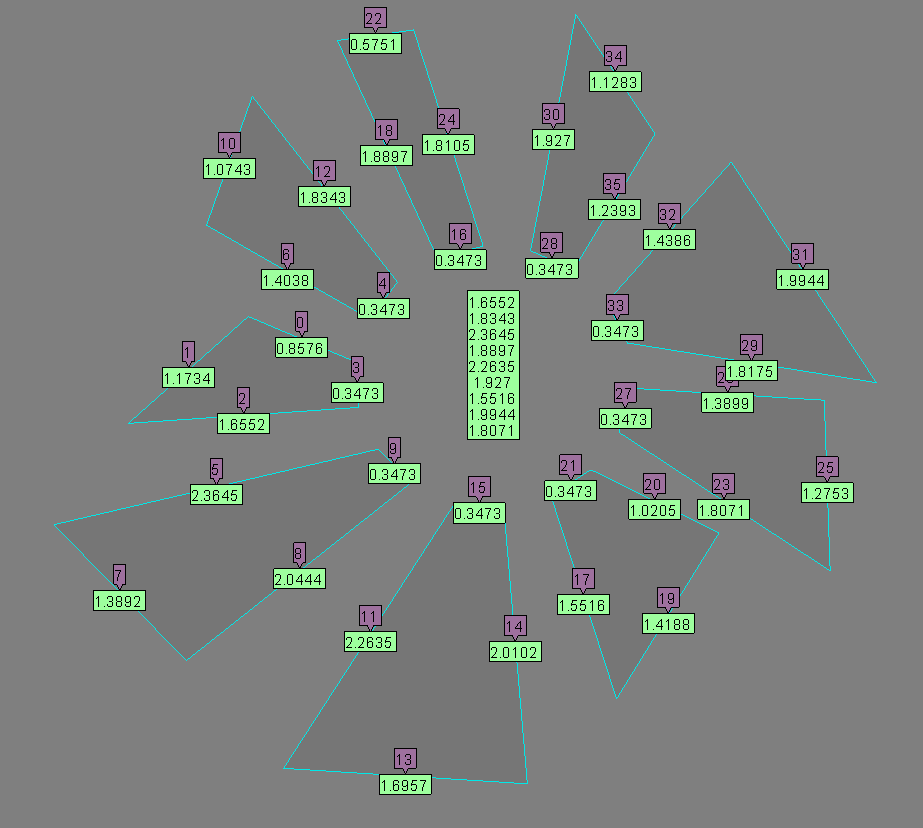
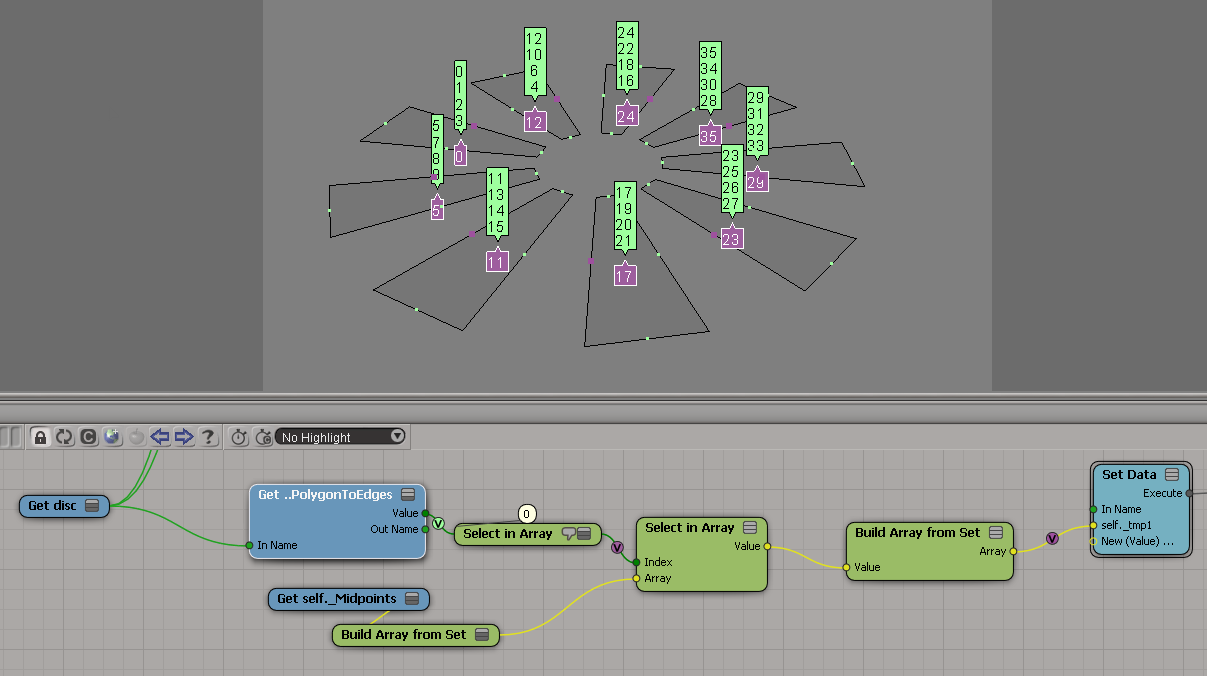
For each polygon, I want to get the EdgeIndex of the longest edge (ultimately, I want to get the midpoint of the longest edge for each polygon).

Being literal-minded, I started by getting the length of the longest edge for each polygon:
edgelength_max
Here’s a Show Values to show it works:
edgelength_max_showvalues

From there, I hacked my way to the edge index:
edgelength_max_index_1
The Show Values:
edgelength_max_index_1_showvalues

For my second try at getting the index of the longest edge, I stopped trying to go from the length back to the index. I think this is a little better approach:
edgelength_max_index_2

edgelength_max_index_2_showvalues

Loading order of workgroup plugins and addons


I recently had reason to investigate the order in which things are loaded from workgroups, and here’s what I found:

  • Workgroup plugins are loaded first.
    Softimage goes through all the workgroups, in the order they are listed in the Plug-in Manager, and loads all plugins that are not in an add-on.

  • Workgroup addons are loaded second.
    Again, Softimage goes through all the workgroups in list order, loading add-on plugins.

What was my motive for looking into this? A plugin that was trying to get the OriginPath of a plugin in the SItoA addon. That was never going to work, because the plugin was loaded before the SItoA addon.

I tested this on Windows 7, not Linux.