Some SOFTIMAGE|3D screen captures, and some others, from a NAB 1996 video about SOFTIMAGE | DS. I think the parrot character was named “Rudy” or “Ruby”, and was used to demo channels and motion capture.

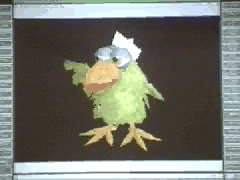






Some SOFTIMAGE|3D screen captures, and some others, from a NAB 1996 video about SOFTIMAGE | DS. I think the parrot character was named “Rudy” or “Ruby”, and was used to demo channels and motion capture.
I don’t know how useful all these dump files and crash logs are; nobody ever asked me to get them from a customer. But anyway, here we go…
When you start a recent version of Softimage, it opens a minidump (.dmp) file in your User folder, eg:
$XSI_USERHOME/SOLIDANGLE-PCbb6ab18a449d4f6865bf0f0.dmp
If you don’t crash, then great, Softimage closes and removes the .dmp file on exit. But if you do crash, Softimage will write out a minidump, and maybe a few other crash logs.
If you have Visual C++, you can open a .dmp and take a look. But in most cases I doubt it will help you much.
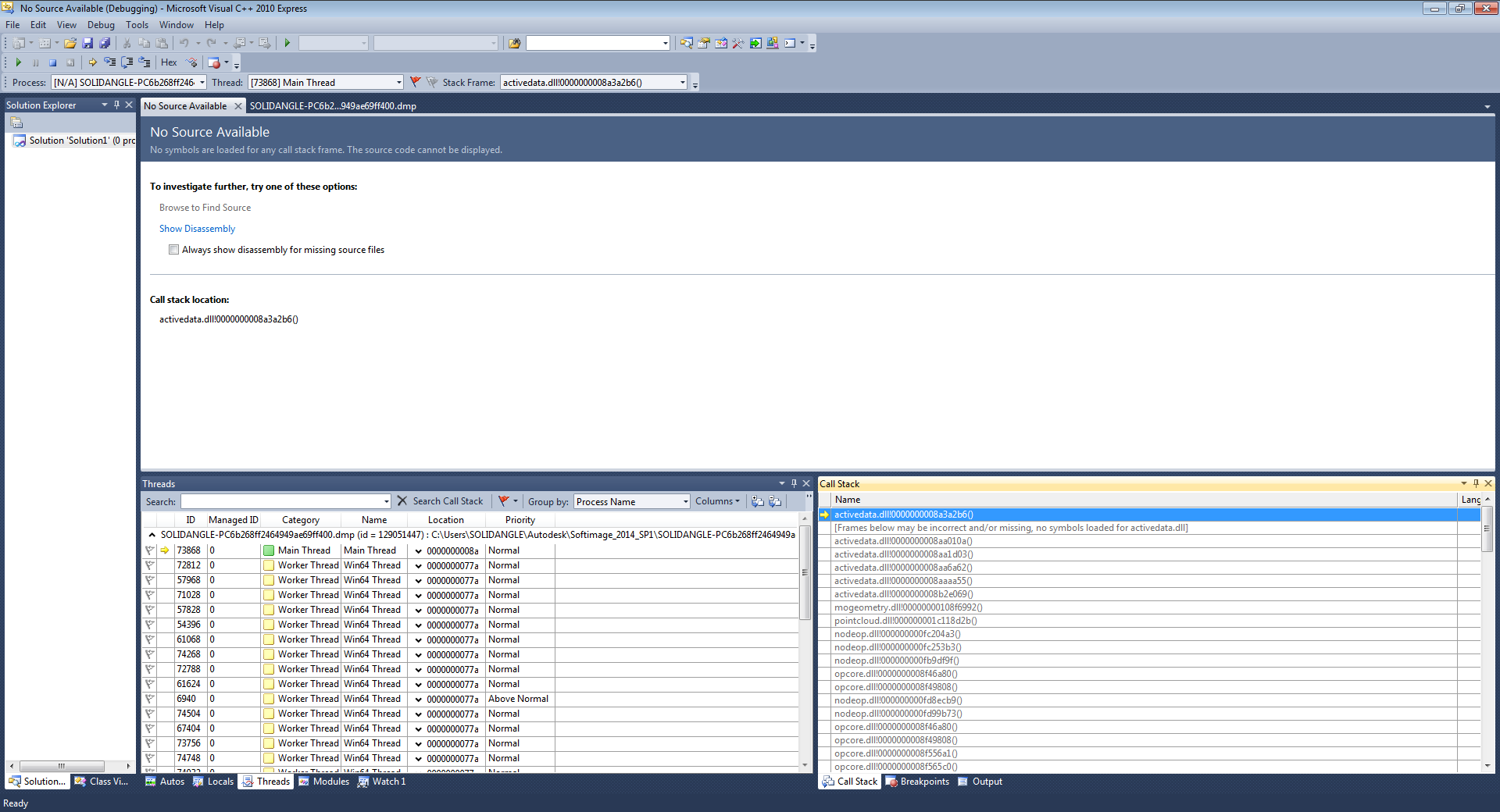
Plugin is a list of the loaded plugins, ScriptLog is the script history log, and Views is the current layout and views. Command is kinda interesting, because it looks like this:
[XSI::Mesh Grid] CreatePrim {F0B32DC7-7B9E-11D0-BDED-00A0243E36A8} {5C0CF8B6-C81E-11D2-80C3-00A0C9AC19A9}
[XSI::Set Value] SetValue {37EFCEF0-C8AF-11D1-8F33-00A0C982B651} {C089B901-8481-11D2-B118-00A024C79287}
[XSI::Set Value] SetValue {37EFCEF0-C8AF-11D1-8F33-00A0C982B651} {C089B901-8481-11D2-B118-00A024C79287}
Menu: Shaders>>Standard
[Custom Script Commands::AddMaterial] SITOA_AddMaterial {419D7E5D-38BF-7A61-1E88-105686422CEF} {001D605B-F285-4A60-80FA-10E63B2360D4}
[XSI::Shader Cnx Divot Pop-up Menu] UIMapButton {34F30CD4-12B8-11D3-AA89-00AA0068D2C0} {34F30CD2-12B8-11D3-AA89-00AA0068D2C0}
Menu: >>Checker &Board
Menu: >>Planar XZ
[XSI::Create Texture Projection] CreateProjection {87DCBB3E-880D-11D3-BC59-00A0C9612B97} {5C0CF8B6-C81E-11D2-80C3-00A0C9AC19A9}
[XSI::SetInstanceDataValue] SetInstanceDataValue {FAE0663A-2003-11D3-A06B-0000F875DF68} {FAE06638-2003-11D3-A06B-0000F875DF68}
[XSI::Set Value] SetValue {37EFCEF0-C8AF-11D1-8F33-00A0C982B651} {C089B901-8481-11D2-B118-00A024C79287}
[XSI::Set Value] SetValue {37EFCEF0-C8AF-11D1-8F33-00A0C982B651} {C089B901-8481-11D2-B118-00A024C79287}
[XSI::Set Value] SetValue {37EFCEF0-C8AF-11D1-8F33-00A0C982B651} {C089B901-8481-11D2-B118-00A024C79287}
[XSI::Orbit Tool] CamOrbitTool {212E0191-9027-11D0-B6CC-00AA0068BF56} {0461B2C6-0AE3-11D2-8065-00A0C955B335}
[XSI::Orbit Tool] CamOrbitTool {212E0191-9027-11D0-B6CC-00AA0068BF56} {0461B2C6-0AE3-11D2-8065-00A0C955B335}
Menu: Lights>>Skydome
I don’t what the GUIDs are for; I tried searching for some of them in the registry and in the Softimage install folder, and I came up empty.
I recently installed a new build of Softimage, and right from the start I was getting Debugging interfaces not available – debugging is disabled.. messages in the script history.
(Note that I use the Python installed with Softimage.)
I tracked the message down to the SetScriptSite function in
%XSI_HOME%\Application\python\Lib\site-packages\win32comext\axscript\client\framework.py
	#
	# IActiveScript
	def SetScriptSite(self, site):
		# We should still work with an existing site (or so MSXML believes 🙂
		self.scriptSite = site
		if self.debugManager is not None:
			self.debugManager.Close()
		import traceback
		try:
			import win32com.axdebug.axdebug # see if the core exists.
			import debug
			self.debugManager = debug.DebugManager(self)
		except pythoncom.com_error:
			# COM errors will occur if the debugger interface has never been
			# seen on the target system
			trace("Debugging interfaces not available - debugging is disabled..")
			self.debugManager = None
		except ImportError:
			#trace("Debugging extensions (axdebug) module does not exist - debugging is disabled..")
			self.debugManager = None
		except:
			traceback.print_exc()
			trace("*** Debugger Manager could not initialize - %s: %s" % (sys.exc_info()[0],sys.exc_info()[1]))
			self.debugManager = None

		try:
			self.lcid = site.GetLCID()
		except pythoncom.com_error:
			self.lcid = win32api.GetUserDefaultLCID()
		self.Reset()
Normally (in all my other Softimage installs on this computer), line 10 fails and fires an ImportError. This is invisible because the trace() on line 19 is commented out. So basically, the Softimage install anticipates that win32com.axdebug.axdebug won’t be found.
However, if win32com.axdebug.axdebug is found, then SetScriptSite tries to import debug, and when that fails, you get that Debugging interfaces not available – debugging is disabled.. message. That’s what was happening on my machine.
As usual, my friend Process Monitor was helpful in figuring this out.
My workaround, for now, is to comment out that trace() call on line 16.
Here’s a snippet that will go through a bunch of CLSIDs, find out how many objects with each CLSID are in the DataRepository (the internal object database), and how many objects with each CLSID can be found with FindObjects.
What’s a bit surprising is the difference in the two numbers. For example, in a blank new scene, there are 19 PoseCompensatorOps in the DataRepository, but FindObjects gets just four.
The idea behind doing this was that it might be helpful to troubleshoot problem scenes (eg something really weird might show up in a problem scene).
iObjTotal = 0

for x in CLSIDs:
	s = ""
	o = None
	iObjCurrent = XSIUtils.DataRepository.GetCount( x )
	iObjTotal = iObjTotal + iObjCurrent

	if iObjCurrent > 0:
		print "%i instances of CLSID %s" % ( iObjCurrent, x )
		o = Application.FindObjects( "", x )
		for i in range(o.Count):
			s += "   %s (%s)\n" % ( o(i), Application.ClassName( o(i) ) )

	print s

print iObjTotal
Here’s a full-fledged script .
And here’s the output for all the CLSIDs from the Softimage ComServerLocations registry entry (for a new scene in Softimage 2014 SP2, with Arnold installed…76 ArnoldRenderOptions properties, really? 🙂
# 1 instances of CLSID {0091ED92-CF66-4779-BE32-D51584138ECA}
#    Scene.Environments (ProjectItem)
# 6 instances of CLSID {00CB04DA-C252-11D0-A586-00A0C91412DE}
#    light.light.Associated Models (Group)
# 1 instances of CLSID {03356066-FB65-413E-AB28-D53B02C67048}
#    preferences.FaceRobot (Property)
# 7 instances of CLSID {0496EAB0-0ECF-11D1-ABF1-00A02485CECB}
#    Scene_Root (Model)
# 1 instances of CLSID {052601ED-0C90-4974-936D-F3761F963200}
#    preferences.scripting (Property)
# 27 instances of CLSID {07A92499-74B5-11D2-B33F-00105A1F4A37}
#    Views.ViewB.TopCamera.camdisp (Property)
#    Views.ViewA.UserCamera.camdisp (Property)
#    Views.ViewA.TopCamera.camdisp (Property)
#    Views.ViewA.FrontCamera.camdisp (Property)
#    Views.ViewA.RightCamera.camdisp (Property)
#    Camera.camdisp (Property)
#    Views.ViewA.SpotCamera.camdisp (Property)
#    Views.ViewA.SequencerCamera.camdisp (Property)
#    Views.ViewC.SpotCamera.camdisp (Property)
#    Views.ViewB.UserCamera.camdisp (Property)
#    Views.ViewB.FrontCamera.camdisp (Property)
#    Views.ViewB.RightCamera.camdisp (Property)
#    Views.ViewB.SpotCamera.camdisp (Property)
#    Views.ViewB.SequencerCamera.camdisp (Property)
#    Views.ViewC.UserCamera.camdisp (Property)
#    Views.ViewC.TopCamera.camdisp (Property)
#    Views.ViewC.FrontCamera.camdisp (Property)
#    Views.ViewC.RightCamera.camdisp (Property)
#    Views.ViewC.SequencerCamera.camdisp (Property)
#    Views.ViewD.UserCamera.camdisp (Property)
#    Views.ViewD.TopCamera.camdisp (Property)
#    Views.ViewD.FrontCamera.camdisp (Property)
#    Views.ViewD.RightCamera.camdisp (Property)
#    Views.ViewD.SpotCamera.camdisp (Property)
#    Views.ViewD.SequencerCamera.camdisp (Property)
# 1 instances of CLSID {09410AC8-71E7-11D3-B49F-00A0244EEB76}
#    TransientObjectContainer (CollectionItemLegacy)
# 1 instances of CLSID {0A4A1F03-AF67-4425-A83C-AC671EB4D9C9}
#    preferences.explorer (Property)
# 1 instances of CLSID {0B211A42-E71D-4E4F-B8EC-F684C996212B}
#    preferences.scene_search (Property)
# 6 instances of CLSID {0D29533C-B095-48F8-88B9-BDF8419453E7}
# 27 instances of CLSID {1152E9B1-545E-11D0-8466-00A024C7919C}
#    Views.ViewB.TopCamera.camera (Primitive)
#    Views.ViewC.TopCamera.camera (Primitive)
#    Views.ViewD.FrontCamera.camera (Primitive)
#    Views.ViewA.SpotCamera.camera (Primitive)
#    Views.ViewB.RightCamera.camera (Primitive)
#    Views.ViewA.SequencerCamera.camera (Primitive)
#    Views.ViewC.SpotCamera.camera (Primitive)
#    Views.ViewD.UserCamera.camera (Primitive)
#    Views.ViewD.SequencerCamera.camera (Primitive)
#    Camera.camera (Primitive)
#    Views.ViewA.RightCamera.camera (Primitive)
#    Views.ViewA.TopCamera.camera (Primitive)
#    Views.ViewC.SequencerCamera.camera (Primitive)
#    Views.ViewA.UserCamera.camera (Primitive)
#    Views.ViewB.SpotCamera.camera (Primitive)
#    Views.ViewA.FrontCamera.camera (Primitive)
#    Views.ViewB.UserCamera.camera (Primitive)
#    Views.ViewD.RightCamera.camera (Primitive)
#    Views.ViewB.FrontCamera.camera (Primitive)
#    Views.ViewC.FrontCamera.camera (Primitive)
#    Views.ViewB.SequencerCamera.camera (Primitive)
#    Views.ViewC.UserCamera.camera (Primitive)
#    Views.ViewD.TopCamera.camera (Primitive)
#    Views.ViewC.RightCamera.camera (Primitive)
#    Views.ViewD.SpotCamera.camera (Primitive)
# 1 instances of CLSID {11A264FD-B6D1-4CFC-82D3-C7E3A6ADE264}
#    preferences.simulation (Property)
# 29 instances of CLSID {11EBE301-A20C-11D0-8478-00A024C7919C}
#    Camera.visibility (Property)
#    Views.ViewC.SpotCamera.visibility (Property)
#    Camera_Interest.visibility (Property)
#    Camera_Root.visibility (Property)
#    light.visibility (Property)
#    Views.ViewD.SpotCamera.visibility (Property)
#    Views.ViewB.SpotCamera.visibility (Property)
#    Views.ViewA.SpotCamera.visibility (Property)
# 5 instances of CLSID {1265D911-AFA3-41F5-9AEA-7890A10A2812}
#    Views.ViewD.RenderRegion.mentalray (Property)
#    Passes.mentalray (Property)
#    Views.ViewC.RenderRegion.mentalray (Property)
#    Views.ViewB.RenderRegion.mentalray (Property)
#    Views.ViewA.RenderRegion.mentalray (Property)
# 10 instances of CLSID {12F18B50-D380-11D0-9225-08003629EA02}
# 1 instances of CLSID {145520D3-4E75-4539-863F-A60DB27CEE25}
#    preferences.General (Property)
# 7 instances of CLSID {16681C01-C066-11D2-A95B-00A024190119}
# 1 instances of CLSID {1A66378B-490A-4D5E-904B-28631EA027C9}
#    Scene.Passes (PassContainer)
# 1 instances of CLSID {2194FFE3-A0B2-4CAB-A3E8-FC8EDC9F159A}
# 1 instances of CLSID {25571B24-CB95-11D2-88C8-00A024EE6238}
#    PlayControl (Property)
# 1 instances of CLSID {288D850F-3056-4DFB-877A-30F0BAA6E1DE}
#    ReadAnimation (Property)
# 1 instances of CLSID {28DEC312-62B3-11D1-B79B-00A0243E3694}
# 2 instances of CLSID {293AFC8C-CEA7-4D05-8ED5-9E45E7CA619D}
#    preferences.SymmetryProperties (Property)
#    SymmetryProperties (Property)
# 1 instances of CLSID {2A9FFC70-5BA0-11D1-9987-00A0243F0E60}
#    preferences.duplicate (Property)
# 1 instances of CLSID {2F37DA65-86DF-48B4-911A-4819A374A5C5}
#     (CollectionItemLegacy)
# 4 instances of CLSID {2FABFBE6-679E-46C6-BF2E-B8AE4F383D8C}
#    Views.ViewC.RenderRegion (Property)
#    Views.ViewD.RenderRegion (Property)
#    Views.ViewA.RenderRegion (Property)
#    Views.ViewB.RenderRegion (Property)
# 1 instances of CLSID {311236AA-6D18-4198-8DD7-BD6E8B7D7525}
#    preferences.time (Property)
# 1 instances of CLSID {342FB217-15CC-4C38-AE4D-4240C0E900B1}
#    preferences.Camera (Property)
# 126 instances of CLSID {38506572-DD46-40E0-9A6A-708546381D04}
#    Framebuffer (Framebuffer)
#    Framebuffer (Framebuffer)
#    Framebuffer (Framebuffer)
#    Framebuffer (Framebuffer)
#    Framebuffer (Framebuffer)
#    Framebuffer (Framebuffer)
#    Framebuffer (Framebuffer)
#    Framebuffer (Framebuffer)
#    Framebuffer (Framebuffer)
#    Framebuffer (Framebuffer)
#    Framebuffer (Framebuffer)
#    Framebuffer (Framebuffer)
#    Framebuffer (Framebuffer)
#    Framebuffer (Framebuffer)
#    Framebuffer (Framebuffer)
#    Framebuffer (Framebuffer)
#    Framebuffer (Framebuffer)
#    Framebuffer (Framebuffer)
#    Framebuffer (Framebuffer)
#    Framebuffer (Framebuffer)
#    Framebuffer (Framebuffer)
#    Framebuffer (Framebuffer)
#    Framebuffer (Framebuffer)
#    Framebuffer (Framebuffer)
#    Framebuffer (Framebuffer)
#    Framebuffer (Framebuffer)
#    Framebuffer (Framebuffer)
#    Framebuffer (Framebuffer)
#    Framebuffer (Framebuffer)
#    Framebuffer (Framebuffer)
#    Framebuffer (Framebuffer)
#    Framebuffer (Framebuffer)
#    Framebuffer (Framebuffer)
#    Framebuffer (Framebuffer)
#    Framebuffer (Framebuffer)
#    Framebuffer (Framebuffer)
#    Framebuffer (Framebuffer)
#    Framebuffer (Framebuffer)
#    Framebuffer (Framebuffer)
#    Framebuffer (Framebuffer)
#    Framebuffer (Framebuffer)
#    Framebuffer (Framebuffer)
#    Framebuffer (Framebuffer)
#    Framebuffer (Framebuffer)
#    Framebuffer (Framebuffer)
#    Framebuffer (Framebuffer)
#    Framebuffer (Framebuffer)
#    Framebuffer (Framebuffer)
#    Framebuffer (Framebuffer)
#    Framebuffer (Framebuffer)
#    Framebuffer (Framebuffer)
#    Framebuffer (Framebuffer)
#    Framebuffer (Framebuffer)
#    Framebuffer (Framebuffer)
#    Framebuffer (Framebuffer)
#    Framebuffer (Framebuffer)
#    Framebuffer (Framebuffer)
#    Framebuffer (Framebuffer)
#    Framebuffer (Framebuffer)
#    Framebuffer (Framebuffer)
#    Framebuffer (Framebuffer)
#    Framebuffer (Framebuffer)
#    Framebuffer (Framebuffer)
#    Framebuffer (Framebuffer)
#    Framebuffer (Framebuffer)
#    Framebuffer (Framebuffer)
#    Framebuffer (Framebuffer)
#    Framebuffer (Framebuffer)
#    Framebuffer (Framebuffer)
#    Framebuffer (Framebuffer)
#    Framebuffer (Framebuffer)
#    Framebuffer (Framebuffer)
#    Framebuffer (Framebuffer)
#    Passes.Default_Pass.Main (Framebuffer)
#    Framebuffer (Framebuffer)
#    Framebuffer (Framebuffer)
#    Framebuffer (Framebuffer)
#    Framebuffer (Framebuffer)
#    Framebuffer (Framebuffer)
#    Framebuffer (Framebuffer)
#    Framebuffer (Framebuffer)
#    Framebuffer (Framebuffer)
#    Framebuffer (Framebuffer)
#    Framebuffer (Framebuffer)
#    Framebuffer (Framebuffer)
#    Framebuffer (Framebuffer)
#    Framebuffer (Framebuffer)
#    Framebuffer (Framebuffer)
#    Framebuffer (Framebuffer)
#    Framebuffer (Framebuffer)
#    Framebuffer (Framebuffer)
#    Framebuffer (Framebuffer)
#    Framebuffer (Framebuffer)
#    Framebuffer (Framebuffer)
#    Framebuffer (Framebuffer)
#    Framebuffer (Framebuffer)
#    Framebuffer (Framebuffer)
#    Framebuffer (Framebuffer)
#    Framebuffer (Framebuffer)
#    Framebuffer (Framebuffer)
#    Framebuffer (Framebuffer)
#    Framebuffer (Framebuffer)
#    Framebuffer (Framebuffer)
#    Framebuffer (Framebuffer)
#    Framebuffer (Framebuffer)
#    Framebuffer (Framebuffer)
#    Framebuffer (Framebuffer)
#    Framebuffer (Framebuffer)
#    Framebuffer (Framebuffer)
#    Framebuffer (Framebuffer)
#    Framebuffer (Framebuffer)
#    Framebuffer (Framebuffer)
#    Framebuffer (Framebuffer)
#    Framebuffer (Framebuffer)
#    Framebuffer (Framebuffer)
#    Framebuffer (Framebuffer)
#    Framebuffer (Framebuffer)
#    Framebuffer (Framebuffer)
#    Framebuffer (Framebuffer)
#    Framebuffer (Framebuffer)
#    Framebuffer (Framebuffer)
#    Framebuffer (Framebuffer)
#    Framebuffer (Framebuffer)
#    Framebuffer (Framebuffer)
#    Framebuffer (Framebuffer)
#    Framebuffer (Framebuffer)
# 5 instances of CLSID {389E27DD-5FB0-11D2-B11C-00A0C906811E}
# 1 instances of CLSID {394EA0E9-78A1-4B48-A09F-A0F81A68AE5B}
#    preferences (Property)
# 1 instances of CLSID {3D17F684-7DBB-44A2-B4FF-3A40B29CCB02}
#    preferences.objectview (Property)
# 1 instances of CLSID {3DCC9BFD-16F7-4C45-94B4-3CD2228B2C5C}
#    preferences.preset_manager (Property)
# 1 instances of CLSID {3F48C534-0301-11D2-85A3-00C04F8EDF15}
#    BrushProperties (CollectionItemLegacy)
# 9 instances of CLSID {400CCE36-4400-11D0-BDDD-00A0241981E2}
#    Scene Defaults.polymsh (Primitive)
# 6 instances of CLSID {453C2160-61E1-11D1-AE8D-00A0244EEB76}
#    light.light.Associated Models.Selective Light (CollectionItemLegacy)
# 1 instances of CLSID {455D7C9B-F73E-4394-AB88-895AC9237ADF}
#    Passes.RenderOptions (SceneRenderProperty)
# 11 instances of CLSID {45BAD6C1-E075-11D1-999B-00A0243F0E60}
#    Scene_Root.geomapprox (Property)
# 1 instances of CLSID {46F7B210-C532-11D2-B924-00A024C78EE3}
#    application (CollectionItemLegacy)
# 1 instances of CLSID {479F2E10-3900-11D1-B0B3-00A024C79287}
#    Layers.Layer_Default (Layer)
# 10 instances of CLSID {4C4F7500-51EF-11D0-854E-00A02417D029}
#    __SHADERBALL_MATERIAL_LIBRARY__.Grid_Material (Material)
#    __SHADERBALL_MATERIAL_LIBRARY__.Apple_Material (Material)
#    __SHADERBALL_MATERIAL_LIBRARY__.Scene_Material (Material)
#    __SHADERBALL_MATERIAL_LIBRARY__.Stem_Material (Material)
#    __SHADERBALL_MATERIAL_LIBRARY__.Cloud_Material (Material)
#    __SHADERBALL_MATERIAL_LIBRARY__.Light_Material1 (Material)
#    __SHADERBALL_MATERIAL_LIBRARY__.Dark_Material1 (Material)
#    __SHADERBALL_MATERIAL_LIBRARY__.Squares_Material (Material)
#    __SHADERBALL_MATERIAL_LIBRARY__.Lines_Material1 (Material)
#    Sources.Materials.DefaultLib.Scene_Material (Material)
# 1 instances of CLSID {50B4532C-7316-4708-A15A-3A63E542E8CC}
#    preferences.render_tree (Property)
# 50 instances of CLSID {51BF4F41-6777-11D1-BE9F-00A024EE478D}
#    Views.ViewB.TopCamera (Camera)
#    Views.ViewC.SpotCamera (Camera)
#    Views.ViewC.UserCamera (Camera)
#    Views.ViewA.SpotCamera (Camera)
#    Views.ViewD.FrontCamera (Camera)
#    Camera_Interest (Null)
#    Views.ViewB.RightCamera (Camera)
#    Scene_Root (Model)
#    Views.ViewA.SequencerCamera (Camera)
#    Views.ViewA.FrontCamera (Camera)
#    Views.ViewC.RightCamera (Camera)
#    Views.ViewD.RightCamera (Camera)
#    Views.ViewB.FrontCamera (Camera)
#    Views.ViewA.RightCamera (Camera)
#    Views.ViewA.UserCamera (Camera)
#    Views.ViewA.TopCamera (Camera)
#    Views.ViewB.UserCamera (Camera)
#    Views.ViewB.SpotCamera (Camera)
#    Views.ViewB.SequencerCamera (Camera)
#    Views.ViewC.TopCamera (Camera)
#    Views.ViewC.FrontCamera (Camera)
#    Views.ViewC.SequencerCamera (Camera)
#    Views.ViewD.SpotCamera (Camera)
#    Views.ViewD.UserCamera (Camera)
#    Views.ViewD.TopCamera (Camera)
#    Views.ViewD.SequencerCamera (Camera)
#    Camera_Root (CameraRig)
#    Camera (Camera)
#    light (Light)
# 1 instances of CLSID {551C2B18-98F4-4553-A3DE-F20C24B39823}
#    preferences.xsi_explorer (Property)
# 1 instances of CLSID {5E4BD436-737B-4AD3-8E32-D7F9BB7B2573}
#    preferences.data_management (Property)
# 43 instances of CLSID {5FC0CCAE-3DC8-11D0-9449-00AA006D3165}
#    Views.ViewA.SpotCamera (Camera)
#    Views.ViewD.TopCamera (Camera)
#    Views.ViewA.SequencerCamera (Camera)
#    Views.ViewC.RightCamera (Camera)
#    Views.ViewD.UserCamera (Camera)
#    Views.ViewB.SequencerCamera (Camera)
#    Views.ViewA.UserCamera (Camera)
#    Views.ViewA.TopCamera (Camera)
#    Views.ViewB.RightCamera (Camera)
#    Views.ViewA.FrontCamera (Camera)
#    Views.ViewB.SpotCamera (Camera)
#    Views.ViewA.RightCamera (Camera)
#    Views.ViewB.UserCamera (Camera)
#    Views.ViewB.TopCamera (Camera)
#    Views.ViewC.SpotCamera (Camera)
#    Views.ViewD.SpotCamera (Camera)
#    Views.ViewB.FrontCamera (Camera)
#    Views.ViewD.RightCamera (Camera)
#    Views.ViewC.UserCamera (Camera)
#    Views.ViewC.TopCamera (Camera)
#    Views.ViewC.FrontCamera (Camera)
#    Views.ViewC.SequencerCamera (Camera)
#    Views.ViewD.FrontCamera (Camera)
#    Views.ViewD.SequencerCamera (Camera)
#    Camera_Root (CameraRig)
#    Camera (Camera)
#    Camera_Interest (Null)
#    light (Light)
# 11 instances of CLSID {600E50F1-52FC-11D2-A924-00A024190119}
# 3 instances of CLSID {600E50F2-52FC-11D2-A924-00A024190119}
# 9 instances of CLSID {60F7ADA0-7E12-11D0-9960-00A0243F0E60}
#    cls (CollectionItemLegacy)
# 2 instances of CLSID {61782E14-9177-412E-BF9B-2B44B9A668DD}
#    library_source (MaterialLibrary)
#    Sources.Materials.DefaultLib (MaterialLibrary)
# 1 instances of CLSID {62362303-A6D4-4658-9651-905C1ADB056F}
#    preferences.TweakNormals (Property)
# 1 instances of CLSID {639AD931-3896-11D3-97AC-00A0243E3463}
#    Camera.kine.global.IndpCns_E (CollectionItem)
# 13 instances of CLSID {6495C5C1-FD18-474E-9703-AEA66631F7A7}
#    __SHADERBALL_MATERIAL_LIBRARY__.Squares_Material.Lambert (Shader)
#    __SHADERBALL_MATERIAL_LIBRARY__.Stem_Material.Lambert (Shader)
#    __SHADERBALL_MATERIAL_LIBRARY__.Light_Material1.Lambert (Shader)
#    __SHADERBALL_MATERIAL_LIBRARY__.Scene_Material.Phong (Shader)
#    __SHADERBALL_MATERIAL_LIBRARY__.Dark_Material1.Lambert (Shader)
#    __SHADERBALL_MATERIAL_LIBRARY__.Lines_Material1.Lambert (Shader)
#    Sources.Materials.DefaultLib.Scene_Material.Phong (Shader)
#    light.light.arnold_distant_light (Shader)
# 1 instances of CLSID {64E231F5-5A70-4012-B351-4046650227EA}
#    preferences.fcurve_editor (Property)
# 2 instances of CLSID {6630D811-0699-11D1-B723-00AA0068BF56}
# 27 instances of CLSID {675F9E0C-6851-11D2-B335-00105A1F4A37}
#    Views.ViewA.SpotCamera.camvis (Property)
#    Views.ViewD.FrontCamera.camvis (Property)
#    Views.ViewC.TopCamera.camvis (Property)
#    Views.ViewD.TopCamera.camvis (Property)
#    Views.ViewA.UserCamera.camvis (Property)
#    Views.ViewA.TopCamera.camvis (Property)
#    Views.ViewA.FrontCamera.camvis (Property)
#    Views.ViewB.FrontCamera.camvis (Property)
#    Views.ViewA.RightCamera.camvis (Property)
#    Views.ViewA.SequencerCamera.camvis (Property)
#    Views.ViewB.UserCamera.camvis (Property)
#    Views.ViewB.TopCamera.camvis (Property)
#    Views.ViewB.RightCamera.camvis (Property)
#    Views.ViewB.SpotCamera.camvis (Property)
#    Views.ViewB.SequencerCamera.camvis (Property)
#    Views.ViewC.UserCamera.camvis (Property)
#    Views.ViewC.FrontCamera.camvis (Property)
#    Views.ViewC.RightCamera.camvis (Property)
#    Views.ViewC.SequencerCamera.camvis (Property)
#    Views.ViewC.SpotCamera.camvis (Property)
#    Views.ViewD.UserCamera.camvis (Property)
#    Views.ViewD.RightCamera.camvis (Property)
#    Views.ViewD.SpotCamera.camvis (Property)
#    Views.ViewD.SequencerCamera.camvis (Property)
#    Camera.camvis (Property)
# 1 instances of CLSID {68520F4D-333E-44F0-B76D-0E9527F47497}
#    preferences.dopesheet (Property)
# 1 instances of CLSID {6A4AA345-4253-11D0-B148-00A02485CECB}
#    Scene (Scene)
# 1 instances of CLSID {6B00918D-D1F8-44B6-B6A1-5608971A2B84}
#    preferences.MaterialManager (Property)
# 1 instances of CLSID {6B2F8E3E-3BE3-45A3-9187-094616A04ACC}
#    preferences.SnapProperties (Property)
# 27 instances of CLSID {6B3772E6-27C1-11D3-A280-08003658D403}
#    Views.ViewD.FrontCamera.rotoscope (Property)
#    Views.ViewB.RightCamera.rotoscope (Property)
#    Views.ViewD.TopCamera.rotoscope (Property)
#    Views.ViewA.TopCamera.rotoscope (Property)
#    Views.ViewA.UserCamera.rotoscope (Property)
#    Views.ViewA.FrontCamera.rotoscope (Property)
#    Views.ViewA.RightCamera.rotoscope (Property)
#    Views.ViewA.SpotCamera.rotoscope (Property)
#    Views.ViewA.SequencerCamera.rotoscope (Property)
#    Views.ViewB.UserCamera.rotoscope (Property)
#    Views.ViewB.TopCamera.rotoscope (Property)
#    Views.ViewB.FrontCamera.rotoscope (Property)
#    Views.ViewB.SpotCamera.rotoscope (Property)
#    Views.ViewB.SequencerCamera.rotoscope (Property)
#    Views.ViewC.UserCamera.rotoscope (Property)
#    Views.ViewC.TopCamera.rotoscope (Property)
#    Views.ViewC.FrontCamera.rotoscope (Property)
#    Views.ViewC.RightCamera.rotoscope (Property)
#    Views.ViewC.SpotCamera.rotoscope (Property)
#    Views.ViewC.SequencerCamera.rotoscope (Property)
#    Views.ViewD.UserCamera.rotoscope (Property)
#    Views.ViewD.RightCamera.rotoscope (Property)
#    Views.ViewD.SpotCamera.rotoscope (Property)
#    Views.ViewD.SequencerCamera.rotoscope (Property)
#    Camera.rotoscope (Property)
# 1 instances of CLSID {6D81DA53-61DF-11D1-83C1-00A0243E268D}
#    ViewportCapture (CollectionItemLegacy)
# 24 instances of CLSID {72936430-9B0C-4167-8CA7-C30FC2188BB9}
#    XSISequencerCameraKineOp (CustomOperator)
#    XSISequencerCameraKineOp (CustomOperator)
#    XSISequencerCameraKineOp (CustomOperator)
#    XSISequencerCameraKineOp (CustomOperator)
#    XSISequencerCameraKineOp (CustomOperator)
#    XSISequencerCameraKineOp (CustomOperator)
#    XSISequencerCameraKineOp (CustomOperator)
#    XSISequencerCameraKineOp (CustomOperator)
#    XSISequencerCameraKineOp (CustomOperator)
#    Views.ViewB.SequencerCamera.camera.XSISequencerCameraPrimOp (CustomOperator)
#    Views.ViewC.SequencerCamera.camera.XSISequencerCameraPrimOp (CustomOperator)
#    Views.ViewA.SequencerCamera.camera.XSISequencerCameraPrimOp (CustomOperator)
#    XSISequencerCameraKineOp (CustomOperator)
#    XSISequencerCameraKineOp (CustomOperator)
#    Views.ViewC.SequencerCamera.kine.global.XSISequencerCameraKineOp (CustomOperator)
#    XSISequencerCameraKineOp (CustomOperator)
#    XSISequencerCameraKineOp (CustomOperator)
#    XSISequencerCameraKineOp (CustomOperator)
#    XSISequencerCameraKineOp (CustomOperator)
#    Views.ViewD.SequencerCamera.kine.global.XSISequencerCameraKineOp (CustomOperator)
#    XSISequencerCameraKineOp (CustomOperator)
#    Views.ViewB.SequencerCamera.kine.global.XSISequencerCameraKineOp (CustomOperator)
#    Views.ViewA.SequencerCamera.kine.global.XSISequencerCameraKineOp (CustomOperator)
#    Views.ViewD.SequencerCamera.camera.XSISequencerCameraPrimOp (CustomOperator)
# 1 instances of CLSID {74895A03-F74D-11D0-96C5-00A024191BAC}
#    DeviceManager (DeviceCollection)
# 76 instances of CLSID {76332571-D242-11D0-B69C-00AA003B3EA6}
#    preferences.Cg_Display (CustomProperty)
#    Arnold_Render_Options (CustomProperty)
#    Arnold_Render_Options (CustomProperty)
#    Arnold_Render_Options (CustomProperty)
#    preferences.ICEOperators (CustomProperty)
#    Arnold_Render_Options (CustomProperty)
#    Arnold_Render_Options (CustomProperty)
#    Arnold_Render_Options (CustomProperty)
#    Passes.Arnold_Render_Options (CustomProperty)
#    Arnold_Render_Options (CustomProperty)
#    Arnold_Render_Options (CustomProperty)
#    Arnold_Render_Options (CustomProperty)
#    Arnold_Render_Options (CustomProperty)
#    preferences.Arnold Render (CustomProperty)
#    Arnold_Render_Options (CustomProperty)
#    Arnold_Render_Options (CustomProperty)
#    Arnold_Render_Options (CustomProperty)
#    Arnold_Render_Options (CustomProperty)
#    Arnold_Render_Options (CustomProperty)
#    Arnold_Render_Options (CustomProperty)
#    Arnold_Render_Options (CustomProperty)
#    Arnold_Render_Options (CustomProperty)
#    Arnold_Render_Options (CustomProperty)
#    Arnold_Render_Options (CustomProperty)
#    Arnold_Render_Options (CustomProperty)
#    Arnold_Render_Options (CustomProperty)
#    Arnold_Render_Options (CustomProperty)
#    Arnold_Render_Options (CustomProperty)
#    Arnold_Render_Options (CustomProperty)
#    Arnold_Render_Options (CustomProperty)
#    Arnold_Render_Options (CustomProperty)
#    Arnold_Render_Options (CustomProperty)
#    Arnold_Render_Options (CustomProperty)
#    Arnold_Render_Options (CustomProperty)
#    Arnold_Render_Options (CustomProperty)
#    Arnold_Render_Options (CustomProperty)
#    Arnold_Render_Options (CustomProperty)
#    Arnold_Render_Options (CustomProperty)
#    Views.ViewC.RenderRegion.Arnold_Render_Options (CustomProperty)
#    Arnold_Render_Options (CustomProperty)
#    Arnold_Render_Options (CustomProperty)
#    Arnold_Render_Options (CustomProperty)
#    Arnold_Render_Options (CustomProperty)
#    Arnold_Render_Options (CustomProperty)
#    Arnold_Render_Options (CustomProperty)
#    Arnold_Render_Options (CustomProperty)
#    Arnold_Render_Options (CustomProperty)
#    Arnold_Render_Options (CustomProperty)
#    Arnold_Render_Options (CustomProperty)
#    Arnold_Render_Options (CustomProperty)
#    Arnold_Render_Options (CustomProperty)
#    Arnold_Render_Options (CustomProperty)
#    Arnold_Render_Options (CustomProperty)
#    Arnold_Render_Options (CustomProperty)
#    Arnold_Render_Options (CustomProperty)
#    Arnold_Render_Options (CustomProperty)
#    Arnold_Render_Options (CustomProperty)
#    Arnold_Render_Options (CustomProperty)
#    Arnold_Render_Options (CustomProperty)
#    Arnold_Render_Options (CustomProperty)
#    Arnold_Render_Options (CustomProperty)
#    Arnold_Render_Options (CustomProperty)
#    Arnold_Render_Options (CustomProperty)
#    Arnold_Render_Options (CustomProperty)
#    Arnold_Render_Options (CustomProperty)
#    Arnold_Render_Options (CustomProperty)
#    Arnold_Render_Options (CustomProperty)
#    Arnold_Render_Options (CustomProperty)
#    Arnold_Render_Options (CustomProperty)
#    Arnold_Render_Options (CustomProperty)
#    Arnold_Render_Options (CustomProperty)
#    Arnold_Render_Options (CustomProperty)
#    Arnold_Render_Options (CustomProperty)
#    Views.ViewD.RenderRegion.Arnold_Render_Options (CustomProperty)
#    Views.ViewB.RenderRegion.Arnold_Render_Options (CustomProperty)
#    Views.ViewA.RenderRegion.Arnold_Render_Options (CustomProperty)
# 1 instances of CLSID {76AA7786-F7E2-4BB6-9FC3-D56ED34EDF68}
#    preferences.MaterialPanel (Property)
# 19 instances of CLSID {77F74C81-7010-11D1-96F5-00A0243E3463}
#    Camera_Root.kine.local (KinematicState)
#    Camera.kine.local (KinematicState)
#    Camera_Interest.kine.local (KinematicState)
#    light.kine.local (KinematicState)
# 1 instances of CLSID {7954E245-8EF2-48AB-A07D-8DEEFDD9FF23}
#    preferences.netview (Property)
# 1 instances of CLSID {79EEBE8E-0ABA-4240-A033-6B02858250D9}
#    PaintTool (CollectionItemLegacy)
# 1 instances of CLSID {7A1BB9D6-58A3-49D6-84BA-39429EDAD489}
#    Passes.Default_Pass.Background_Lights_Partition (Partition)
# 66 instances of CLSID {7ABF1486-448D-11D0-BE37-00A024EE478D}
#    Camera_Root.kine.global (KinematicState)
#    global (KinematicState)
#    Views.ViewC.SequencerCamera.kine.global (KinematicState)
#    global (KinematicState)
#    global (KinematicState)
#    Views.ViewC.UserCamera.kine.global (KinematicState)
#    global (KinematicState)
#    Views.ViewC.SpotCamera.kine.global (KinematicState)
#    Views.ViewA.SequencerCamera.kine.global (KinematicState)
#    Views.ViewD.RightCamera.kine.global (KinematicState)
#    global (KinematicState)
#    Views.ViewC.FrontCamera.kine.global (KinematicState)
#    Views.ViewA.FrontCamera.kine.global (KinematicState)
#    Camera.kine.global (KinematicState)
#    global (KinematicState)
#    global (KinematicState)
#    Views.ViewB.SpotCamera.kine.global (KinematicState)
#    global (KinematicState)
#    Views.ViewD.UserCamera.kine.global (KinematicState)
#    global (KinematicState)
#    global (KinematicState)
#    global (KinematicState)
#    global (KinematicState)
#    Views.ViewA.RightCamera.kine.global (KinematicState)
#    global (KinematicState)
#    global (KinematicState)
#    global (KinematicState)
#    global (KinematicState)
#    Views.ViewB.FrontCamera.kine.global (KinematicState)
#    Views.ViewD.SpotCamera.kine.global (KinematicState)
#    Views.ViewB.SequencerCamera.kine.global (KinematicState)
#    Views.ViewB.TopCamera.kine.global (KinematicState)
#    Views.ViewB.RightCamera.kine.global (KinematicState)
#    Views.ViewD.FrontCamera.kine.global (KinematicState)
#    Views.ViewD.SequencerCamera.kine.global (KinematicState)
#    Views.ViewA.SpotCamera.kine.global (KinematicState)
#    Scene_Root.kine.global (KinematicState)
#    Views.ViewA.UserCamera.kine.global (KinematicState)
#    Views.ViewA.TopCamera.kine.global (KinematicState)
#    light.kine.global (KinematicState)
#    Views.ViewB.UserCamera.kine.global (KinematicState)
#    Views.ViewC.TopCamera.kine.global (KinematicState)
#    Views.ViewC.RightCamera.kine.global (KinematicState)
#    Views.ViewD.TopCamera.kine.global (KinematicState)
#    Camera_Interest.kine.global (KinematicState)
# 4 instances of CLSID {80183202-4F8A-11D0-9BAE-00AA0068BF56}
#     (CollectionItemLegacy)
#     (CollectionItemLegacy)
#     (CollectionItemLegacy)
#     (CollectionItemLegacy)
# 1 instances of CLSID {80D1207E-1C0D-4DEF-AF30-387384DCA4BA}
#    preferences.Compositing (Property)
# 1 instances of CLSID {82443034-51B1-11D0-85AE-080036E93203}
#    Passes.Default_Pass.RenderOptions (CollectionItemLegacy)
# 1 instances of CLSID {82443035-51B1-11D0-85AE-080036E93203}
#    ViewRenderOptions (CollectionItemLegacy)
# 1 instances of CLSID {82C99CA9-3D7E-4A1B-B015-1F4CBF2113C6}
#    Context (CollectionItemLegacy)
# 1 instances of CLSID {83B04845-8E86-4C6C-8196-A6BAA4A657DF}
# 1 instances of CLSID {8A323F88-7344-48F5-907E-2E698A066A60}
#    Sources.Materials (CollectionItemLegacy)
# 1 instances of CLSID {8B291AD2-AAC2-4F09-A027-B47E6C11E4AC}
#    Passes.Default_Pass.Background_Objects_Partition (Partition)
# 1 instances of CLSID {8C4CE8C0-4884-11D5-897C-00D0B71DA41F}
#    LoaderOptions (Property)
# 1 instances of CLSID {8FB0A8D8-2AA2-11D4-B6A3-006094EB029C}
#    RefPlanes (CollectionItemLegacy)
# 19 instances of CLSID {90994BB1-D357-11D2-8B80-00A024EE586F}
#    Camera_Root.kine.local.PoseCompensatorOp (CollectionItem)
#    Camera.kine.local.PoseCompensatorOp (CollectionItem)
#    Camera_Interest.kine.local.PoseCompensatorOp (CollectionItem)
#    light.kine.local.PoseCompensatorOp (CollectionItem)
# 1 instances of CLSID {91B2319A-9DB1-11D1-80CF-00A0248F9397}
#    preferences.Scenecolors (Property)
# 1 instances of CLSID {922D62D1-3208-4E92-9744-8E8D0816B4C8}
#    preferences.Polygon (Property)
# 1 instances of CLSID {961496BA-7EF2-4E91-A493-2C828E61AC2D}
#    preferences.shaderball (Property)
# 1 instances of CLSID {9694B47E-C847-11D3-B7D4-0008C7A011A6}
#    Camera_Interest.CameraInterest (Primitive)
# 1 instances of CLSID {973E6F73-CD0F-11D3-A88B-00C04F8EDF15}
#    Camera_Root.CameraRoot (Primitive)
# 1 instances of CLSID {97599A5D-A2BC-468A-AC6E-FB2F5E7E75D6}
#    preferences.keying_panel (Property)
# 6 instances of CLSID {98859160-CD10-11D3-A88B-00C04F8EDF15}
# 1 instances of CLSID {98CAD7D1-393A-11D2-8B40-00A024EE586F}
#    Camera.kine.dircns (Constraint)
# 1 instances of CLSID {997E1E42-7DC9-43A3-8B78-2B8352382703}
#    preferences.plugin_manager (Property)
# 2 instances of CLSID {9AF45FC0-8DC4-11D4-B915-0800690C8BD0}
# 6 instances of CLSID {9B82ACED-9947-4FD0-87AE-4AC0A3D42BEA}
# 1 instances of CLSID {9DC6AEC5-0D8D-4710-8C78-46748D6B722A}
#    preferences.camera_sequencer (Property)
# 1 instances of CLSID {9E1CD6BD-A30E-49E4-A1CE-57AFB5502D07}
#    preferences.layercontrol (Property)
# 1 instances of CLSID {9E4533F4-E6CF-4FE4-B8D4-15B32E954A81}
#    preferences.Display (Property)
# 1 instances of CLSID {9E734591-4B92-11D4-B7F3-0008C7A011A6}
# 1 instances of CLSID {A04BA012-0B7F-4E8C-8B81-EF09820A875B}
#    preferences.units (Property)
# 14 instances of CLSID {A0D4A4E1-7B7A-445B-A871-C55A9988DFDC}
#    Scene_Material (Material)
# 6 instances of CLSID {A15B3913-073F-11D4-B7DF-0008C7A011A6}
#    refplane (Property)
#    RefPlanes.XY (Property)
#    RefPlanes.XZ (Property)
#    RefPlanes.View (Property)
#    RefPlanes.Transform (Property)
#    RefPlanes.YZ (Property)
# 19 instances of CLSID {A2C21F92-96E3-11D3-B8A0-00A0C92469BE}
#    Camera_Root.kine.local.ParentPoseAndPoseCns_D (CollectionItem)
#    Camera.kine.local.ParentPoseAndPoseCns_D (CollectionItem)
#    Camera_Interest.kine.local.ParentPoseAndPoseCns_D (CollectionItem)
#    light.kine.local.ParentPoseAndPoseCns_D (CollectionItem)
# 1 instances of CLSID {A8BF89CA-1025-11D2-B5FD-006094EB029C}
#    Scene.Audio Container Properties (Property)
# 1 instances of CLSID {AD2412A8-3426-47CD-B65F-E98A2093130D}
#    dotXSIImportOptions (Property)
# 1 instances of CLSID {ADDBD2A0-85A4-11D4-8C31-009027BC3A0E}
# 6 instances of CLSID {B0A5373D-E8B3-4816-BC5A-A6A31E4B4158}
# 4 instances of CLSID {B49C1779-D1FE-4FB6-B9DB-9C253E3F3648}
# 1 instances of CLSID {B4ACAE9C-4F44-43D5-A591-295B61EE52A3}
#    preferences.Interaction (Property)
# 1 instances of CLSID {B533F218-5FDD-4800-ADE0-06534BDFD6B4}
#    preferences.weighteditor (Property)
# 1 instances of CLSID {B54D8594-0F35-4CB8-876D-0C88DC45BA3C}
#    preferences.Select (Property)
# 1 instances of CLSID {B8AD87C9-EE5C-4FDF-A51F-8DB121CB8991}
#    WriteAnimation (Property)
# 1 instances of CLSID {BBEED5A8-7763-11D2-977A-00A0C982C728}
#    FramePreviewSettings (CollectionItemLegacy)
# 1 instances of CLSID {BD407DFB-4120-4898-8475-44150D6B522C}
#    preferences.shape_animation (Property)
# 1 instances of CLSID {BDC5A1EE-EEBE-4CD2-9443-A5B7AF67ED22}
#    preferences.schematic (Property)
# 1 instances of CLSID {BFDAF164-5DD8-4422-9F1E-35527CDC2A02}
#    Passes.Default_Pass (Pass)
# 1 instances of CLSID {C23A9A23-5260-4E80-9165-F8673D9086B7}
#    preferences.modeling (Property)
# 2 instances of CLSID {C27897E0-1B97-11D4-AE61-00A0C96E63E1}
# 57 instances of CLSID {C4EF9563-8317-42EA-849D-58705A9B32B5}
#    HardwareRenderer (Property)
#    HardwareRenderer (Property)
#    HardwareRenderer (Property)
#    HardwareRenderer (Property)
#    HardwareRenderer (Property)
#    HardwareRenderer (Property)
#    HardwareRenderer (Property)
#    HardwareRenderer (Property)
#    HardwareRenderer (Property)
#    HardwareRenderer (Property)
#    HardwareRenderer (Property)
#    HardwareRenderer (Property)
#    HardwareRenderer (Property)
#    HardwareRenderer (Property)
#    Views.ViewA.RenderRegion.HardwareRenderer (Property)
#    HardwareRenderer (Property)
#    HardwareRenderer (Property)
#    HardwareRenderer (Property)
#    HardwareRenderer (Property)
#    HardwareRenderer (Property)
#    HardwareRenderer (Property)
#    HardwareRenderer (Property)
#    HardwareRenderer (Property)
#    HardwareRenderer (Property)
#    HardwareRenderer (Property)
#    HardwareRenderer (Property)
#    HardwareRenderer (Property)
#    HardwareRenderer (Property)
#    HardwareRenderer (Property)
#    HardwareRenderer (Property)
#    HardwareRenderer (Property)
#    HardwareRenderer (Property)
#    HardwareRenderer (Property)
#    HardwareRenderer (Property)
#    HardwareRenderer (Property)
#    HardwareRenderer (Property)
#    HardwareRenderer (Property)
#    Views.ViewD.RenderRegion.HardwareRenderer (Property)
#    HardwareRenderer (Property)
#    HardwareRenderer (Property)
#    HardwareRenderer (Property)
#    HardwareRenderer (Property)
#    HardwareRenderer (Property)
#    HardwareRenderer (Property)
#    HardwareRenderer (Property)
#    HardwareRenderer (Property)
#    Passes.HardwareRenderer (Property)
#    Views.ViewC.RenderRegion.HardwareRenderer (Property)
#    HardwareRenderer (Property)
#    HardwareRenderer (Property)
#    HardwareRenderer (Property)
#    HardwareRenderer (Property)
#    HardwareRenderer (Property)
#    HardwareRenderer (Property)
#    HardwareRenderer (Property)
#    HardwareRenderer (Property)
#    Views.ViewB.RenderRegion.HardwareRenderer (Property)
# 1 instances of CLSID {C68A1E9A-8879-4F7A-9247-56B5F602E795}
#    preferences.icetree (Property)
# 1 instances of CLSID {CA7AB48C-EE62-4675-8BE6-DE979CB63692}
#    preferences.animation (Property)
# 1 instances of CLSID {CBA2D702-8E67-47B1-A0D2-89354E33C241}
#    preferences.Tweak (Property)
# 4 instances of CLSID {CCACF571-B1B8-11D3-9E9B-009027BC38DD}
#    Scene_Root.display (Property)
# 1 instances of CLSID {CE38DE41-5C05-11D4-B4A2-00D0B71903E4}
#    Scene Defaults (Property)
# 66 instances of CLSID {D557CF35-57E3-11D2-8B5A-00A024EE586F}
#    Views.ViewA.RightCamera.kine (Kinematics)
#    Views.ViewD.UserCamera.kine (Kinematics)
#    Views.ViewB.TopCamera.kine (Kinematics)
#    kine (Kinematics)
#    kine (Kinematics)
#    kine (Kinematics)
#    kine (Kinematics)
#    Views.ViewD.SpotCamera.kine (Kinematics)
#    Views.ViewA.SequencerCamera.kine (Kinematics)
#    kine (Kinematics)
#    Views.ViewB.FrontCamera.kine (Kinematics)
#    kine (Kinematics)
#    kine (Kinematics)
#    kine (Kinematics)
#    Views.ViewA.SpotCamera.kine (Kinematics)
#    kine (Kinematics)
#    kine (Kinematics)
#    kine (Kinematics)
#    kine (Kinematics)
#    Views.ViewC.RightCamera.kine (Kinematics)
#    kine (Kinematics)
#    Views.ViewC.FrontCamera.kine (Kinematics)
#    kine (Kinematics)
#    kine (Kinematics)
#    Views.ViewD.TopCamera.kine (Kinematics)
#    kine (Kinematics)
#    Views.ViewB.SpotCamera.kine (Kinematics)
#    Views.ViewD.SequencerCamera.kine (Kinematics)
#    Views.ViewD.FrontCamera.kine (Kinematics)
#    Views.ViewB.SequencerCamera.kine (Kinematics)
#    Views.ViewA.FrontCamera.kine (Kinematics)
#    Views.ViewC.SequencerCamera.kine (Kinematics)
#    Scene_Root.kine (Kinematics)
#    Views.ViewB.RightCamera.kine (Kinematics)
#    Views.ViewA.UserCamera.kine (Kinematics)
#    Views.ViewC.UserCamera.kine (Kinematics)
#    Views.ViewA.TopCamera.kine (Kinematics)
#    Views.ViewB.UserCamera.kine (Kinematics)
#    Views.ViewC.TopCamera.kine (Kinematics)
#    Views.ViewC.SpotCamera.kine (Kinematics)
#    Views.ViewD.RightCamera.kine (Kinematics)
#    Camera_Root.kine (Kinematics)
#    Camera.kine (Kinematics)
#    Camera_Interest.kine (Kinematics)
#    light.kine (Kinematics)
# 1 instances of CLSID {D7D93C1D-902E-444E-99DD-C6A3D08627C2}
#    preferences.rendering (Property)
# 6 instances of CLSID {DBA00978-85BE-4D94-AEC5-422ECB4EE4BD}
# 1 instances of CLSID {DC84D7A3-ABA5-4BBF-9E09-A9B6FFE86983}
#    preferences.output_format (Property)
# 4 instances of CLSID {DD4BA6C4-60F1-11D1-8680-00A0C91412D9}
#    Scene_Root.AmbientLighting (Property)
# 19 instances of CLSID {DD804FBB-84DE-11D3-B89F-00A0C92469BE}
#    Camera_Interest.kine.global.ParentPoseCns_E (CollectionItem)
#    Camera_Root.kine.global.ParentPoseCns_E (CollectionItem)
#    Camera.kine.global.ParentPoseCns_E (CollectionItem)
#    light.kine.global.ParentPoseCns_E (CollectionItem)
# 1 instances of CLSID {DDA7A96E-7E81-433D-89BF-94FC82D71C06}
#    sequencerplotting (Property)
# 1 instances of CLSID {E068B6F5-CC79-48C4-92B1-1A265ACA7190}
#    PaintTool (CollectionItemLegacy)
# 2 instances of CLSID {E0CBD759-BDD7-44D1-8730-981472AFC5E9}
#    preferences.TransformProperties (Property)
#    TransformProperties (Property)
# 1 instances of CLSID {E2A86051-F669-11D1-8D60-080036F3CC02}
#    FCurve (FCurve)
# 1 instances of CLSID {E2FE2EF1-FEA2-41DE-8C3C-7FB1E819AAED}
#    preferences.transformgroup (Property)
# 11 instances of CLSID {E4DD8E40-1E1C-11D0-AA2E-00A0243E34C4}
# 1 instances of CLSID {E662A425-C427-4D18-9669-6858E59F6FA1}
#    preferences.texture_layer_editor (Property)
# 1 instances of CLSID {E8734CFA-4185-4CEA-A7E0-24E45ACA26D2}
#    preferences.animation_mixer (Property)
# 1 instances of CLSID {E9EF4BE1-3A2B-11D3-97AC-00A0243E3463}
#    Camera.kine.dircns.PosePoseCns_D (CollectionItem)
# 1 instances of CLSID {EA3AB345-F8A8-488D-826B-6943CFF9C604}
#    dotXSIExportOptions (Property)
# 1 instances of CLSID {EA861F7A-D67C-11D2-88C9-00A024EE6238}
#    Views (CollectionItemLegacy)
# 4 instances of CLSID {EA861F7B-D67C-11D2-88C9-00A024EE6238}
#    Views.ViewA (CollectionItemLegacy)
#    Views.ViewB (CollectionItemLegacy)
#    Views.ViewC (CollectionItemLegacy)
#    Views.ViewD (CollectionItemLegacy)
# 1 instances of CLSID {EC8D460F-40F1-439D-AE59-8F81AA2871F3}
#    preferences.scripteditor (Property)
# 1 instances of CLSID {EE4D73A9-3962-45C1-86CB-77562467BB52}
#    preferences.ViewCube (Property)
# 1 instances of CLSID {EE641152-A847-4F36-B5FD-FCA002F90634}
#    PaintTool.FloodFillTemplate (CollectionItemLegacy)
# 1 instances of CLSID {F16DA201-13A2-11D3-B37A-00105A1E70DE}
#    Scene.Sources (CollectionItemLegacy)
# 1 instances of CLSID {F16DA202-13A2-11D3-B37A-00105A1E70DE}
#    Scene.Clips (CollectionItemLegacy)
# 6 instances of CLSID {F3705C30-5204-11D0-8298-00A0243E366B}
#    light.light (Primitive)
# 1 instances of CLSID {F946644B-B42A-4063-B653-A0E884EA4D29}
#    preferences.SceneDebugging (Property)
# 1 instances of CLSID {FCA78BFF-DFC2-4610-8455-FA5C9B980BB7}
#    preferences.texture_editor (Property)
# 1 instances of CLSID {FD0EA020-390C-11D1-B0B3-00A024C79287}
#    Scene.Layers (CollectionItemLegacy)
# 1 instances of CLSID {FF22E061-5CED-4ED1-B6F3-58FD451FFDE5}
#    preferences.animation_editor (Property)
# 1034
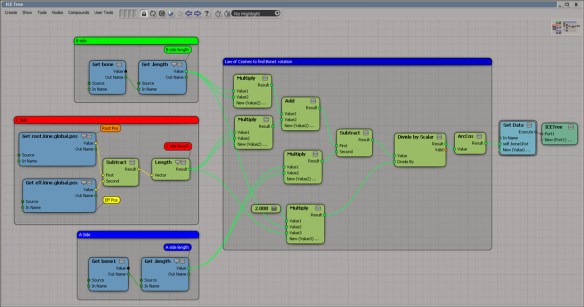
Finding the first bones rotation
by EricTRocks

ICE Convert between mesh and UV
by GOTETZ
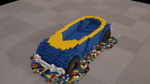
Lego-style VW Beetle
by Chris Marshall
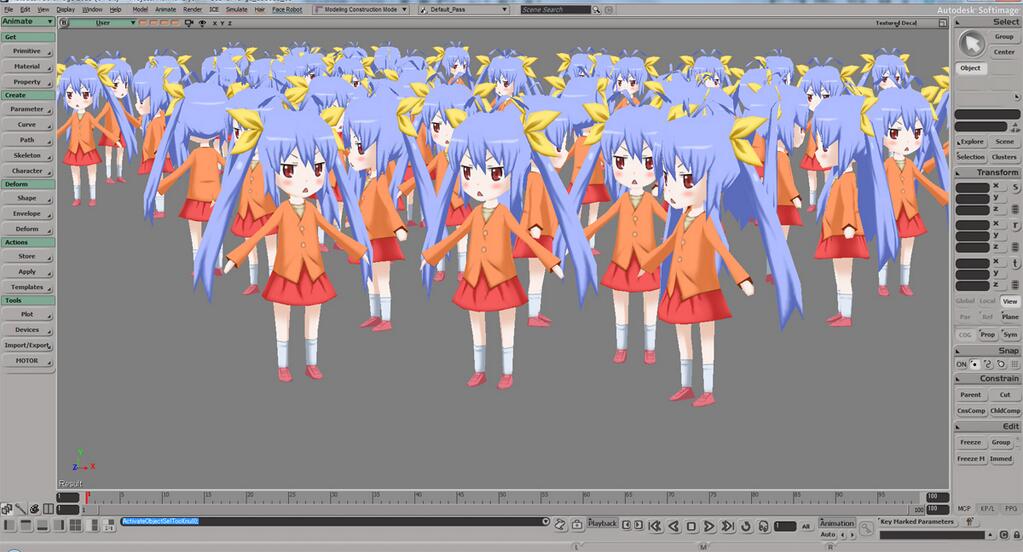
Dots
by Chris Marshall

by @strawmat00
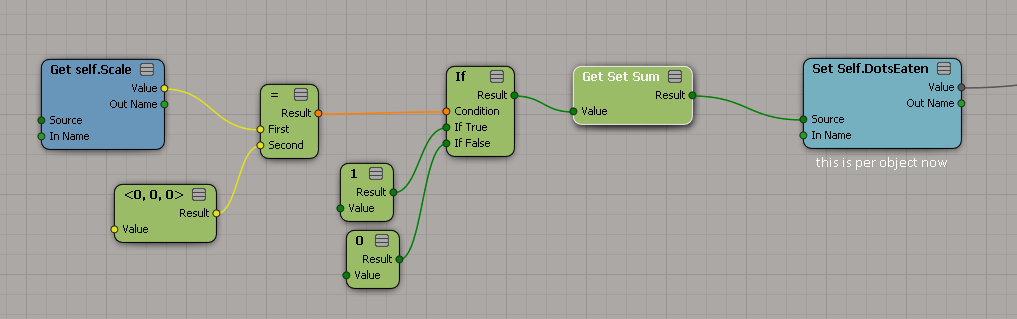
Forcing per-object context
by flyby
Thanks to Emilio for suggesting this topic for a flashback.

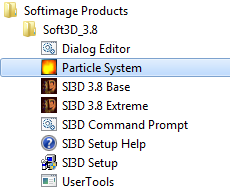
Before Softimage started shipping with Phoenix Tools ParticleSuite in 1999, SOFTIMAGE 3D had its own standalone particle system. If you wanted your particles in a SOFTIMAGE 3D scene, you had to follow this procedure:
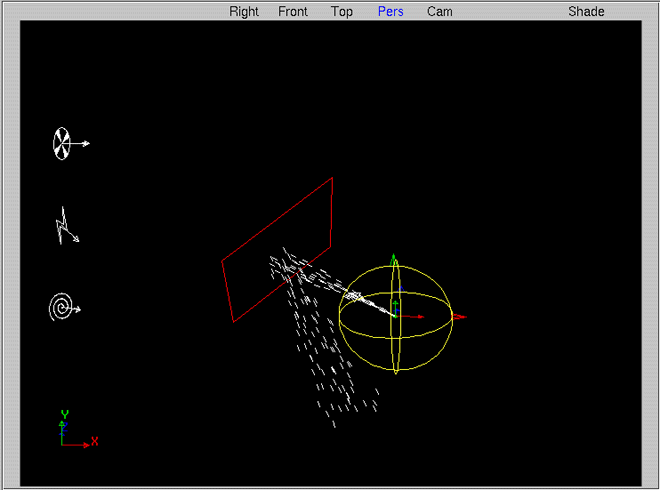
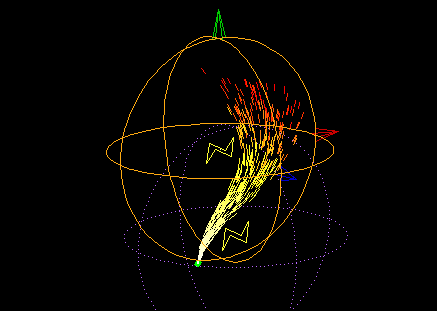
Here’s an overview of the SOFTIMAGE|PARTICLE interface (from the Particle User Guide) and a few screenshots of the viewport.


The other day in the comments, A asked about some Python I had posted a few years ago: Why did I manually dispatch XSI.Factory instead of just using the global XSIFactory object? Honestly, I don’t know why I did. I had seen other code do it that way, so I did it too. And I see that the sipyutils.py also dispatches objects like XSI.Application, XSI.Utils, and XSI.Math, so I figured I was in good company.
A little research shows that XSIFactory uses late bound automation (aka dynamic dispatch) and so avoids any possible problems with the pywin32 cache. Late-bound automation means that PythonCOM doesn’t know what properties or methods the object supports; whenever you try to access a property or method, PythonCOM will query the object to find out if the property/method is supported.
In contrast, when you dispatch XSI.Factory, PythonCOM uses the pywin32 cache to support early-binding, where all the available properties and methods are known beforehand.
You can read more about this Chapter 12 of Python Programming on Win32, Advanced Python and COM
Here’s a little Python snippet demonstrating the differences between a dispatched XSI.Factory and the global XSIFactory object. Note in particular the output of dir() for each object.
from win32com.client import Dispatch as disp
sifact = disp('XSI.Factory')

print sifact
print XSIFactory
# <win32com.gen_py.Softimage|XSI Object Model Library v1.5.XSIFactory instance at 0x564246344>
# <COMObject XSIFactory>

print dir(sifact)
print dir(XSIFactory)
# ['CLSID', 'CreateActiveXObject', 'CreateFCurveKeyCollection', 'CreateFCurveParamDef', 'CreateGridData', 'CreateGridParamDef', 'CreateGuid', 'CreateObject', 'CreateObjectFromFile', 'CreateObjectFromFile2', 'CreateObjectFromPreset', 'CreateObjectFromPreset2', 'CreateParamDef', 'CreateParamDef2', 'CreateScriptedOp', 'CreateScriptedOpFromFile', 'CreateShaderDef', 'CreateShaderParamDefOptions', 'RemoveShaderDef', '_ApplyTypes_', '__doc__', '__eq__', '__getattr__', '__init__', '__module__', '__ne__', '__repr__', '__setattr__', '_get_good_object_', '_get_good_single_object_', '_oleobj_', '_prop_map_get_', '_prop_map_put_', 'coclass_clsid']
# ['_Close_', '__doc__', '__getattr__', '__init__', '__module__', '__repr__', '__setattr__', '_scriptItem_']

print sifact.__module__
print XSIFactory.__module__
# win32com.gen_py.269C4D8C-E32D-11D3-811D-00A0C9AC19A9x0x1x0.XSIFactory
# win32com.axscript.client.pyscript
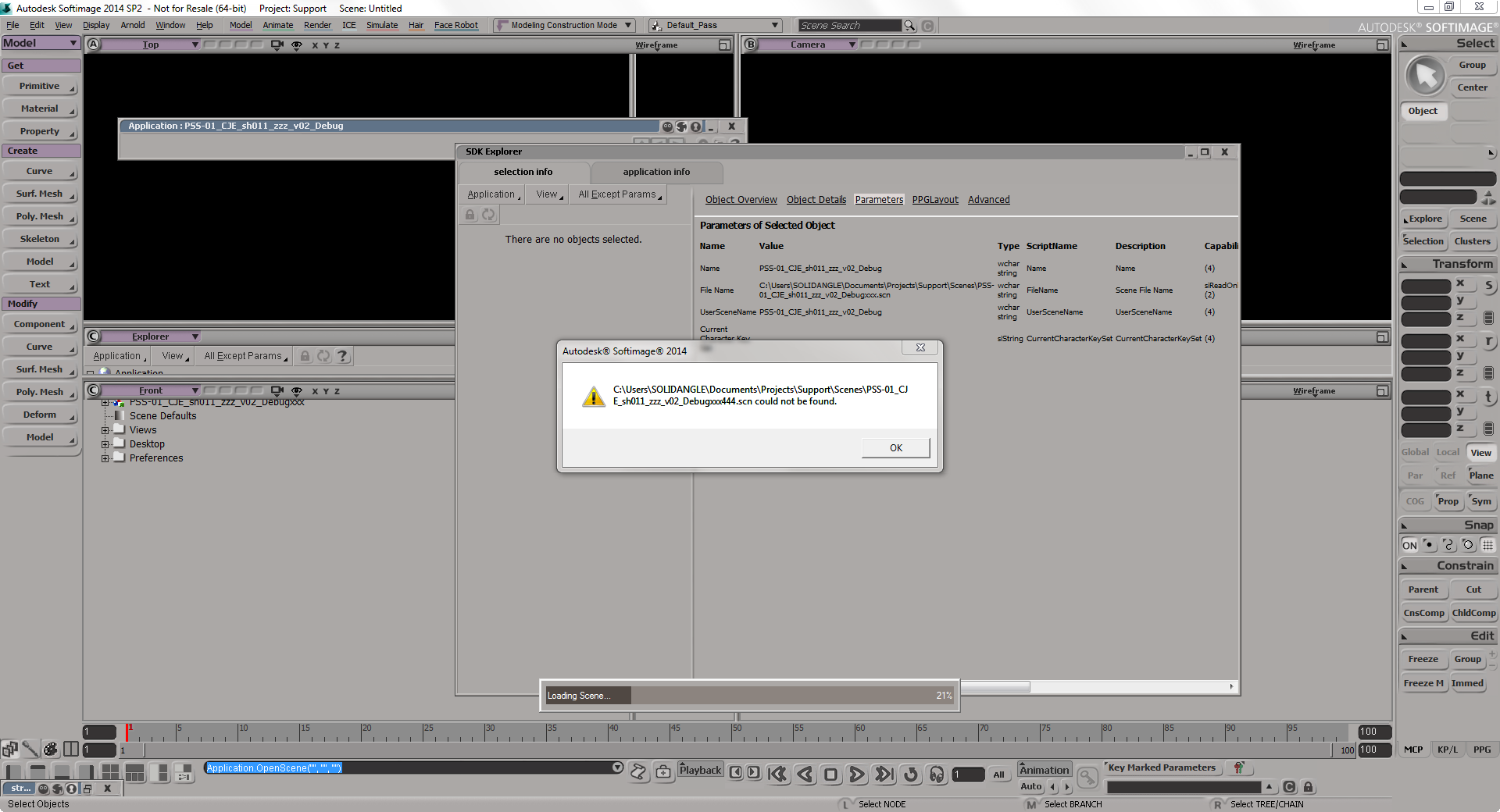
When you open a scene and get a YourScene.scn could not be found message, it’s not good news. Your scene is probably corrupted. In most cases of file corruption, you’ll actually get a message that says the scene file is corrupted. But sometimes you might see this one too.
In the comments, G asks:
Why do you have do this:
si = Application
oViewportCapture = si.Dictionary.GetObject( "ViewportCapture" )
oViewportCapture.NestedObjects( "Start" ) = 10
and not this:
si = Application
oViewportCapture = si.Dictionary.GetObject( "ViewportCapture" )
oViewportCapture.Start = 10

The answer is that the ViewportCapture object is not a ProjectItem, and so does not support the Parameters property. ViewportCapture is a CollectionItemLegacy object (and before that, it was an SIObject).
si = Application
p = si.Dictionary.GetObject( "ViewportCapture.Start" )
p.Value = 10
#si.SetValue( "ViewportCapture.Start", 10 )
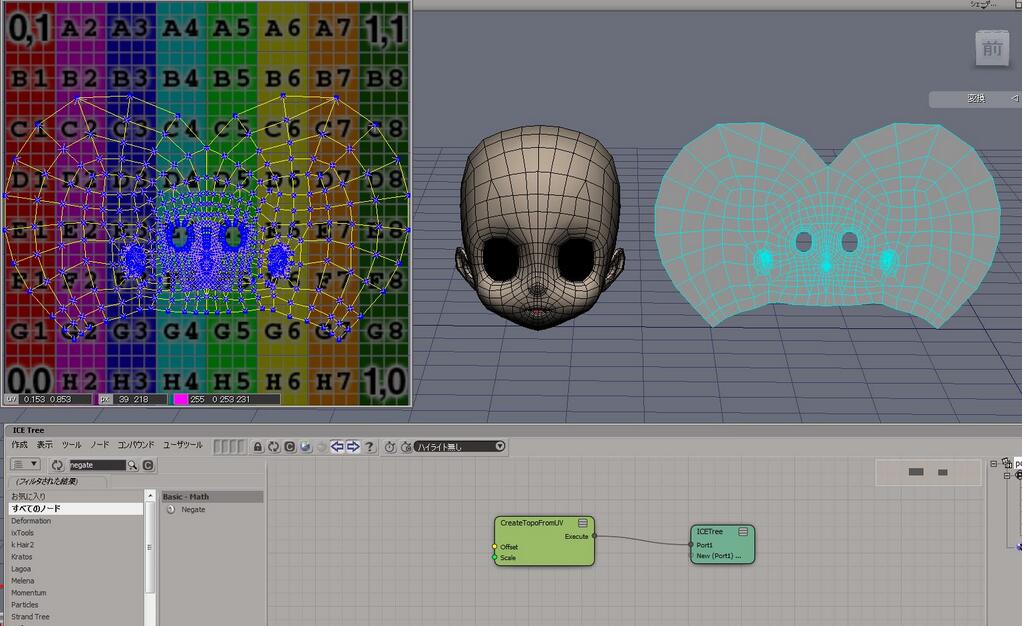
UV to topology
by Gotetz
Triangle wave generation
by Junki the Junkie

via cveld.net
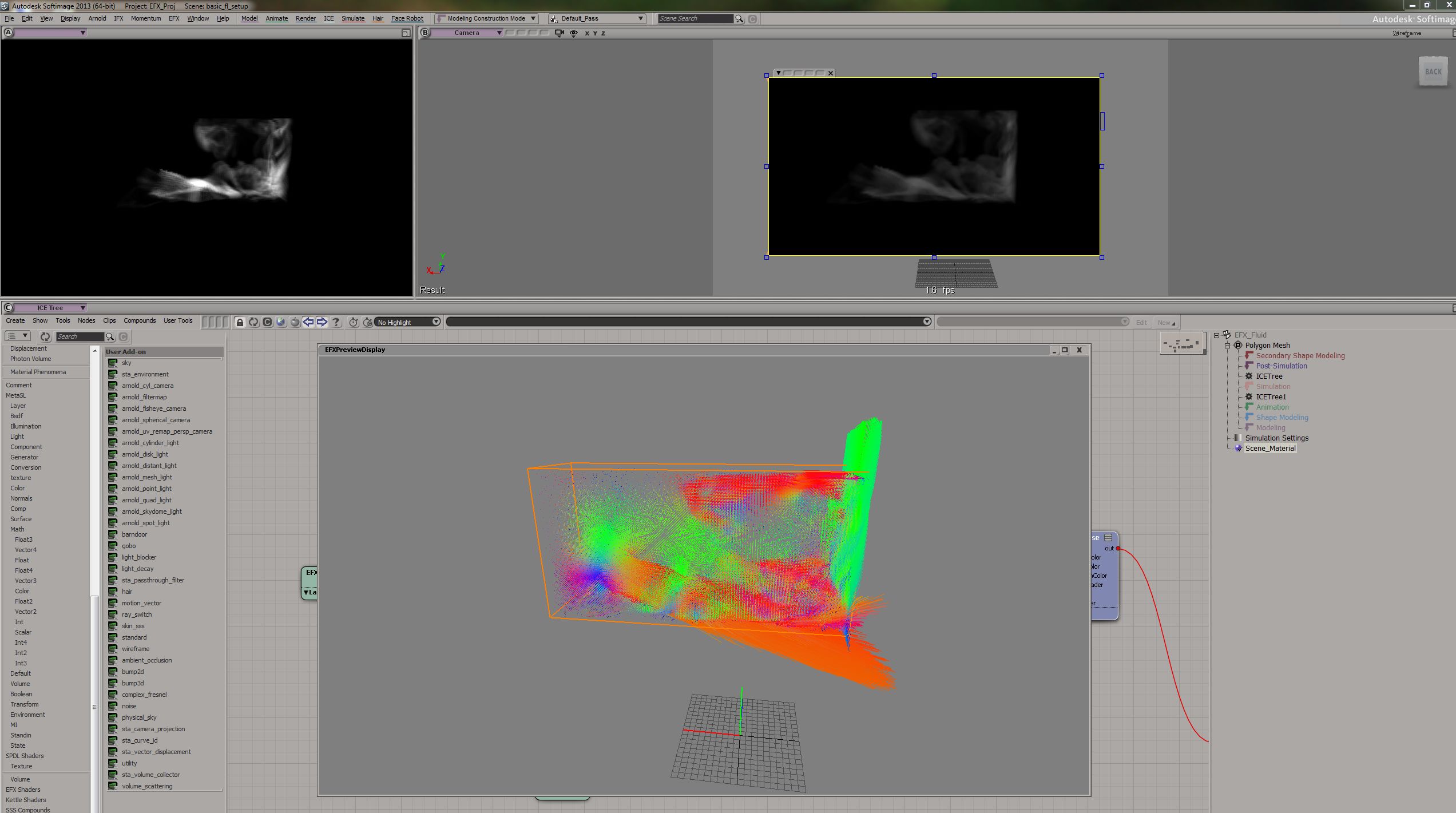
Expolsia Fx
by Mr.Core


 eX-SI
eX-SI 