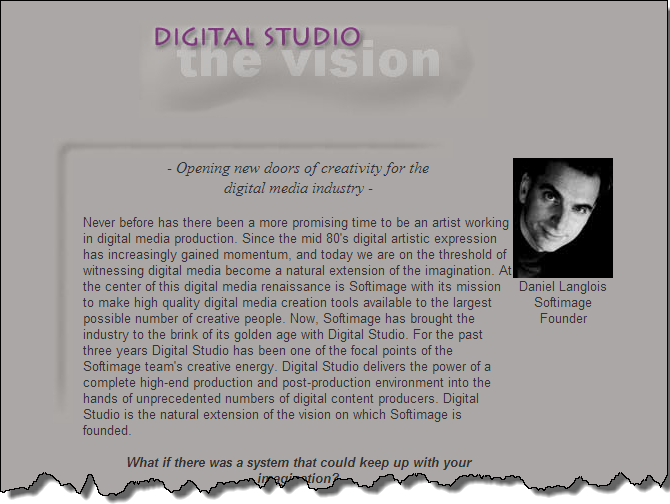
DIGITAL STUDIO the vision
– Opening new doors of creativity for the
digital media industry –
Never before has there been a more promising time to be an artist working in digital media production. Since the mid 80’s digital artistic expression has increasingly gained momentum, and today we are on the threshold of witnessing digital media become a natural extension of the imagination. At the center of this digital media renaissance is Softimage with its mission to make high quality digital media creation tools available to the largest possible number of creative people. Now, Softimage has brought the industry to the brink of its golden age with Digital Studio. For the past three years Digital Studio has been one of the focal points of the Softimage team’s creative energy. Digital Studio delivers the power of a complete high-end production and post-production environment into the hands of unprecedented numbers of digital content producers. Digital Studio is the natural extension of the vision on which Softimage is founded.
What if there was a system that could keep up with your imagination?
Softimage has always worked toward the integration of art and technology in order to refine the act of digital artistic expression: the reason being that while president and founder Daniel Langlois may be one of the industry’s leading executives, he has never deserted his roots as a filmmaker and animator. This background explains the persistent focus and vision of Softimage to develop tools that will bring new levels of creativity and productivity to the digital media creation world .
From the start Langlois was driven to find solutions for the creatively-minded by his own experience with digital film making. Before Softimage, there was no truly creatively -oriented animation software available on the market. The Softimage Creative Environment, introduced in 1986, was the first step on the journey toward the ultimate creation tool. Softimage 3D revolutionized the digital media industry as will its descendant, Digital Studio.
What if the tools for all digital media creation existed on a common platform?
Regarding creativity and productivity, Langlois recognized early on that a single integrated software environment was the only answer to the awkward interruptions inherent to traditional production and post-production work. One integrated solution would mean artists would no longer have to constantly shift from one application to another, interrupting their creative flow. Thus, since 1993 Langlois’ unwavering vision has been to create this integrated software environment: an environment in which a group or an individual can work on all aspects of a digital media production from beginning to the end. This all-encompassing production environment -a fusion of tools, media and ideas is a revolutionary step for the industry.
“One of the main goals of Digital Studio is to make the tools and the media types inconsequential to the creative mind of the content producer,” explains Langlois, “it’s like being in one big room, where you can reach up on a shelf and grab whatever digital media tool you need – paint brush, special effects filter, animation tool – and apply it to images, audio, 3D scenes, whatever you want, without thinking about what software you are using or what type of media you are handling.”
What if production and post-production people could really “share” the same project elements?
Picture this – A director, a video editor, and an audio engineer sit at a computer console reviewing an elaborate video production. From any PC on their distributed network, they can view, edit, or add any type of image or audio effect – 3D animation, wipes, fades, live feed composites, 2D or 3D paint – all in real time, uncompressed D1 video, and all using the same software application. Though they have different areas of expertise, they’ve all been working in a single integrated environment which adapts to the media-specific talent of each artist. Having everyone involved on a production working in a common environment, will achieve a higher degree of creative synergy and leave more room for experimentation.
What if there was a software platform that really supported collaboration?
Every aspect of Digital Studio is new, exciting, and refreshing. Langlois explains, “DS is not an amalgamation of older technology simply patched together but a new generation architecture created from scratch to handle all the different types of digital media.”
Softimage sees Digital Studio as the cornerstone of an evolving Softimage solution. “Digital Studio is a creative platform, not just an application,” Langlois emphasizes. “Additional software components for- 3D modeling and animation, interactive title creation, 2D cell animation, asset management – will be available both from Softimage and third parties. Our objective is to make Digital Studio the best possible digital production environment today – and to make sure it will evolve with the future demands of digital media creators and with technological advances we haven’t even begun to imagine.”
In every regard Digital Studio represents a paradigm shift in the Digital Media industry. This shift empowers the inspired to new levels of creativity, and clears the way for Digital Studio to be the creative catalyst to all production people.









 eX-SI
eX-SI 