Slim pickings last week…
FBX Review as a viewer
by SI_UserNotes

Vitaly Bulgarov timelapse

One last Siggraph flashback (until next year?). This time, back to Siggraph 2006 in Boston.

Some basic tips for troubleshooting when a plugin won’t load.
https://vimeo.com/71046241
Click image to download

It’s not hard to do:
I used to do it with a few ad-hoc perl and python scripts, but that utility works great.
Given a shader, it’s not too hard to find all materials that use (aka “own”) an instance of that shader. Here’s a Python snippet that does just that.
Note that I don’t check whether or not the shader is actually used. This snippet finds all instances, whether they are used or not (last week I posted another snippet for checking whether a shader instances was ultimately connected to the material).
from sipyutils import si			# win32com.client.Dispatch('XSI.Application')
from sipyutils import disp		# win32com.client.Dispatch
from sipyutils import C			# win32com.client.constants
si = si()

def get_materials_that_use_shader( s ):
	mats = disp( "XSI.Collection" )
	oShaderDef = si.GetShaderDef( s.ProgID )
	for i in oShaderDef.ShaderInstances:
		try:
			mats.Add( i.Owners(0) )
		except Exception:
			pass

	mats.Unique = True
	return mats

#
# Find all materials that use a specific shader
#
s = si.Selection(0)
if s.IsClassOf( C.siShaderID ):
	mats = get_materials_that_use_shader( s )
	for m in mats:
		print( "%s in %s" % (m.Name, m.Owners(0)) )
else:
	si.LogMessage( "Cannot find shader instances. Please select a shader." )

# Material in Sources.Materials.DefaultLib
# Material1 in Sources.Materials.DefaultLib
# Material2 in Sources.Materials.DefaultLib
# Material3 in Sources.Materials.DefaultLib
# Material7 in Sources.Materials.DefaultLib
# Material6 in Sources.Materials.DefaultLib
# Material5 in Sources.Materials.DefaultLib
# Material4 in Sources.Materials.DefaultLib
Inverse distance weighting
by grahamef

Maths problem
by David Barosin

Get closest location on group
by Alan Fregtman
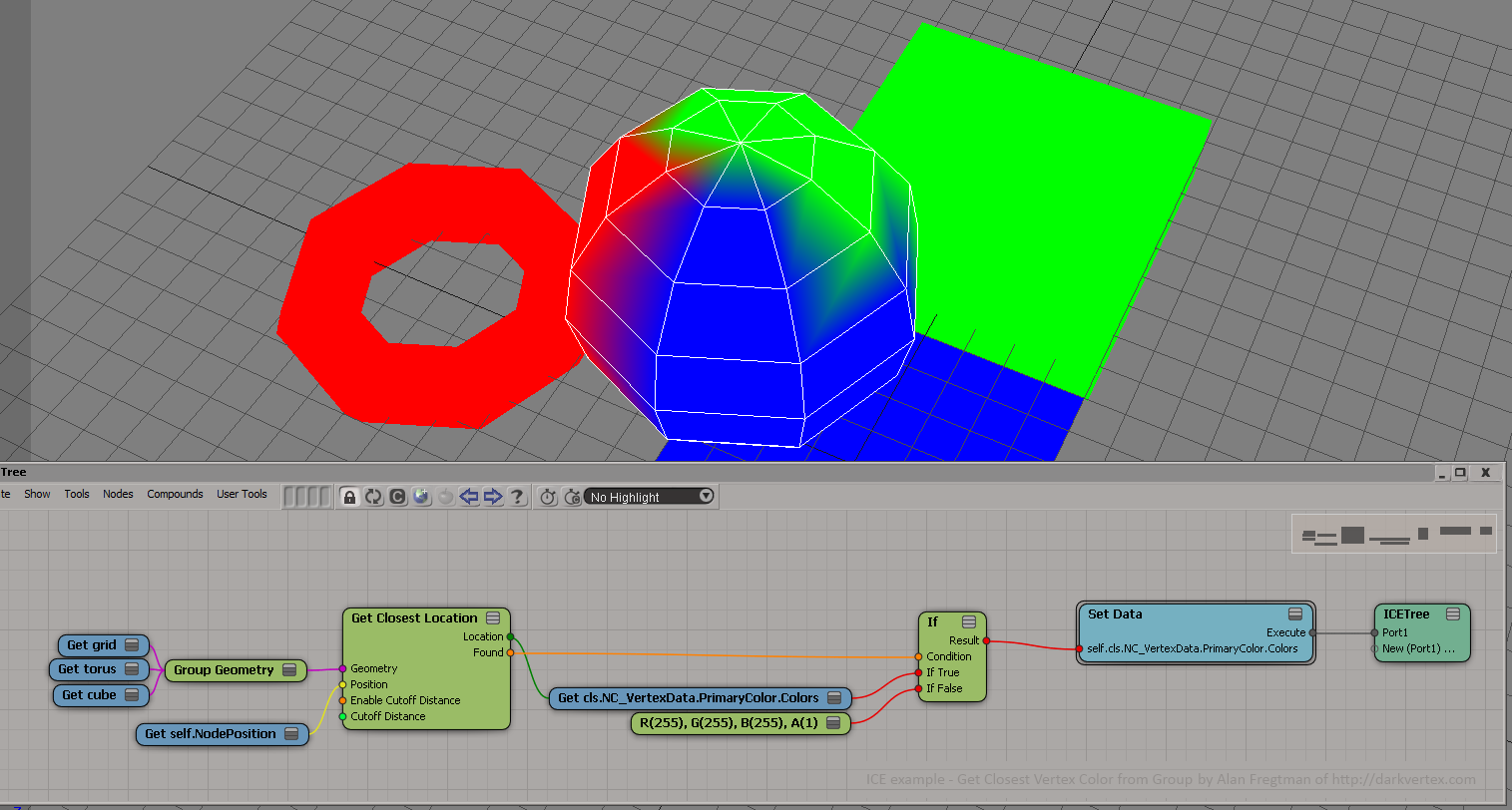
by Jack Kao
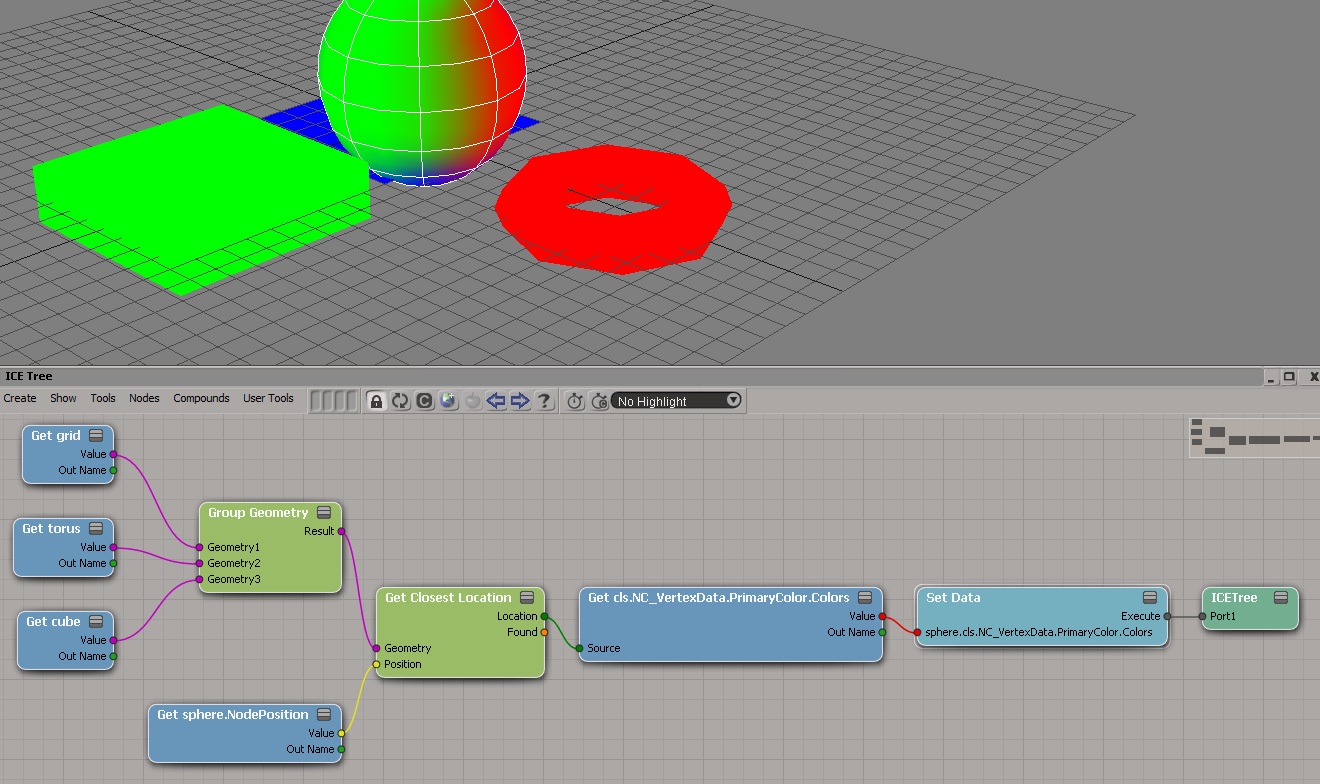
Mixed Contexts
by Vladimir Jankijevic

Setting data on a particle based off data from another particle in the same cloud
by Leonard Koch

Arnold Scene Viewer integrated in Softimage using Creation Platform
https://vimeo.com/70671257

GitForSoftimage
How to use the cached Face Robot animation on a head
Building your own Voronoi shattering effect with blackjack and hookers in Softimage part 2
Siggraph 2002 in San Antonio, where Softimage announced XSI 3.0, Discreet launched 3ds Max 5, Alias/Wavefront showed Maya 5, Pixologic had ZBrush 1.5, and Newtek demoed Lightwave 7.5.
softimage.com web page from 21 July 2002

In ICE, you can’t get data from any arbitrary frame. You get whatever data comes though through your input ports for the current evaluation time. There’s no way (except for Get Data at Previous Frame) for you to read the scene graph at any other time than the time at which the ICE Tree operator is being evaluated.
A few related notes:
Here’s a JScript snippet that finds render tree nodes that are not connected to anything in the render tree.
LogMessage( isConnected( Selection(0) ) );

function isConnected( o )
{
	var oDR = XSIUtils.DataRepository ;

	var strOpInfo = oDR.GetConnectionStackInfo( o )
//	LogMessage( strOpInfo );
	var oTopNode = ParseXML( strOpInfo ) ;

	var oConnections = oTopNode.childNodes ;
	if ( oConnections.length == 0 )
	{
		return false;
	}
	return true;
}

function ParseXML( strXML )
{
	var oXMLParser = new ActiveXObject("Microsoft.XMLDOM")
	oXMLParser.async = false
	oXMLParser.loadXML( strXML ) ;

	if (oXMLParser.parseError.errorCode != 0)
	{
		logmessage( "Invalid XML " + oXMLParser.parseError.reason , siError ) ;
		return null ;
	}

	// the xsi_file node
	// If this is NULL we must have failed to load the XML
	var oTopNode = oXMLParser.documentElement ;

	return oTopNode ;
}
Most of this JScript came from the SDK Explorer code in $XSI_HOME\Addons\sdkui\Application\Plugins\SDKExplorer.js, because I noticed that disconnected shaders would have an empty connection stack, and I didn’t want to go through all the parameters individually looking for connections.
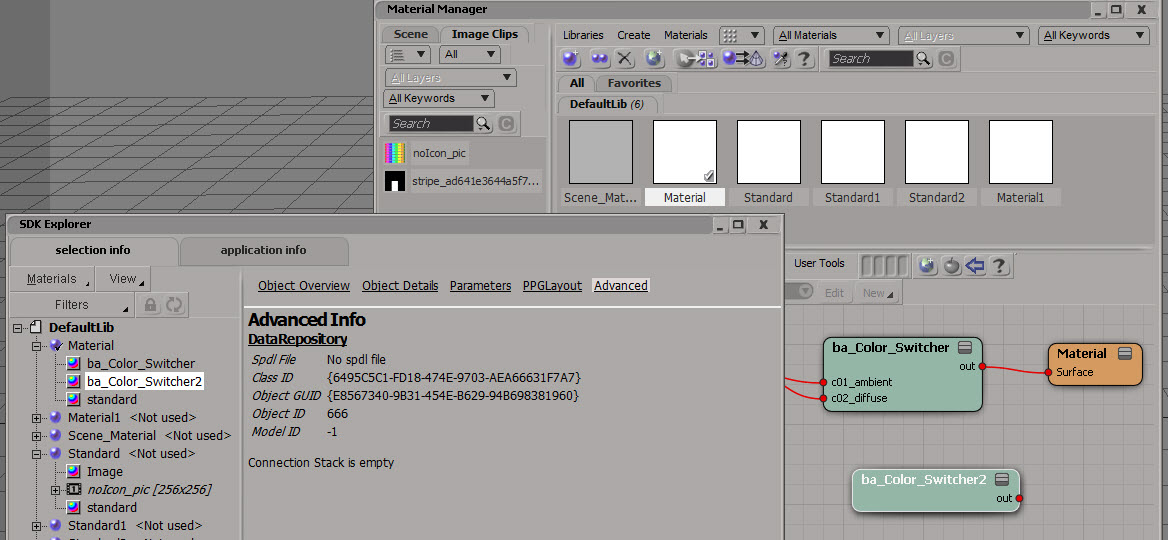
Here’s a Python version that does a little more: it follows the output connections to check whether or not the shader is ultimately connected the material.
# Python Code
import xml.etree.ElementTree as etree

def is_connected( o ):
	if not o.IsClassOf( 52 ):
		print "Input is not a shader"
		return False

	sXML = XSIUtils.DataRepository.GetConnectionStackInfo( o )
	root = etree.fromstring( sXML )
	for connection in root:
		if connection.find('type').text == 'out':
			x = Application.Dictionary.GetObject( connection.find('object').text )
			return True if x.IsClassOf( 64 ) else is_connected( x )

	return False

print is_connected( Application.Selection(0) )
Suppose you have an animated scalar value, and you want to store its values as you play through a simulation. And suppose you also want to keep a running total of all the values up to the current frame.
My first try used two arrays: one to store the values at each step through the simulation, and one to hold the running total.

Calculating the array sum at every step seems wasteful. So, here’s my second try at keeping a running total of the values from the fcurve. I use just one attribute and one array. The attribute was necessary because if I plugged Pop from Array directly into Add, I got nothing.

 eX-SI
eX-SI 