Screenshots of the week


LKLightning 2.0 Tutorial 01 – Swirling7

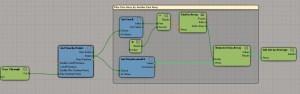
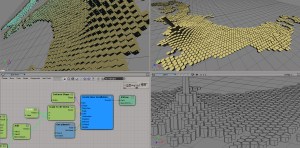
Display debug per-object attribute on distant point cloud
by Fabricio Chamon
DebugAttributeAtBBox

Moving cached geometry
by Alok Gandhi
jhddjdgc

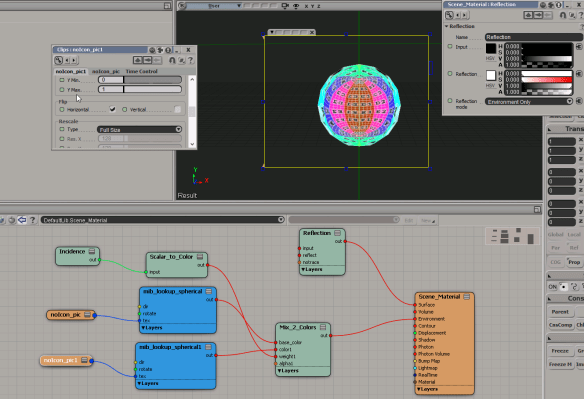
Reflections
by NNois
Reflection

Turbulize Null position
by Helli
nullposition

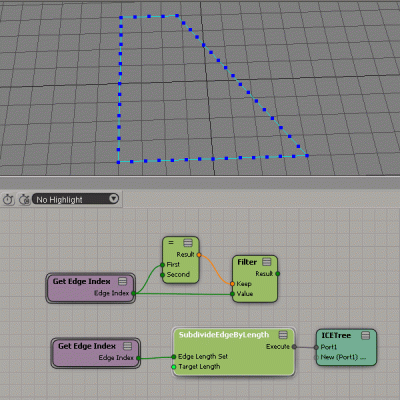
Splitting edges
by iamVFX, julian johnson
SplitEdgeEqually
SubdivideEdgeByLength

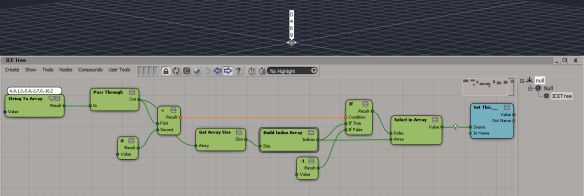
Finding he indices of negative values in an array
by iamVFX
FindIndicesOfNegativeValuesInArray

Saturday Snippet: Getting the object under the mouse in a context menu callback


For most context menus, the Target attribute contains both the selected objects (if any) and the object under the mouse.

def MyCustomMenu_Init( in_ctxt ):
    oMenu = in_ctxt.Source
    oMenu.Filter = "camera"
    oMenu.AddCallbackitem("Custom Camera Tool","MyCameraTool")
    return true

def MyCameraTool(in_ctxt):
    obj = in_ctxt.GetAttibute("Target")
    Application.LogMessage(obj)

I’m pretty sure I’m the one who dug up that info and put it in the docs (on the Menu Item Callback page). I did not, however, write this bit, which to my ear does not sound good at all:

If your menu is attached to a contextual menu, the currently selected objects are passed in to your callback. The target object under the cursor is also passed in as part of the selected objects. However if no objects are selected, then only the target is passed in. The objects can be retrieved through the Context.GetAttribute method with “Target” specified as the value for the AttributeName parameter. The selected/target objects are not passed in to the callback of a custom menu item attached to a regular menu.

I prefer something more like this:

For context menus, the callback gets the currently selected objects and the object under the mouse. You can get these target objects from the Target attribute with Context.GetAttribute.

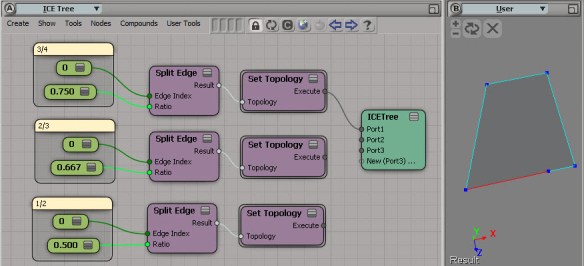
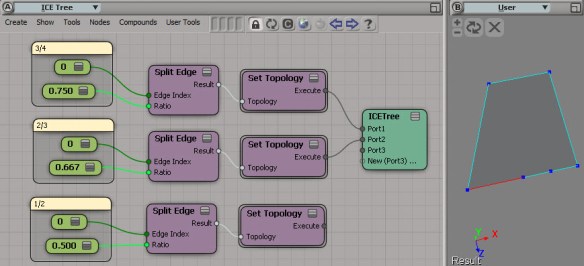
Splitting an edge into equal-length new edges


Here’s the basic idea of how to split an edge into N equal-length new edges. Notice how I work backwards (in the sense that my split ratio decreases). That way I don’t know have to know (or care) about the new edges. I just keep splitting the same edge, whose EdgeIndex I already know.

SplitEdge0

SplitEdge1

SplitEdge2

SplitEdge3

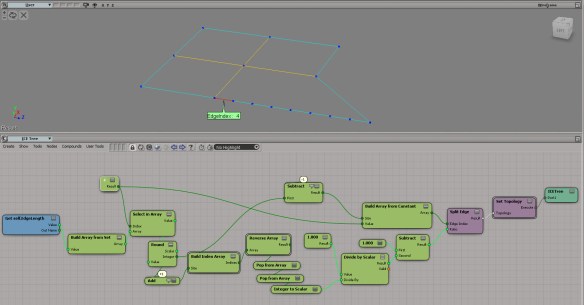
Based on that observation, here’s a rough draft of an ICE tree that takes an edge of length N, and splits it into N equal-length edges.

SplitEdges

Saturday snippet – ShaderDef attributes


Getting shaderdef attributes.

si = Application
#sdef = si.GetShaderDef( "Softimage.BA_particle_density3.1.0" )

sdefs = si.ShaderDefinitions
print sdefs.Count # 1390

for sdef in si.ShaderDefinitions:
	print sdef
	for n,v in map( None, sdef.Attributes.Names,sdef.Attributes.Values ):
		print "   %s=%s" % (n,v)

For most shaderdefs, the only attributes are “shaderlocation” and “thumbnail”.
Softimage.BA_particle_density is one of the few that has anything more interesting. If a Softimage.BA_particle_density shader exists in the scene, you’ll get this:

# Softimage.BA_particle_density3.1.0
#    shaderlocation=3
#    thumbnail=particle.bmp
#    {C535FA4D-E44A-45EB-AEE0-9F9AAEA91745}=None
#    {20ECB4F8-A4A1-44FE-956A-0F6E98D541A8}=Color,Id,PointVelocity,Orientation,Size,PointPosition,Age,AgeLimit,StrandPosition,StrandVelocity,StrandSize,StrandOrientation,StrandColor

If you look at the BA_particle_density3 spdl, you’ll see that that last attribute corresponds to the “ICEattribute” entry for the output parameter. That ICEattribute tells Softimage to pull date from the ICE tree during rendering.

SPDL
Version = "2.0.0.0";
Reference = "{047CA80F-9EED-4507-9F83-4BB77C01DFC1}";
PropertySet "BA_particle_density3_params"
{
	Parameter "out" output
	{
		title = "BA_particle_density3 output parameter";
		guid = "{0B955B1D-CCBA-4B68-9CD3-ABE9467D665D}";
		ICEattribute = "Color,Id,PointVelocity,Orientation,Size,PointPosition,Age,AgeLimit,StrandPosition,StrandVelocity,StrandSize,StrandOrientation,StrandColor";