Using modulo to delete points from a cached simulation


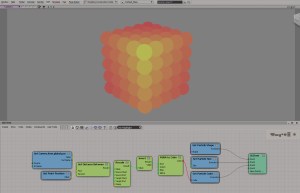
hat tip to tekano bob who did all the work; I’m just pointing out some things about his ICE tree 🙂

First, he’s using the Element Index in case the ID was not cached (if you cache with the Cache Manager, then by default the ID attribute is not cached).
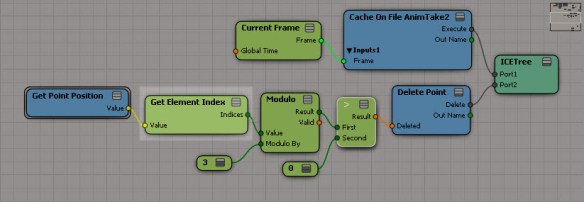
modulo_getelementindex

When I saw that, I thought maybe I could use First Valid to use either the ID, if available, or the Element Index:
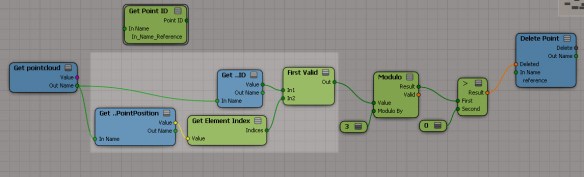
modulo_getpointid

But that gives wacky results, because Delete Point automagically restores IDs to all the points in the cached simulation. So you have no choice but to use the Element Index.

Another interesting thing I’d like to point out is how you can use modulo to delete two-thirds of all points (instead of just deleting every third point). Now, modulo by 3 has three possible results: 0, 1, and 2. If you test for modulo != 0 or modulo > 0, then you’ll be deleting two-thirds of all points:
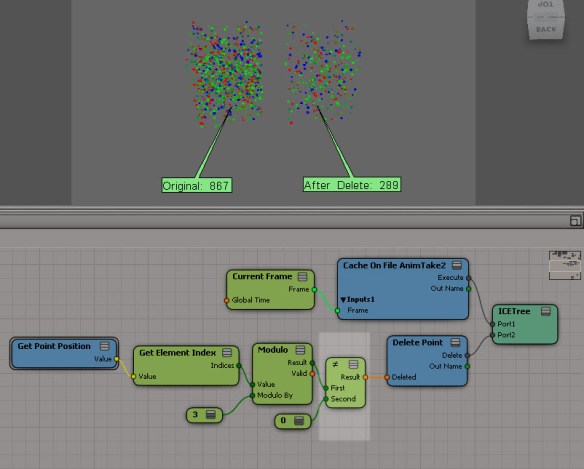
modulo_two-thirds

If you test for modulo = 0, then you’ll delete every third point:
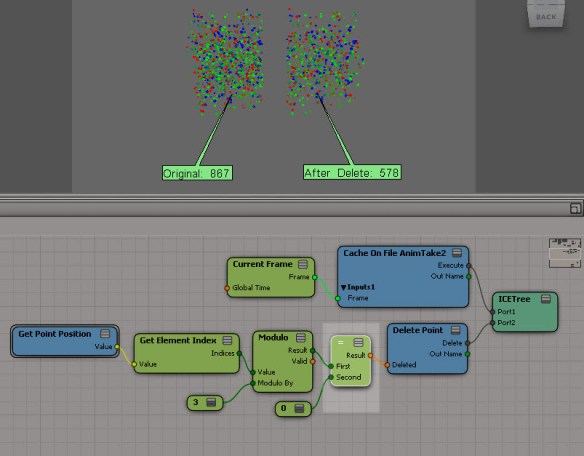
modulo_one-third

Beneath the hood: why ApplyOp doesn’t pop up a PPG


Let’s take a look at a question that was posted recently on the Softimage mailing list:

From: softimage-bounces@listproc.autodesk.com [mailto:softimage-bounces@listproc.autodesk.com] On Behalf Of Adam Sale
Sent: Tuesday, January 08, 2013 3:40 PM
To: softimage@listproc.autodesk.com
Subject: Force ppg to open on script launch

I’m a little confused as to why the following does not work:
– Get a sphere
– Run Deform > Smooth
– PPG appears and all is good.

Now, take the generated command and run it through the script editor

ApplyOp(“Smooth”, “torus”, 3, siPersistentOperation, null, 0);

This time, no PPG appears.

Any idea why? And is there a way to force a ppg launch when I tun the command from a button or from the script editor?

Thanks 🙂
Adam

Matt Lind explained why on the list, but I’ll take a little more detailed look into how commands like Smooth work.

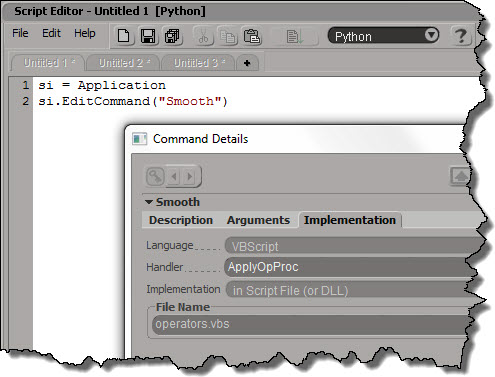
Deforms like Smooth (and Relax and Push and Bend and others) are commands that are mapped to a special handler function in $XSI_HOME\Application\DSScripts\operators.vbs.

Smooth_Implementation

The ApplyOpProc provides special-case handling for applying operators, and also takes care of popping up a PPG after the operator is applied.

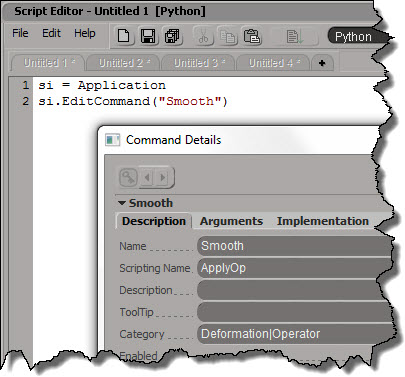
Don’t try to run “Smooth”; you’ll just get an error. It’s scripting name is actually ApplyOp.
Smooth_Description

ApplyOp is also implemented by a VBScript handler in operator.vbs. This time, it’s ApplyOpFunc, and ApplyOpFunc does not inspect the created operators.

If you want to apply a Smooth operator from your script, and pop up the PPG after, here’s one way to do it:

si = Application
si.AutoInspect( si.ApplyOp("Smooth", si.Selection, 3, "siPersistentOperation", "", 0) )

Wednesday word cloud: Autodesk NDA


Another Wednesday, another word cloud. This time, for the Autodesk NDA (Non-Disclosure Agreement) that all attendees must sign if they want to attend the next Softimage Creatives user group, where Autodesk Softimage Product Manager Cory Mogk will be presenting.

wordcloud_autodesk_nda_50

In this document of 1983 words, the top words are:

  • autodesk (53)
  • receiving (46)
  • information (46)
  • party (41)
  • confidential (39)
  • agreement (30)

In other words, these are the top words and phrases: “autodesk”, “receiving party”, “confidential information”, and “agreement”. Nothing surprising there.

ICE – Setting all array elements less than X to array minimum


A couple of weeks ago rray posted this tip about If nodes, where instead of iterating over an array, he plugs an array into the If node.
ifperarray
This particular example (if array element < 12, set it to the array minimum) could be done without using either a Repeat or an If (although the If is more elegant). If you've got a minute or two, work your way through it; if not, click through the link below to see how.
SetLessThanXtoArrayMin

si-community 2012 year in review


One last look back at 2012. This time for si-community.

Here’s a forum bubble chart that gives an at-a-glance overview (of the top 5 forums based on number of views). The size of the bubble indicates the number of views; the X-axis is the number of topics created in 2012, and the Y-axis is the number of replies.
si-community-bubble-chart

Most viewed topics overall

  1. mesh paint (21919)
  2. SI 2013 sightings (17507)
  3. PhysX Fluid Simulation in Softimage ICE (15696)
  4. SPOILER ALERT – general Softimage 2013 description (11960)
  5. Looks like Autodesk bought Naiad (10198)
  6. bring back softimage.net (9574)
  7. Vray for Softimage official release (9544)
  8. quickPrimitive (9427)
  9. SI Technology Previews (8452)
  10. any news about Softimage 2014 ??? (7950)
  11. exit Stephen Blair? (7872)

Most viewed News topics

  1. SI 2013 sightings (17507)
  2. SPOILER ALERT – general Softimage 2013 description (11960)
  3. Vray for Softimage official release (9544)
  4. SI Technology Previews (8452)
  5. exit Stephen Blair? (7872)
  6. No 2013 Advantage Pack (7774)
  7. Modo 601 Preview (5837)
  8. Luxology & the Foundry merge (3442)
  9. “Thiago’s Teamup and Mr. Jones” (2781)
  10. Maya nHair – how hard to repro? (2575)

Most viewed Announcements

  1. Motion Tools 1.0 (7682)
  2. SOFTIMAGE|UeberTage 2012 Frida September 28th 2012 (7049)
  3. new release: emPolygonizer4 version 4.0 (4780)
  4. ZBrush FiberMesh to strands compound (4687)
  5. ImplosiaFX 1.0 is available! (3200)
  6. Exocortex Species 1.0 now available!! (3156)
  7. xsibase “may harm your computer” [???] (2643)
  8. Fabric Engine v1.0 released (2493)
  9. Animation tools (2477)
  10. Essential Geo for Softimage (2136)

Most viewed Open Discussion topics

  1. Looks like Autodesk bought Naiad (10198)
  2. bring back softimage.net (9574)
  3. any news about Softimage 2014 ??? (7950)
  4. WTF??? Autodesk snubs Softimage in GDC schedule! (6314)
  5. the future? (was: the “frustration” thread) (5267)
  6. Windows 8 (3904)
  7. XSI Base down? (3629)
  8. Great work done with Softimage (3301)
  9. 2014 WISH LIST (3161)
  10. How rendering should be (3123)

Most active discussions (topics with the most replies)

  1. SI 2013 sightings (313)
  2. SPOILER ALERT – general Softimage 2013 description (281)
  3. WTF??? Autodesk snubs Softimage in GDC schedule! (145)
  4. SI Technology Previews (145)
  5. Looks like Autodesk bought Naiad (138)
  6. No 2013 Advantage Pack (133)
  7. bring back softimage.net (117)
  8. quickPrimitive (111)
  9. PhysX Fluid Simulation in Softimage ICE (111)
  10. Vray for Softimage official release (102)

Forums with the most topics

  1. ICE (211)
  2. OpenDiscussion (108)
  3. General Troubleshooting (89)
  4. Rendering (87)
  5. News (82)
  6. Programming (65)
  7. Announcements (65)
  8. Animation (61)
  9. Modeling (42)
  10. Materials & Shaders (37)

Forums with the most views

  1. News (147989)
  2. OpenDiscussion (121071)
  3. ICE (107861)
  4. Announcements (83549)
  5. Plugins (52735)
  6. Rendering (48569)
  7. ICE compounds (44523)
  8. General Troubleshooting (33671)
  9. Animation (27112)
  10. Programming (24807)

This data was obtained by visiting all the forum pages (such as all 9 pages of the News forum) and extracting the number of posts, posting date, number of replies, and topic title from the html.

Screenshots of the week


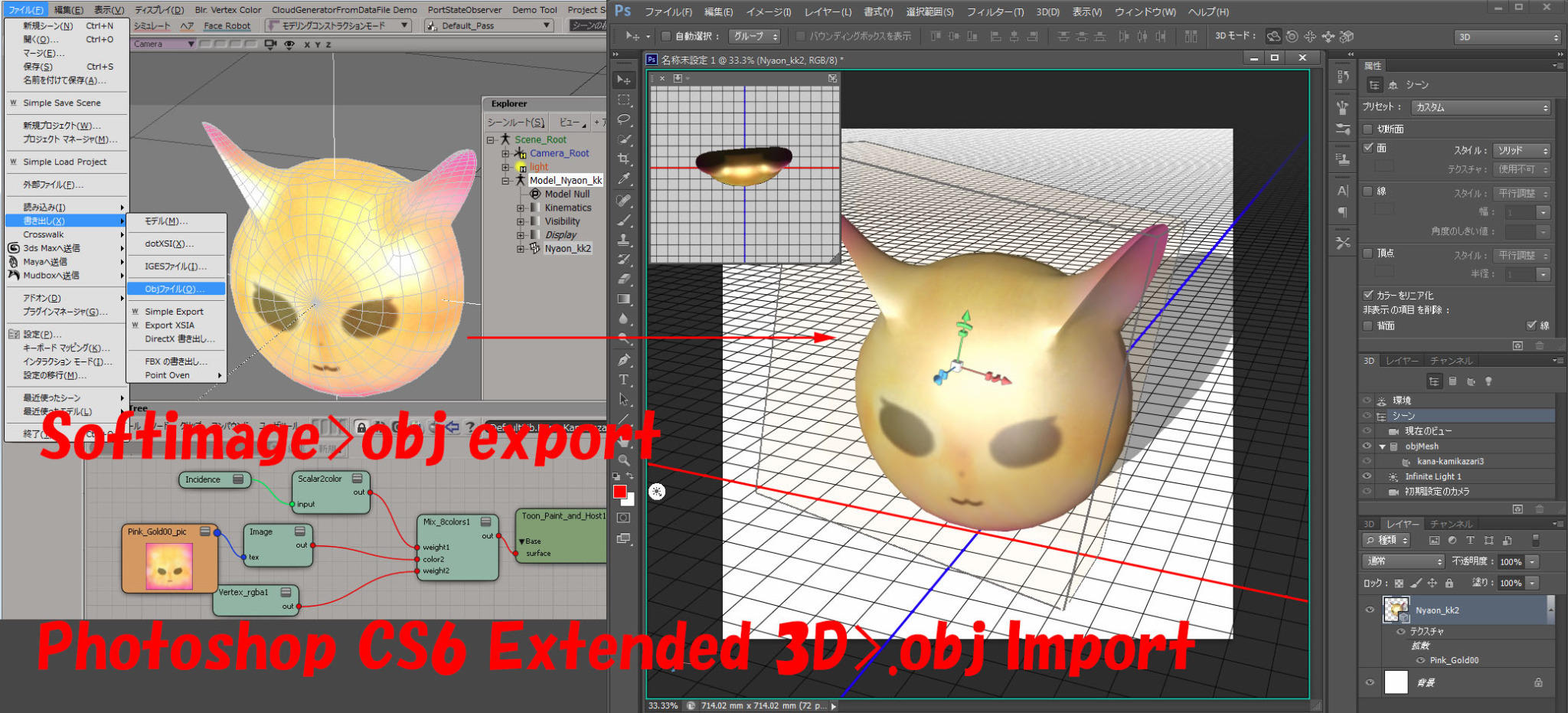
Softimage to Photoshop
by SI_UserNotes

SI_UsersNotes Texture edit 3D layers in Photoshop

Hippydrome face articulation
by Max Crow

procedural sunflower creation in ICE tutorial part 1
by nika ragua

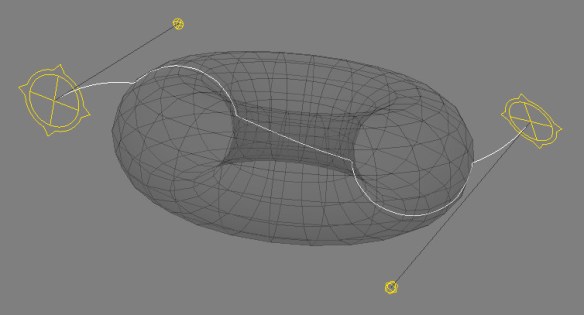
Deform curve by ICE
by csaez
ICEOnCurve_ICETree

ICEOnCurve_viewport

Iterative fracture example with use of Slice Topology node
by iamVFX
Np8Qy

TR OpenImage
by sOBE

Texture Instancing Compound

Post-simulation and softimage ICE (part 2 – strands)
by Andy Moorer

Circle per strand

Saturday snippet – Launching a command-line utility and viewing its output


Here’s a snippet that shows how to launch a command-line program in a command prompt window, and keep the command prompt window open so you can see the output. Note that does not block Softimage.

#sKick = "C:/Users/SOLIDANGLE/Documents/Workgroups/sitoa-2.5.0-2013/Addons/SItoA/Application/bin/nt-x86-64/kick.exe"
sKick = XSIUtils.BuildPath( Application.InstallationPath( 2 ), "Addons", "SItoA", "Application", "bin", XSIUtils.Environment("XSI_CPU_OPT"), "kick.exe" )
XSIUtils.LaunchProcess( "cmd /C start cmd /K %s -licensecheck" % sKick )

Basically, what this does is launch a cmd.exe process, and in that process, run the command “start cmd /K kick -licensecheck”. The second “cmd” is required to open a command prompt, where you’ll see the output of “kick -licensecheck”.

In JScript, it would be something similar:

sKick = XSIUtils.BuildPath( Application.InstallationPath( 2 ), "Addons", "SItoA", "Application", "bin", XSIUtils.Environment("XSI_CPU_OPT"), "kick.exe" )
XSIUtils.LaunchProcess( "cmd /C start cmd /K " + sKick + " -licensecheck" )

In Python, you could also do this:

from subprocess import call
call(["cmd", "/K", sKick, "-licensecheck"])

The above would open a non-blocking command prompt window (eg you could go back to Softimage), but this next snippet would prevent Softmage from responding until you closed the command prompt:

import os
os.system("cmd /k %s -licensecheck" % sKick)