Here’s an ICE tree that counts the number of characters in a string.
I use Get Sub String in a While with Counter loop to get one character at a time. The loop repeats until Get Sub String returns nothing.


Here’s an ICE tree that counts the number of characters in a string.
I use Get Sub String in a While with Counter loop to get one character at a time. The loop repeats until Get Sub String returns nothing.
Something mechanical that probably should be in Inventor ??? 😉
by Manny

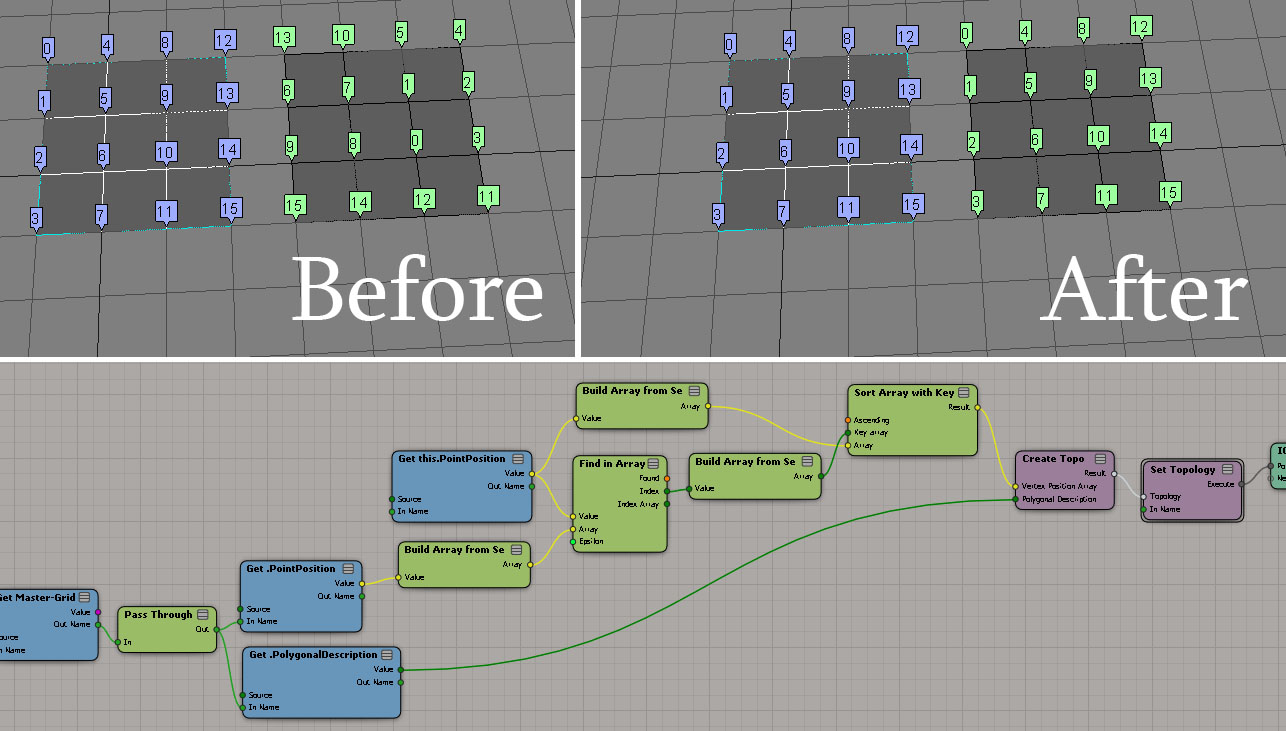
Reordering vertex IDs
by Christian Gotzinger
centrifugal Force – velocity only
by wavo

Galaxy effect
by Leo

Resample strand resolution
by Fabricio Chamon

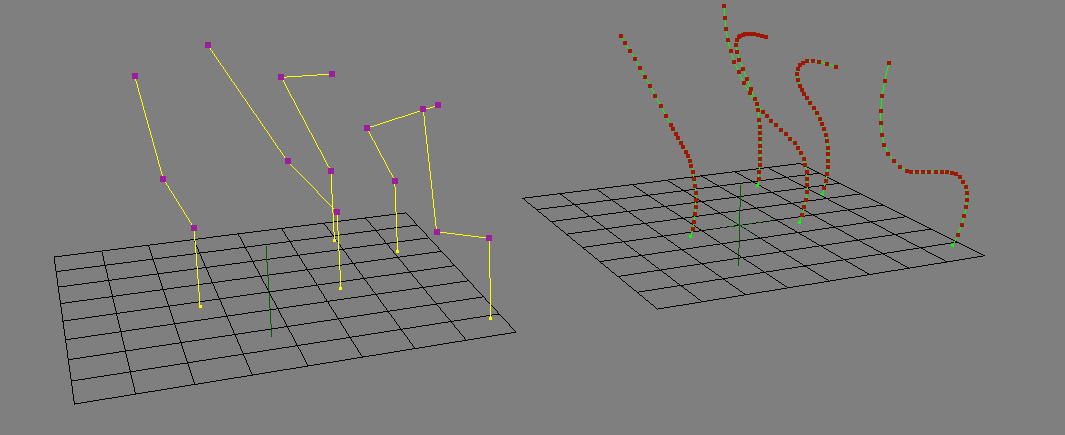
Fx Tree and ICE
by iamVFX

A point with “valence 2” is a point with two incident (neighbour) edges. You could write a script to find these points, but it’s even easier to do with ICE:
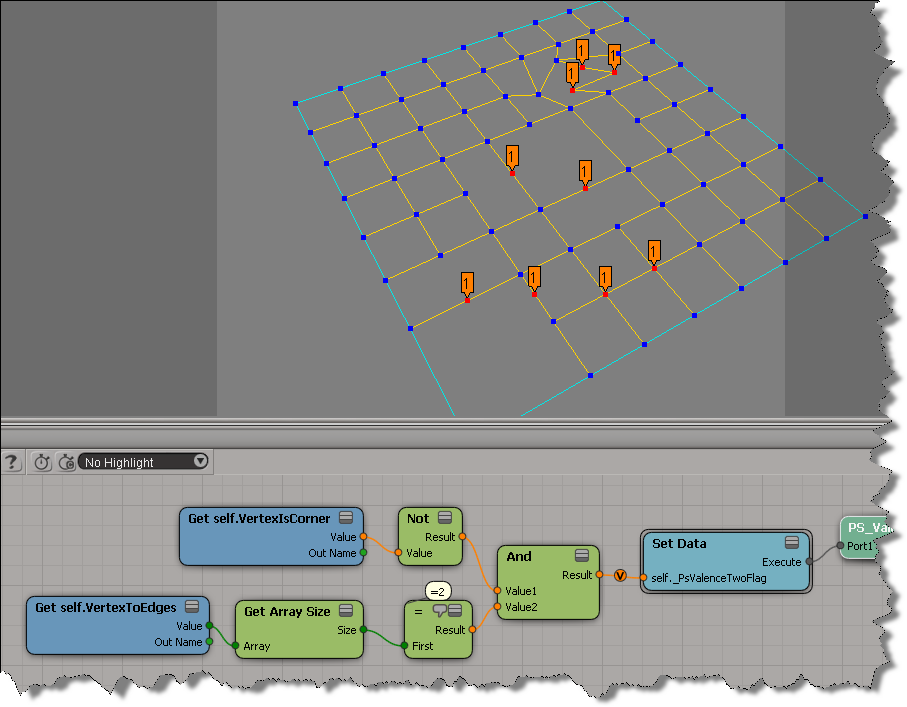
Notice that some of the tagged points look like they have more than 2 neighbour edges. What’s happening there is that there are several vertices on top of each other:
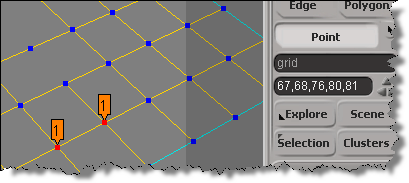
Here’s a Python script that builds the ICE tree and then uses it to select all the interior points with valence 2.
hat tip: Fabricio Chamon
I also did this as a custom filter, maybe I’ll post that later.
from siutils import si
from siutils import log		# LogMessage
from siutils import disp	# win32com.client.Dispatch
from siutils import C		# win32com.client.constants

#
# Build the ICE tree that finds the interior points with valence two
#
def BuildICETree( oObject ):
	oIceTree = si.ApplyOp("ICETree", oObject.FullName, C.siNode, "", "", 0)(0)
	oIceTree.Name = "PS_ValenceTwoFilter"

	oAnd = si.AddICENode("$XSI_DSPRESETS\\ICENodes\\CombineLogicNode.Preset", oIceTree )

	#
	# Get self.VertexIsCorner -> Not -> And
	#
	oNot = si.AddICENode("$XSI_DSPRESETS\\ICENodes\\NotNode.Preset", oIceTree )
	oGetVertexIsCorner = si.AddICENode("$XSI_DSPRESETS\\ICENodes\\GetDataNode.Preset", oIceTree )
	oGetVertexIsCorner.Parameters( "Reference" ).Value =  "self.VertexIsCorner"
	si.ConnectICENodes( oNot.InputPorts("Value"), oGetVertexIsCorner.OutputPorts( "value" ) )
	si.ConnectICENodes( oAnd.InputPorts( "Value1" ), oNot.OutputPorts("result") );

	#
	# Get self.VertexToEdges -> Get Array Size -> = -> And
	#
	oGetVertexToEdges = si.AddICENode("$XSI_DSPRESETS\\ICENodes\\GetDataNode.Preset", oIceTree )
	oGetVertexToEdges.Parameters( "Reference" ).Value =  "self.VertexToEdges"
	oArraySize = si.AddICENode("$XSI_DSPRESETS\\ICENodes\\GetArraySizeNode.Preset", oIceTree )
	oCompare = si.AddICENode("$XSI_DSPRESETS\\ICENodes\\CompareNode.Preset", oIceTree )

	si.ConnectICENodes( oArraySize.InputPorts("Array"), oGetVertexToEdges.OutputPorts("value") )
	si.ConnectICENodes( oCompare.InputPorts("first"), oArraySize.OutputPorts("size") )
	oCompare.InputPorts("second").Value = 2

	si.AddPortToICENode( oAnd.InputPorts("Value1"), "siNodePortDataInsertionLocationAfter")
	si.ConnectICENodes( oAnd.InputPorts("Value2"), oCompare.OutputPorts("result") )

	#
	# Set Data -> ICETree
	#
	oSetData = si.AddICECompoundNode("Set Data", oIceTree )
	si.SetValue( oSetData.FullName + ".Reference", "self._PsValenceTwoFlag", "")

	si.ConnectICENodes( oSetData.InputPorts("Value"), oAnd.OutputPorts( "result" ) )

	si.ConnectICENodes( oIceTree.InputPorts("port1"), oSetData.OutputPorts("Execute") )
	si.DisplayPortValues(oSetData.InputPorts( "Value" ), True, 0, True, "", 0, 0, 0, 1, False, True, 1, 0.5, 0, 1, False, 0, 10000, 1, False, False, 0, 10, False, True, False, 100)

	return oIceTree

#
# Select all points with the ICE attribute _PsValenceTwoFlag=True
#
def SelectInteriorPoints_with_ValenceTwo( oObject ):
	a = oObject.ActivePrimitive.ICEAttributes("_PsValenceTwoFlag")
	if a is not None:
		d = a.DataArray
		if len(d) > 0 and a.IsConstant == False:
			Application.SelectGeometryComponents( "%s.pnt[%s]" %( oObject.FullName, ",".join(["%s" %(ix) for ix in range(len(d)) if d[ix] == -1])  ) )


#--------------------------------------------------------------
# Select interior points with valence 2
#--------------------------------------------------------------


if si.Selection.Count > 0 and si.ClassName( si.Selection(0) ) != "CollectionItem" :
	oObject = si.Selection(0);
else:
	oObject = si.PickObject( "Pick object" )(2)

if oObject != None and oObject.IsClassOf( C.siX3DObjectID ):
	tree = BuildICETree( oObject )
	SelectInteriorPoints_with_ValenceTwo( oObject )
	si.DeleteObj( tree )
Here’s an ICE tree that removes all duplicate values from an array of integers, leaving you with an array of unique integer values:

vector stream
by Paul Smith

colour attribute for ice copies?
by fabricio.chamon

Get Copy Index, Create Copies from Polygon Mesh, Color_Attribute
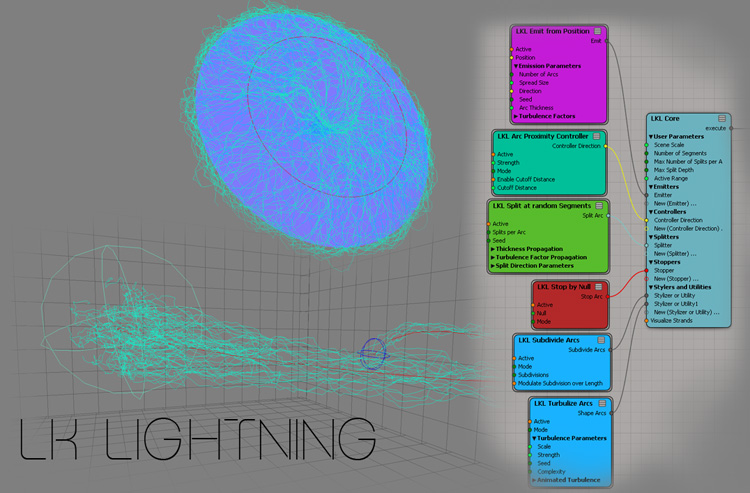
LK Lightning
by Leo
Blending weightmaps to drive a color at vertices (CAV)
by Bradley Gabe

Motion tools
by gustavoeb

Strands grid compound
by 2ndreality

590E1

Rotate to align instances
by piotrek marczak

The docs don’t say whether the Trigonometry nodes like Cos and Sin work with degrees or radians, so you have to figure it out yourself. Fortunately, that’s pretty easy to do. You just check which of these returns -1: cos( 180 ) or cos( π) ?
I went a little overboard, but this shows that Cos and Sin expect angular measurements expressed in degrees.
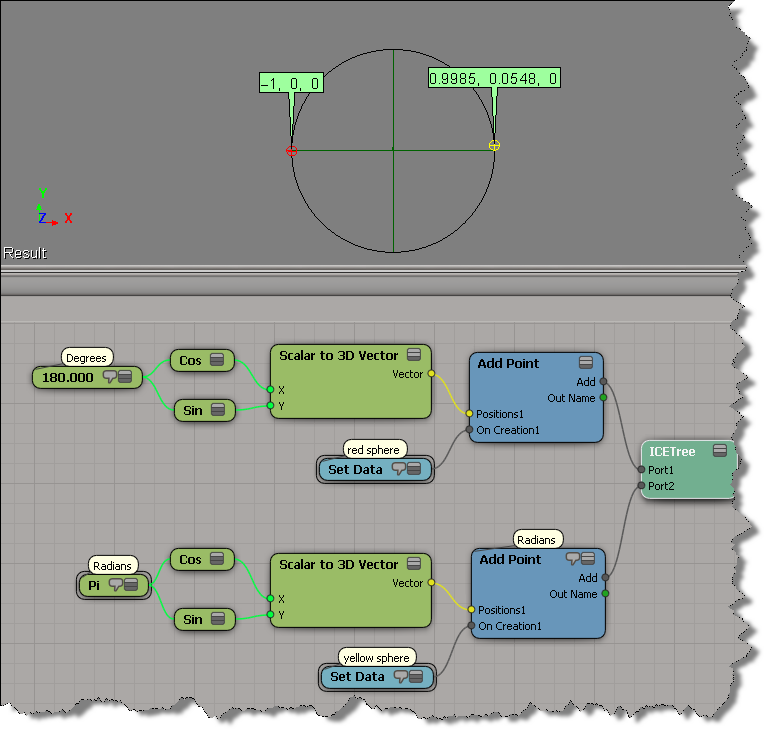
This is based on some basic trigonometry, which can be pretty handy when working with ICE:

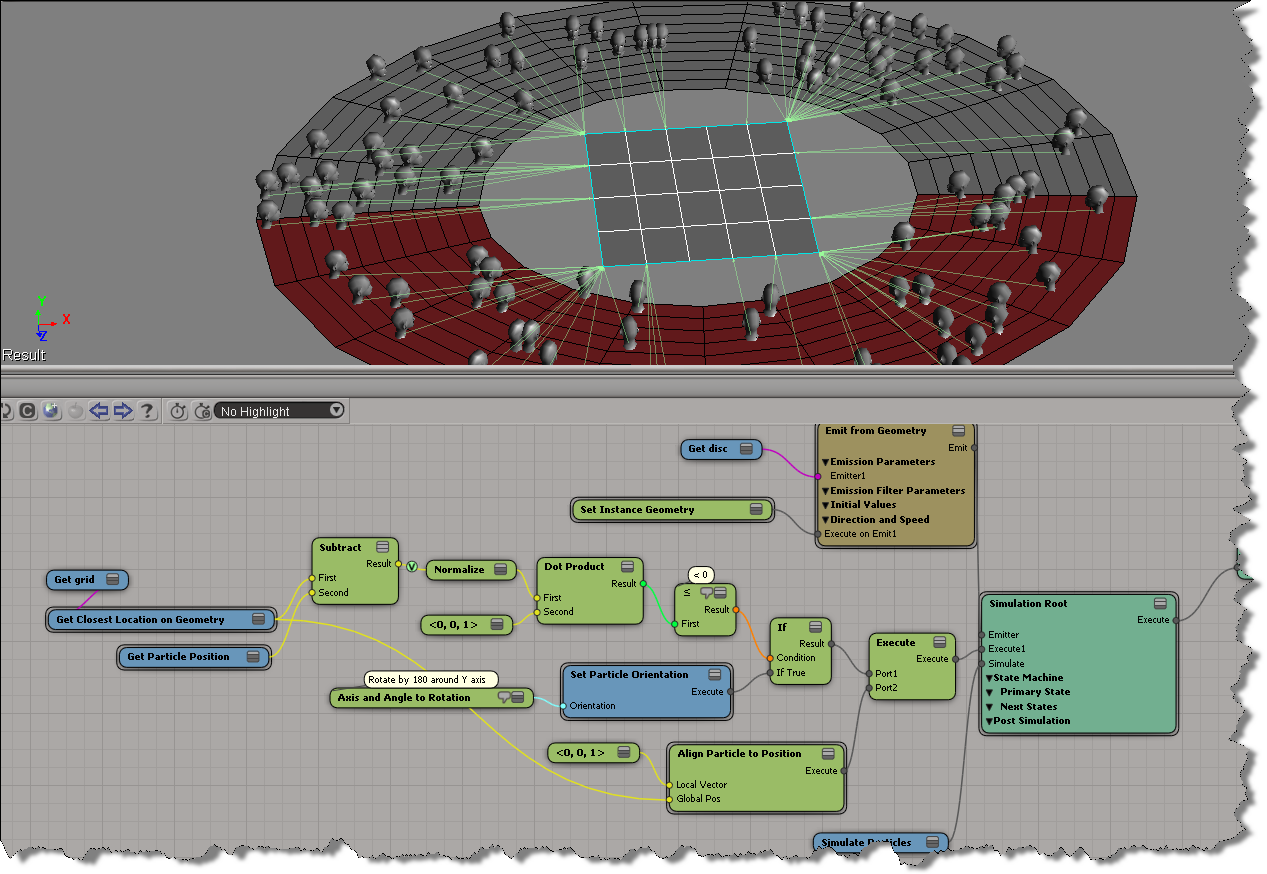
Dealing with particle orientation and rotation can be frustrating, especially when you’re first learning.
Here, I’ve got a bunch of faces instanced onto a disc, and I want all of them to to look the closest point on the grid that’s in the center of the disc. Because the initial local Z axis of some particles faces “away” from the grid, you get can some weird popping and flipping. Here’s an illustration of the problem from an earlier test, when I was aligning the faces to look at a specific point. Notice how only the instances on one side of the null have problems.

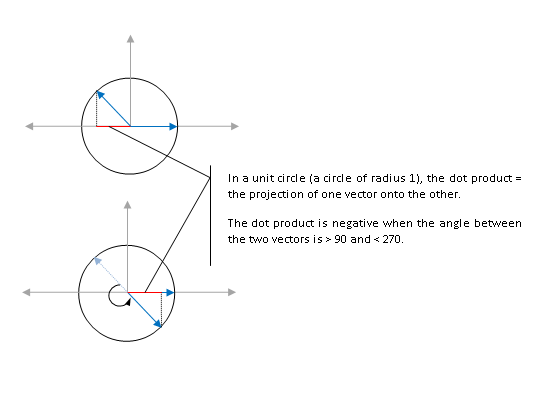
So, I use the dot product to determine whether the local Z axis faces “away” from the target grid, and if so, I make an adjustment of 180 degrees, and then the faces align nicely.
A negative dot product tells me that the angle between the local Z axis and the vector to the closest point on the grid is more than 90 and less than 270.
Given a particle emission, how do you make a null (or some other 3d object, for that matter) follow a specific particle?
The null is now constrained to particle 0. There’s an ICETree on the null where you can change the particle index, to constrain the null to a particle with a different ID.

For a more detailed, low-level look into this, see the video ICE Kine – Drive from particles by Eric T.
Custom rigging tools – Making of IGA – Odeur de Pain
by SHED Mtl


Shape blending with ICE using image sequences
by Ola Madsen
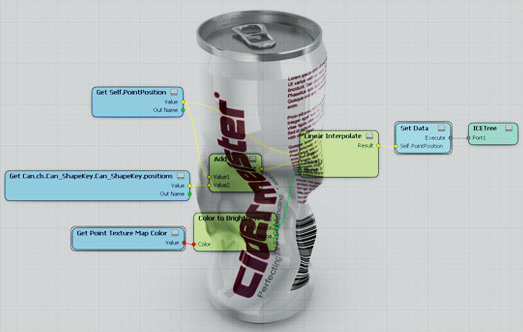
Raycast to weightmap
by EricTRocks

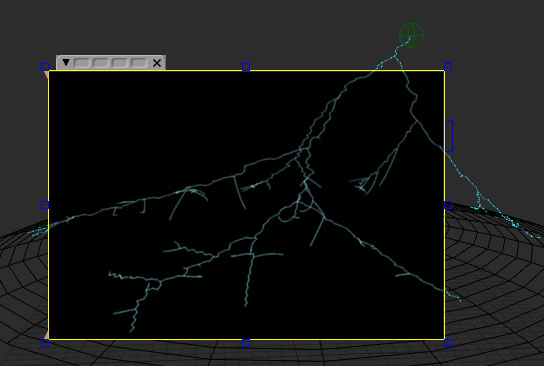
Simple electrical arcs
by Matic (follow link for downloads)
Instantiating a torus on every face of a dodecahedron
by piotrekm

Implicit cosine cloud
by Daniel Brassard
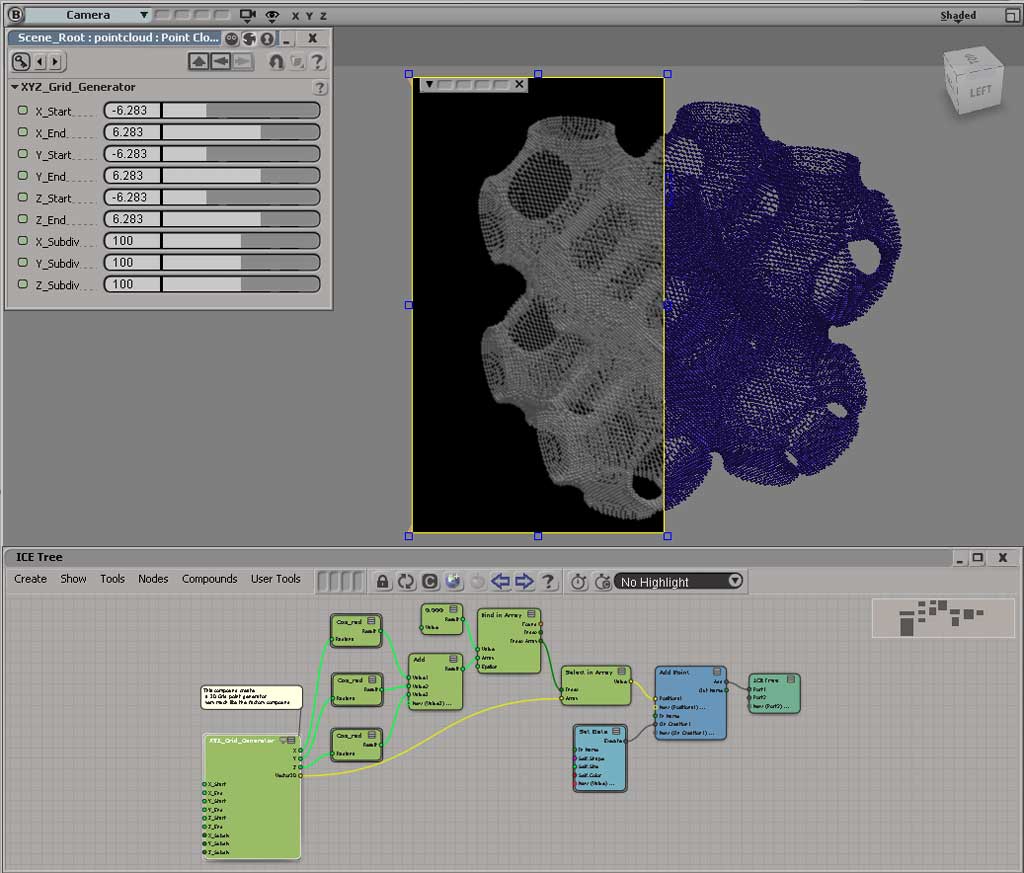
http://pic.twitter.com/LWbJtYvx

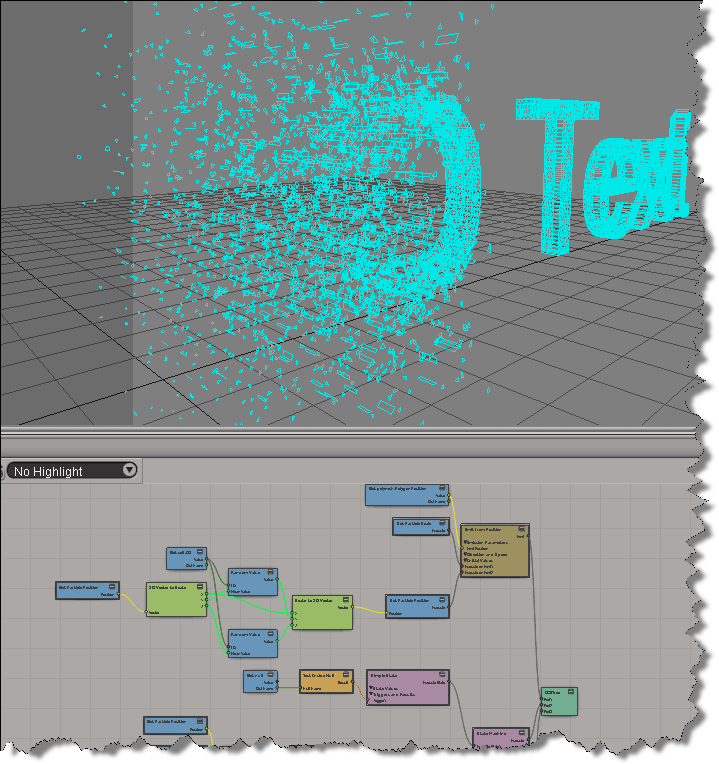
Logo motion
by twinsnakes007
This post is based on the recent xsibase thread Golden Section Spiral in ICE, which in turn is based on Patrick Boucher’s 2006 article Points on a sphere.
So…here’s an ICE version of the Golden section spiral algorithm for evenly distributing points on a sphere. It’s a typical example of basic “thinking in ICE”: when you see a for loop in the alogrithm/pseudocode, you should see “in ICE” an array (or data set) flowing through a graph.
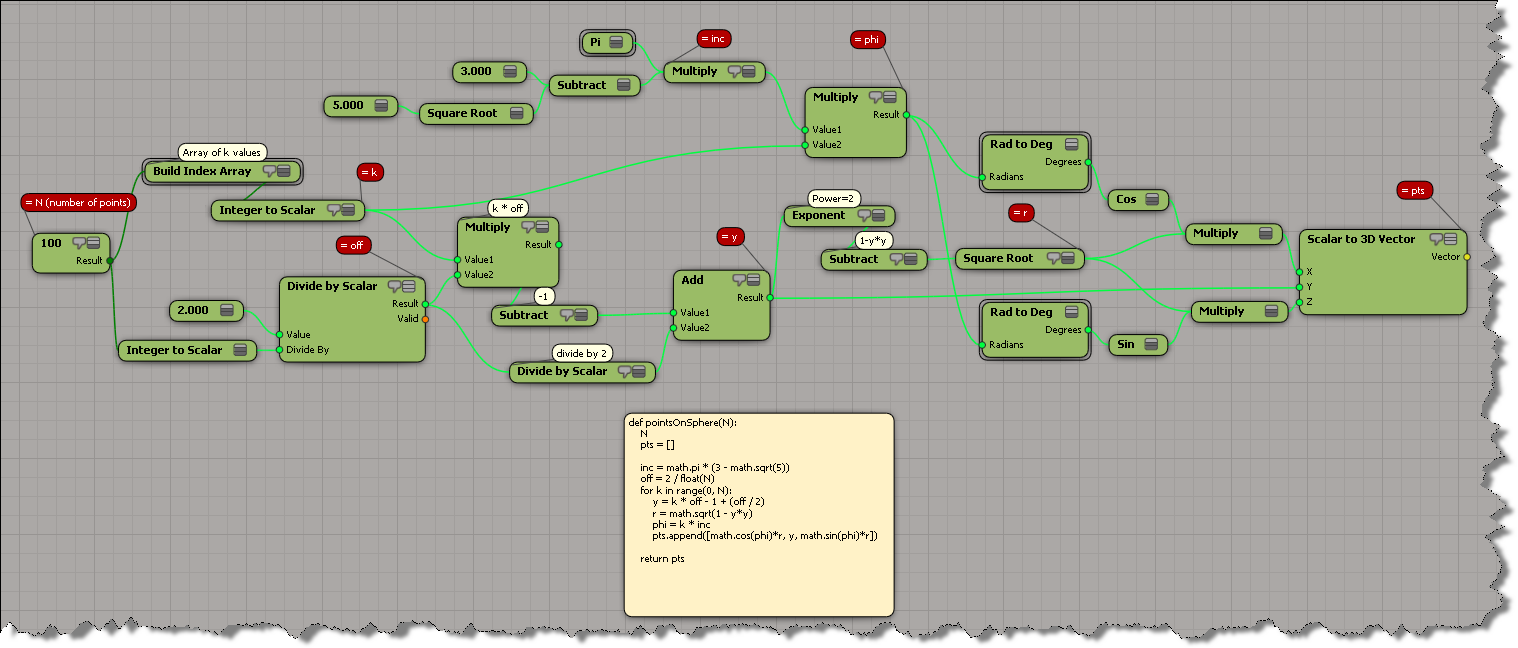
Here’s my GoldenSectionSpiral compound (although if you’ve never converted a scripted alogithm to ICE, you should do it yourself just for the exercise 😉 I thought the spiral effect was interesting, so I put in an option to not convert radians to degrees (which is necessary to get the real evenly distributed points).

 eX-SI
eX-SI 