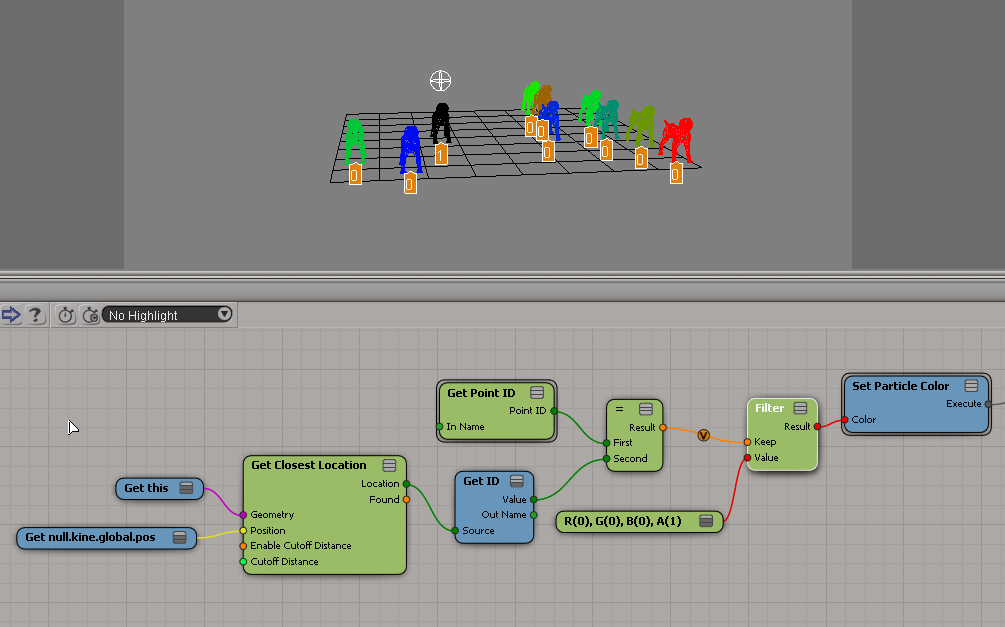
Get Closest Location and position coordinate systems


When you’re using Get Closest Locations, positions are local. That is, they are relative to the local coordinate system of the object that “owns” the ICE tree. The input Position is in local coordinates, so in most cases, (0, 0, 0) will do fine. And if you use the output locations to get positions, those positions will be in the local coordinate system of the ICE tree owner.
https://vimeo.com/85486760
Hat tip: Gray, who has posted this several (many?) times over the years.

Integer division in ICE


Dividing an integer N by itself doesn’t always give you 1.
IntegerDivision1
I think it’s a problem in the Divide by Scalar node (the division is probably returning a scalar like 0.99999999, and then that is truncated to zero when it is converted to an integer).

A workaround is to do all your division with scalars, and then use modulo to determine whether you Round or Floor the result. Here’s an example compound by Guillaume Laforge:
IntegerDivisionCompound

IntegerDivision3

Context matters: Using weightmaps with point clouds


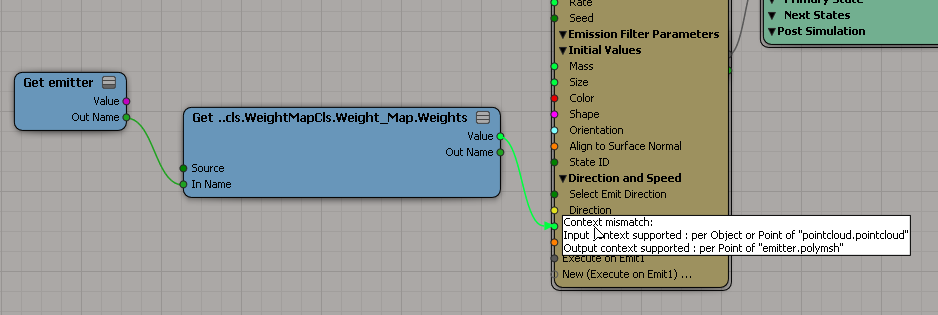
A weightmap is per-point, but it’s per-point on the emitting geometry, not the point cloud. So you can’t just do a plain “get weights” if you want to use the weightmap to control particle values like Velocity or Speed.
weightmap_context_mismatch

Instead, you use get a location, like the particle emit location, and then get the weightmap value at that location. Then you’ll have a particle per-point context to work with.
weightmap_at_location
When you get the weight at a location, you get an interpolated weight value.

Linking an ICE compound to a help page


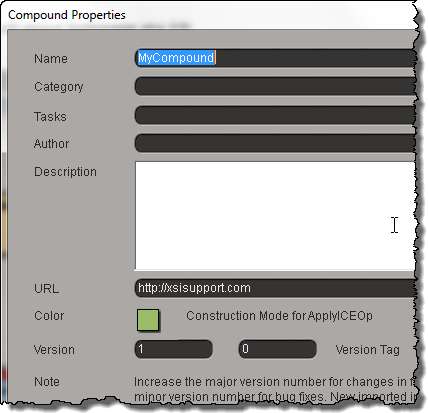
The short answer is that you can’t do it, not really. The best you can do is provide a URL in the compound properties
Compound_URL
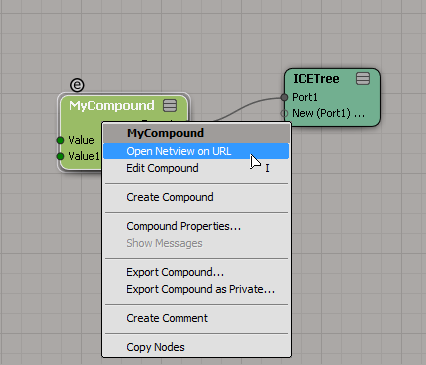
and then right-click the compound and click Open Netview on URL.
Compound_Open_URL_in_Netview

For ICE compounds, a CompoundNode property is loaded into the PPG when you inspect the compound.
C3DCompoundNode
This CompoundNode is like a proxy container for the actual compound, and it takes care of populating the PPG with the required controls, and finding the right help page. To do that, it just takes the name of the compound and constructs a URL like http://download.autodesk.com/global/docs/softimage2014/en_us/userguide/files/iceref_MyCompound.htm. (Hmm, having just said that, I figure if you had a local version of the help, then you could stick your own help page there, and Softimage would find it.)

For shader compounds it’s a little better, because you can put something like this in your PPG Logic, and it will work.

#ppg logic start
from win32com.client import constants

def OnInit():
    Application.LogMessage( "OnInit" )
    PPG.PPGLayout.SetAttribute( constants.siUIHelpFile, "http://lmgtfy.ca" )
#ppg logic end

hat tip: everybody on this thread

About transformation matrices…


You don’t necessarily have to understand everything about transformation matrices to use them. Just understand then when you multiply a point by a transformation matrix, you’re applying scaling, rotation, and translation to that point all at once.

If you do want to understand more, you can use ICE to visualize what goes into a transformation matrix:
srt-transfo-matrix

And you can do some reading 🙂