Getting ICE attribute values with greater precision


As you know, in Softimage all scalar (aka floating point) values are displayed with 3 (or sometimes 4) decimal places. For example: 0.333 instead of 0.33333333333…

One way to display the attribute value with greater precision is to use the Log Values node, and multiply the attribute value by some power of 10 (to get more digits). Hat tip to Leonard Koch for that suggestion.
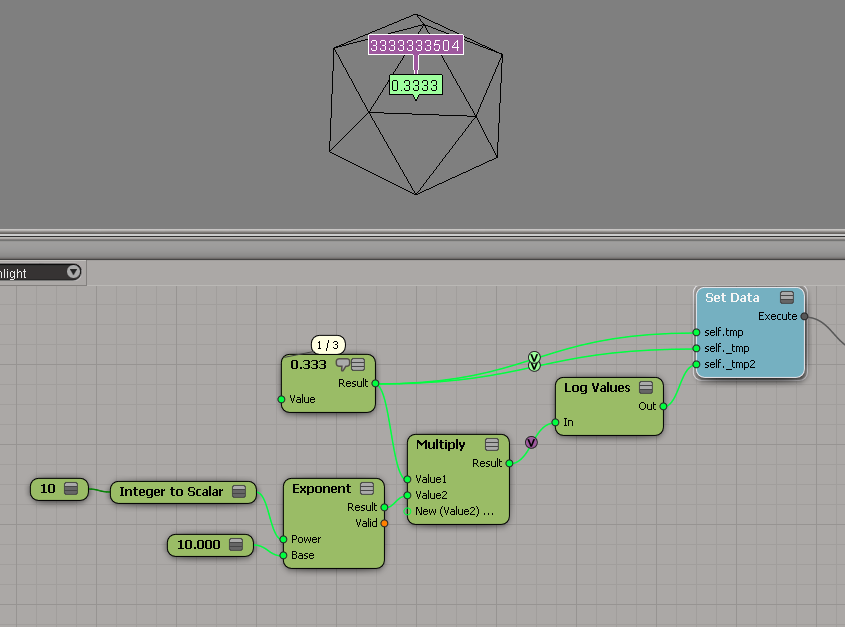
ICE_attribute_values
The above Log Values outputs this:

# INFO : 4000 - elt 0: 3333333504.000000

You could also use scripting. But note how I get 0 for the attribute named _tmp, even though it is clearly set to 0.3333333333333 in the ICE graph.

x = si.Selection(0)
y = x.ActivePrimitive.Geometry.ICEAttributes( "tmp" )
if y.IsDefined:
	print "tmp = %.10f" % y.DataArray[0]
	
y = x.ActivePrimitive.Geometry.ICEAttributes( "_tmp" )
if y.IsDefined:
	print "_tmp = %.10f" % y.DataArray[0]

# tmp = 0.3333333433
# _tmp = 0.0000000000

Finally, here’s a quick hack using a proxy parameter and the SDK explorer:
ICE_attribute_values2

Screenshots of the week


Softimage Creatives London user group

Gear Eyelids

More Making Of from RodeoFX
ICE used for the MGM ground crowds, the falling money (and some of the bills being sucked into the vents) and the fancy motiongraphic’y “projection” animated cubey stuff on the walls of the building shot.

https://vimeo.com/rodeofx/mgmgrandexplained

https://vimeo.com/rodeofx/nowyouseemesimulation

https://vimeo.com/rodeofx/nowyouseememotiondesign

Space Invaders

Icy Conditions

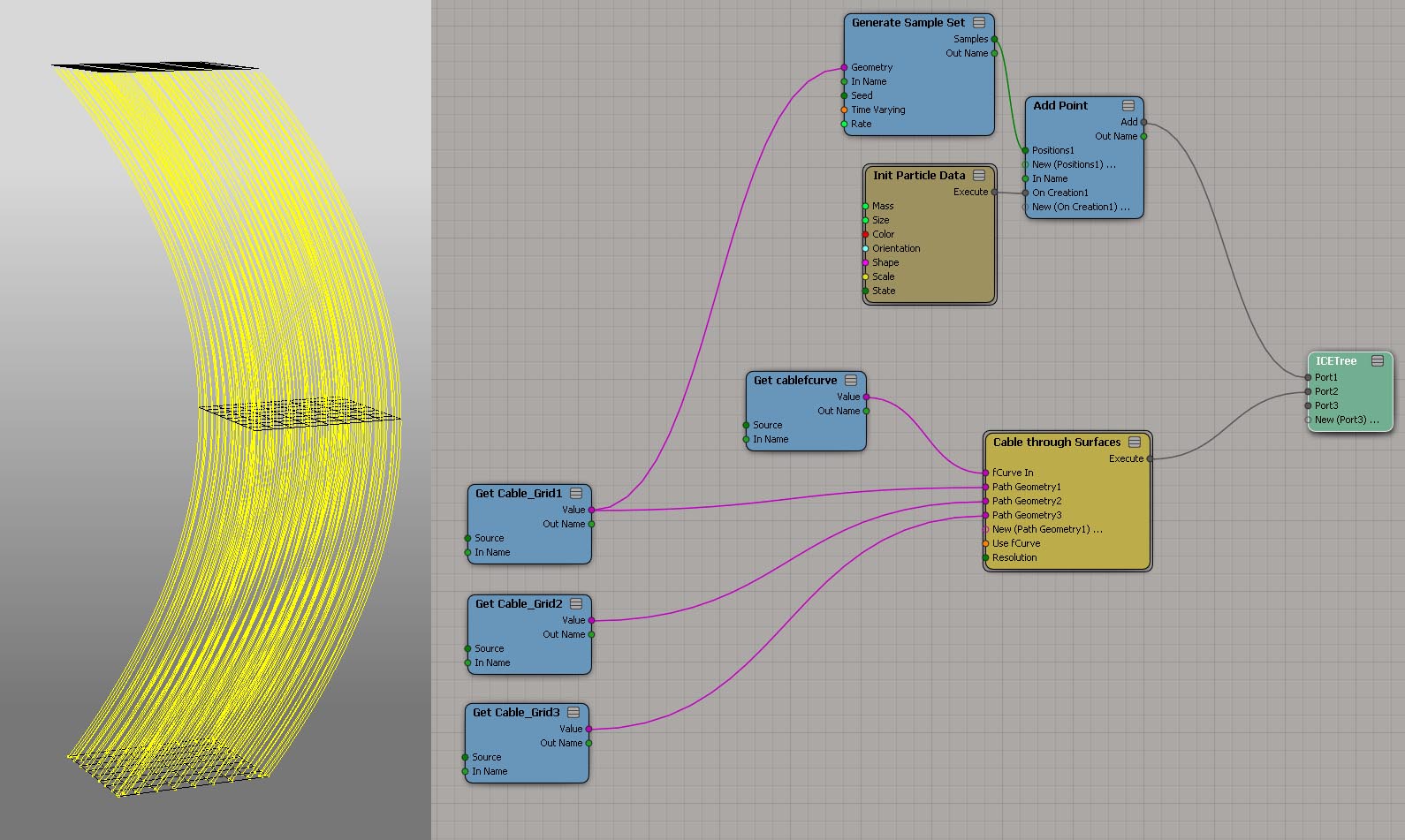
Strands through surfaces
by caledonian_tartan
strandThroughSurfaces

More fun with arrays


Here’s a recent array question from the mailing list: How do you build an array that looks like this?

[0, 0, 1, 1, 0, 0, 1, 1, 0, 0, 1, 1, ...] ?

I didn’t check the other answers yet, because that would be cheating 😉

When I look at that array, I see a repeating sequence of four integers, so that naturally suggests doing something with the Modulo node.

Arrays_0011_modulo

Using the If node is nice for clarity, but I could simply take the Boolean output of the comparison node.

Screenshots of the week


Inverse distance weighting
by grahamef
inverse_distance_weighting

Maths problem
by David Barosin
weighted

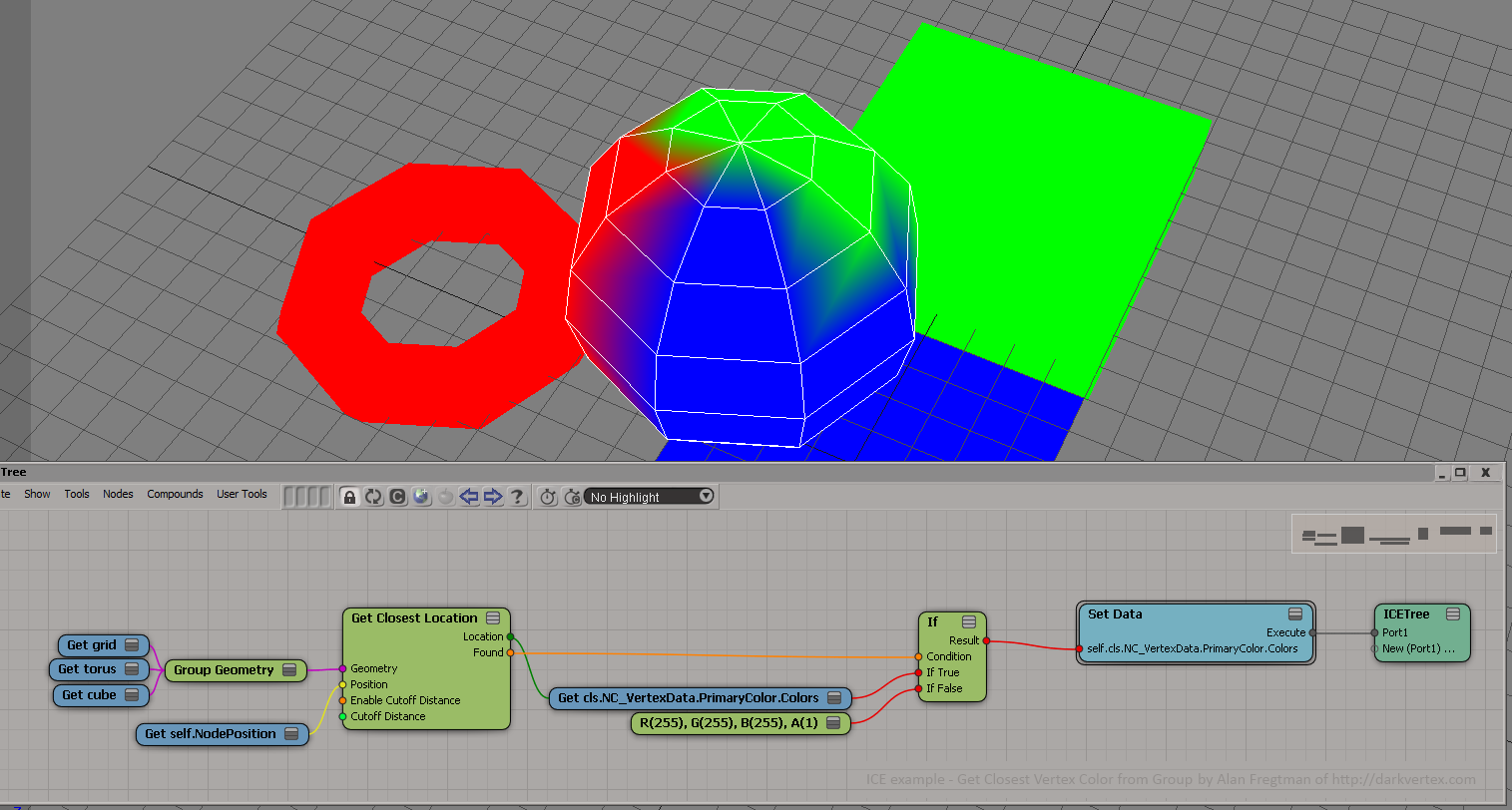
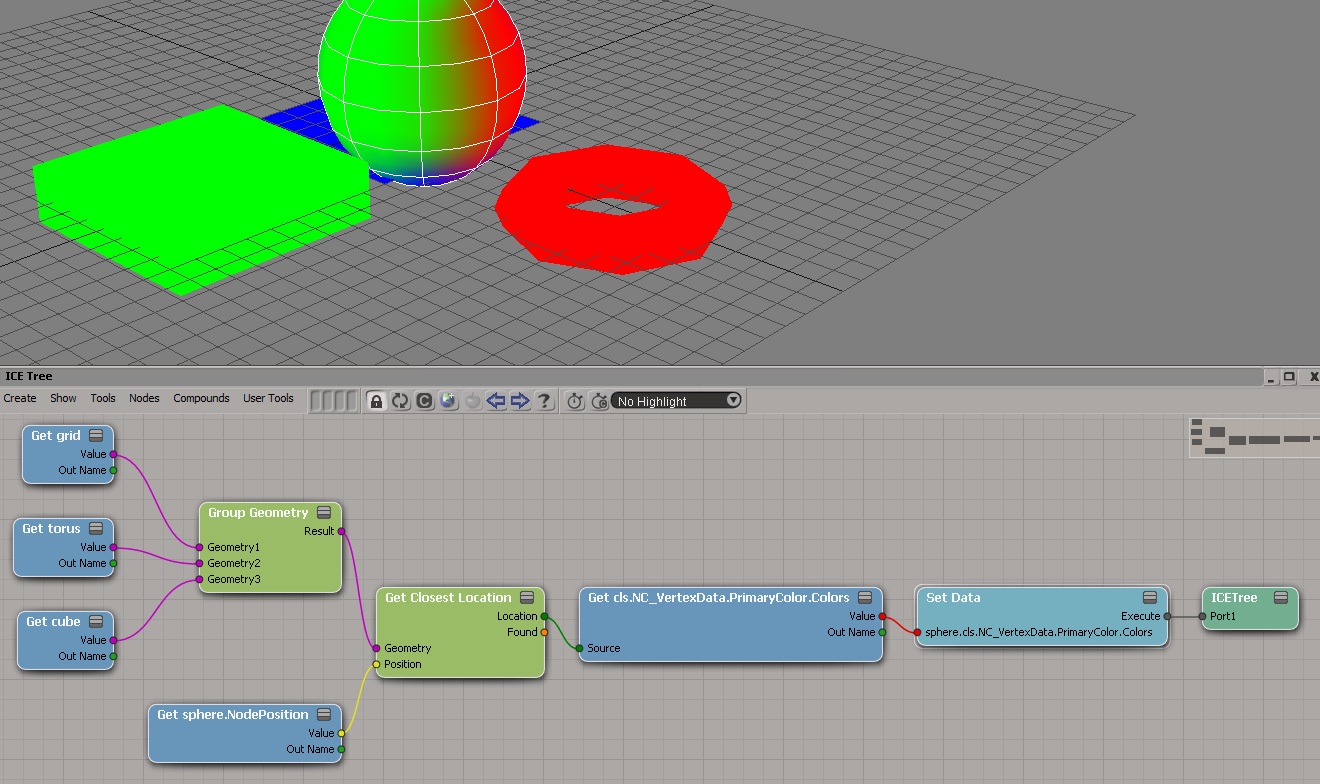
Get closest location on group
by Alan Fregtman
ICE_example_GetClosestVertexColorFromGroup2

by Jack Kao
getclosestlocationongroup_temp

Mixed Contexts
by Vladimir Jankijevic
differentContexts_comp

Setting data on a particle based off data from another particle in the same cloud
by Leonard Koch
SeparatingStrandAndParticlesForAlan

Arnold Scene Viewer integrated in Softimage using Creation Platform
https://vimeo.com/70671257

Git for Softimage

GitForSoftimage

How to use the cached Face Robot animation on a head

Building your own Voronoi shattering effect with blackjack and hookers in Softimage part 2

ICE: Getting data from other frames


In ICE, you can’t get data from any arbitrary frame. You get whatever data comes though through your input ports for the current evaluation time. There’s no way (except for Get Data at Previous Frame) for you to read the scene graph at any other time than the time at which the ICE Tree operator is being evaluated.

A few related notes:

  • In a simulated ICE tree, you could cache values from previous frames and then access them during playback of the simulation.
  • With Get Action Source at Frame, you can get the value at a specific frame of an item stored in an animation source.
  • On a non-simulated ICE tree, you might be able to use an at_frame expression (hat tip: grahamef)
  • You might consider writing a custom ICE node that accesses values on other frames, but I don’t know that this such a good idea. According to the docs, that isn’t recommended for custom ICE nodes.

ICE: Building an array from an fcurve


Suppose you have an animated scalar value, and you want to store its values as you play through a simulation. And suppose you also want to keep a running total of all the values up to the current frame.

My first try used two arrays: one to store the values at each step through the simulation, and one to hold the running total.
FcurveArray1

Calculating the array sum at every step seems wasteful. So, here’s my second try at keeping a running total of the values from the fcurve. I use just one attribute and one array. The attribute was necessary because if I plugged Pop from Array directly into Add, I got nothing.
FcurveArray2