Three different ways to get the point position coordinates for a given vertex index.
In terms of getting to a per-object context, Point Index to Location seemed the most straightforward.
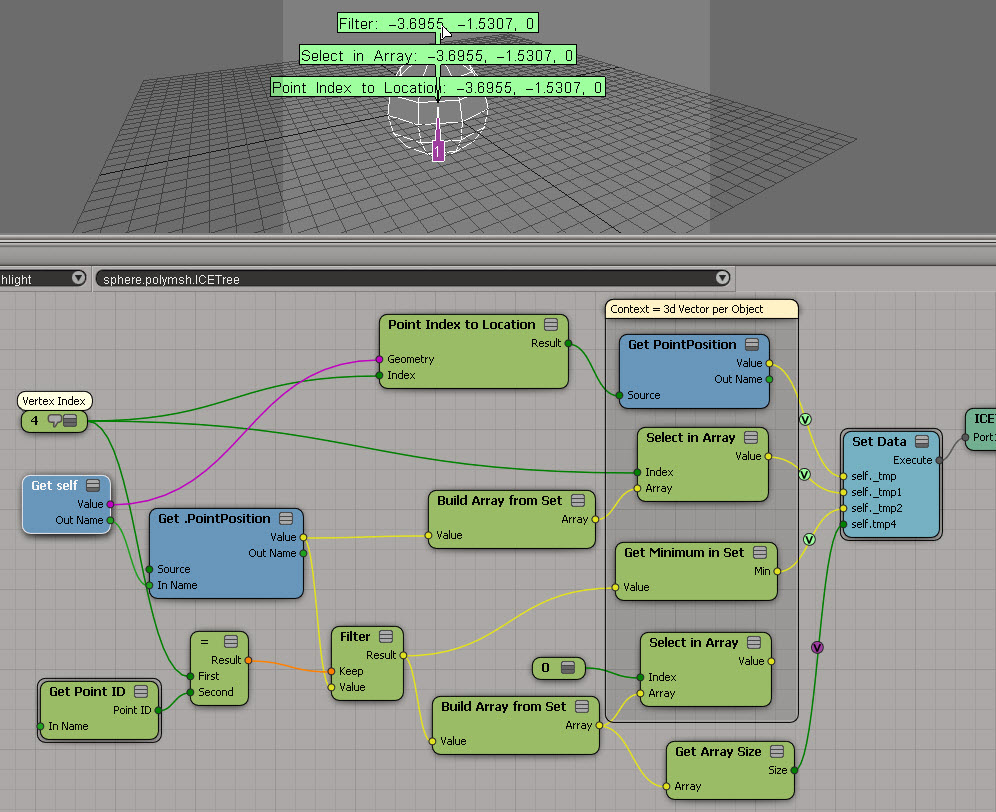

Three different ways to get the point position coordinates for a given vertex index.
In terms of getting to a per-object context, Point Index to Location seemed the most straightforward.
Hat tip to Oleg who posted this tip on the mailing list some time ago.
The basic ideas is that instead of looping over an array with a Repeat with Counter, you use Generate Sample Set to get a data set, and you do everything in a per-generated element context.

As an example, let’s revisit the problem of taking one array and creating a new array where each element is the sum of the elements before it.

The old way, with a Repeat with Counter node, looks like this:

Using Generate Sample Set, you can work with a data set and use that to access the array elements:

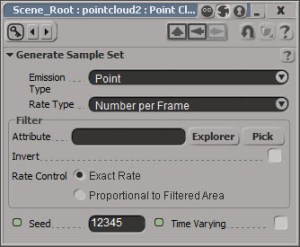
Generate Sample Set is set up to give an exact number of samples:
I wanted to do this JScript, but I had to do it in Python first, to establish that it was actually possible (with JScript, you’ve got to mess around with VBarrays and such).
# Using one of the CrowdFX sample scenes:
Application.SelectObj("Pedestrian_Mesh.Actor_Copies", None, None);
o = Application.Selection(0)

a = o.ActivePrimitive.Geometry.GetICEAttributeFromName("Materials")
print len(a.DataArray2D)
print len(a.DataArray2D[0] )
print a.DataArray2D[0][0]
for s in a.DataArray2D[0][0]:
    print s

# 1
# 1
# (u'', u'Sources.Materials.PedestrianLib.Shoes', u'Sources.Materials.PedestrianLib.Hair', u'Sources.Materials.PedestrianLib.Legs', u'Sources.Materials.PedestrianLib.Skin', u'Sources.Materials.PedestrianLib.Shirt')
# Sources.Materials.PedestrianLib.Shoes
# Sources.Materials.PedestrianLib.Hair
# Sources.Materials.PedestrianLib.Legs
# Sources.Materials.PedestrianLib.Skin
# Sources.Materials.PedestrianLib.Shirt
After I had it working in Python, I was able to figure it out in JScript:
// Using one of the CrowdFX sample scenes:
SelectObj("Pedestrian_Mesh.Actor_Copies", null, null);
o = Selection(0);

a = o.ActivePrimitive.Geometry.GetICEAttributeFromName("Materials");

x = new VBArray( a.DataArray2D ).toArray();
y = new VBArray( x[0] ).toArray();
for ( var i = 0; i < y.length; i++ )
{
    LogMessage( y[i] );
}

Here’s a relatively simple ICE tree that arranges hexagons on the XZ plane. The “difficult” part was creating the arrays of position coordinates. For that I used the standard modulo technique. It’s funny, it all makes perfect sense when you’re plugging stuff together, but afterwards it’s hard to make heads or tail of what you did 🙂

To understand what’s going on here, it helps to look at the final arrays that are built:
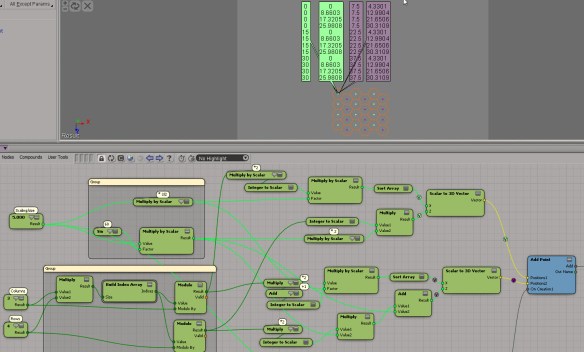
The math for arranging the hexagon tiles is pretty simple. I started with a simple test point cloud to make sure I understood what I needed to do. After that, it was just a question of setting up the arrays.

If you want to take a look at the ICE trees, here’s some compounds. Note that this isn’t a finished piece of work. It’s more of a draft version. For example, my hexagon has a side length of 5 and that’s hardcoded into the ICE tree right now.
Hexagon_Tiler.xsicompound
Hexagon_Math_Tester.xsicompound
Let’s build a regular hexagon!
In this example, I take the vector (5,0,0) and rotate it by 60 degrees, then 120, then 180, and so on, until I have the 6 points of the hexagon. In ICE, that equates to getting an array of rotations, stuffing that into Rotate Vector, and getting an array of positions back.
Notice how the length of each side is the same (5), as is the distance of each point from the local origin.

Before I jumped into building the polygon, I first did a quick test with a point cloud, to make sure I understood how to add points in the right places. In general, I think it’s good practice to do some kind of “proof of concept” before you really dive into the details.

LKLightning 2.0 Tutorial 01 – Swirling7
Display debug per-object attribute on distant point cloud
by Fabricio Chamon

Moving cached geometry
by Alok Gandhi

Reflections
by NNois
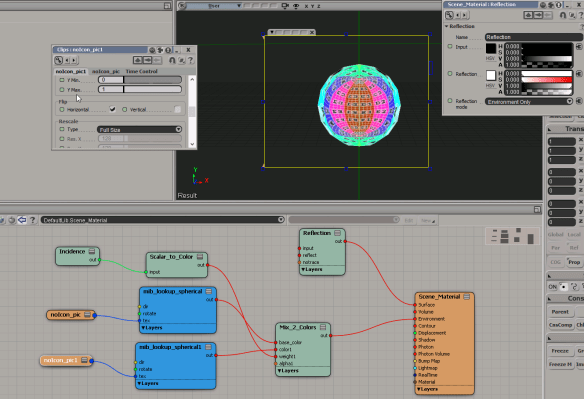
Turbulize Null position
by Helli

Splitting edges
by iamVFX, julian johnson

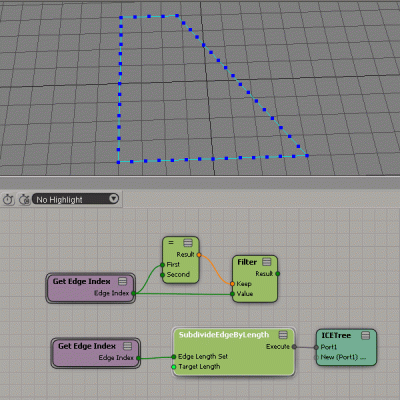
Here’s another way to split an edge into N new edges of equal length. This time, I use the offset.

With a split ratio of 1, I get a bunch of new, zero-length edges that all pile up at the far vertex.

But I can use the offset to move all those edge vertices down the vector between the two original edge vertices:

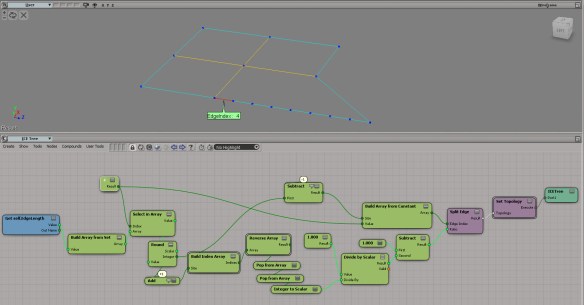
Sometimes it’s interesting to look back at how you wired things together on the first go. For example, look at that weird Pop from Array bit on top; I kinda like it, but maybe doing two explicit Select in Arrays is more understandable.
Anyways, here’s something that could be useful when splitting edges…

Here’s the basic idea of how to split an edge into N equal-length new edges. Notice how I work backwards (in the sense that my split ratio decreases). That way I don’t know have to know (or care) about the new edges. I just keep splitting the same edge, whose EdgeIndex I already know.

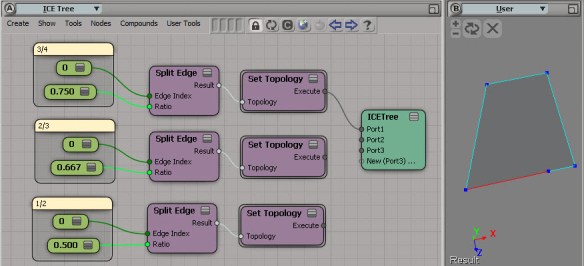
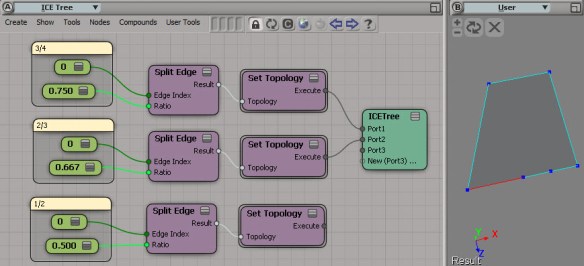

Based on that observation, here’s a rough draft of an ICE tree that takes an edge of length N, and splits it into N equal-length edges.
Making of IGA Petits bouffeurs
by Shed

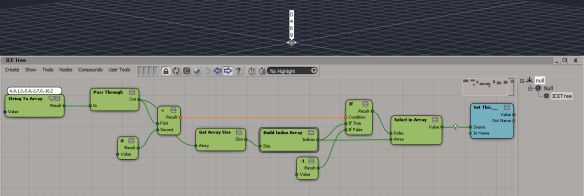
Finding indices of negative values in an array
by iamVFX

Test if a point is inside, on the surface or outside
by Daniel Brassard
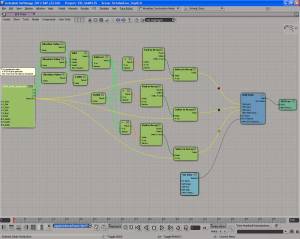
Filter one array by another
by kykeon
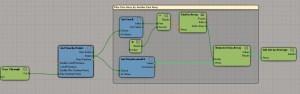
hexagon cylinder
by msktkhs

hexa
by msktkhs
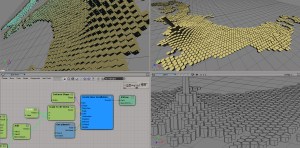
Animated sine wave
by Ola Madsen

 eX-SI
eX-SI 