Siggraph 2002 in San Antonio, where Softimage announced XSI 3.0, Discreet launched 3ds Max 5, Alias/Wavefront showed Maya 5, Pixologic had ZBrush 1.5, and Newtek demoed Lightwave 7.5.
softimage.com web page from 21 July 2002


Siggraph 2002 in San Antonio, where Softimage announced XSI 3.0, Discreet launched 3ds Max 5, Alias/Wavefront showed Maya 5, Pixologic had ZBrush 1.5, and Newtek demoed Lightwave 7.5.
softimage.com web page from 21 July 2002
In ICE, you can’t get data from any arbitrary frame. You get whatever data comes though through your input ports for the current evaluation time. There’s no way (except for Get Data at Previous Frame) for you to read the scene graph at any other time than the time at which the ICE Tree operator is being evaluated.
A few related notes:
Here’s a JScript snippet that finds render tree nodes that are not connected to anything in the render tree.
LogMessage( isConnected( Selection(0) ) );

function isConnected( o )
{
	var oDR = XSIUtils.DataRepository ;

	var strOpInfo = oDR.GetConnectionStackInfo( o )
//	LogMessage( strOpInfo );
	var oTopNode = ParseXML( strOpInfo ) ;

	var oConnections = oTopNode.childNodes ;
	if ( oConnections.length == 0 )
	{
		return false;
	}
	return true;
}

function ParseXML( strXML )
{
	var oXMLParser = new ActiveXObject("Microsoft.XMLDOM")
	oXMLParser.async = false
	oXMLParser.loadXML( strXML ) ;

	if (oXMLParser.parseError.errorCode != 0)
	{
		logmessage( "Invalid XML " + oXMLParser.parseError.reason , siError ) ;
		return null ;
	}

	// the xsi_file node
	// If this is NULL we must have failed to load the XML
	var oTopNode = oXMLParser.documentElement ;

	return oTopNode ;
}
Most of this JScript came from the SDK Explorer code in $XSI_HOME\Addons\sdkui\Application\Plugins\SDKExplorer.js, because I noticed that disconnected shaders would have an empty connection stack, and I didn’t want to go through all the parameters individually looking for connections.
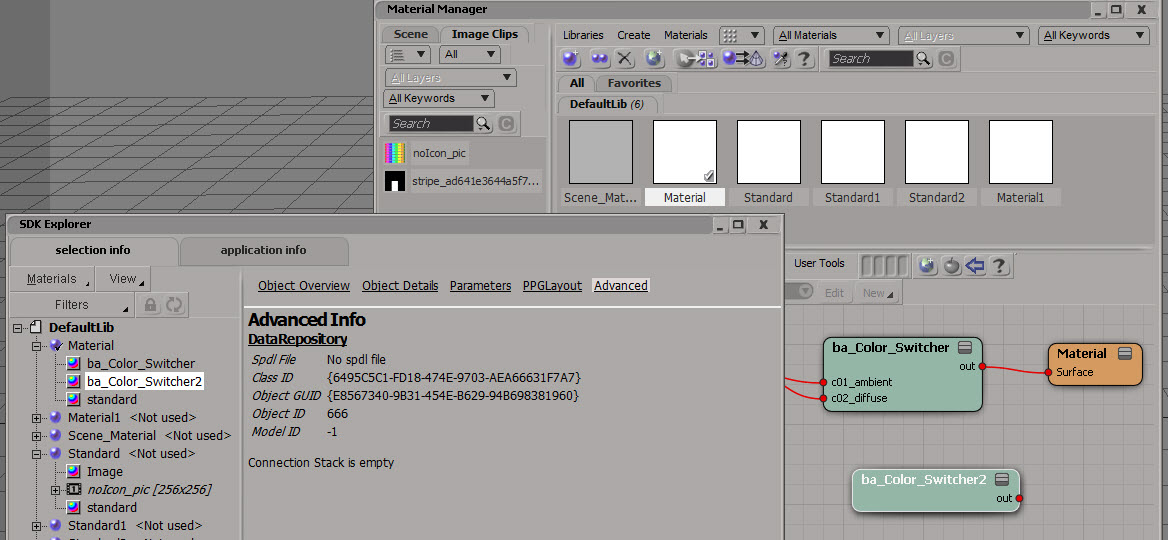
Here’s a Python version that does a little more: it follows the output connections to check whether or not the shader is ultimately connected the material.
# Python Code
import xml.etree.ElementTree as etree

def is_connected( o ):
	if not o.IsClassOf( 52 ):
		print "Input is not a shader"
		return False

	sXML = XSIUtils.DataRepository.GetConnectionStackInfo( o )
	root = etree.fromstring( sXML )
	for connection in root:
		if connection.find('type').text == 'out':
			x = Application.Dictionary.GetObject( connection.find('object').text )
			return True if x.IsClassOf( 64 ) else is_connected( x )

	return False

print is_connected( Application.Selection(0) )
Suppose you have an animated scalar value, and you want to store its values as you play through a simulation. And suppose you also want to keep a running total of all the values up to the current frame.
My first try used two arrays: one to store the values at each step through the simulation, and one to hold the running total.

Calculating the array sum at every step seems wasteful. So, here’s my second try at keeping a running total of the values from the fcurve. I use just one attribute and one array. The attribute was necessary because if I plugged Pop from Array directly into Add, I got nothing.

Python decorators explained…in comic form…in Japanese

Review article of Softimage 2014

Stuff happens
by Softimage 2014 SP2
Creating Particle Galaxies in ICE
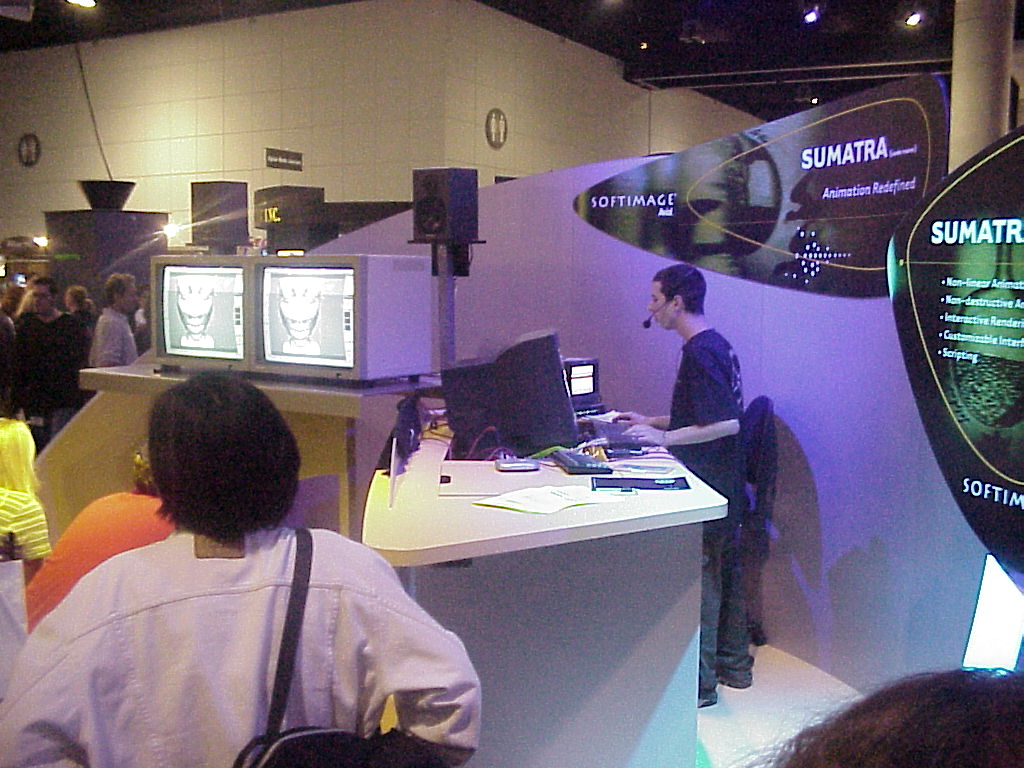
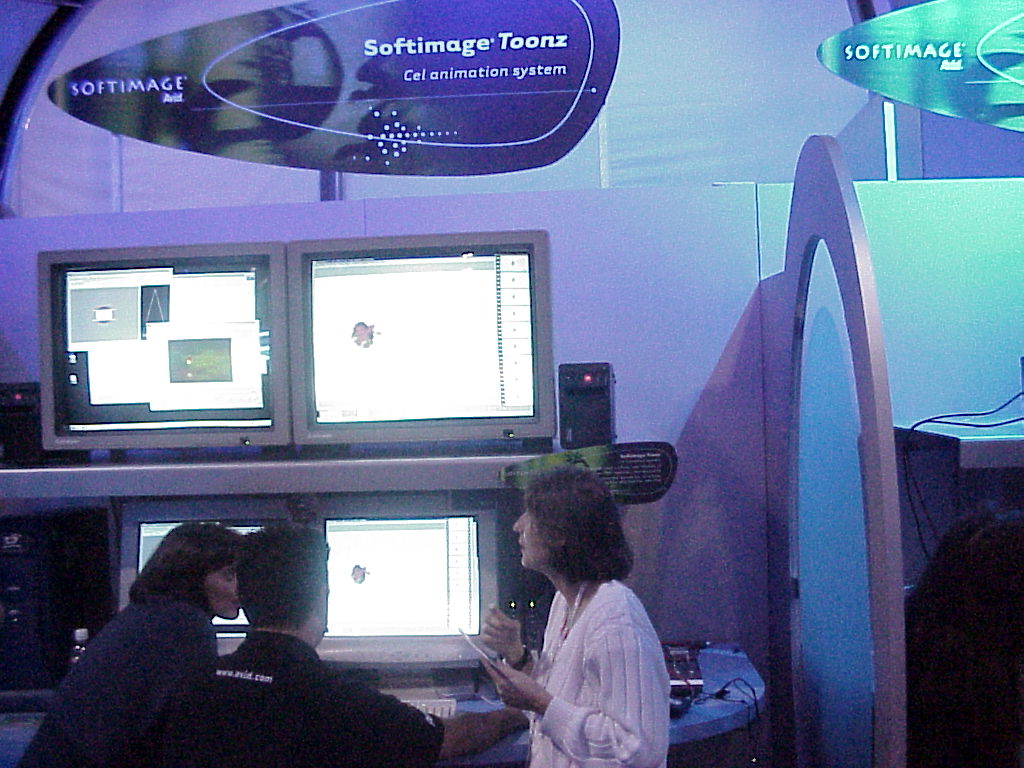
SIGGRAPH 1999 booth pictures: Sumatra [codename], Toonz, and DS

Here’s something I noticed when I started up Softimage 2014 SP2 for the very first time. It spent about 26 seconds writing some cachedat and cachehdr files in my User folder:

During subsequent startups, Softimage just reads in the cachedat, which takes a lot less time (eg < 0.005 seconds).
I looked back at my previous versions of Softimage, and it seems these cache files were new in 2014. There's actually two cachedat files, each with an associated cachehdr header. You'll find them in your %XSI_USERHOME%\Cache folder:
C:\Users\xsisupport\Autodesk\Softimage_2014_SP2\Cache\{870AB238-90C2-4336-8D46-B2CDD31C8A34}.cachedat
C:\Users\xsisupport\Autodesk\Softimage_2014_SP2\Cache\{870AB238-90C2-4336-8D46-B2CDD31C8A34}.cachehdr
C:\Users\xsisupport\Autodesk\Softimage_2014_SP2\Cache\{AD8CCDD2-C275-46E3-9881-265DB5BC84BB}.cachedat
C:\Users\xsisupport\Autodesk\Softimage_2014_SP2\Cache\{AD8CCDD2-C275-46E3-9881-265DB5BC84BB}.cachehdr
One cache is read at startup. The other is updated when you first drag an ICE node into an ICE tree (and then if you start a new XSI.exe session and drag the same node into an ICE tree, Softimage will read from the cache). Running strings on these cache files showed lots of ICE node/compound names, so they seem to be strictly for some sort of ICE-node caching (eg ports, layouts, logic, …).
ICE Guide
by Autodesk
Heh.
Golden Stair Plugin
by Lancelot

Modeling usage for Voronoi shattering effect
by nika ragua

Because of how ICE is optimized, it won’t bother setting data if you never use that data (see Beware of ICE Optimizations here). For example, suppose I have a point cloud where I set a per-point scalar value, but I never use that scalar data (because I just want to cache that value and use it later).
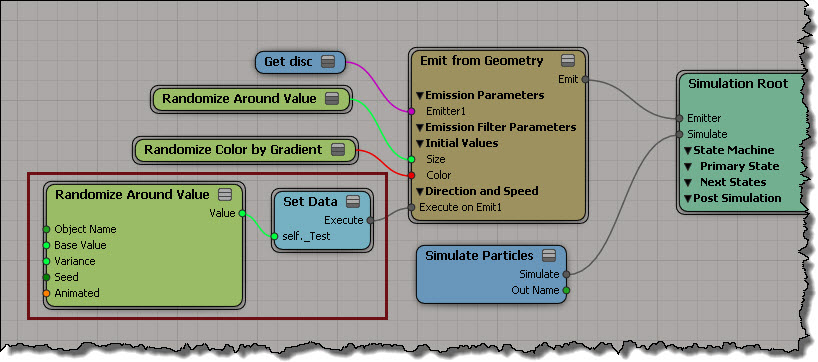
That scalar attribute is never used, so it is optimized away (it makes sense: you’re not using it, so why keep it?). You won’t see that attribute in the Cache Manager, and the Cache on File node won’t write it out (even if you add that attribute to the list).
One way to force ICE to evaluate the attribute so you can cache it is to create an Attribute Display property for the attribute, but disable Show Values.

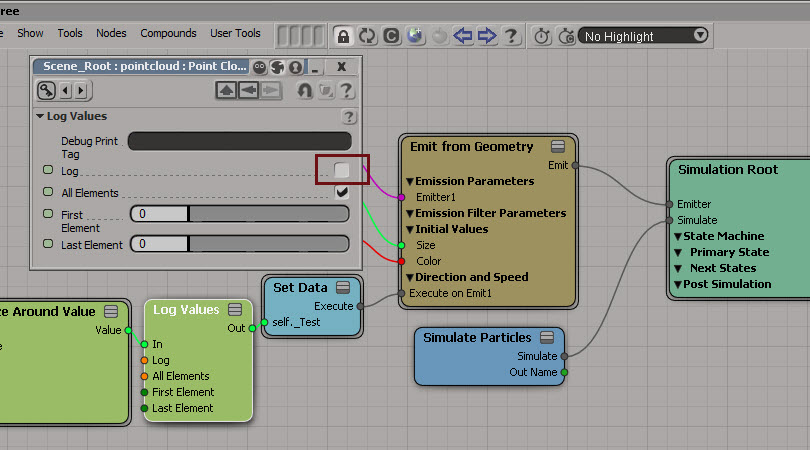
Another way is to insert a Log Values node, and disable logging.
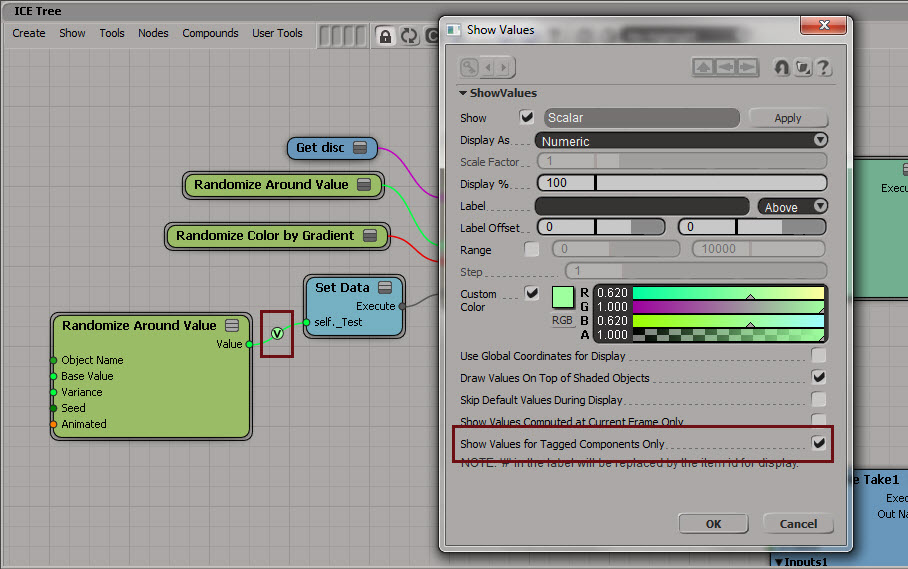
Yet another way is to use Show Values. Enable Show Values for Tagged Components Only to hide the values (if you’re going to tag components, you could set the Display % to 1).
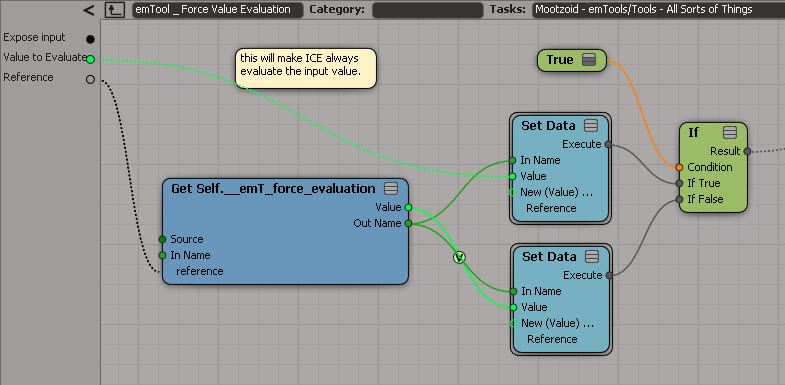
And last but not least, if you have emTools from Mootzoid, you can use the Force Value Evaluation node, which uses a Show Values on a value that is never set.
hat tips to Stefano, Mathieu, and Vincent on the SItoA list
Here’s one way to get the materials used by model. Note that this will also get any materials applied to clusters.
si=Application

def get_mdl_materials( m ):
	from win32com.client import constants as c
	return m.FindObjects( c.siMaterialID )

Application.GetPresetModel("Man_Character", "Man_Character", "", "Character.Character_Designer")
for m in get_mdl_materials( si.Dictionary.GetObject( 'Man_Character' ) ):
	print m
And here’s an old-school way that uses a couple of string expressions:
si=Application
mdl = si.Dictionary.GetObject( 'Man_Character' )

import win32com.client
mats = win32com.client.Dispatch( "XSI.Collection" )
mats.Items = '{0}.{1},{0}.{2}'.format(mdl.Name, "*.cls.*.material", "*.material")

for m in mats:
	print (m)
 eX-SI
eX-SI 