If you drill down into the Emit compound until you find the Add Point node, you could do something like this:


If you drill down into the Emit compound until you find the Add Point node, you could do something like this:
Here’s a custom filter for selecting objects with ICE trees: psCustomFilters.xsiaddon. The filter appears as Obj_w_ICETree in the filter list of the Select panel in the MCP:

You can use this filter in the MCP Select panel (choose the filter and then press Ctrl+A to select all objects with an ICE tree).
Or you could make a toolbar button with these snippets:
// JScript
SelectAllUsingFilter("Obj_w_ICETree", siCheckComponentVisibility, null, null);
#Python
from siutils import C		# win32com.client.constants
Application.SelectAllUsingFilter("Obj_w_ICETree", C.siCheckComponentVisibility, "", "")
In this video, I take a look at how to use Search for type to find objects based on their type. For example, you can find all models by searching for “#model”, or all polygon meshes by searching for “polymsh”.
I also show how to use the Scene Explorer to find the type of an object.
Note: You can’t use the “ICETree” type to find all ICETree operators, that was a disappointment.
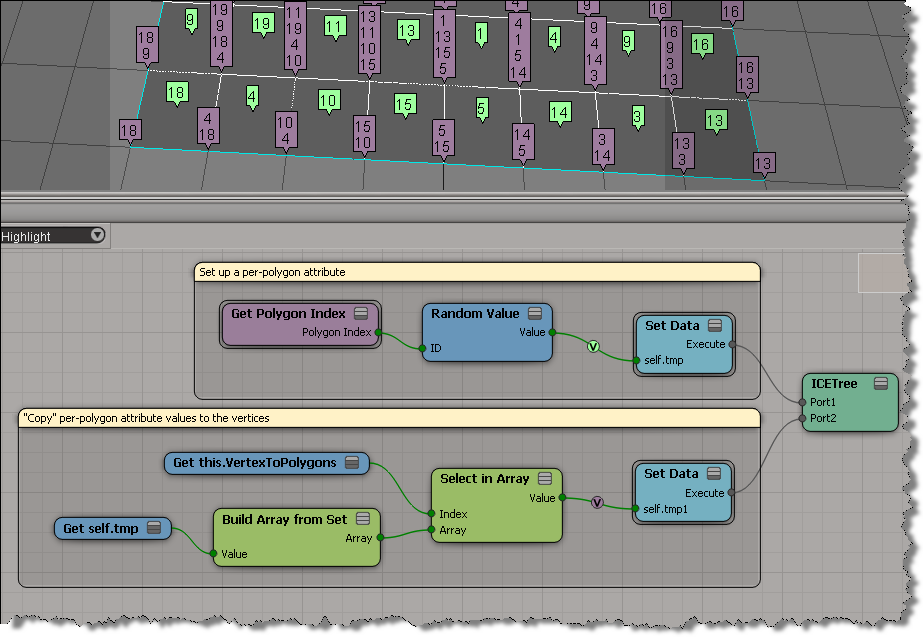
This question came up last weekend (on si-community and xsibase): how do I copy a polygon attribute to a point attribute?
As Chris_TC and gray pointed out, a point can be associated with multiple polygons. So you use VertexToPolygons to either build a per-point array of polygon attribute values, or you do something like average the polygon attribute values and store that as a point attribute value.
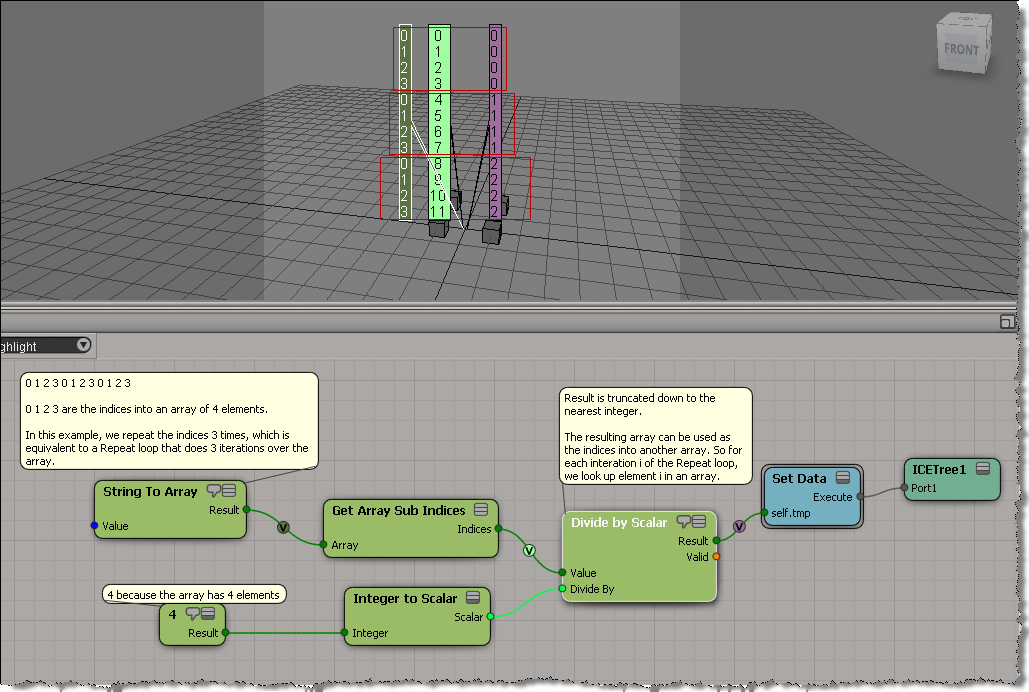
Another building block for using arrays instead of Repeat loops: an array that looks like [0,0,0,0, 1,1,1,1, 2,2,2,2, …].
Again, the trick is to use this array as the indices for Select in Array.
Here’s how to build this kind of array:
Here’s a simple example. I get the positions of the objects in a group, and then use those positions to add points in a point cloud. Basically, I have a group of objects, and an array of vectors (the interpolated array). When I add a point, I take an object position and add a vector to it to get the point position.
In pseudo-code:
For each object in group
      for each vector in array
             Add Point
             Point Position = vector + object position

If that ICE tree is hard to follow, then it may help to use some attributes to store intermediate values(arrays). That way you can separate out some branches of the tree:

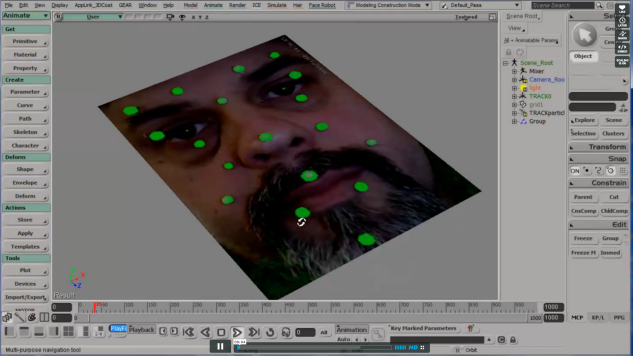
2D Face Tracker
by Paul Smith
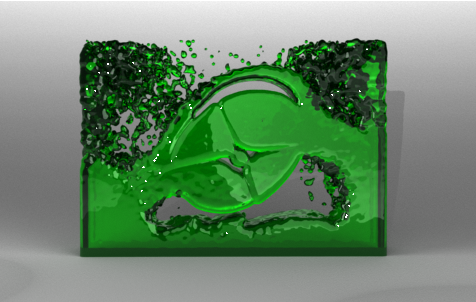
PhysX Fluid Simulation in Softimage
by Mr.Core
Celestial Chaos
by Mootzoid

Organic swirl
by Chris Marshall
GDT Realtime Shaders
by mslaf

Replace specular on mia
by gustavoeb

Super Shapes
by Daniel Brassard
This is a scenario that came up on xsibase: suppose you have a model that includes multiple objects, and that you create many instances of that model. How do you create a point cloud that has a point for every object in every instance?
Put the model objects in a group, and put the instances in another group, so that you have a setup like this:

Then you can use Get Data with the groups to get two arrays: an array of the object positions, and an array of the instance positions. The objects are all positioned relative to an instance, so you can work out where to add the points.
Here’s how to do it with a Repeat node. Note that you need just one Repeat node: you don’t have to loop over the object kine.local.pos arrays, you can just use Multiply Vector by Matrix to multiply an array of vectors by an array of matrices. If you understand that, then you’re “thinking in ICE”.
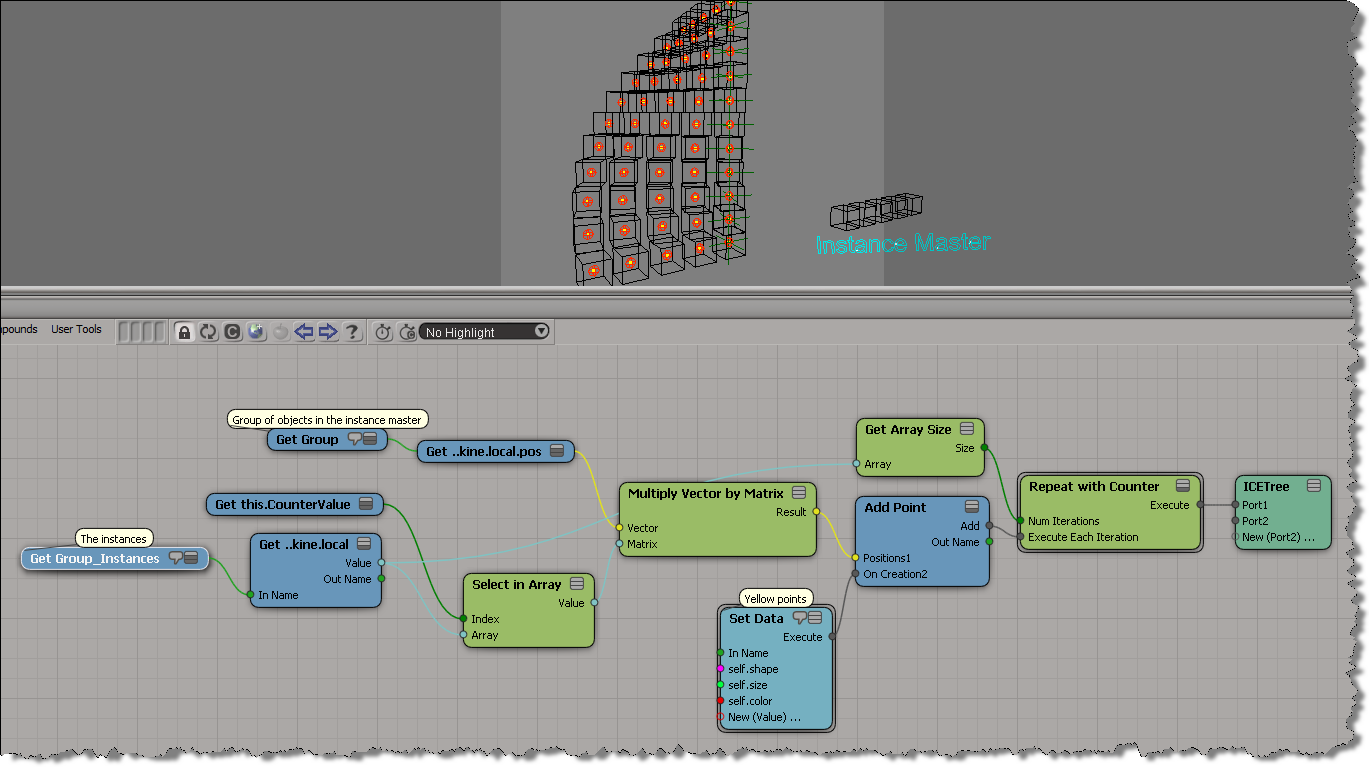
Here’s how to do it without a Repeat node. Again, if you understand this, you understand how to think in ICE.

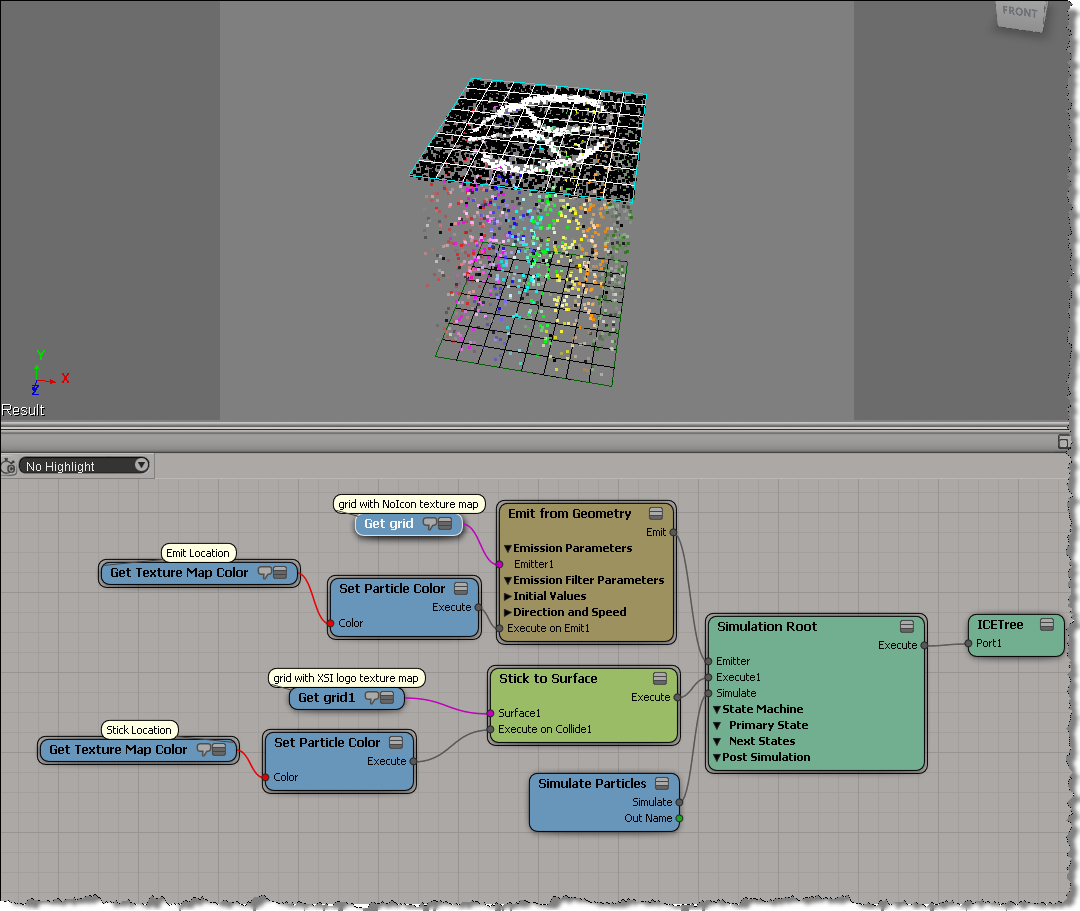
Here’s a basic example that shows how to get texture map colors. First, from the Emit Location, and then later from the Stick Location.
In this example, the emitter grid has NoIcon.pic as a texture map, and the second “stick-to” grid has the XSI logo.
In this video, I do a walk through of a scene posted by Guillaume Laforge on the XSI mailing list. In the scene, Guillaume uses a point cloud to drive the polygons of a mesh, so that the polygons follow that transformations (pos and ori) of the particles. ICE modeling is used to “break up” the mesh into polygons. Includes a description of how vector subtraction is used to locate points relative to a polygon center.
Introductory-level video that shows you how to daisy chain Get Data nodes when you’re getting data from a scene.
Daisy chaining (connecting Out Name to In Name) is a way to separate out and isolate the different scene references that combine together to pull in scene data.
 eX-SI
eX-SI 