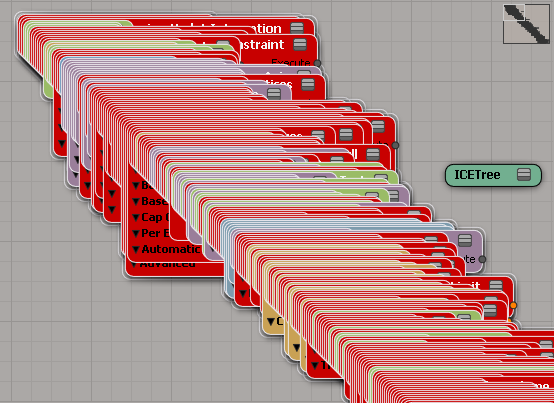
After seeing Vladimir Jankijevic’s screenshot of an ICE tree with all factory nodes and compounds, I decided to try writing a script that creates all the factory nodes and compounds.
So, it takes forever to create all the ICE nodes, at least 10 to 15 minutes or so. At first I thought my script had crashed Softimage (until I used Process Monitor, which showed me that Softimage was still chugging away loading compounds and presets). Dragging and dropping all the compounds from Windows Explorer wasn’t any faster.
I did learn something about Python from this exercise. To find all the .xsicompound files, I used a Python snippet I found on stackoverflow (lines 10-15 below). See the yield statement on line 15? That makes the function a generator function, which means the function returns one item at a time, so you can process items right away without waiting for the function to build the whole list of all files.
o = Application.GetPrim("PointCloud", "", "", "")
tree = Application.CreateSimulatedICETree(o, "siNode", "")(0)
Application.LogMessage( tree )

import os, fnmatch
from siutils import siut	# XSIUtils
from siutils import si		# Application
from siutils import C		# win32com.client.constants

def find_files(directory, pattern):
     for root, dirs, files in os.walk(directory):
         for basename in files:
             if fnmatch.fnmatch(basename, pattern):
                 filename = os.path.join(root, basename)
                 yield filename


d = siut.BuildPath( si.InstallationPath( C.siFactoryPath ), "Data", "Compounds" );

#
# Compounds
#
for filename in find_files(d, '*.xsicompound'):
	print 'Found .xsicompound:', filename
	Application.AddICECompoundNode(filename, tree)

#
# Private Compounds
#
for filename in find_files(d, '*.xsicompoundp'):
	print 'Found Private .xsicompoundp:', filename
	Application.AddICECompoundNode(filename, tree)

#
# Presets (compiled nodes)
#
d = siut.BuildPath( si.InstallationPath( C.siFactoryPath ), "Data", "DSPresets", "ICENodes" );
for filename in find_files(d, '*.preset'):
	# There's one compound that generates an error
	try:
		Application.AddICENode(filename, tree)
	except:
		si.LogMessage( "AddICENode failed for " + filename )
 All nodes programatically created |
 Drag-and-drop all compounds |


 eX-SI
eX-SI 