Out of the office


I’m “on the road” for two weeks, visiting Solid Angle London for a week, and then Solid Angle Madrid for another week. I hope the weather’s good over there: the forecast for Monday here in Montreal is sunny and 16 degrees…maybe the last warm day for cycling.

While in London, I hope to check out the Softimage Creatives user group meeting.

I’ll be back on 25 Nov. Until then, I’ve pre-written and scheduled my daily blog postings, just in case I’m too busy 🙂

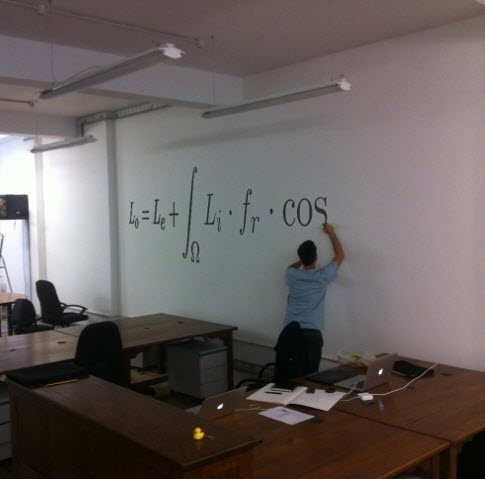
The Solid Angle offices in London

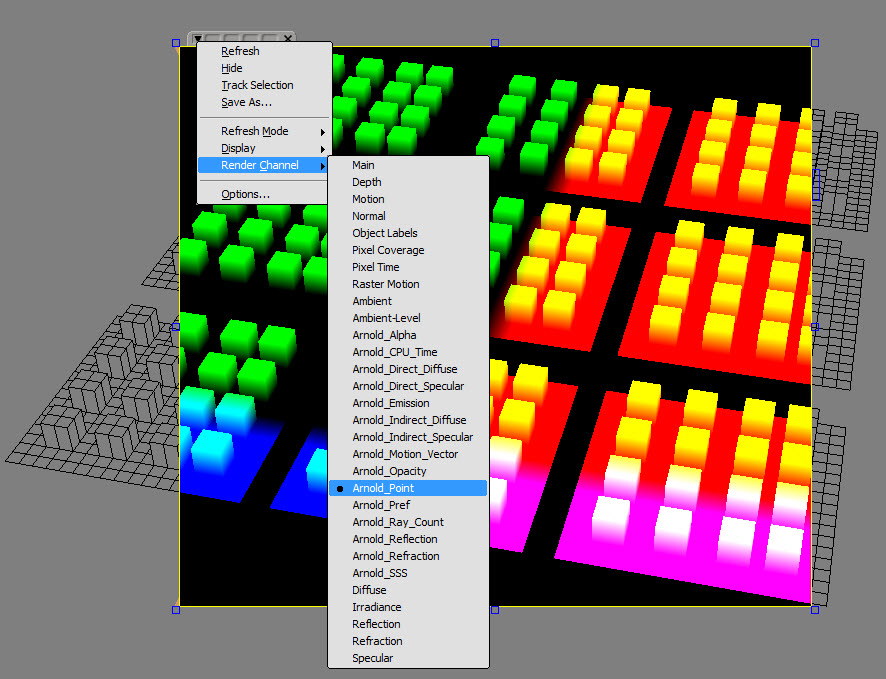
Help! My Arnold render channels are missing


If you don’t see any of the Arnold render channels (like Arnold_Alpha or Arnold_Opacity), open up the script editor (press ALT+4) and run the SITOA_CreateRenderChannels() command.

Tip – You can avoid this by making Arnold the default scene renderer. The SITOA plugin will then make sure the Arnold render channels exist (by calling SITO_CreateRenderChannels from OnNewScene and OnStartup events).
hat tip to Francois Lord for pointing this out

# Python
Application.SITOA_CreateRenderChannels()
// JScript
SITOA_CreateRenderChannels();

Rendering a world position pass with Arnold


You can use the Arnold_Point AOV to create a world position pass (an AOV is the Arnold equivalent of a render channel). Here’s the Arnold_Point render channel in the render region:

A world position pass (aka a position map), is an image where each pixel’s R, G, B colour values represent the x, y, z coordinates of the corresponding vertex, in 3D world space.

If you loaded the rendered position map into the FxTree, or Composite, you can see that the RGB values correspond to the XYZ position coordinates:

FxTree:

Composite:

Softimage 2013 EULA is eighty thousand characters


That’s 80,000 characters, not including spaces. Here’s a graph of the EULA size over the Softimage releases.

Inspired by The Wengerd Report: AutoCAD 2012’s EULA is now 60,000+ characters. Be sure to read them all

It looks like the M&E EULAs were one release behind the AutoCAD EULA. The big size increase didn’t happen until the 2013 release.

I didn’t see a big change in SHOUTING in the EULA. The 2013 EULA had 7404 upper-case characters, and the 2012 had 7889.

Saturday snippet: XSICollection has no class


Calling Application.ClassName() on an XSICollection object returns “Object”, not the class name. Remember this when you’re using ClassName() to check what type of object is being handled in some piece of script.

# See http://docs.python.org/2/tutorial/errors.html#handling-exceptions
try:
	from win32com.client import Dispatch as disp
	from win32com.client import constants as C
	log = disp('XSI.Application').LogMessage
except ImportError: # pywin not installed
	pass
	
si = disp('XSI.Application') 
x = disp( "XSI.Collection" )

log( si.ClassName( x ) )

# INFO : Object

A long time ago, it was decided not to fix this, because the fix would break existing scripts. Back in those old days, the VBScript function TypeName() was used instead of Application.ClassName(), so you had a fair amount of VBScript that was checking whether TypeName() returned “Object”. (Calling TypeName() on most Softimage objects returns the class name)

You can see an example of this type [haha!] of thing in Application\DSScripts\animation.vbs:

        if TypeName( oObjectList ) = "Object" then
            set out_objs = oObjectList.Item(0)
        else
            set out_objs = oObjectList
        end if
 

Friday Flashback #92


Softimage Awards and Recognitions circa 1996.
Note the Emmy award for the daytime soap “As the World Turns” 🙂

I didn’t expect to see the daytime soap opera As the World Turns on the list. And somewhat ironically (to me), if I google “Softimage as the world turns”, the first hit is an Autodesk jobs page.

I like the Google summary: “Your World. Your Future. undefined

Arnold – Rendering shapes distributed along strands


Arnold always renders shapes as if they were lofted along the strand. It doesn’t matter whether you clear the Loft Shape along Strand checkbox in the Create Strands PPG, the shape will always be lofted in the render, like this:

If you want your instance shapes to be distributed along the strands, you could use a second point cloud to put the shapes along the StrandPositions:

If you find this slows down your viewport, change the Particle Display to points.