Handlebar taping with ICE
Reply

In my first try at this, I used the PointReferenceFrame for the orientation of the copies.
This time, I’m rotating around the global Y axis, so all the copies “point” the same way.

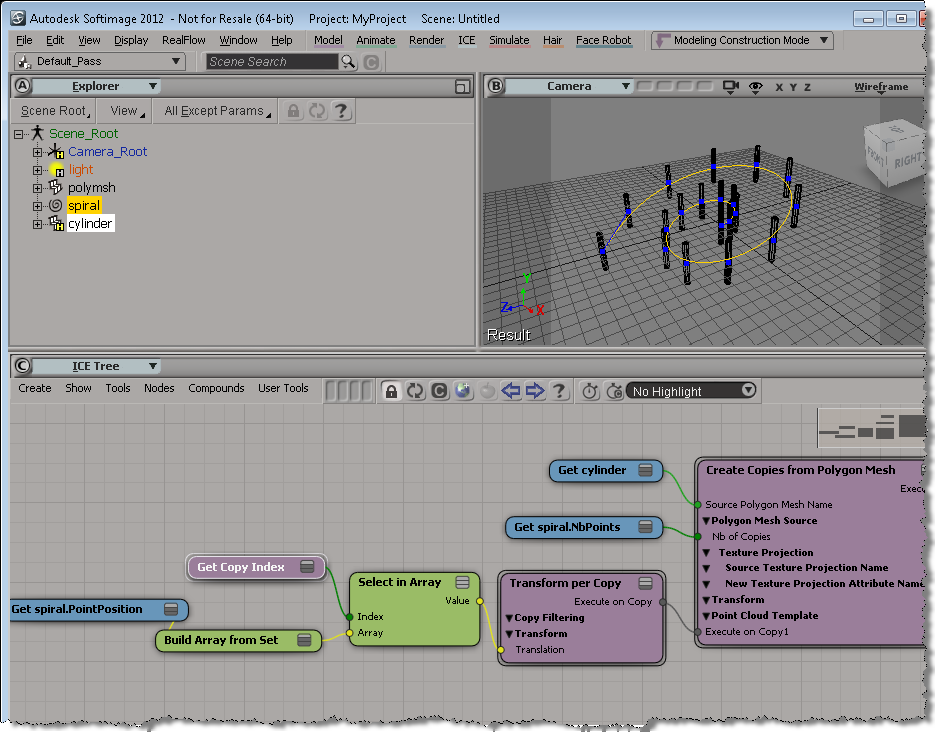
Here’s a simple example that puts a mesh at each point of an arc curve.
The PointReferenceFrame is a 3×3 matrix, so you have to extract the SRT to get the rotation.
I cheated by rotating the original object instead of applying an adjustment in the ICE Tree.

 It seems to me that when I apply a texture to a mesh I created with Set Topology, I have to create two texture projections. The first one ends up with an empty TextureProjection_AUTO cluster, but the second one has a good TextureProjection_AUTO cluster.
Or if I first created a weight map or a CAV and did some painting, then I’d have a complete cluster that worked when I applied a texture.
On the XSI mailing list, Guillaume Laforge posted some interesting information about how to build an efficient duplicator compound. He also posted a new version of Create Copies from Polygon Mesh.
Basically, if you want to lots of duplicates, then you’ll find Create Copies from Polygon Mesh to be a bit slow. That’s because it uses Merge Topo Array, which is designed to handle the merging of meshes with different topologies. To duplicate an object, it’s better to use Create Topo.
To use Create Topo, you need two arrays:
Guillaume goes through all this in his post, but here’s my take, starting with the vertex position array.
To build this array, we start by getting an array of the point positions for the original mesh, and then building a new array that contains a copy of the point positions for each duplicate. So if the original mesh has M vertices, and we want to create N duplicates, the array will contain M*N elements.
To build this vertex position array, we use the modulo trick to repeatedly select elements from the array. There are two reasons for doing it this way: we can allocate the array size just once, and we don’t use any repeat nodes.
I find it helpful to visualize this with a simple case. So here’s a screenshot for a single polygon mesh. Note the array created with the modulo operator. By feeding this into the Select in Array node, we end up duplicating the original point position array once for each duplicate.
Note also the use of Build Array from Set, to build a singleton array out of the per-point PointPosition data set.

In this video, I use a simple example (a 2×2 grid) to show one approach to building up a polygonal description array.
A polygonal description array is an array of vertex indices that looks something like this:
0 3 4 1 -2 1 4 5 2 -2 3 6 7 4 -2 4 7 8 5 -2
where the “-2” is a separator between polygons.
If you’re interested, the corresponding scene is here.
hat tip to Guillaume Laferriere for the Index Array to Select Case technique.
A quick overview of how to build strands by building your own StrandPosition and StrandSize arrays.
If you’ve looked into the Modeling_Columns_from_Strands sample scene, you’ve seen that there’s a Create Spiral Strands compound that creates the strands used for the extrusion. In this video, I go through the basics of creating strands that you can use for extrusions. There’s some small gotchas to watch out for.
In my auto-fence videos, I showed how to use a curve to position the copies made by Create Copies from Polygon Mesh. In brief, you use the Transform per Copy and Get Copy Index nodes. Note that you need to freeze the transforms on the source mesh, if you scale or translate or rotate it.
Here’s my first try. I used the EdgePosition attribute to position the copies of the cylinder on the edges of a cube. Notice how the cylinder is aligned along the Y axis of the EdgeReferenceFrame.
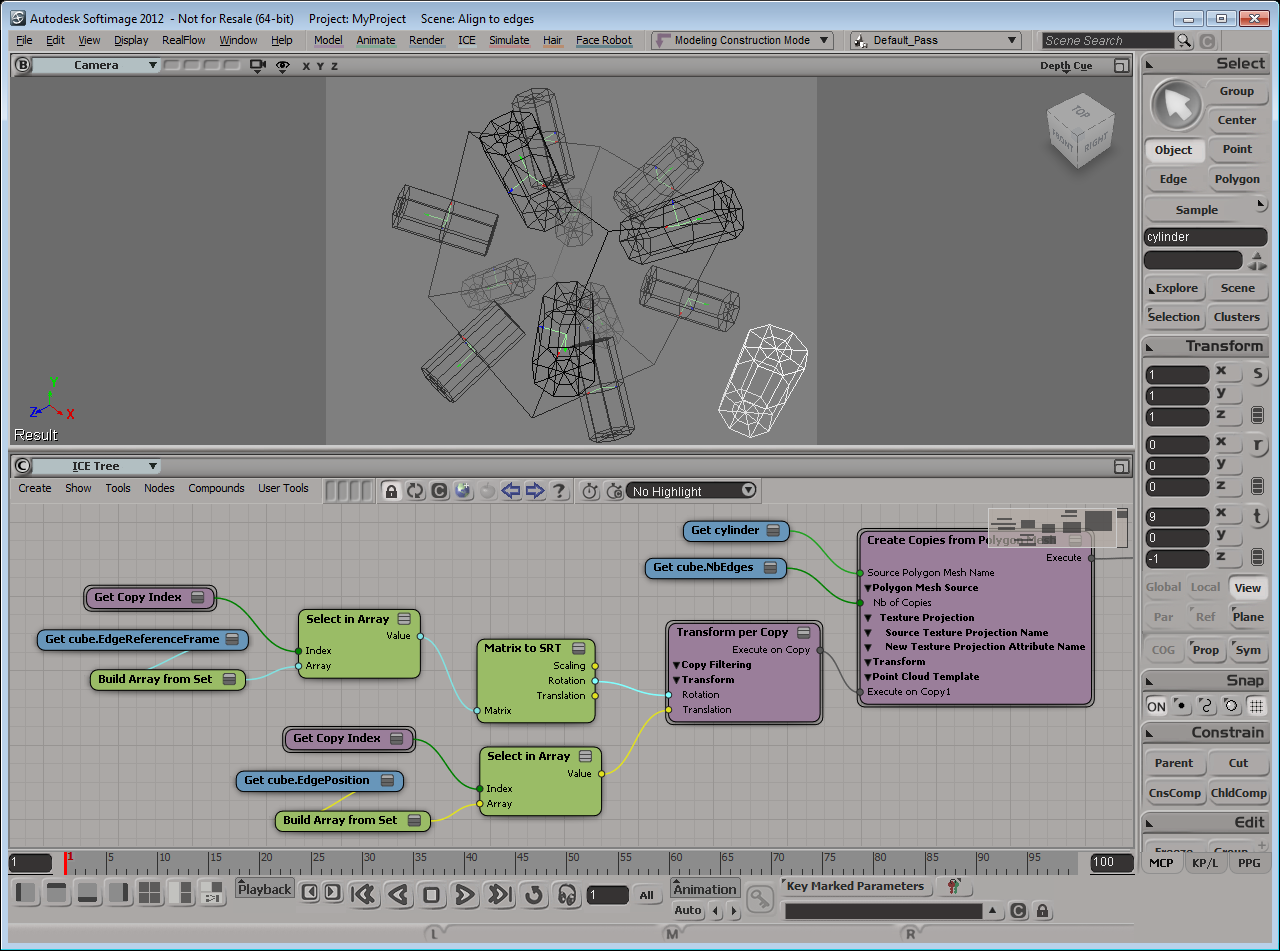
If I rotate the cylinder center by 90 degrees in Z, I get this:

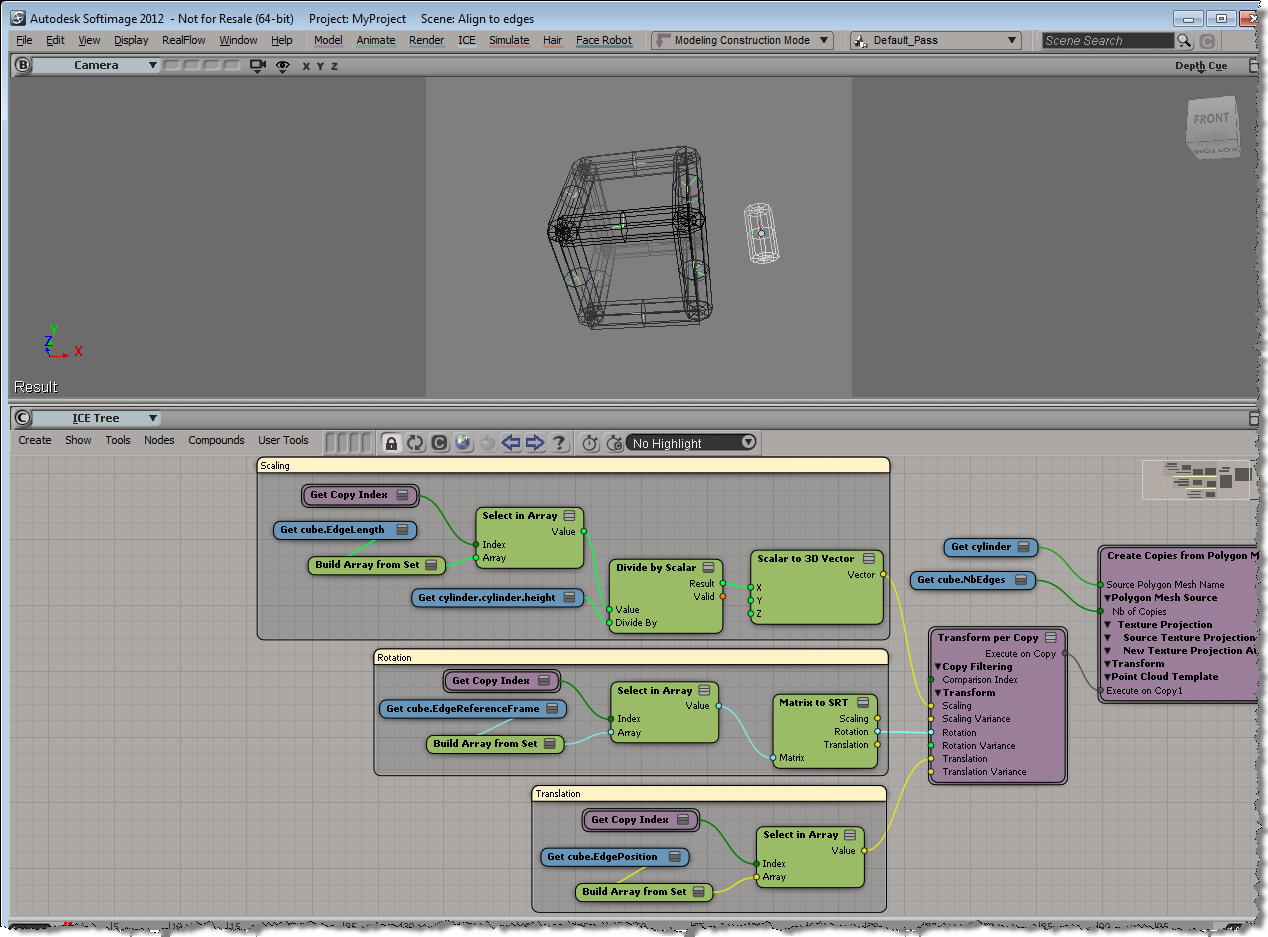
Finally, I can use the EdgeLength to scale the cylinder copies:
 eX-SI
eX-SI 