Screenshots of the week


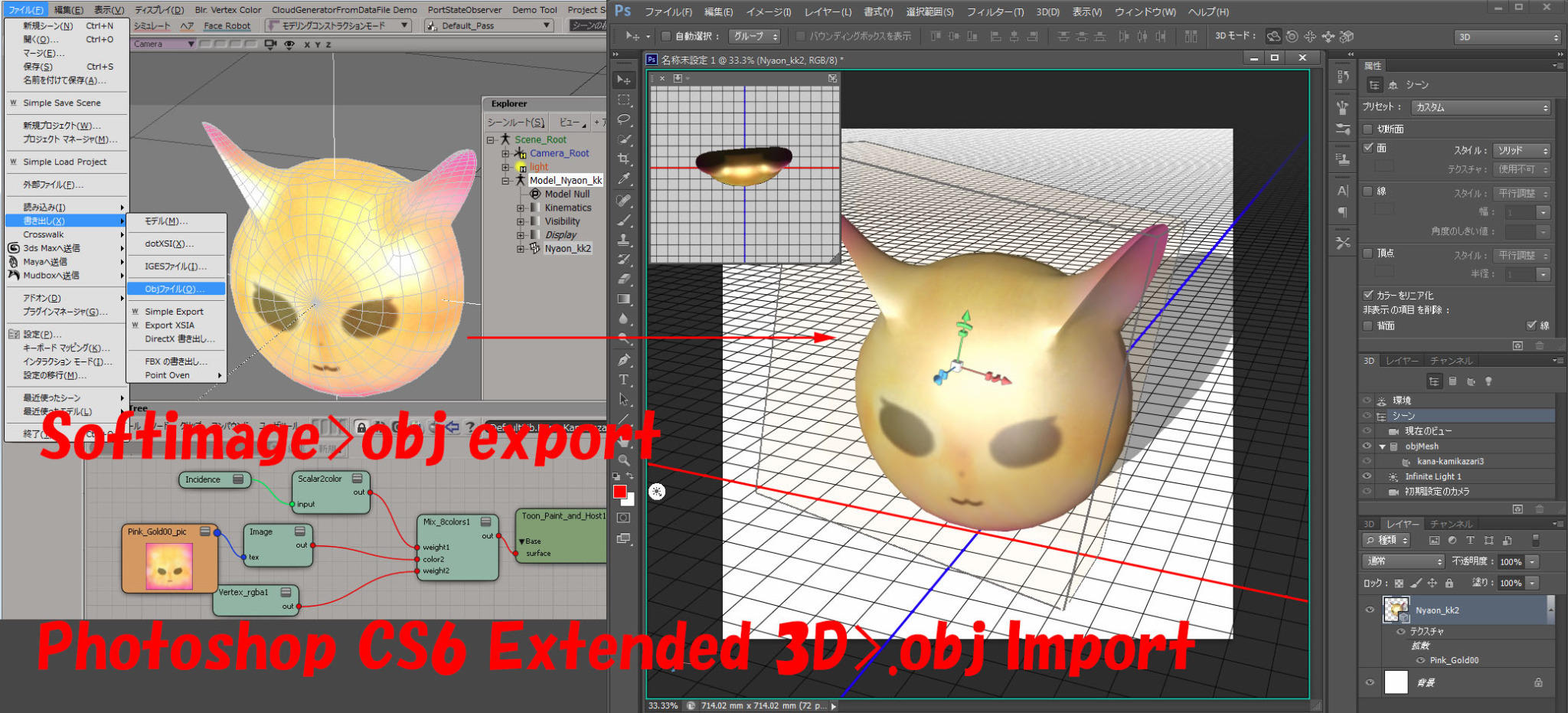
Softimage to Photoshop
by SI_UserNotes

SI_UsersNotes Texture edit 3D layers in Photoshop

Hippydrome face articulation
by Max Crow

procedural sunflower creation in ICE tutorial part 1
by nika ragua

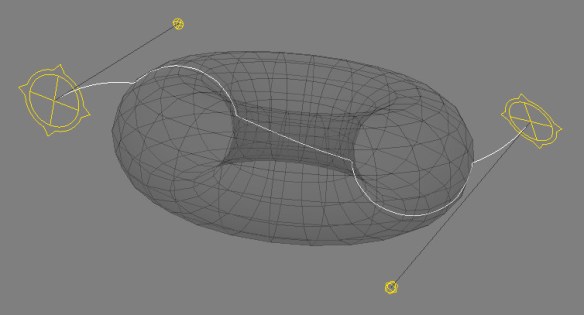
Deform curve by ICE
by csaez
ICEOnCurve_ICETree

ICEOnCurve_viewport

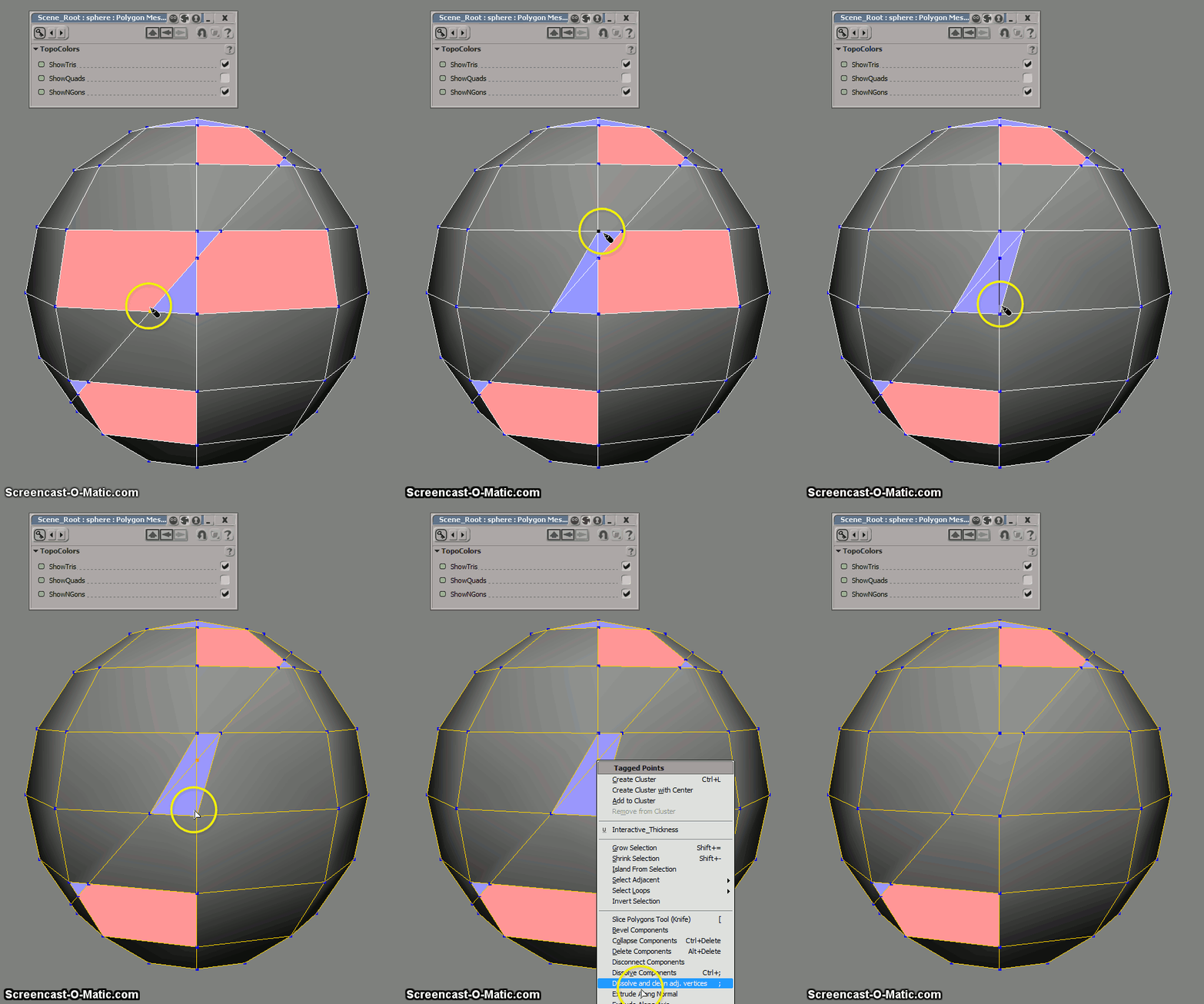
Iterative fracture example with use of Slice Topology node
by iamVFX
Np8Qy

TR OpenImage
by sOBE

Texture Instancing Compound

Post-simulation and softimage ICE (part 2 – strands)
by Andy Moorer

Circle per strand

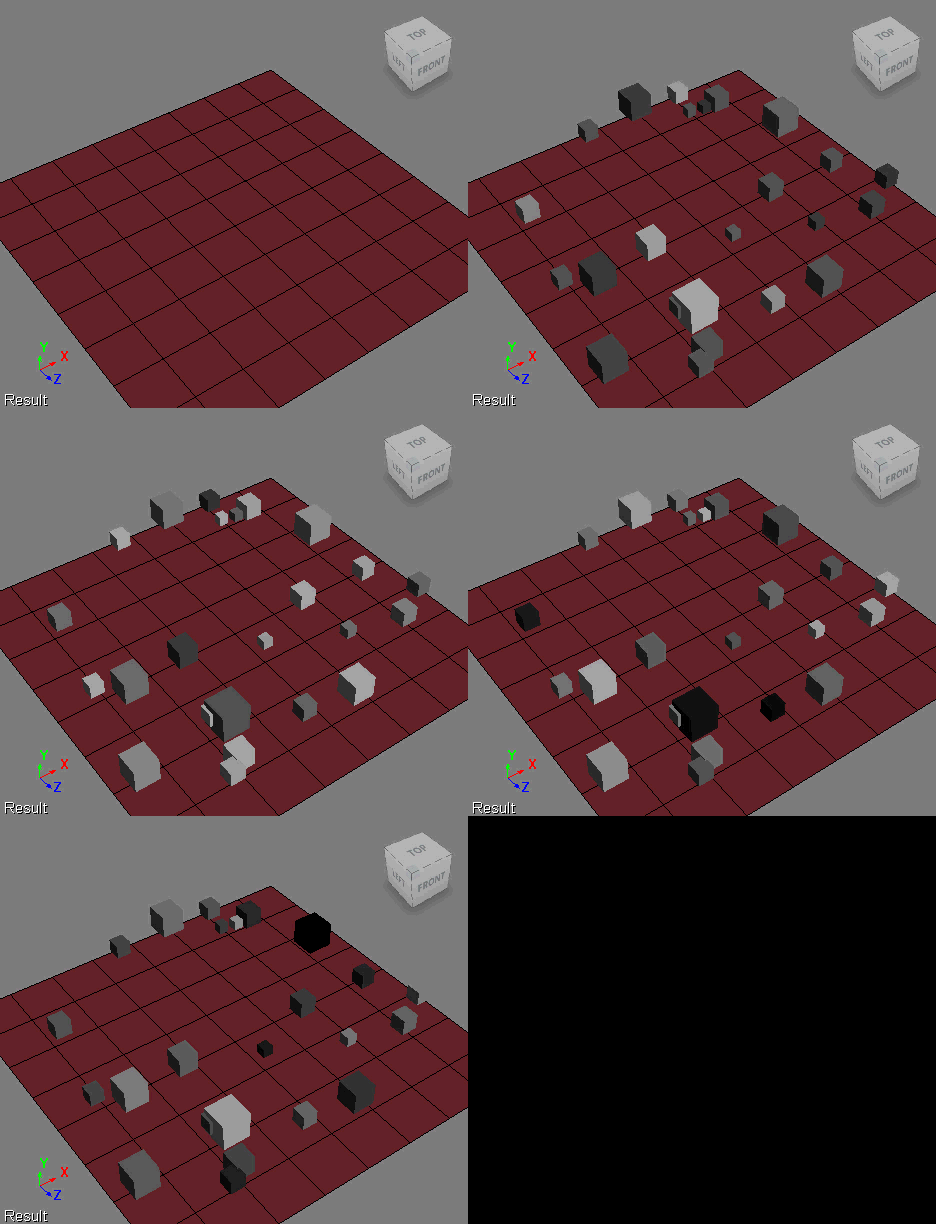
Cycling particle colors through gradients


CycleThruGradient
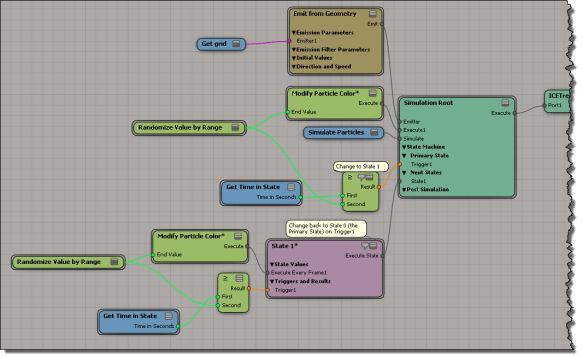
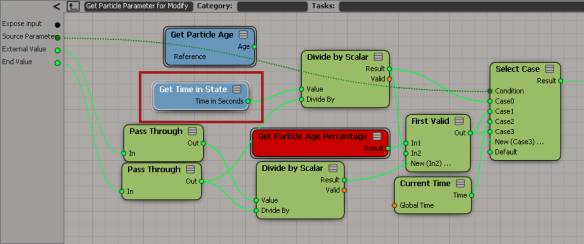
Here’s an ICE tree that uses a simple two-state setup to gradually move particle colors through two gradients (in State 0, the gradient is from black to white, and in State 1, from white to black). Randomizing the End Time gives me some variation between particles, and I customized the Modify Particle Colors to use “time in state” so I could use that as the trigger test.
ModifyParticleColor-w-StatesIn the Modify Particle Color compound, I simply swapped Get Particle Age for Get Time in State.
GetTimeInState

Building an array for weighted random selection


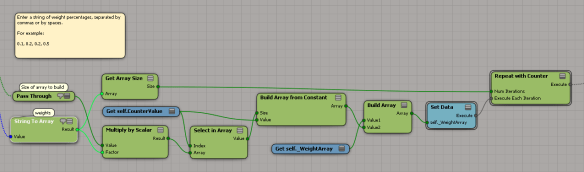
Here’s a little ICE tree that takes an array like
[ 0.1, 0.2, 0.2, 0.5 ]
and builds an array where

  • 10% of the elements have value 0
  • 20% of the elements have value 1
  • 20% of the elements have value 2
  • 50% of the elements have value 3

This is something I wanted to do for randomizing with weighted probabilities. The array [ 0.1, 0.2, 0.2, 0.5 ] is the weights I want to use for the values 0, 1, 2, and 3. The idea is that if I randomly select from the larger array, the weights will determine how likely I am to get each value (eg if 50% of the elements have value 3, then I’ll be much more likely to get that value when I randomly select).

To automatically build the array, I had to use a Repeat with Counter; I didn’t see around that.

BuildDistributionArray0

So, for example, in an array of 1000 elements, I would have 100 elements with the value 0, 200 elements with the value 1, 200 elements with the value 2, and 500 elements with the value 3.

That works fine if the input array of weights adds up to 1, but what if I start with an array like [2 4 2 8 16] ?
To handle that, I need to make a small change:

BuildDistributionArray-1a

Wednesday Word Cloud – ICE node usage in shipped compounds


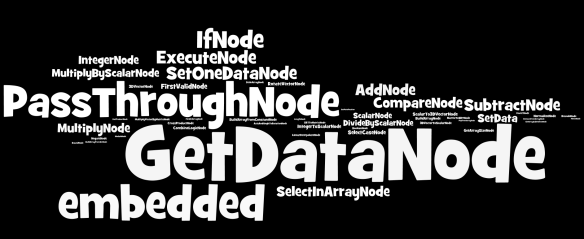
Here’s a word cloud of the top 50 nodes used in the ICE compounds that ship with Softimage 2013
NodesInShippedCompounds
That’s 3303 Get Data nodes, 2051 “embedded” nodes, 1889 PassThroughs, and 1071 If nodes.

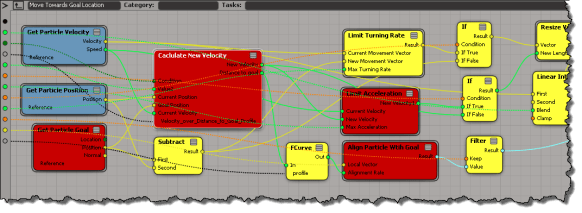
Embedded nodes are compounds that are embedded directly inside another compound (instead of being references to a .xsicompound file on disk). Like Calculate New Velocity, Limit Turning Rate, Limit Acceleration, and Align Particle with Goal in this compound:
EmbeddedCompounds

Not all embedded compounds are that interesting though. There’s over a thousand embedded compounds in the ICEFlowBuilder compounds; where even Set Data was embedded (probably so that the ICEFlowBuilder compounds wouldn’t break if something changed in an external compound, which did happen a few times).

Screenshots of the week


Exploring the power of Non-Linear Character Setup with Autodesk Softimage
by Adam Sale
nlchar

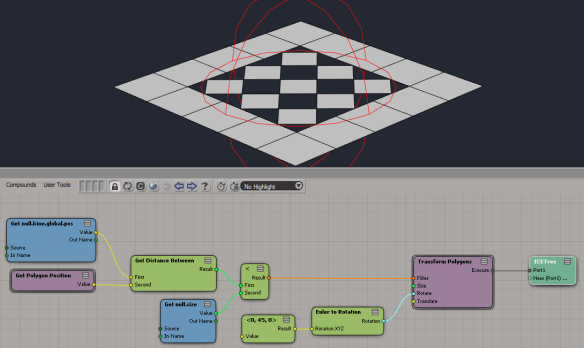
Transform polygons (from the PolygonTopoPack)
by iamVFX
transformpolygons-1

transformpolygons

Triple subdivide (with the latest PolygonTopoPack)
by iamVFX
triplesubdivide

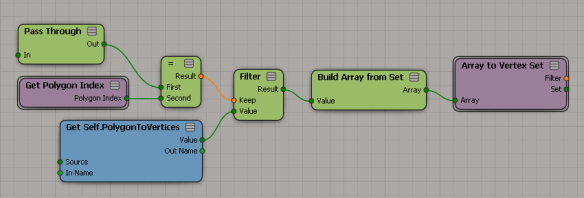
Change context from polygons to vertices (with the latest PolygonTopoPack)
by iamVFX
changecontextfrompolygonstovertices

Squash Stretch Volume Preservation with ICE (Fstretch like)

Negative scalar slider range
by NNois
icecompoundsliderrange

Showing per-sample colors in ICE


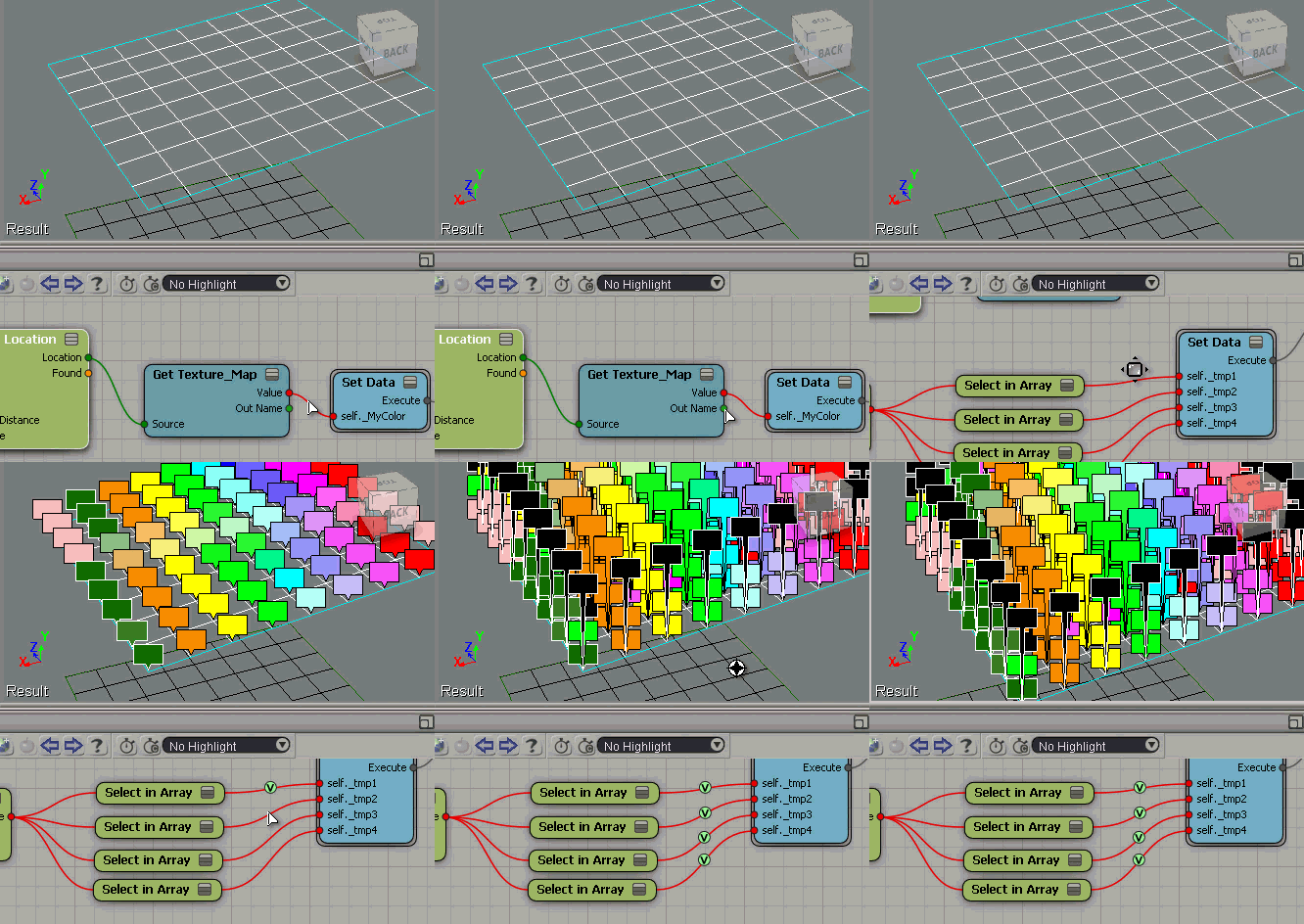
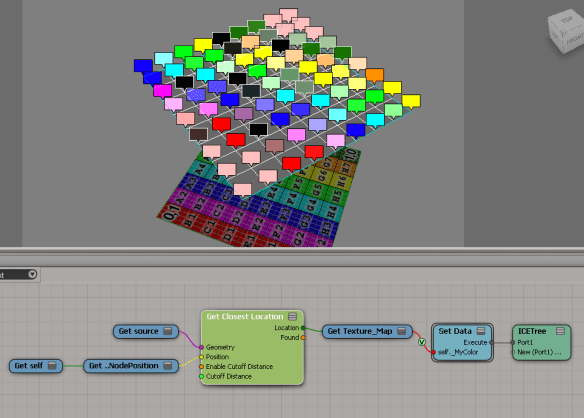
Suppose you have some per-sample attributes on a mesh. For example, suppose you’re getting the texture map colors from another mesh like this:
nodeLocation-TextureMap-ShowValues-1
The Show Values makes it look like you’re getting one color per vertex, but that’s not true.

If you do a Show Values like this (numeric), you’ll see that you’re getting multiple values (one per sample).
nodeLocation-TextureMap-ShowValues-1a

To see all the values as colors, you need to offset each Show Value. Otherwise they just stack up on each other, and it looks like just one color.
nodeLocation-TextureMap-ShowValues-2

Randomizing with weighted probabilities


The question came up the other day of how to use Randomize Value by Range so that some values were more likely to come up than others. For example, suppose you wanted some shapes to be instanced 4 more times than some other shape…

From http://docs.python.org/3.2/library/random.html

A common task is to make a random.choice() with weighted probabilities.

If the weights are small integer ratios, a simple technique is to build a sample population with repeats:

>>>
>>> weighted_choices = [('Red', 3), ('Blue', 2), ('Yellow', 1), ('Green', 4)]
>>> population = [val for val, cnt in weighted_choices for i in range(cnt)]
>>> random.choice(population)
'Green'

So basically, if I want shape 1 to have a weight of 4 (so that roughly it is used 40% of the time), I would build an array that looks something like this:
[0, 0, 1, 1, 1, 1, 2, 2, 3, 3]
Then I generate a random integer and use it to select from that array. Because the “1” appears more often in the array, in the long run it should be more likely to be randomly selected.

Here’s an ICE tree where I apply this technique:
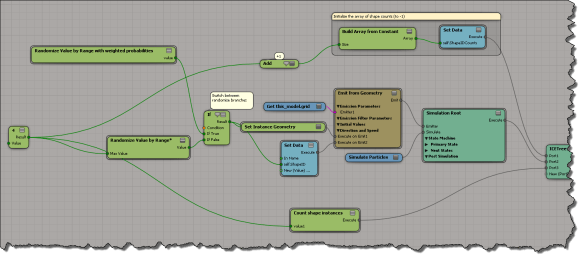
weighted-random
scn file here if you want it

This is what goes on inside the compound where I randomly select from the “weighted array” of possible shape IDs:
weighted-randomize

And here’s how I build an array with repeated values (the number of repetitions corresponds to the weight):
weighted-random3

To get an idea of whether this works on not, I keep track of the number of instances of each shape:
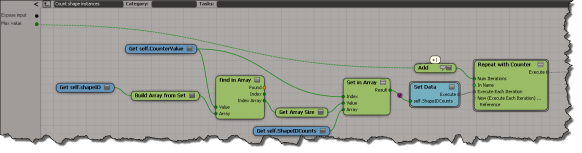
weighted-count-shapes

For example:
weight-example

Scripting – Finding the objects in different SimulationEnvironments


Here’s a script that goes through the SimulationEnvironments of a scene and find the 3d objects in each SimulationEnvironment. This snippet builds a dictionary of 3d objects, indexed by simulation environment.

from siutils import si
si = si()					# win32com.client.Dispatch('XSI.Application')
from siutils import log		# LogMessage
from siutils import disp	# win32com.client.Dispatch
from siutils import C		# win32com.client.constants

from xml.etree import ElementTree as ET

# Use a dictionary to store the 3d objects keyed by Environmen
dict = {}
for e in si.ActiveProject2.ActiveScene.SimulationEnvironments:
	stack = XSIUtils.DataRepository.GetConnectionStackInfo( e.SimulationTimeControl )
	xmlRoot = ET.fromstring( stack )
	for xmlConnections in xmlRoot.findall('connection'):
		o = xmlConnections.find( 'object' )
		dict[ si.Dictionary.GetObject( o.text ).Parent3DObject.FullName ] = e.FullName
		
log( "3DObjects and their SimulationEnvironments" )
for key, value in dict.items():
	log( "\t%s, %s" % (key,value) )

log( "" )

log( "SimulationEnvironments and 3DObjects" )
dictvals = set( dict.values() )
for env in dictvals:
	log( "\t%s" % env )
	list = [k for k, v in dict.iteritems() if v == env]
	for o in list:
		log( "\t\t%s" % o )

Here’s some sample output from the script:

# INFO : 3DObjects and their SimulationEnvironments
# INFO : 	pointcloud1, Environments.Environment
# INFO : 	Point_cloud_chaser.pointcloud2, Environments.Environment1
# INFO : 	grid, Environments.Environment
# INFO : 	Point_cloud_chaser.pointcloud1, Environments.Environment1
# INFO : 	pointcloud, Environments.Environment
# INFO : 	Point_cloud_chaser.pointcloud, Environments.Environment1
# INFO : 
# INFO : SimulationEnvironments and 3DObjects
# INFO : 	Environments.Environment1
# INFO : 		Point_cloud_chaser.pointcloud2
# INFO : 		Point_cloud_chaser.pointcloud1
# INFO : 		Point_cloud_chaser.pointcloud
# INFO : 	Environments.Environment
# INFO : 		pointcloud1
# INFO : 		grid
# INFO : 		pointcloud