Using arrays to avoid Repeat


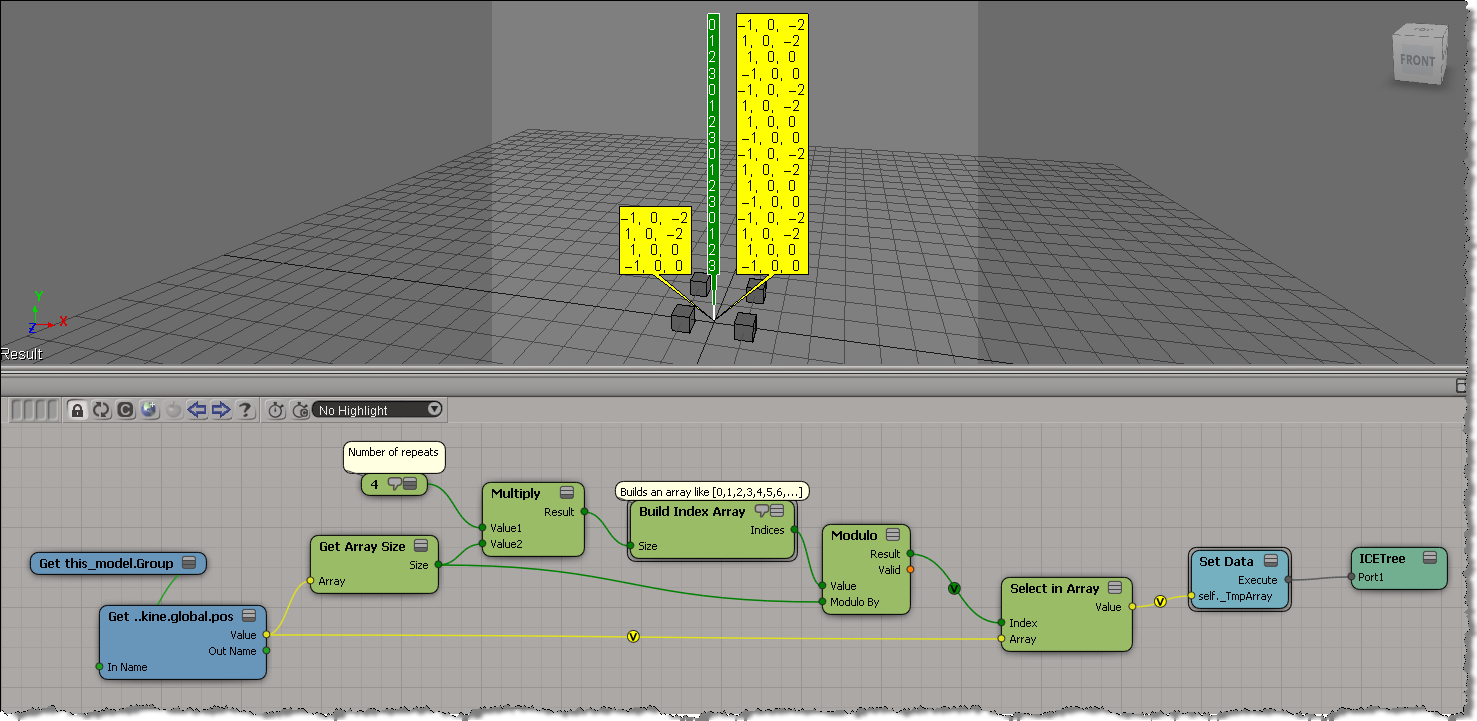
Here’s one of the basic building blocks for avoiding Repeat nodes when you want to loop over the elements of an array. The “trick” is to use an array like [0, 1, 2, 3, 0, 1, 2, 3] as the indices for Select in Array. That way, you get an array that repeats the selected elements over and over. So instead of looping N times over an array of 4 elements, you simply have to process an array of 4 x N elements (in this example, the number of repeats N is = 3).

The above is effectively the equivalent to doing this using a Repeat node:

PS To build an array like [0, 1, 2, 3, 0, 1, 2, 3], you use the Modulo node:

To be continued…

Creating a point cloud using the positions of model instances


This is a scenario that came up on xsibase: suppose you have a model that includes multiple objects, and that you create many instances of that model. How do you create a point cloud that has a point for every object in every instance?

Put the model objects in a group, and put the instances in another group, so that you have a setup like this:

Then you can use Get Data with the groups to get two arrays: an array of the object positions, and an array of the instance positions. The objects are all positioned relative to an instance, so you can work out where to add the points.

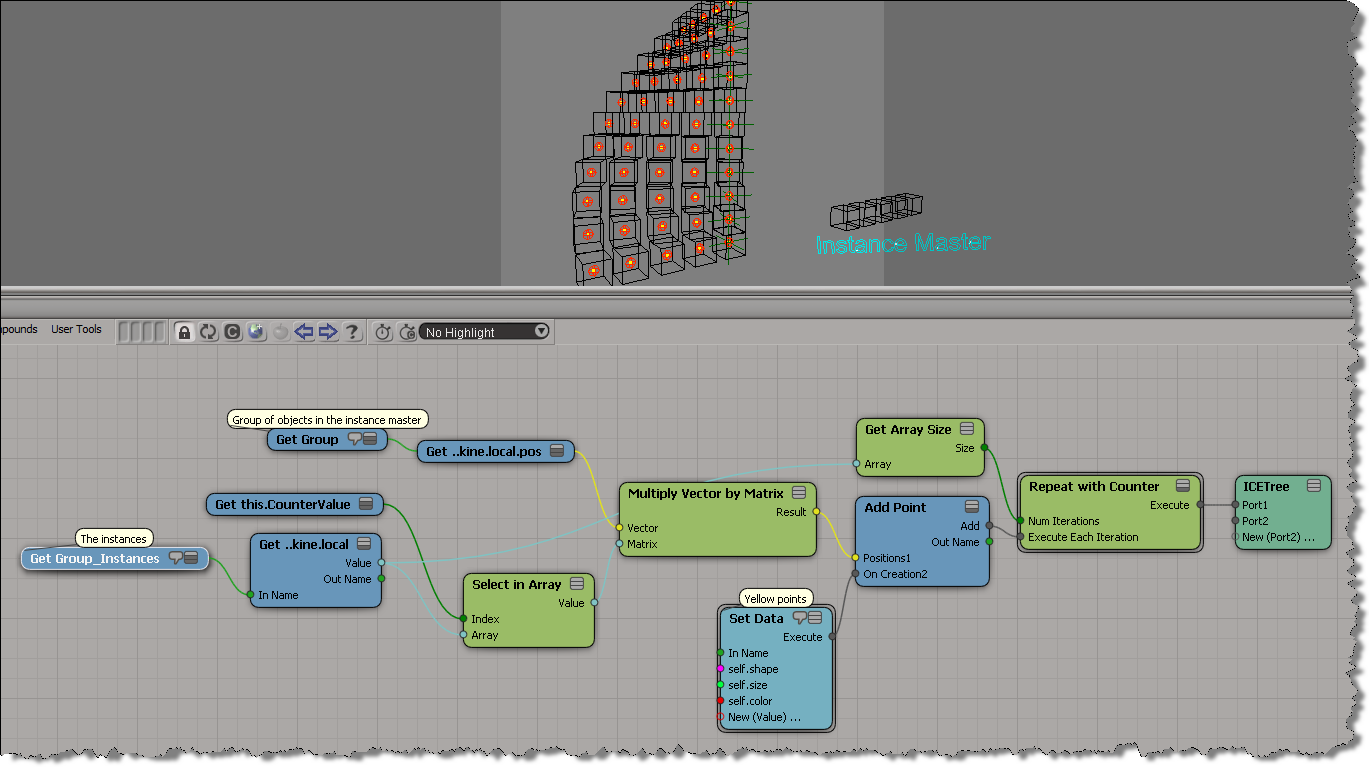
Here’s how to do it with a Repeat node. Note that you need just one Repeat node: you don’t have to loop over the object kine.local.pos arrays, you can just use Multiply Vector by Matrix to multiply an array of vectors by an array of matrices. If you understand that, then you’re “thinking in ICE”.

Here’s how to do it without a Repeat node. Again, if you understand this, you understand how to think in ICE.

Scene walkthrough – Polygons following particles


In this video, I do a walk through of a scene posted by Guillaume Laforge on the XSI mailing list. In the scene, Guillaume uses a point cloud to drive the polygons of a mesh, so that the polygons follow that transformations (pos and ori) of the particles. ICE modeling is used to “break up” the mesh into polygons. Includes a description of how vector subtraction is used to locate points relative to a polygon center.

http://vimeo.com/34804805

Tip: Use String to Array to quickly populate arrays


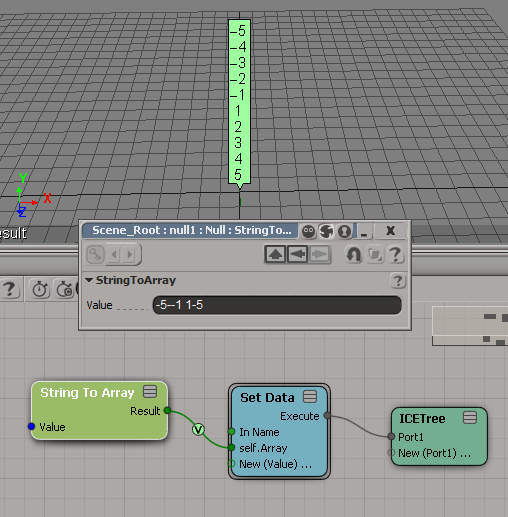
String to Array is handy for testing when you need some sample data. Why bother adding ports to a Build Array node and typing in values, when you can just paste in a string. Depending on where you get the raw array data, sometimes all you need to do is a little search/replace magic in your favorite text editor, and then you’ve got a string you can paste into String to Array.

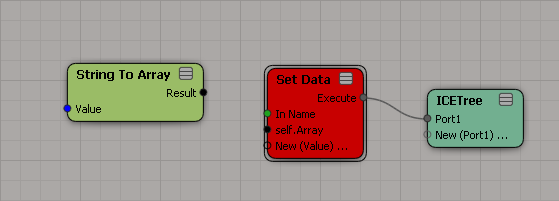
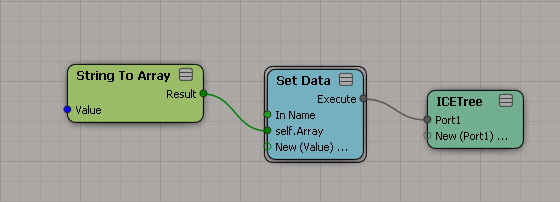
Here’s a couple of examples:

Note that the type of the array elements is defined by where you plug in String to Array. So if you want to put the array into an attribute, you’ve got to define the type of the attribute first.

A new attribute has no type:

Use a constant node to set the attribute type:

Now plug in String to Array:

ICE brain teaser


Early this week, this ICE “brain teaser” was posted on the XSI mailing list.

Given an array like this:
8,8,8,2,2,2,2,5,5,5,5,9,9,9,9,1,1,1,1,1,1
how can can I –without using any loops–convert it to an array like this
1,1,1,2,2,2,2,3,3,3,3,4,4,4,4,5,5,5,5,5,5

Martin Chatterjee came up with a nice solution using arrays.

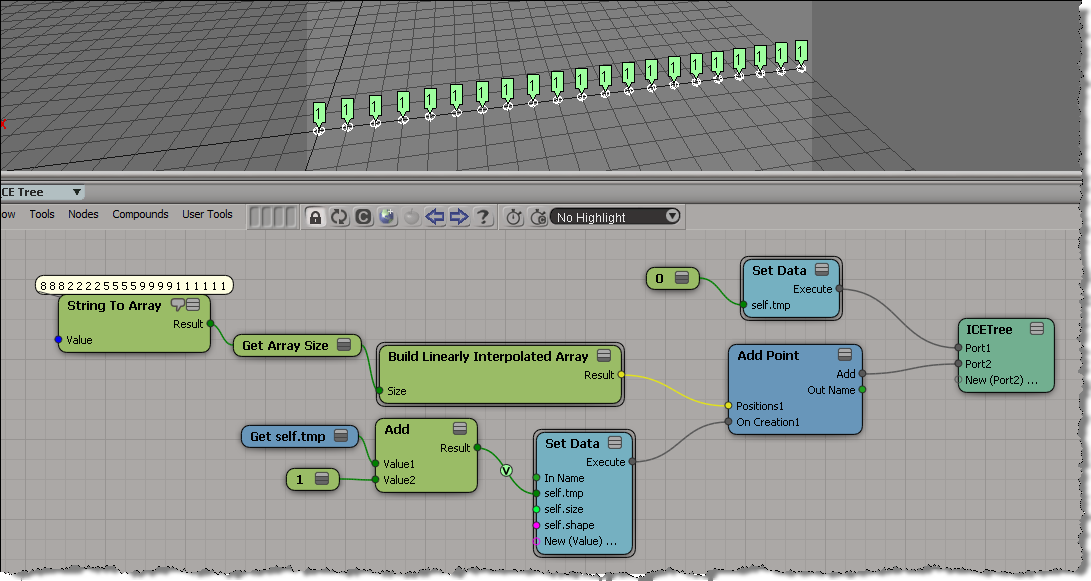
As an exercise, I tried to do it using a [non-simulated] point cloud. Basically, the idea is to use the particle self.ID data set to index into the array without using a Repeat node.

Here’s what I ended up with. First, I set a boolean flag on each point to indicate whether the corresponding array element is the same as the previous, and then I do a cumulative sum of array elements.
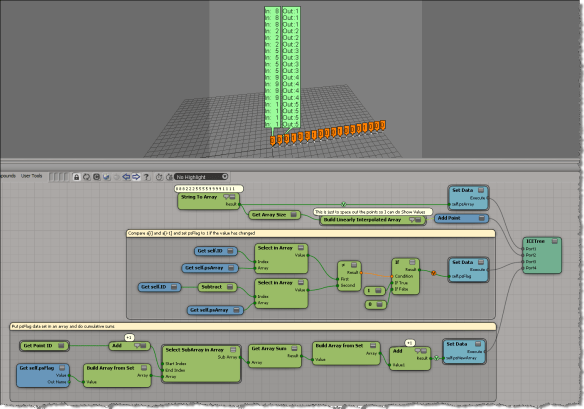
My first try at this ended up as an ICE tree version of this algorithm, plugged into the On Creation port of Add Point.

var a = [8,8,8,2,2,2,2,5,5,5,5,9,9,9,9,1,1,1,1,1,1];
var a1 = new Array(a.length);

var val = -1;
var ix = -1;
for (var i=0;i<a.length;i++)
{
	if ( a[i] != val )
	{
		val = a[i];
		ix++;
	}
	a1[i] = ix;
}
LogMessage( a );
LogMessage( a1 );
// INFO : 8,8,8,2,2,2,2,5,5,5,5,9,9,9,9,1,1,1,1,1,1
// INFO : 0,0,0,1,1,1,1,2,2,2,2,3,3,3,3,4,4,4,4,4,4

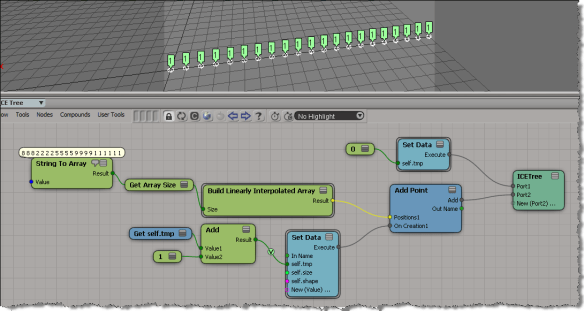
But that didn’t work, because as I found out, I wasn’t able to carry attribute values over from one point to the next. In the example below, you can see that self.tmp is local to each point (which means it starts off at zero for each point). Instead of incrementing self.tmp each time, I end up setting it to 1 every time.
Using ICE to invert weightmap values


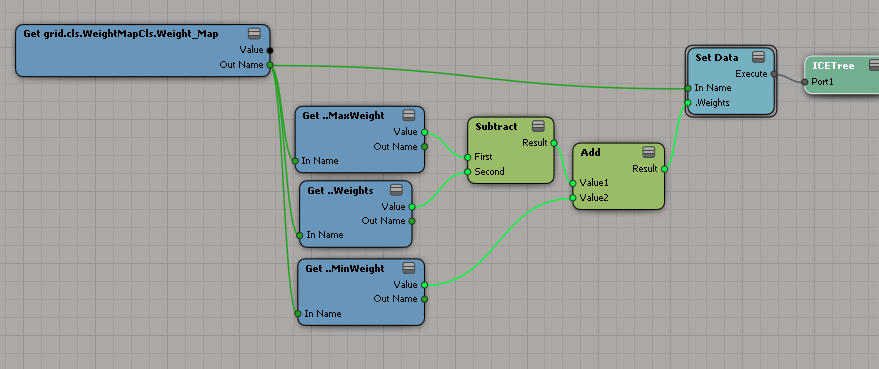
Here’s a more general ICE tree for inverting weightmaps: it handles weightmaps that are not in the 0-1 value.
When I first worked it out in my head I saw it like this:

But that’s just the same as using a Rescale:

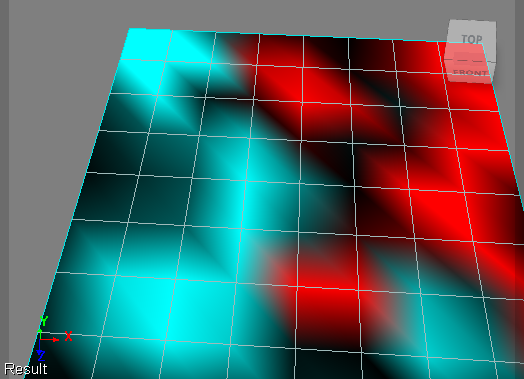
Here’s a weightmap before and after being inverted by the above. In this example, the weightmap has a value range of -1 to 3.
Before:

After (inverted):

Looking at those, maybe I should do something like this:

Which gives this inverted weightmap: