Screenshots of the week


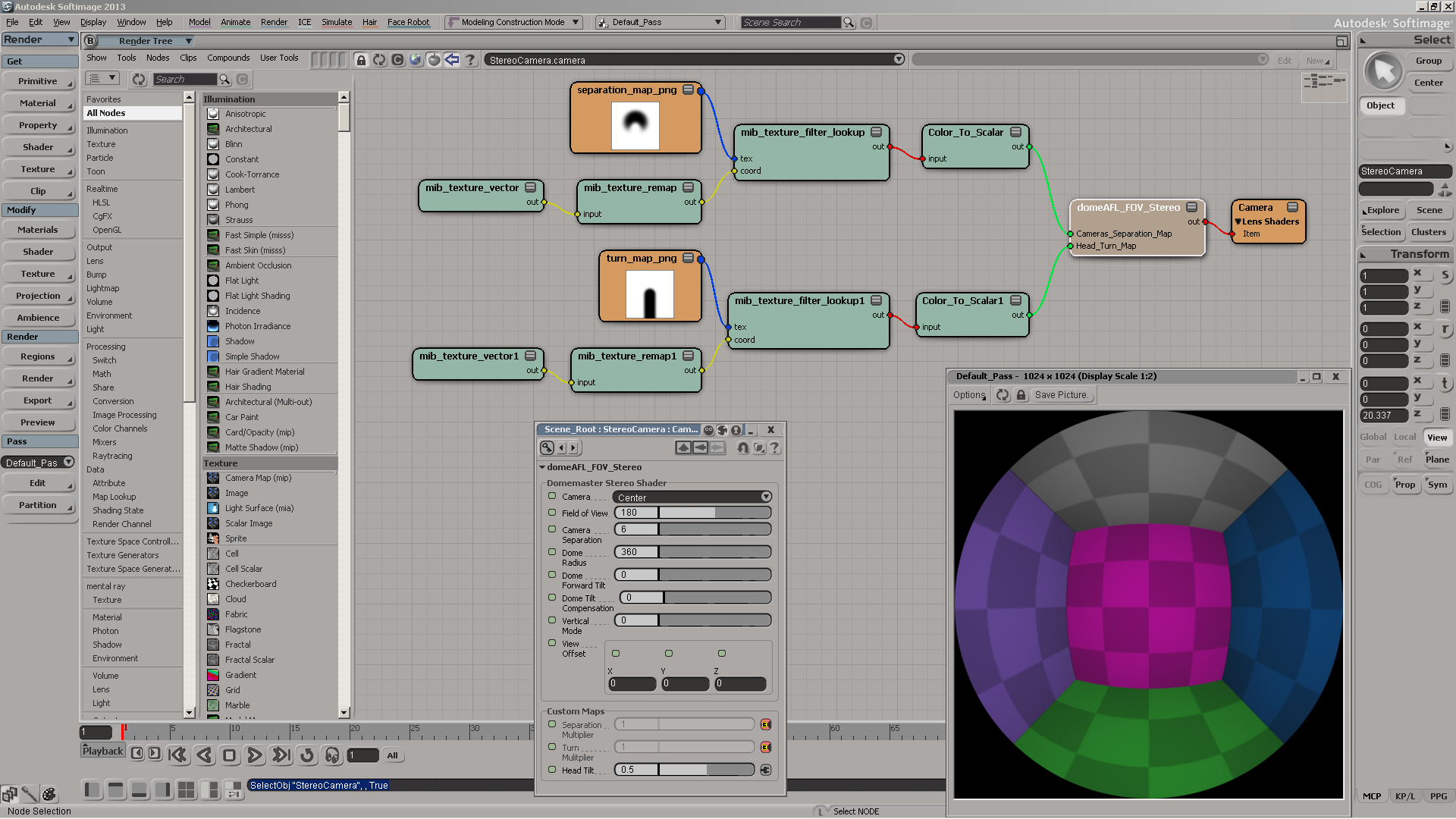
Domemaster3D lens shader for Softimage
by Andrew Hazelden
Using-the-domemaster3D-lens-shader

Autodesk promos Softimage
AutodeskPromos_Softimage

Some tips on working with large numbers of particles
by Tekano
many_part5icles

Softimage ICE and Maya Fluids collaboration

Instance on curve
by julca
quick_correct_orientation

Strand clip
by Tekano
Capture_simple_strand_clip

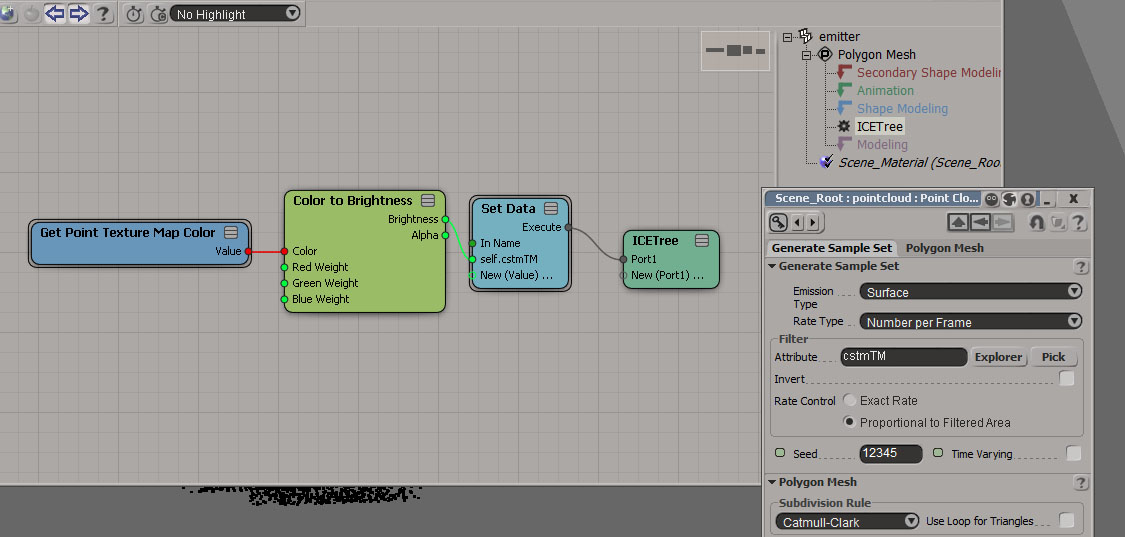
Generate Sample set with texture map
by gotchee
ICE_Tree_Screenshot2

ICE Create “real” copies along curve and more
by NNois
NN_Generate_On_Curve_TransformObject

stBasket compounds set

Softimage 2014 Pickup: Camera Sequencer
by born digital Kitamura
1366602721SequencerCamera1_2b

ICE Framework: Context
by SoftimageHowTos

Copying colors from point cloud to polygonizer mesh


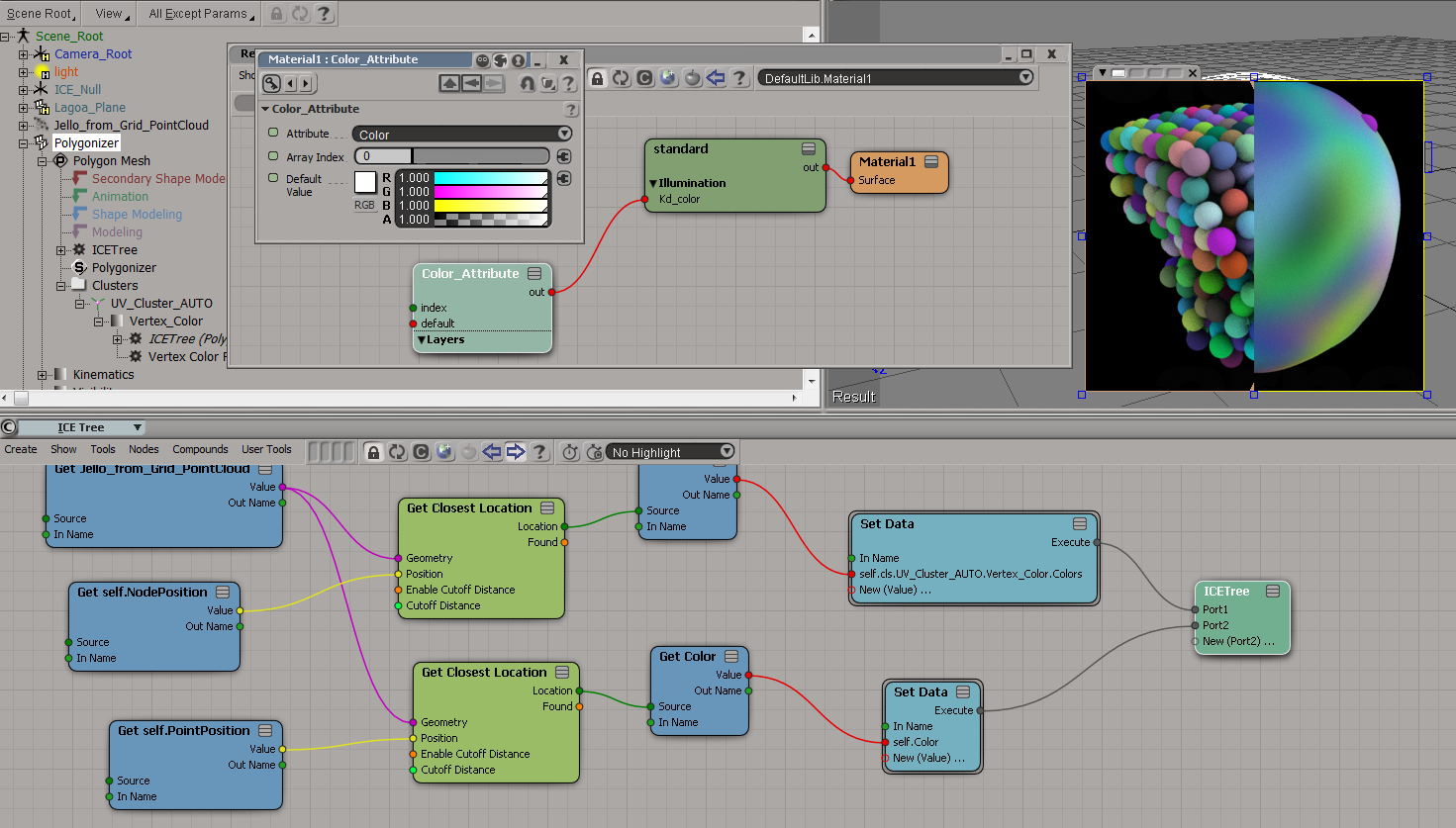
To get the colors from the point cloud onto the polygonizer mesh, you need to do something like this:

  1. On the polygonizer mesh, create an ICE Tree.
  2. Use Get Closest Location to get a location on the point cloud, get the color from that location.
  3. Store that color somewhere (eg in an attribute on the polygonizer mesh, or in a vertex color map).

Here I’m storing the colors in a CAV:
colors_to_polygonizer_CAV

And here I’m sticking the colors in a per-point Color attribute:
colors_to_polygonizer_Color

Copying StrandColors from cached strands to a point cloud


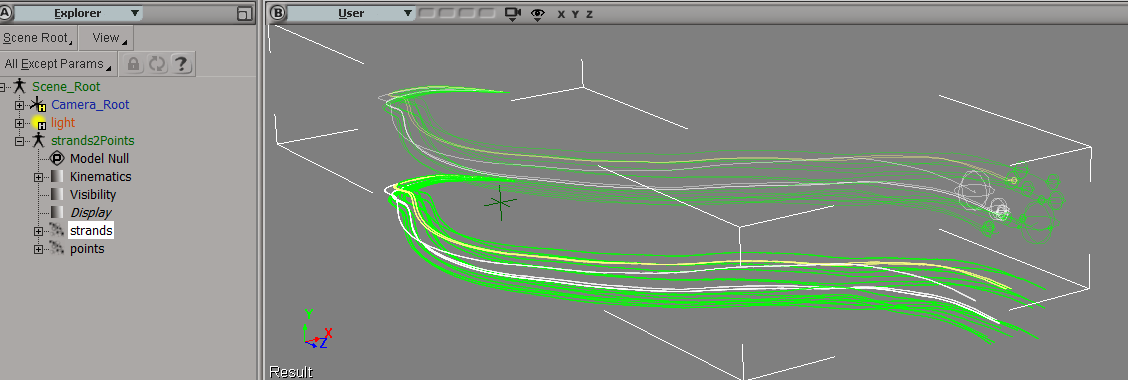
Suppose you had to load a cached strand simulation, and convert that to a point cloud of plain old points. Part of the job would be to copy the stand colors over to the new points, so let’s take a look at that.

First, and I didn’t know this, when you cache strands the StrandColor attribute isn’t cached, just a single Color per strand. So let’s rebuild the StrandColors:
rebuild-strandcolor
Now we have a per-point StrandColor array on the point cloud that reads the cached simulation. After spending awhile trying to avoid doing this, I found that this (the StrandColor array) was the easiest way.

Add Point is a pretty friendly ICE node, because it lets you take per-point data (StrandPosition) from some other point cloud and just plug it in, with no context problems.

copy-strandcolors-to-points

It’s not so simple with the StrandColors. StrandColor is a per-point array on a different point cloud, and you can’t just plug it into Set Particle Color. Set Particle Color wants a color, not an array of colors. And it doesn’t want colors from some other point cloud either 😉

To get around that, I use Build Array from Set, which gives me a per-object array in the context of the current point cloud. Then I index into that array with Point ID, and I’ve transferred over the strand colors to the points.

strands-points

ICE element-wise addition of two arrays of different sizes


For example, given the arrays [1,2] and [1,2,3,4], produce this array: [2,3,4,5,3,4,5,6].

In Python, this would look like this:

a = [1,2]
b = [1,2,3,4]
c = []
for x in a:
	for y in b:
		c.append( x + y )
		
print c
#  [2, 3, 4, 5, 3, 4, 5, 6]

In ICE, one way to do this would be to add
[1,1,1,1,2,2,2,2]
to
[1,2,3,4,1,2,3,4]

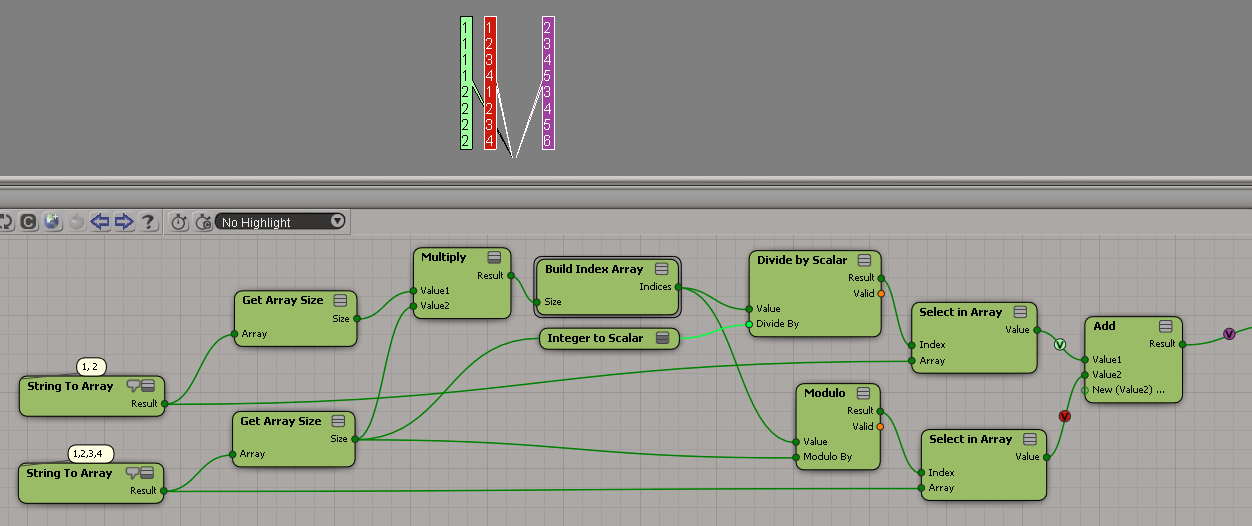
Here’s an ICE tree that does just that:
add_arrays_diff_sizes
This ICE tree uses the modulo trick, and the scalar-to-integer truncation trick.

You can see a variation of this in this Softimage mailing list post..

ICE: Doing an element-wise stretch on an array


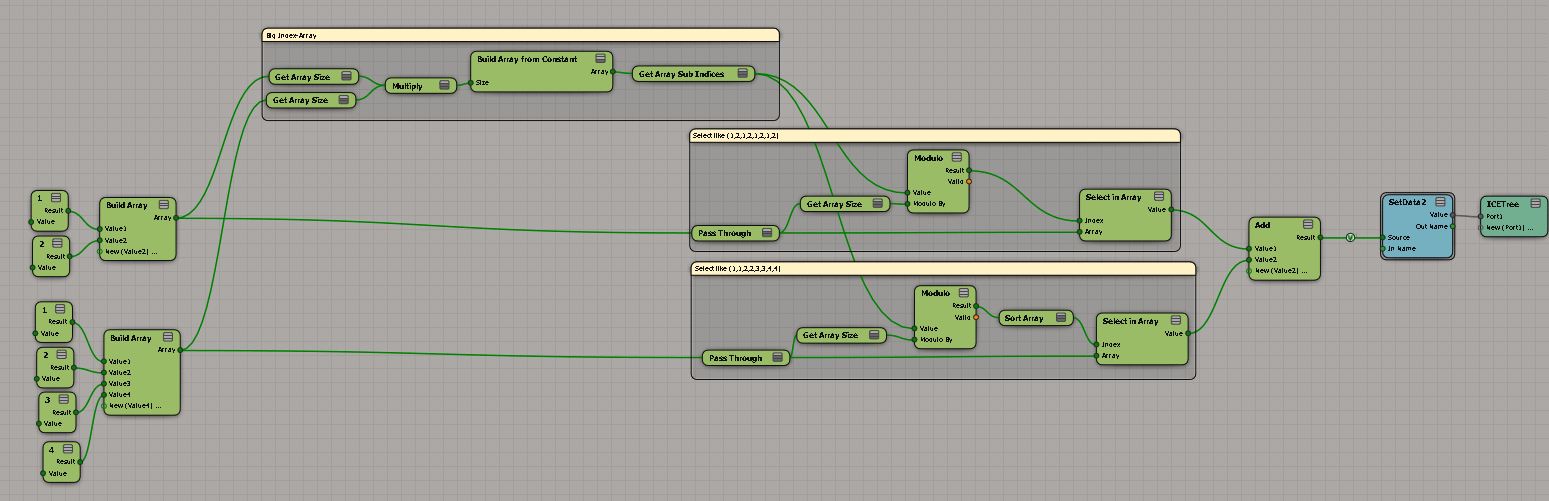
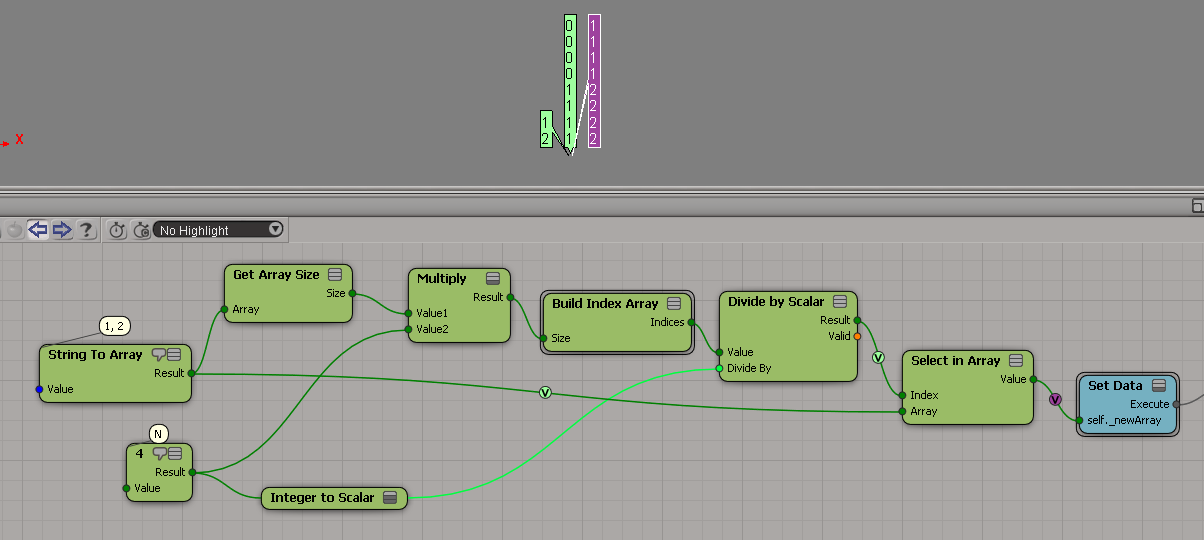
I’m not sure “element-wise stretch” is the right terminology, but what I mean is suppose you want to build a new array by repeating the original elements N times. For example, suppose you have the array [1,2], and you want to turn it into [1,1,1,1,2,2,2,2].

Here’s a little ICE technique to do just that:

elmentwisestretch

This tree relies on Divide by Scalar truncating the scalar result to make it an integer.

Trying and failing to set DataArray2D with JScript


First, let’s use Python to set up two ICE attributes with DataArray2D.

si = Application
from win32com.client import constants as C            # win32com.client.constants

oObj = si.Selection(0)
a = oObj.ActivePrimitive.AddICEAttribute("MyString", C.siICENodeDataString, C.siICENodeStructureArray, C.siICENodeContextSingleton)
a.DataArray2D = [["a", "b", "c", "d", "e"]]

a1 = oObj.ActivePrimitive.AddICEAttribute("MyString2", C.siICENodeDataString, C.siICENodeStructureArray, C.siICENodeContextSingleton)
a1.DataArray2D = [["u", "v", "w" ]]

Now, let’s try to set DataArray2D with JScript. As a reminder, here’s how you access the DataArray2D in JScript:

o = Selection(0);
a = o.ActivePrimitive.ICEAttributes("MyString");
x = VBArray( a.DataArray2D ).toArray();
LogMessage( VBArray( x[0] ).toArray() );
// INFO : a,b,c,d,e

Seeing that, you would think that you could set DataArray2D using an array of arrays or maybe an array, but no:

a.DataArray2D =  [[ "a", "b", "c" ]];
// WARNING : 3390 - This ICEAttribute doesn't refer to a 2D array: <Attribute: MyString2>
// 

a.DataArray2D =  [ "a", "b", "c" ];
// WARNING : 3392 - Invalid offset specified while extracting data from this attribute: <Attribute: MyString2>
// <Offset: 110348408>
// 

At this point, I started wondering if there was anyway at all to do it, so I tried to put back the same value:

a.DataArray2D = a.DataArray2D;
// WARNING : 3393 - The input array doesn't match this attribute's data type or structure type: <Attribute: MyString2>
// 

Ack. Maybe if I converted it to a JScript array…well, at least something finally worked:

a.DataArray2D = VBArray( a.DataArray2D ).toArray();

Copying the DataArray2D from another attribute works too:

a = o.ActivePrimitive.ICEAttributes("MyString");
a1 = o.ActivePrimitive.ICEAttributes("MyString2");
a.DataArray2D = VBArray( a1.DataArray2D ).toArray();

So, based on that, I thought maybe I needed a safearray and things started getting a little hacky:

sa = getSafeArray( [ "a", "b", "c" ] );
jsa = new VBArray( sa ).toArray();

a.DataArray2D = sa;
// WARNING : 3392 - Invalid offset specified while extracting data from this attribute: <Attribute: MyString2>
// <Offset: 110348408>

a.DataArray2D = jsa;
// WARNING : 3392 - Invalid offset specified while extracting data from this attribute: <Attribute: MyString2>
// <Offset: 110348408>

//
// Get a safearray from a JScript array
//
function getSafeArray(jsArr) {
    var dict = new ActiveXObject("Scripting.Dictionary");
    for (var i = 0; i < jsArr.length; i++)
    dict.add(i, jsArr[i]);
    return dict.Items();
}

In summary, it doesn’t seem possible to set DataArray2D from JScript.

Setting the DataArray2D attribute in scripting


Last time I tried this, I gave up on JScript (it seemed impossible) and got something to work in Python.

In JScript, I kept getting errors like “# WARNING : 3392 – Invalid offset specified while extracting data from this attributeÈ.

si = Application
from win32com.client import constants as C            # win32com.client.constants

oObj = si.Selection(0)
oICEAttrMats = oObj.ActivePrimitive.AddICEAttribute("MyString", C.siICENodeDataString, C.siICENodeStructureArray, C.siICENodeContextSingleton)
oICEAttrMats.DataArray2D = [["a", "b", "c", "d"]]

x = oICEAttrMats.DataArray2D
print x
print len(x)
print len(x[0])
print len(x[0][0])

for d in x[0][0]:
    print d


# (((u'a', u'b', u'c', u'd'),),)
# 1
# 1
# 4
# a
# b
# c
# d

See also this Getting DataArray2D attribute values post.