2011 in review


The WordPress.com stats helper monkeys prepared a 2011 annual report for this blog.

Here’s an excerpt:

The Louvre Museum has 8.5 million visitors per year. This blog was viewed about 180,000 times in 2011. If it were an exhibit at the Louvre Museum, it would take about 8 days for that many people to see it.

In 2011, there were 475 new posts, growing the total archive of this blog to 722 posts. There were 542 pictures uploaded, taking up a total of 354mb. That’s about a picture per day.

The busiest day of the year was October 21st with 1,182 views. The most popular post that day was Friday Flashback #40.

Click here to see the complete report.

Finding and deleting ICETrees on an object


Here’s a JScript snippet for deleting ICE trees from the objects in a group.

Note that the Primitive.ICETrees property returns all ICE trees that write to the object, including ICE trees on different objects (such as the italicized ICE tree in the screenshot below).

var o = Selection(0);
delICETrees(o, false );

function delICETrees( oGroup, bDelAll )
{

	var bFlag = ( bDelAll == null ) ? false : bDelAll;
	logmessage(bFlag);

	if ( oGroup != null && oGroup.type == "#Group" )
	{
		oGroupEnum = new Enumerator( oGroup.Members ) ;
		for (;!oGroupEnum.atEnd();oGroupEnum.moveNext() )
		{
			var o = oGroupEnum.item() ;
			var p = o.ActivePrimitive;

			oICETreeEnum = new Enumerator( p.ICETrees ) ;
			for (;!oICETreeEnum.atEnd();oICETreeEnum.moveNext() )
			{
				var oICETree = oICETreeEnum.item() ;
				if ( bFlag || oICETree.Parent3DObject.IsEqualTo( o ) )
				{
					LogMessage( oICETree.fullname );
					// DeleteObj( oICETree );
				}
			}
		}
	}
	else
	{
		LogMessage("Select a group" );
	}
}

Finding closest point with boolean flag equal True


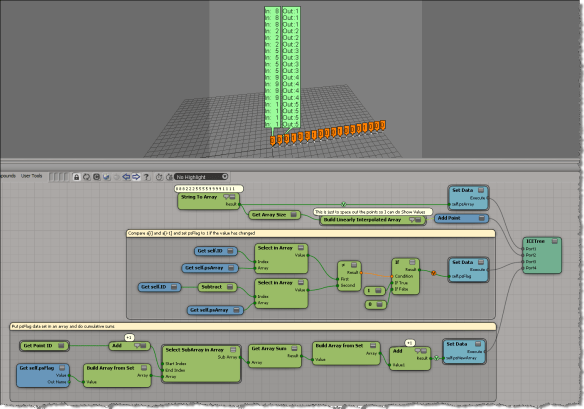
Here’s an example (from a question posted on the XSI list back in 2009) that illustrates some aspects of using arrays in ICE.

  • Get Closest Points returns a sorted array of locations, with the closest locations coming first in the array.
  • Find in Array finds the index of the first (and hence closest) point with the psFlag attribute set to True.
  • With that index, you use Select in Array to get the location of the closest point with psFlag=True.

Tip: Use compounds to organize your ICE trees


Compounds are useful for organizing your ICE trees. Even if you don’t intend to reuse or distribute your compounds, using compounds can help make your ICE trees readable and understandable. Kinda like paragaraphs in written text. Use compounds to separate blocks of functionality, and give your compounds meaningful names. It’ll help later when you come back to an ICE tree you haven’t worked on for awhile.

Consider this basic emission. Looks pretty simple, right? You can tell at a glance what’s happening, and what scene references are used in this ICE tree.

If you explode all the compounds in a Basic Emission, you get something a lot more complicated looking:

Without any compounding, you’re looking at a 195 total nodes (and 46 different nodes).

Using Delay Set Data to set attributes that depend on each other


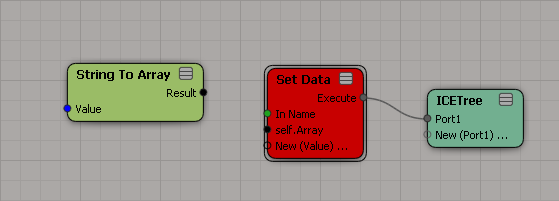
Here’s the screenshots to illustrate the example described on the Delay Set Data reference page.

“For example, if you want to swap values of A and B, just using two Get Data nodes and two Set Data nodes (A=B and B=A) would result in both attributes having the same value.”

“However, if you connect the Set Data nodes in the Delay Set Data node, the Set Data operations will be executed at the same time, thus setting the values before any of the Set Data nodes are executed. ”