Server is unreachable. Marked as invalid for the next 300 seconds


By default, any network drive that times out is “marked as invalid” for 5 minutes (300 seconds), and you’ll see a message like this in the script log:

# INFO : 4000 - Server '\\server' is unreachable. Marked as invalid for the next 300 seconds

The timeout interval is controlled by the environment variable SI_FILEPATH_ACCESSRETRYDELAY.

Setting SI_FILEPATH_ACCESSRETRYDELAY to 0 will force Softimage to always try to access the files on the network drive. That might be useful if your network has extremely poor reliability.

From an XSI mailing list thread about this message, here’s a bit more info about how Softimage resolves paths:

XSI first checks the last path that an image has been found. This
might be offline drive X:. If a drive times out, we don’t try to
check that location for a while because otherwise it’d be really slow.
At this point, XSI resort to searching for the file from the user
path, using its search logic.
So that warning isn’t a problem – unless your “user path” was really
set to X:, in which case, go fix the path in the external file list.
The path where XSI finds the image is called the “resolved path”.

–Luc-Eric

runonce.bat to the rescue yet again


Another couple of cases for runonce.bat!

  • First, there was the case of the messed up Render Manager.
    The Render Manager was slow to display and doesn’t show the properties in the right-hand panel.
    The customer originally had this problem in 2011, and then is started happening in 2012 too.
  • Second, the case of the Softimage 2012 that hung at startup, even after several reinstalls.
    The installer does run runonce.bat, so it’s a bit surprising that a reinstall didn’t fix the problem.

Softimage 2012 SAP Features


Update: See Planet Softimage for more details and vidoes.

Features:

  • Modeling tools—Enjoy new options for thickness, hole capping, edge cutting, and extrusion, together with a new Add Smooth Edge Loop tool.
  • Selection tools—Create different component selections faster and more easily.
  • Bullet Physics—Take advantage of enhanced collision detection in ICE (Interactive Creative Environment) and rigid body simulations with newly integrated Bullet Physics.
  • Animation & scene management—Enjoy improved overall productivity with a number of enhancements that increase efficiency throughout the pipeline.
  • ICE enhancements—Now customize production and pipelines more easily with the ability to attach and run script code inside ICE Compound Property Pages.


via Autodesk – Subscription Advantage Pack for Autodesk Softimage 2012.

Autodesk Announces Subscription Advantage Packs for 2012 Entertainment Software


via Autodesk Announces Subscription Advantage Packs for 2012 Entertainment Software

The Subscription Advantage Pack for Autodesk Softimage 2012 software delivers practical production tools to Softimage artists and technical directors. The Advantage Pack provides:

  • New modeling and selection tools that greatly improve productivity and ease of use
  • New options for ICE (Interactive Creative Environment) rigid body dynamics that enhance the simulation toolset
  • Extended SDK access that provides greater control over customization

PS: New options for ICE RBD = Bullet

Finding the .fx file for a realtime shader


To get the .fx file for a realtime shader (RTShader), you go through the ShaderDef:

// Given a render tree node (shader), get the .fx file
var o = Dictionary.GetObject( "Sources.Materials.DefaultLib.Scene_Material.MrWiggle1" );
LogMessage( o.ShaderDef.DefinitionPath );


// Given a progID, get the .fx file
var sd = Application.GetShaderDef( "HLSLParser.MrWiggle.1.0" );
LogMessage( sd.DefinitionPath );

// INFO : C:\Program Files\Autodesk\Softimage 2012 SP1\Application\phenolib\HLSL\MrWiggle.fx

Back from vacation


Well, I’m back in the game after a relaxing week off. Biked, relaxed, hung out on the back porch with a cold beer …

Riding a bike in Montreal is a lot more fun than driving a car these days.
A collage of photos from one of my rides out in the west end of the Montreal island:

Driving in Montreal (aka coney island)

The case of the pass that wouldn’t duplicate


In this case, CTRL+D on a pass would appear to work, but the pass wouldn’t show up in the explorer.

The problem turned out to be in the Duplicate options (the Hierarchy pref was set to None: hat tip to Chinny for spotting that). To duplicate passes, Hierarchy has to be set to Share Parent.

We confirmed this by looking at what was logged in the script history.

The problem is the 4th argument to Duplicate. That’s the Hierarchy argument, and 0 means siNoParent.
So the Duplicate command was creating a pass with no parent, so the new pass was just sort of “floating” around in the scene, until it was discarded during a save operation.

// Duplicate a pass but don't give it a parent
var x = Duplicate("Passes.Default_Pass", null, 2, 0, 1, 0, 0, 1, 0, 1, null, null, null, null, null, null, null, null, null, null, 0);

// It was created, but not placed in the pass list:
LogMessage( x.Count );
LogMessage( x(0).FullName );
InspectObj( x(0) );

Checking the version of JScript available in Softimage


LogMessage(GetJScriptVersionInfo());

function GetJScriptVersionInfo()
{
    var s;
    s = ""; // Build string with necessary info.
    s += ScriptEngine() + " Version: ";
    s += ScriptEngineMajorVersion() + ".";
    s += ScriptEngineMinorVersion() + ".";
    s += ScriptEngineBuildVersion();
    return(s);
}

On Linux:

// INFO : JScript Engine Version: 5.1.4411

On Windows:

// INFO : JScript Version: 5.8.16762

Friday Flashback #30


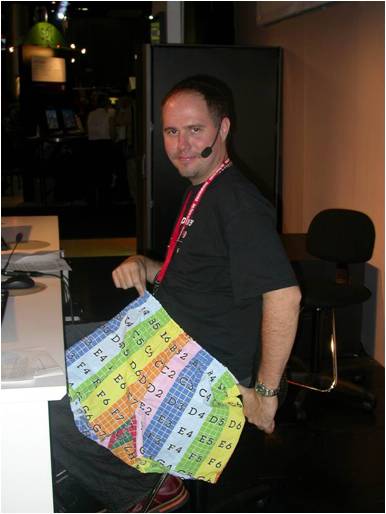
The noIcon_pic shorts demo from the SIGGRAPH 2004 User Group:

Some background on how the noIcon shorts came to be:

Interview With Mark Schoennagel
by Raffael Dickreuter, Bernard Lebel, Tülay Tetiker
September, 23rd, 2004,

What about those noIcon boxers at the Siggraph 2004 User group? Any chance we can get some of these? Tell us how you came up with that idea.
How was that for ridiculous? Dropping my pants on stage… I never thought I’d do that… well, while working anyway! Actually Gino Vincelli’s wife made them. Gino works for us in Montreal and is the voice on many of the training materials we make. His wife works as a fashion designer and can print just about anything, so they made these boxers! I hadn’t really decided if I was going to actually drop through on stage, or how, but somewhere during the second demo I thought “heck, just use primitive man and put the “no icon” texture on it.. then … well.. drop your pants.” So that’s what I did. Nice ass I got there huh? I think Chinny thought so, because he forgot to play the next video clip. Maybe they’ll be on the web store by popular demand, or maybe a limited tradeshow edition – we’ll see.

From an interview with Gino Vincelli (ATC Manager and Senior Instructor of Softimage)
by Raffael Dickreuter, Will Mendez, Bernard Lebel
February, 10th, 2005

Can you tell us how you got the idea for the no-icon shorts?
Well when you work at Softimage and within the 3D community, you’re generally surrounded by weird people and it rubs off on you! Ha! Ha! In XSI, as you know, if you forget to save your images when creating a new database you will end up with characters or objects “wearing” the no-icon default texture. I just thought it would be cool to produce real no-icon clothes such as the shorts as if whoever was wearing them had forgotten his or her textures at home. I know… way too much time on my hands… I got a real kick out of seeing Mark Schoennagel drop his pants to show off the no-icon shorts at the Siggraph user group. The guy is gutsy!

Finding commands you didn’t know about


Here’s a post I recovered from my old and now deleted XSI_Support_Blog page on the Softimage wiki.

XSI ships with over 23002600 commands. Not all of them are logged in the script editor, and not all of them are documented. Here’s a crude way to search for commands with certain strings in their names.

var c = Application.Commands;
LogMessage( c.Count );

oEnum = new Enumerator( c  ) ;

// Search for commands whose scripting name
// contains a specific string of characters.
// The search string is specified between the forward slashes.
// 
var re = /SetGlobal/ig;

for (;!oEnum.atEnd();oEnum.moveNext() )
{
	var oSelItem = oEnum.item() ;
	if ( oSelItem.ScriptingName.match( re ) )
	{
			LogMessage( oSelItem.scriptingname );
			//EditCommand( oSelItem.scriptingname );

	}
} 

Here’s a related post from the Softimage community forumAREA.

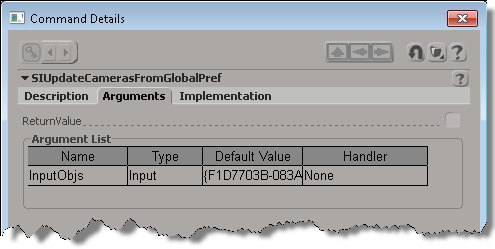
If you want to find out a little more about an undocumented command, uncomment the EditCommand call to pop up the Command Details dialog box.