Quickly set a preset for the most common poly and surface primitives. Softimage 2012 only.
via BlackRedKing Blog » Default Primitive settings for Softimage 2012.

Quickly set a preset for the most common poly and surface primitives. Softimage 2012 only.
via BlackRedKing Blog » Default Primitive settings for Softimage 2012.
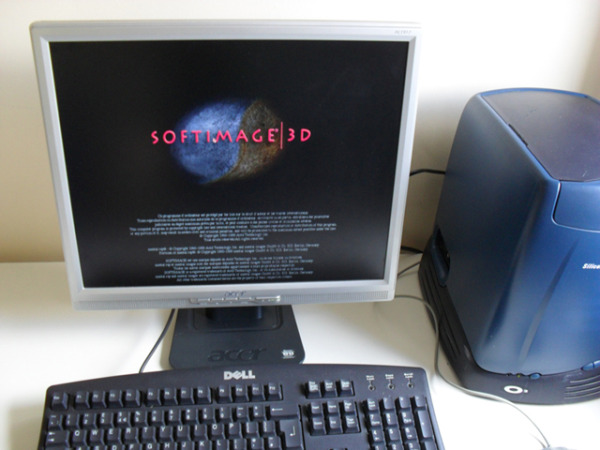
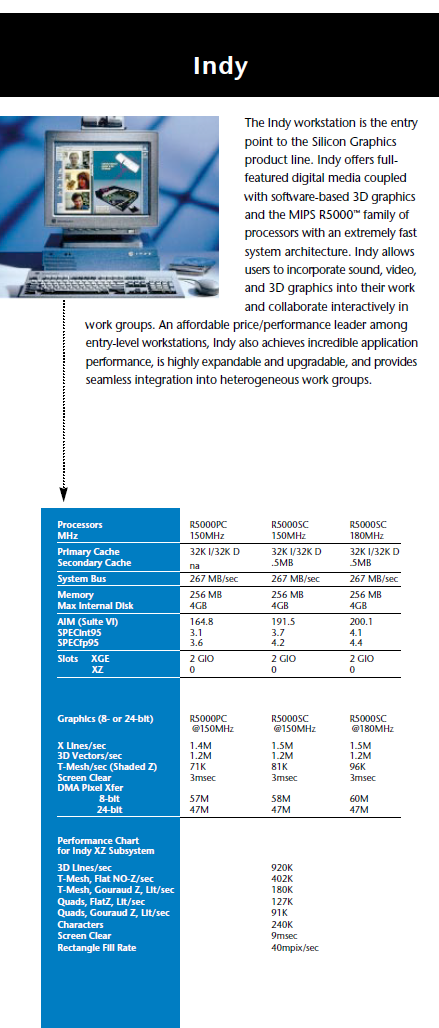
When I started at Softimage back in 95, the only machine on my desk was an SGI Indy. I had come from a hard-core UNIX software dev shop, so I was pretty comfortable with that. Eventually I got a Windows NT box too, but I held on to the Indy until 2000.
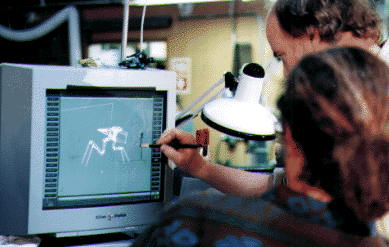
Here’s a few pics of SOFTIMAGE|3D running on SGI hardware that I found through google:

From the Summer 97 Softimage Resource Guide:

And the Indy specs from 96:
One of the greatest challenge was to create animations where pages of paper should fold to different geometrical objects. So we developed some “PaperTools” in Softimage ICE, simplifying this task.
In 2011 and later, you can’t use OriginPath to find the location of the inspected shader/texture. Instead, use ShaderDef.DefinitionPath.
ShaderDef.DefinitionPath will return something like:
' INFO : C:\Users\blairs\Autodesk\Softimage_2012_SP1\Addons\baVolume\Application\spdl\BA_fluid.spdl
So you could do something like this in your SPDL file to specify the location of your help:
	Sub OnInit()
		setAlpha_OnChanged()
		Set ppi =PPG.Inspected(0)
		s = ppi.ShaderDef.DefinitionPath
		sHelp = Left( s, InStr( 1, s, "spdl" ) - 1 ) + "../help/index.htm"
		PPG.PPGLayout.SetAttribute siUIHelpFile, sHelp
	End sub
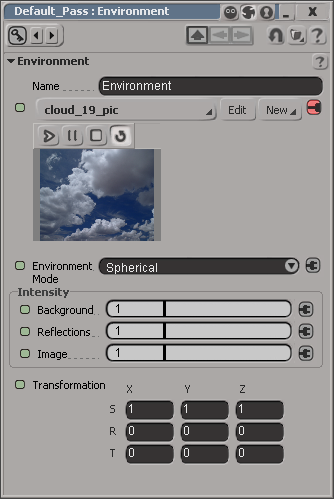 I was asked recently if there’s a way to put an expression or scripted operator (scop) on the Transformation of the image in an Environment shader.
In 2010, you could right-click the animation icon, click Property Editor, and that would open the PPG for a StaticKineState, where you could set expressions or scops on the SRT values.
This changed in 2011, and as of that release, you use the explorer to access the SRT XYZ values and set expressions or scripted operators on them:

This change was by design. In the 2011 release, the matrix types were changed to give access to the matrix components instead of having a nested StaticKineState property. This allows ICE attributes to plug directly in the shader input matrix ports and have texturable matrix ports.
Suppose you want to customize the MotionBuilder keyboard shortcuts (for example, so you can use F1 for something else other than “Help”).
The MotionBuilder keyboard shortcuts are stored in text configuration files that you can find here:
C:\Program Files\Autodesk\MotionBuilder 2012 (64-bit)\bin\config\Keyboard
For example, in the MotionBuilder.txt config file, look for this line:
action.global.help = {NONE:F1*DN}
You could change that and use F1 for one of the other actions.
We used Softimage to create all the 3D elements, and rendered with Arnold. Employing Arnold in this show was one of the best decisions we made for the show, and it allowed us to render with all of the expensive calculations such as GI, glossy reflection, and 3D motion blur, without costing too much render time. Additionally, all the effects work such as cloud/myst, flags/banners, water, and crowds were done with ICE in Softimage, and these libraries of effects also helped toward recycling for use in other shots. Also, while we originally planned to replace all of the CG cliff renders with image-based projections at the end, the sophisticated lighting and quality of the Arnold renders allowed for only about 10% of touch-up painting in the end.
via The Art of VFX » THOR: Jonathan Harb – VFX Supervisor & Founder – Whiskytree.
In this case, the customer reported that the Filter node didn’t seem to work consistently. In the scene I examined, it seemed to be a problem with the construction stack: for some reason, the ICE tree operator wasn’t being pulled (evaluated). Here’s a quick walkthrough of the investigation 😉
I looked a little deeper into this case, using GetConnectionStackInfo, and I found that somehow the ICETree operator was below the cluster ops:
// INFO : Objects that read from the primitive:
// matchstick.polymsh.secondaryshapemarker
// matchstick.polymsh.animationmarker
// matchstick.polymsh.shapemarker
// matchstick.polymsh.modelingmarker
// matchstick.polymsh.cls.pnt.clslist.Point.AddToClsOp
// matchstick.polymsh.cls.pnt.default_Point.SetClsFromICEOp
// matchstick.polymsh.Init_ICETree
If I created another ICETree op and moved it below (after) the original ICETree op, then the ICETree operator would have access to the cluster:
ApplyOp("ICETree", "matchstick.polymsh", siNode, null, null, 0);
MoveOperatorAfter("matchstick.polymsh", "matchstick.polymsh.Init_ICETree", "matchstick.polymsh.ICETree");
DeleteObj("matchstick.polymsh.ICETree");

// INFO : Objects that read from the Sphere primitive:
// matchstick.polymsh.secondaryshapemarker
// matchstick.polymsh.animationmarker
// matchstick.polymsh.shapemarker
// matchstick.polymsh.modelingmarker
// matchstick.polymsh.Init_ICETree
// matchstick.polymsh.cls.pnt.clslist.Point.AddToClsOp
// matchstick.polymsh.cls.pnt.default_Point.SetClsFromICEOp
Here’s a quick video walk-through of the procedure described here in the docs.
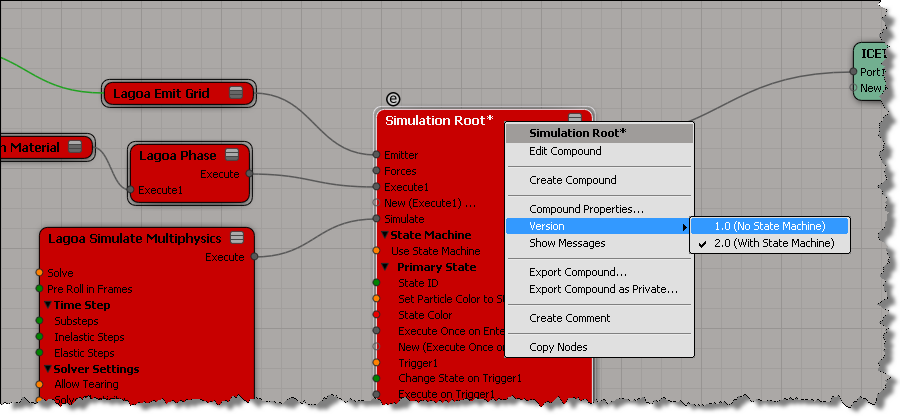
As Guillaume points out in the comments to my previous post, you can easily switch to other version of the Simulation Root by right-clicking the node, pointing to Versions, and choosing version 1.0.
 eX-SI
eX-SI 