
Area :: Discussions::Softimage unusual problem.
We don’t see this so much anymore, but this was another case of the problem covered by the KB article TS14040325.
Often this problem can be resolved by setting XSI_EMULATE_OPENGL.

Area :: Discussions::Softimage unusual problem.
We don’t see this so much anymore, but this was another case of the problem covered by the KB article TS14040325.
Often this problem can be resolved by setting XSI_EMULATE_OPENGL.
I walked by this sign on the way to work Friday morning. I didn’t see the other side.

Closer to work is the old Darling Foundry building, which houses an art center (that’s a metal sculpture on the roof).

Autodesk has the best coffee machines of anywhere I’ve worked.
I believe this machine is the original Discreet Logic expresso machine.

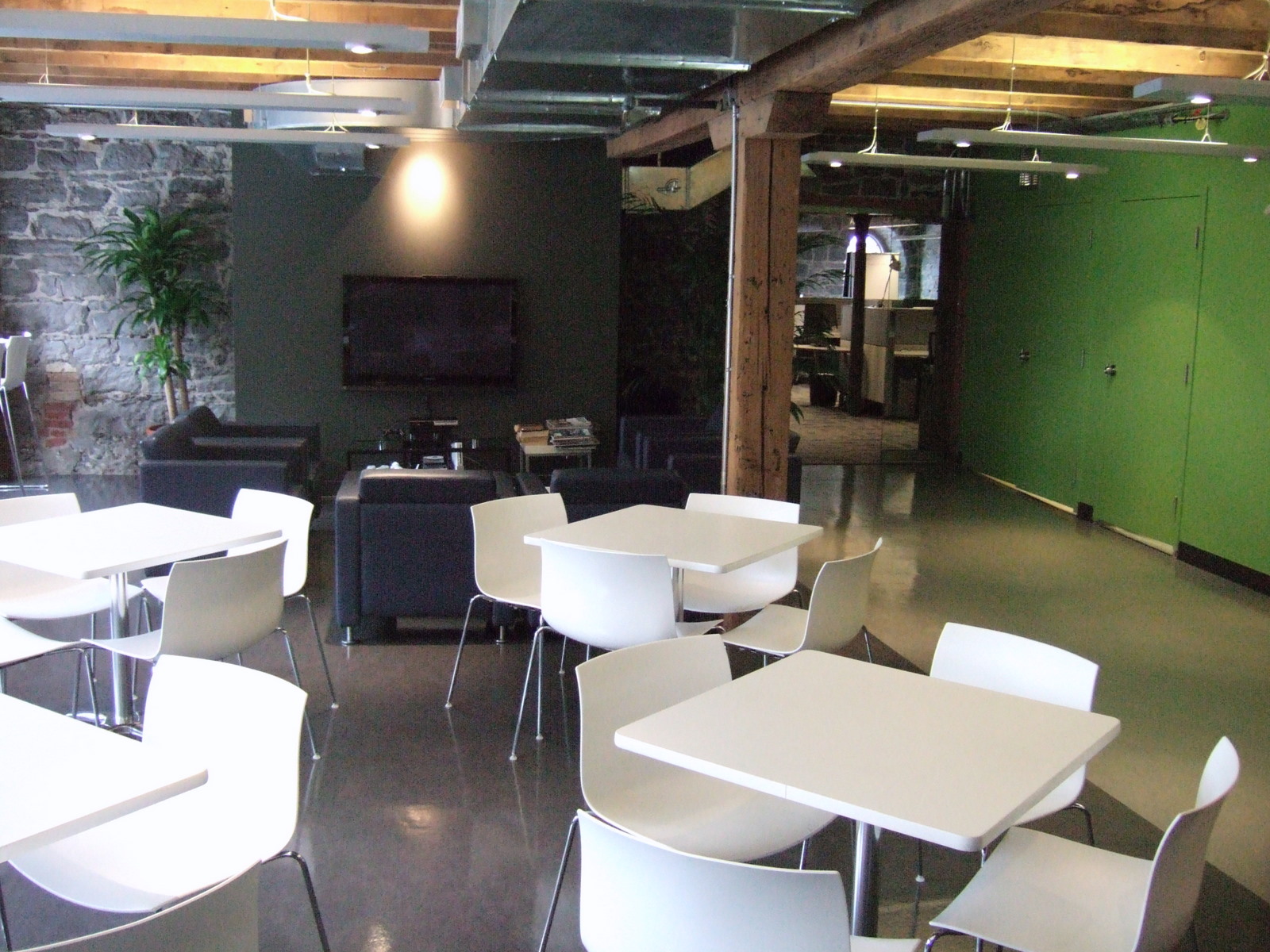
The cafeteria. The support team sits in the adjacent section, behind the glass doors.
I had lunch at the Cluny artbar in the Darling Foundry.

My Macbook Air. Got it for Christmas from my wife. I couldn’t have been more surprised 🙂 and I love it.
The top-right picture shows the Macbook Air sitting on my work laptop.

View of downtown on the walk back to the train station.

I compiled these numbers by copying and pasting from an Outlook message list view to Excel, and then creating some pivot tables.
There were 365 posts on threads with “Lagoa” in the subject.
Gear/StudioNest threads came in at positions #11 and #12.
The “test” thread came in at #23, with 39 posts.
| Thread | Posts |
| Soft 2011 | 198 |
| Thanks Autodesk. | 125 |
| XSI – ICE UI brainstorming | 105 |
| ICE Bullet physics… | 84 |
| more lack of exposure (was Thanks Autodesk) | 79 |
| Softimage Studios | 78 |
| A Softimage message | 77 |
| GEAR 1.0.0 Released | 74 |
| Lagoa Multiphysics 1.0 | 73 |
| Viewcube tip | 68 |
| Poster | Posts |
| Alan Fregtman | 463 |
| Eric Thivierge | 429 |
| Stephen Blair | 338 |
| Steven Caron | 278 |
| Raffaele Fragapane | 257 |
| David Rivera | 245 |
| Joe Williamsen | 224 |
| Matt Lind | 218 |
| Stefan Andersson | 186 |
| Morten Bartholdy | 182 |
 Click Start.
Type %TEMP%\Auto and you’ll see a list of Autodesk log files in your TEMP folder.
Or type %TEMP% and press ENTER to open your TEMP folder in Explorer.
Autodesk – Autodesk Softimage Services & Support – Softimage 2011 Essentials Learning Videos
I’m late on this one.
Judging by the history of the Softimage wiki page, these videos went up on 19 Nov of last year 2010.
It’s a “collection of videos created by Digital Tutors introduces new users to the features of Sofimage 2011.”
Setting the XSI_UNSUPPORTED_METASL environment variable should enable the MSL parser, so MetaSL shaders will show up in the Preset Manager. I believe you have to re-register mentalray.dll too.
So, in a Softimage command prompt:
set XSI_UNSUPPORTED_METASL=1
cmdreg mentalray.dll
xsi
I haven’t tested this myself, so no promises 😉

I’ve been very happy with Windows Search since I upgraded to Windows 7. Just one click and I can search all my e-mail archives, as well the files and documents on my computer.
I have extensive Outlook e-mail archives, so the ability to search them all from one place has come in very handy. For example, an xsibase user recently posted about a problem creating submenus in Python. This jogged something in my memory, so I clicked the Windows Start button, typed in “menu AddItem”, and in a few minutes I had tracked down the answer (again).
And just this morning, I used Windows Search to track down some code snippet I had written five years ago and emailed to somebody.
Getting started with Windows Search
Windows search tips and tricks
Here’s a simple self-installing property that shows how to use a “hidden” parameter to store a collection as a comma-separated string. I say the parameter is “hidden” because it is not shown on the property page (PPG).
function XSILoadPlugin( in_reg )
{
	in_reg.Author = "blairs";
	in_reg.Name = "SaveCollectionPlugin";
	in_reg.Major = 1;
	in_reg.Minor = 0;

	in_reg.RegisterProperty("SaveCollection");

	return true;
}

function XSIUnloadPlugin( in_reg )
{
	var strPluginName;
	strPluginName = in_reg.Name;
	Application.LogMessage(strPluginName + " has been unloaded.",siVerbose);
	return true;
}

function SaveCollection_Define( in_ctxt )
{
	var oCustomProperty;
	oCustomProperty = in_ctxt.Source;

	// Used to store the list of passes as a comma-separated string
	oCustomProperty.AddParameter2("Passes",siString,"",null,null,null,null,siClassifUnknown,siPersistable | siKeyable);

	return true;
}

function SaveCollection_DefineLayout( in_ctxt )
{
	var oLayout,oItem;
	oLayout = in_ctxt.Source;
	oLayout.Clear();
	oLayout.AddButton("Set");
	oLayout.AddButton("Get");
	return true;
}

// Save a list of passes in the Passes parameter
function SaveCollection_Set_OnClicked( )
{
	Application.LogMessage("SaveCollection_Test_OnClicked called",siVerbose);
	PPG.Passes.Value = ActiveProject.ActiveScene.Passes.GetAsText();
}

// Get the list of passes from the Passes parameter
function SaveCollection_Get_OnClicked( )
{
	Application.LogMessage("SaveCollection_Test_OnClicked called",siVerbose);

	// Split the string into an array
	var x = PPG.Passes.Value.split(",");
	for ( var i = 0; i < x.length; i++ )
	{
		LogMessage( x[i] );
	}

}
 eX-SI
eX-SI 