Saturday snippet – ShaderDef attributes


Getting shaderdef attributes.

si = Application
#sdef = si.GetShaderDef( "Softimage.BA_particle_density3.1.0" )

sdefs = si.ShaderDefinitions
print sdefs.Count # 1390

for sdef in si.ShaderDefinitions:
	print sdef
	for n,v in map( None, sdef.Attributes.Names,sdef.Attributes.Values ):
		print "   %s=%s" % (n,v)

For most shaderdefs, the only attributes are “shaderlocation” and “thumbnail”.
Softimage.BA_particle_density is one of the few that has anything more interesting. If a Softimage.BA_particle_density shader exists in the scene, you’ll get this:

# Softimage.BA_particle_density3.1.0
#    shaderlocation=3
#    thumbnail=particle.bmp
#    {C535FA4D-E44A-45EB-AEE0-9F9AAEA91745}=None
#    {20ECB4F8-A4A1-44FE-956A-0F6E98D541A8}=Color,Id,PointVelocity,Orientation,Size,PointPosition,Age,AgeLimit,StrandPosition,StrandVelocity,StrandSize,StrandOrientation,StrandColor

If you look at the BA_particle_density3 spdl, you’ll see that that last attribute corresponds to the “ICEattribute” entry for the output parameter. That ICEattribute tells Softimage to pull date from the ICE tree during rendering.

SPDL
Version = "2.0.0.0";
Reference = "{047CA80F-9EED-4507-9F83-4BB77C01DFC1}";
PropertySet "BA_particle_density3_params"
{
	Parameter "out" output
	{
		title = "BA_particle_density3 output parameter";
		guid = "{0B955B1D-CCBA-4B68-9CD3-ABE9467D665D}";
		ICEattribute = "Color,Id,PointVelocity,Orientation,Size,PointPosition,Age,AgeLimit,StrandPosition,StrandVelocity,StrandSize,StrandOrientation,StrandColor";

Assigning a per-object random value with ICE


Suppose you want to use an ICE attribute to drive some behavior in the render tree. For example, you may want to introduce some randomization to a procedural texture. Here’s one way to go about it.

First, create an ICE attribute on each object. You’ll use this object as the seed for the Random Value node (you need a different seed for each object, otherwise you’ll get the same “random” number for each object).

si = Application
i = 0
for o in si.Selection:
	a = o.ActivePrimitive.Geometry.AddICEAttribute("_seed1", 2, 1, 1  )
	a.DataArray = [ (i) ]
	i = i + 1

Now apply a simple ICE compound to each object.

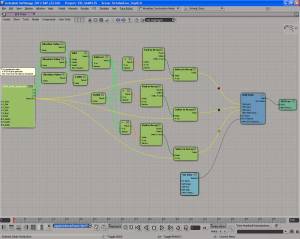
Seed and random scalar value for each object

Seed and random scalar value for each object


All the compound does is feed the seed into a Random Value node, and store the random value in another ICE attribute.
PerObjectRandomValueCompound

Deleting particles by ID


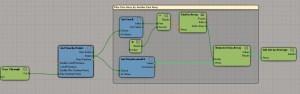
Let’s say you wanted to delete certain points for some reason; maybe they were misbehaving or something. You could just stick the IDs into an array and feed that into Find in Array, like so:

DeletePointsByID

This is an answer to a question on si-community, which timed out on me when I clicked Submit. So now it’s my post for today. After struggling with Maya nParticles for an hour, I can’t think hard anymore.

Using an ICE attribute to drive a procedural texture


Here’s a simple example of using an ICE attribute to drive a procedural texture. In this case, I’m using a random integer to drive the number of repeats of a checkerboard:

randomized_checker

To set it up, I ran this script to programmatically add an ICE attribute. Unfortunately, I found I had to add an ICE tree to get the attribute to show up in the render tree.

import random

si = Application
    
for o in si.Selection:
	# Long, Single, Singleton
	a = o.ActivePrimitive.Geometry.AddICEAttribute("_random", 2, 1, 1  )
	a.DataArray = [ (random.randint(1,8))]
	si.ApplyOp("ICETree", o, "siNode", "", "", 0)

Then in the render tree I used Integer Attribute node to get the attribute value. This same material is applied to every cube in my example.
randomized_checker_mat

And if you wanted to update the ICE attribute later, eg increase the range of random values, you could do something like this:

import random

si = Application
    
for o in si.Selection:
	a = o.ActivePrimitive.Geometry.ICEAttributes("_random")
	a.DataArray = [ (random.randint(1,12))]

Screenshots of the week


sparta-like particle editing in softimage

Point position from group
by Vincent Ullmann
PointsOfGroup

PointsOfGroup_advanced

lambert shading
by Mr.Core
post-37-13590474490

Creating strands between two different objects
by Ola Madsen
Strand_between_objects_img02

wet fur effect

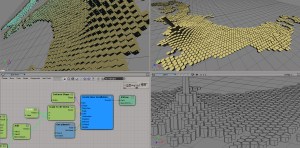
Create hexa tesselation
by msktkhs
“Be further divided into two right-angled triangle is divided into six triangles hexagons, X direction will take time to get to that direction cos60 * 4, Y is I will be next to the point sin60 * 2 too (laughs)”
ge88

Nodes for whirlpool spiral
by msktkhs
s09f

Volume rendering with ICE

bend paper

Saturday Snippet: russian roulette


I commented out the things that would actually “shoot a bullet”.

CrashXSI() is an actual Softimage command, but it doesn’t do anything in a release build.

import random

# bullets
def crashxsi():
	Application.LogMessage( "Bang!" )
	Application.CrashXSI()
	
def blank():
	Application.LogMessage( "Try again" )
	
def losework():
	Application.LogMessage( 'NewScene( "", False )' )
	#Application.NewScene( "", False )
	
def quitxsi():
	Application.LogMessage( "Application.Quit()" )
	#Application.Quit()


#load chambers
chambers = {1: blank,
			2: crashxsi,
			3: quitxsi,
			4: blank,
			5: blank,
			6: losework
			}
	
#spin and shoot
chambers[ random.randint(1,6) ]()