Scripting – Shuffling a collection to randomly select by percentage


randompercentageVia a tech-artists.org tweet, I came across some MAXScript for randomly selecting a specified percentage of mesh elements (for example, give me a random selection that includes 35% of all vertices).

I converted it to Python in Softimage. Note that I don’t really shuffle a collection: you can’t set items in a collection, so there’s no way to swap items. Instead, I put the collection in a list and shuffle the list.

Shuffling actually makes this harder than it has to be. Check out Alan’s nice script for a better way to do this.

si = Application
log = si.LogMessage
sisel = si.Selection
#http://creativescratchpad.blogspot.ca/2011/06/select-random-elements-by-percentage.html

import random

#
# Return a list that includes a randomly selected
# percentage of the items in a collection
#
def get_random_percentage( collection, percentage ):
	v = [x for x in collection]

	# random shuffle
	for i in range( len(v) ):
		j = random.randint( i, len(v)-1 )
		v[i], v[j] = v[j], v[i]

	# select by percentage
	step = 100/percentage
	w = []
	for i in xrange( 0, len(v), step ):
		w.append( v[i] )

#	print len(w)
#	print (percentage/100.0) * len(v)
	
	return w


Application.SelectObj("torus", "", True)
# Select a random 50% of the vertices
x = get_random_percentage( sisel(0).ActivePrimitive.Geometry.Vertices, 50 )
si.SelectObj(x)

print sisel(0).SubComponent.ComponentCollection.Count

# Suppose you had 2000 cubes.
# Select a random 25% of those 2000...
Application.SelectObj("cube*", "", True)
x = get_random_percentage( sisel, 25 )
si.SelectObj(x)

I learned a couple of things about MAXScript:

  • MAXScript arrays are 1-based
  • In the MaxScript docs, there aren’t any function/method reference pages. You have to go to a “value” page (eg Number Values) and there you’ll find all the methods. That’s fine once you know, but it was confusing at first when I didn’t see anything in the TOC for Functions or Methods.

Saturday Snippet – XSICollections and CollectionItems


When you stick something, like say a Vertex, into an XSICollection, you get a CollectionItem. But you can get back to the Vertex if you know how (via the SubComponent
).

si = Application
log = si.LogMessage
sisel = si.Selection
import win32com.client

oColl = win32com.client.Dispatch( "XSI.Collection" )
o = sisel(0)

print si.ClassName( o.ActivePrimitive.Geometry.Vertices(0) )
# Vertex

#oColl.Add( o.ActivePrimitive.Geometry.Vertices(0) )
oColl.AddItems( o.ActivePrimitive.Geometry.Vertices )
print si.ClassName( oColl(0) )
# CollectionItem

print si.ClassName( oColl(0).SubComponent.ComponentCollection(0) )
# Vertex

a = o.ActivePrimitive.Geometry.Vertices(0)
b = oColl(0).SubComponent.ComponentCollection(0)
print a.IsEqualTo(b)
# True
print b.IsEqualTo(a)
# True

Friday Flashback #99


In Dec 2012, there’s a rumor that ICE is “going to Maya” that’s causing some concern. Nobody wants to lose ICE 🙂

Let’s flash back five years to Dec 2007 when, in something of an ironic counterpoint, there was concern that rampant speculation about Moondust (aka ICE) would result in disappointment and a negative backlash.

…looking at all the nonsense floating around on the forums about Moondust, I already can see the negative posts when people realize it doesn’t do feature XYZ…

…It’s not going to go well for Softimage at launch if Moondust doesn’t meet expectations, and at this point, I’d be willing to bet that it won’t…

…Although it’s fun to speculate about Moondust, the over excited anticipation can only lead to disappointment…

Looking back, I don’t think that ICE did disappoint. What do you think?

web.archive of page
xsibase-moondust

The case of the dotXSISceneConverter that wouldn’t load into Maya


In this case, a customer installed Crosswalk for Maya, but he got “Unable to dynamically load dotXSISceneConverter.mll” errors when he tried to load the plugin.

// Error: line 1: Unable to dynamically load : C:/Program Files/Autodesk/Maya2013/bin/plug-ins/dotXSISceneConverter.mll
The specified module could not be found.
 // 
// Error: line 1: The specified module could not be found.
 // 
// Error: pymel : Failed to get controlCommand list from dotXSISceneConverter // 
// Error: pymel : Failed to get modelEditorCommand list from dotXSISceneConverter // 
// Error: pymel : Failed to get command list from dotXSISceneConverter // 
// Error: pymel : Failed to get constraintCommand list from dotXSISceneConverter // 
// Error: pymel.core : Failed to get depend nodes list from dotXSISceneConverter // 
// Error: line 1: The specified module could not be found.
 (dotXSISceneConverter) // 

Now, this is pretty much the same error you get in Softimage if your PATH is missing the C:\Program Files\Common Files\Softimage location. That’s where the main Crosswalk DLL is installed. To verify this, I fired up Dependency Walker and loaded dotXSISceneConverter.mll (the Maya Crosswalk plugin). And sure enough, I saw that the Maya plugin depends on Crosswalk_2013.0.64.dll (the other errors are for Maya DLLs, so they can be safely ignored, and anything about IESHIMS.DLL can always be ignored).

dotXSISceneConverterMLL-Depends

So the fix is to add the missing Common Files\Softimage path to the PATH environment variable. The Crosswalk installer is supposed to take care of adding C:\Program Files\Common Files\Softimage to the PATH environment variable, but in this case, it apparently didn’t.

Wednesday Word Cloud – ICE node usage in shipped compounds


Here’s a word cloud of the top 50 nodes used in the ICE compounds that ship with Softimage 2013
NodesInShippedCompounds
That’s 3303 Get Data nodes, 2051 “embedded” nodes, 1889 PassThroughs, and 1071 If nodes.

Embedded nodes are compounds that are embedded directly inside another compound (instead of being references to a .xsicompound file on disk). Like Calculate New Velocity, Limit Turning Rate, Limit Acceleration, and Align Particle with Goal in this compound:
EmbeddedCompounds

Not all embedded compounds are that interesting though. There’s over a thousand embedded compounds in the ICEFlowBuilder compounds; where even Set Data was embedded (probably so that the ICEFlowBuilder compounds wouldn’t break if something changed in an external compound, which did happen a few times).

Brush properties saved in scene file


Brush properties are stored in the scene file. Who knew? I certainly didn’t. Given where Brush Properties appear in the explorer, I didn’t expect them to be saved in a scene file.
DataBrushProperties

What happened was that I loaded up a customer scene, activated the vertex paint brush, and it didn’t work. But I had just been painting vertex colors before I loaded their scene! I didn’t think to check the brush properties until later, so I spent a bit of time scratching my head over this…until finally I noticed that Selection was set to Use, not Ignore.

BrushProperties

I tested this by saving scenes with different brush settings, and then reloading them. And different brush settings came in with each scene.

Screenshots of the week


Exploring the power of Non-Linear Character Setup with Autodesk Softimage
by Adam Sale
nlchar

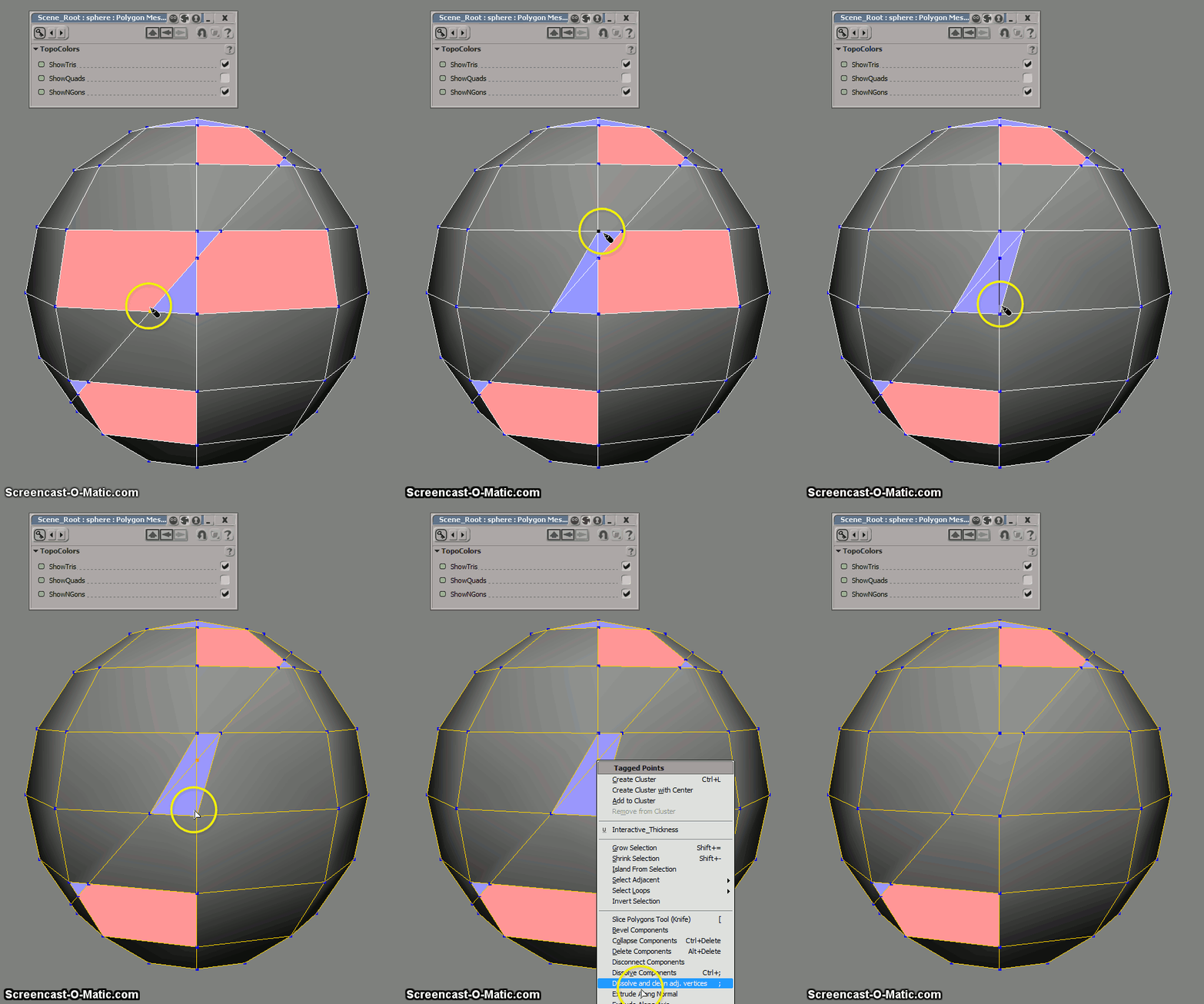
Transform polygons (from the PolygonTopoPack)
by iamVFX
transformpolygons-1

transformpolygons

Triple subdivide (with the latest PolygonTopoPack)
by iamVFX
triplesubdivide

Change context from polygons to vertices (with the latest PolygonTopoPack)
by iamVFX
changecontextfrompolygonstovertices

Squash Stretch Volume Preservation with ICE (Fstretch like)

Negative scalar slider range
by NNois
icecompoundsliderrange