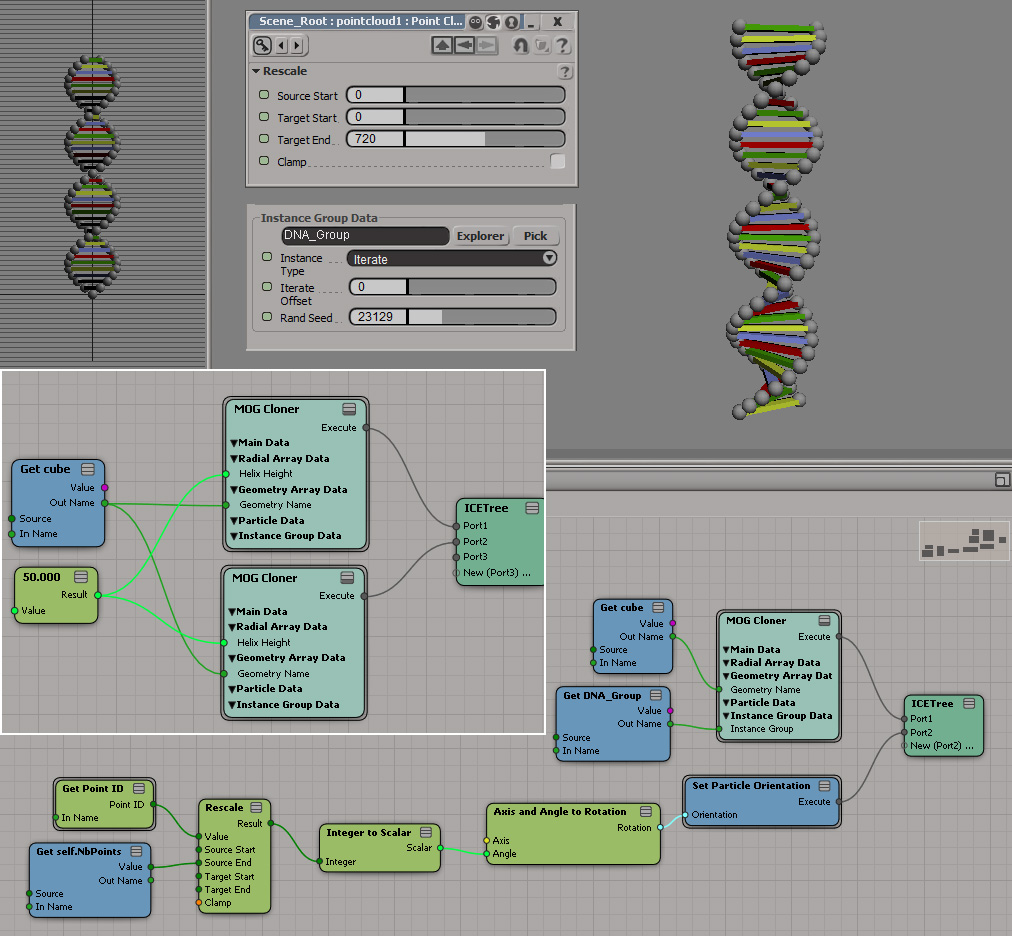
Screenshots of the week


ICE Topology and parametric equations (Warning math here!)
by Daniel Brassard
All kinds of good stuff going on here…

Use Cross-product and dot product to test if particles inside curve
by Mathaeus

Flocking particles #Softimage

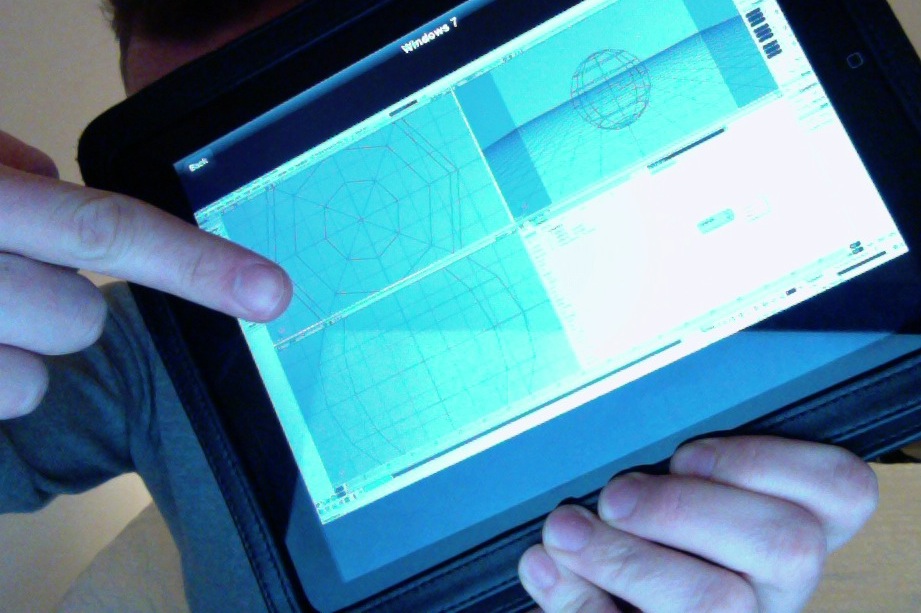
Softimage running on an iPad with the Parallels Mobile App
by andy_nicholas

Softimage running under Parallels Desktop on a Mac
Andy Nicholas

Strand alignment on deformed mesh

Tip: Inspecting compounds in a PPG


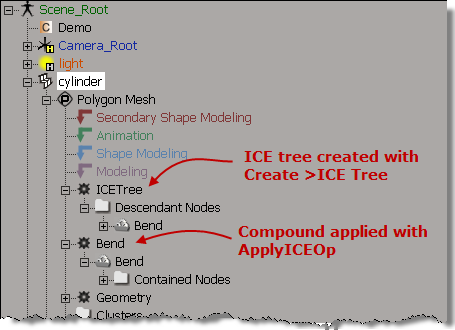
If you use ApplyICEOp to apply a compound, then you can open the compound PPG by clicking the ICE tree operator icon in the explorer. For example, in this screenshot, clicking the Bend operator icon opens the Bend PPG (Bend is an ICE compound).

If you create the ICE tree yourself and hook up the compound, you don’t get this behavior. That’s because ApplyICEOp knows what compound is being applied, so it can nest the compound node directly under the ICE operator node, and the operator PPG can inspect the compound parameters.

While versus Repeat


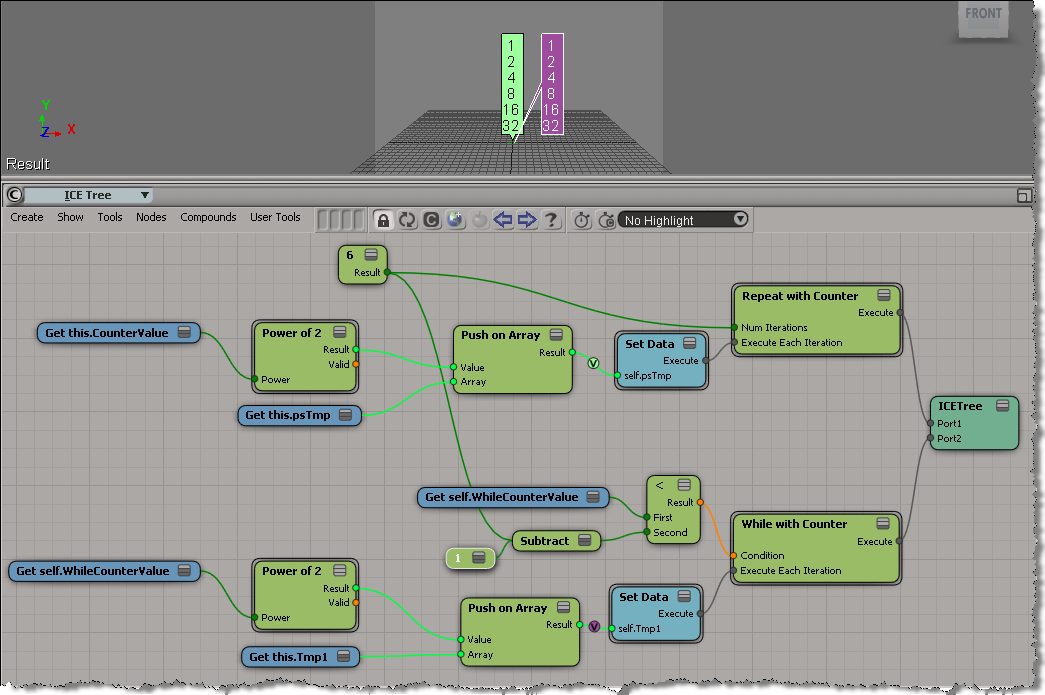
Just like in programming, Repeat can be considered a generalization of While (K&R: the for loop is a generalization of the while).

The difference between While with Counter and Repeat with Counter is that when you use While with Counter, the counter doesn’t necessarily control the number of loop iterations. Typically you would use some boolean condition (for example, number of polygons reduced by more than 50%) to control the number of loops, rather than an incremented counter. The counter is a convenience, there for you to use inside the while loop.

Here’s a rather artificial example of equivalent While and Repeat loops. The While loop uses a counter inside the loop, and also in the condition. Note that I had to subtract one for the While loop, because inside While with Counter, the counter is incremented after the loop is executed.

In this example, it would be simpler to just use the Max Repeats:

Beware of ICE optimizations


It seemed like such a nice, simple way to filter polygons:

  • Use ICE to check the polygon area and then set a boolean attribute.
  • Write a custom subcomponent filter to filter based on that ICE attribute.

With ICE, it’s pretty easy to check if the PolygonArea is within a certain range:
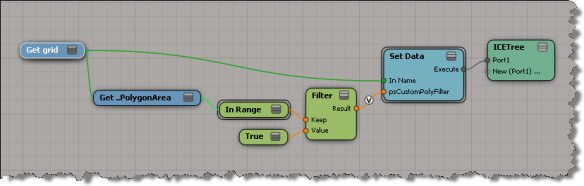
But, beware of ICE optimizations!

Because that ICE attribute isn’t used anywhere else in the scene, ICE doesn’t evaluate that tree, so my boolean attribute is never defined, and my custom filter therefore fails. I have to do something like Show Values to force evaluation:

Note: In Show Values, I used Show Values for Tagged Components Only to cut down the visual clutter.

FWIW, here’s a Python example of a custom subcomponent filter:

# psCustomFilter Plug-in
# Initial code generated by Softimage SDK Wizard
# Executed Wed Nov 23 11:31:56 EST 2011 by blairs
# 
# Tip: To add a command to this plug-in, right-click in the 
# script editor and choose Tools > Add Command.
import win32com.client
from win32com.client import constants

from siutils import si		# Application
from siutils import sidesk	# Desktop
from siutils import sidict	# Dictionary
from siutils import sifact	# XSIFactory
from siutils import simath	# XSIMath
from siutils import siproj	# ActiveProject2
from siutils import sisel	# Selection
from siutils import siuitk	# XSIUIToolkit
from siutils import siut	# XSIUtils
from siutils import log		# LogMessage
from siutils import disp	# win32com.client.Dispatch
from siutils import C		# win32com.client.constants


null = None
false = 0
true = 1

def XSILoadPlugin( in_reg ):
	in_reg.Author = "blairs"
	in_reg.Name = "psCustomFilter Plug-in"
	in_reg.Major = 1
	in_reg.Minor = 0

	in_reg.RegisterFilter("psCustomFilter",constants.siFilterSubComponentPolygon)
	#RegistrationInsertionPoint - do not remove this line

	return true

def XSIUnloadPlugin( in_reg ):
	strPluginName = in_reg.Name
	Application.LogMessage(str(strPluginName) + str(" has been unloaded."),constants.siVerbose)
	return true

# Match callback for the psCustomFilter custom filter.
def psCustomFilter_Match( in_ctxt ):
	Application.LogMessage("psCustomFilter_Match called",constants.siVerbose)

# 	Return value indicates if the input object matches the filter criterias.
	return true

# Subset callback for the psCustomFilter custom filter.
def psCustomFilter_Subset( in_ctxt ):
	log("psCustomFilter_Subset called",constants.siVerbose)

	out_coll = disp( "XSI.Collection" )
	
	in_coll = in_ctxt.GetAttribute( "Input" )
	for item in in_coll:
		log( item )
		polys = []
		for p in item.SubComponent.ComponentCollection:
			log( p.Index )

			attr = p.Parent.ICEAttributes("psCustomPolyFilter")
			if not attr.IsDefined:
				log( "Cannot apply filter. psCustomPolyFilter attribute is not defined" )
			if attr.IsDefined and attr.DataArray[ p.Index ] == -1:
				#log( "%d : %s" % ( p.Index, attr.DataArray[ p.Index ] ) )
				polys.append( p.Index )

		if len(polys) > 0:
			out_coll.Add( item.SubComponent.Parent3DObject.ActivePrimitive.Geometry.CreateSubComponent(C.siPolygonCluster, polys ) )


	in_ctxt.SetAttribute( "Output", out_coll )

# 	Return value indicates if a subset of the input objects matches the filter criterias.
	return true

Downloading and using undocumented compounds


A few tips for figuring out how to use a compound you downloaded that has no documentation.
Inspired by this thread on xsibase about scatter compounds.

With experience, you can usually figure out where to create the ICE tree and what to plug into the compound. But if you’re stuck, here’s a few of tips:

  • Check out the error messages. Hover the mouse over the compound (not over a port) to see the first error message. To see all error messages, right-click over the node and choose Show Messages.
  • What attributes are unresolved? For example, if the node is red because of the ID attribute, then you probably need to put the compound on a point cloud, not a geometry.
  • Check out what’s going on inside the compound. If you see Add Point, then the compound needs to be applied to a point cloud.

http://vimeo.com/32540015

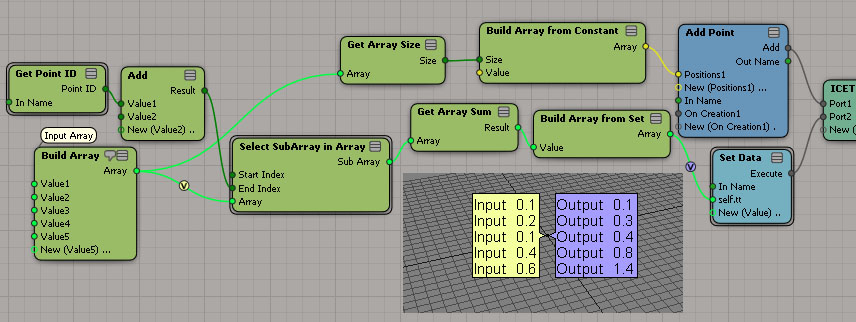
Quick tip for using Select SubArray in Array


The docs for Select SubArray in Array say that

  • Start Index is The start index of the subarray to return.
  • End Index is The end index of the subarray to return.

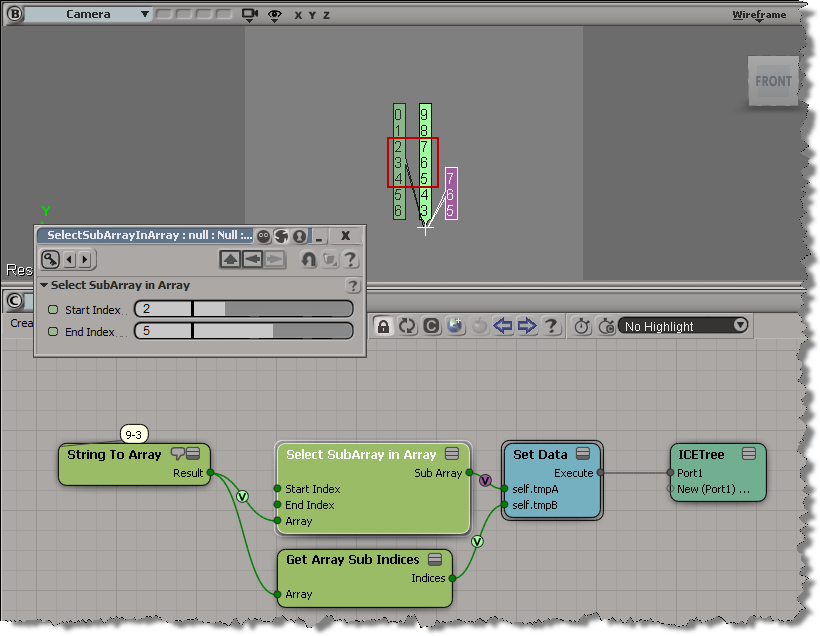
But the start index is inclusive, while the end index is not.

In standard range notation: [start, end)

That means if start index = 2 and end index = 5, then Select SubArray in Array selects elements 2, 3, and 4 from the input array.

The case of Find in Array that didn’t find anything


So, the other day I was trying to use Find in Array , but it wasn’t finding anything. At first I thought there was wrong with the data I was feeding into Find in Array, but then I did a quick test of Find in Array and found out what was going on.

By default (in 2012 SAP at least), the Epsilon is 0 and Find in Array doesn’t find anything. For example, here Find in Array doesn’t find the vector (0, 0, 0) in the array, even though (0,0,0) is in the array three times:

If you bump up the epsilon to 0.001, then Find in Array does find the specified value:

It’s often a good idea to isolate a branch, or create a simple test ICE tree, to figure out how things work.

Accumulating values in a weightmap


Courtesy of Vladimir Jankijevic on the XSI mailing list, here’s how to accumulate values in a weightmap:

The nice thing about his tree is how it sets things into per-point context so nicely. My own attempt seems crude in comparison:

The thing about setting weight map values is that you can’t do it like this:

ICE will evaluate this tree just once, even if it is in the Simulation stack. Perhaps this is a case of mistaken optimization? (branch is a scalar constant, so no need to reeval?)

If you replace the scalar node with any of these branches, then the weightmap values will change as your play through the timeline.