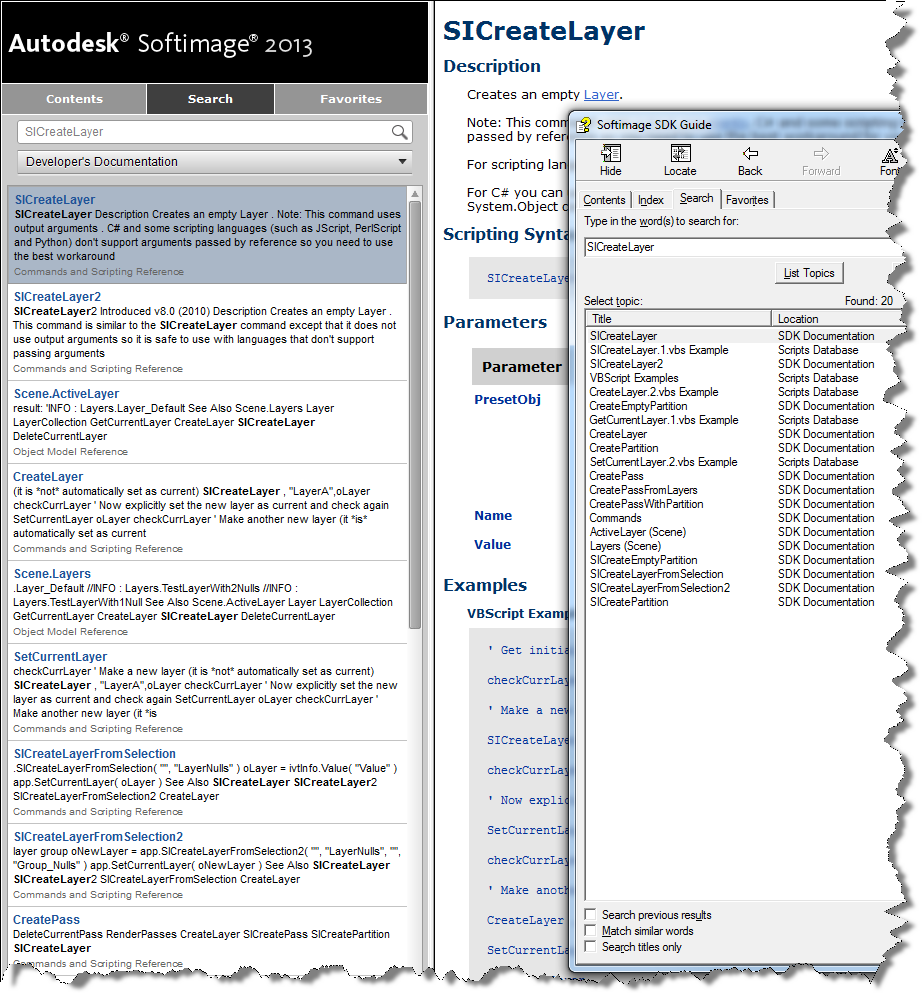
The Search tab is working again for the online Softimage documentation. Previously it wasn’t returning many hits for the SDK searches.
Here’s the search results for “SICreateLayer”, both in the browser and, for comparison, with the old CHM search.
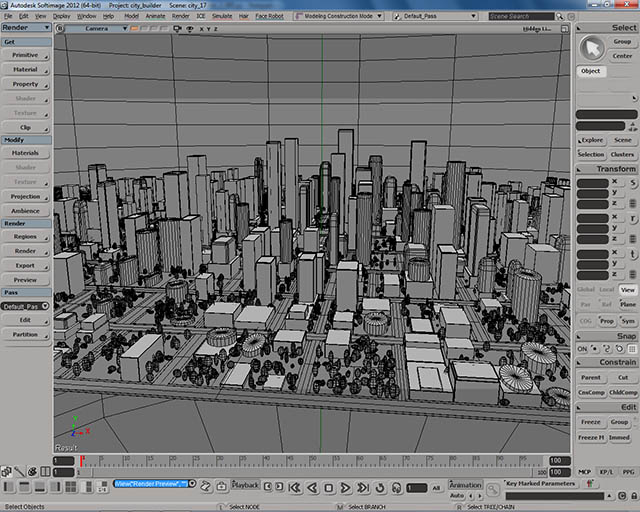
City Builder
by Pierre Lalancette

PolyDeleter compound
by kovalex

Building Softimage projects with cmake
by scaron
Motion Tools 1.0
by gustavoeb
ICE LEDs
by derJanosch
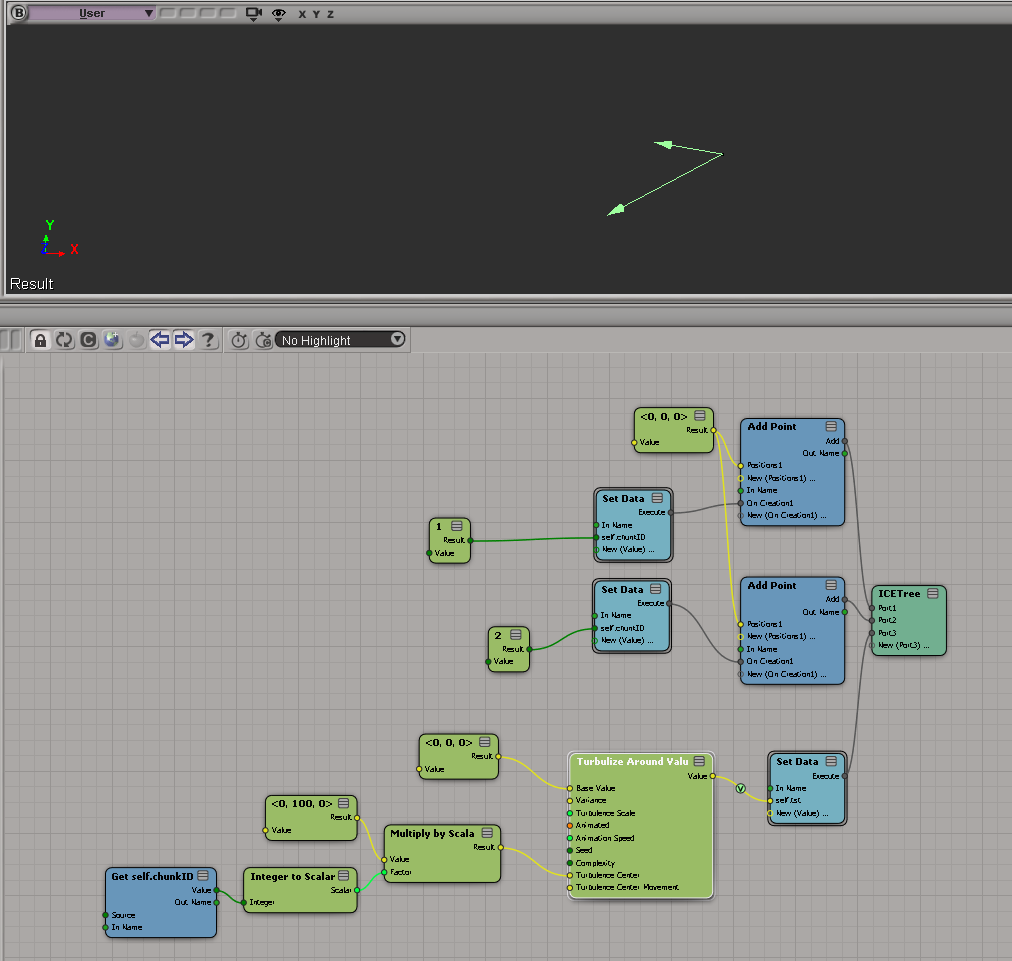
Turbulize points by chunk
by Peter Agg

This was another case of the dreaded “No interactive network license available” message when you start Softimage. The customer was pretty savvy, so he set FLEXLM_DIAGNOSTICS=3 and tried to start Softimage again, and got this FLEXnet Licensing error:-97,121 error:
--------------------------- FLEXible License Manager --------------------------- FLEXnet Licensing checkout error: The desired vendor daemon is down. Check the lmgrd log file, or try lmreread. Feature: 85934SFTIM_2013_0F Vendor:Host: EXAMPLE License path: @EXAMPLE;@127.0.0.1;EXAMPLE;@example; FLEXnet Licensing error:-97,121 For further information, refer to the FLEXnet Licensing documentation, available at "www.flexerasoftware.com". --------------------------- OK ---------------------------
Now, this is not typical. -91,121 is almost always an error that happens on the license server, not on the workstation (it usually indicates a problem with the SERVER line in the license file).
The %TEMP%\SoftimageLicense.log had this:
4268 2012/07/27 07:38:23 Reason=Fatal error 4268 2012/07/27 07:38:23 ComputerName=MEGACORE 4268 2012/07/27 07:38:23 OS=6.1.7601.Service Pack 1 4268 2012/07/27 07:38:23 File=AdlmIntNWFBLicense.cpp,Line=769 4268 2012/07/27 07:38:23 VendorID=3 [FLEXLM-NW] 4268 2012/07/27 07:38:23 VendorError=-97 [The desired vendor daemon is down] 4268 2012/07/27 07:38:23 FLEXLM-NW=v11.10.0.0 build 95001 x64_n6 4268 2012/07/27 07:38:23 Reason=Fatal error 4268 2012/07/27 07:38:23 ComputerName=MEGACORE 4268 2012/07/27 07:38:23 OS=6.1.7601.Service Pack 1 4268 2012/07/27 07:38:23 File=AdlmIntNWFBLicense.cpp,Line=752 4268 2012/07/27 07:38:23 AdlmIntError=20 [License check out failed]
Note that both the FLEXLM_DIAGNOSTICS and the SoftimageLicense.log say that The desired vendor daemon is down. This was the real clue, and the problem turned out to be that LMTOOLS was running multiple vendor daemons from different vendors. Assigning a specific port to each vendor daemon solved the problem.
Softimage stopped selling and supporting BatchServe back in late 2006/early 2007, so I never had the pleasure of supporting that product 😉
Here’s some BatchServe screen grabs and a quickstart video from the XSI 3.0 Experience CD (so this stuff is from early 2003):
Here’s an updated XSISDK.CHM.
The updates include:
Also, there’s a Japanese version available too.
In this case, a Softimage user running Composite 2013 was getting the following error when he started Composite:
--------------------------- composite.exe - Entry Point Not Found --------------------------- The procedure entry point ?Initialize@CMLFacade@@SAXPEAVCMLWaypoint@@PEB_W11HI_J2_N1@Z could not be located in the dynamic link library MC3.dll. --------------------------- OK ---------------------------
The short story is that 3ds Max 2010 was causing this problem with Composite 2013. Here’s the long story…
A “procedure entry point” is basically a function (or method) defined in the DLL. In this case, Composite is trying to call a certain Initialize function in MC3.dll, but that Initialize function isn’t there.
More specifically, Composite is trying to call the Initialize member function of a CMLFacade object. All the other stuff (@@SAXPEAVCMLWaypoint@@PEB_W11HI_J2_N1@Z) that you see in the error message is part of the decorated name generated by the C++ compiler. Different versions of a DLL will have different decorated names for entry points, so it’s reasonable to assume that this error probably means that Composite is loading the wrong version of MC3.dll.
Using Dependency Walker, I verified that the MC3.DLL that ships with Composite 2013 does not include the entry point specified in the error message. You can see that the 2013 version of MC3.dll has a different entry point name for Initialize:

However, I got a Process Monitor log from the customer, and it showed that Composite 2013 was loading right version of MC3.dll.

So, right DLL but wrong entry point. Using Dependency Walker again on older versions of MC3.dll, I found that the Composite was looking for an entry point that was in an older version of MC3.dll. But why???
I spent an hour or two looking over the Process Monitor logs, but everything looked normal…except for one thing: Composite 2013 was loading lots of 3ds Max 2010 files. So I renamed the 3ds Max install folder (so Composite wouldn’t find it) and the entry point error went away. My guess is that one of those older Max DLLs was bringing in a reference to the old MC3 entry point, and that was what was causing the problem in Composite.
Renaming the 3ds Max 2010 install folder just to run Composite is pretty hacky, so I tried to find another way. The best I came up with was this:
Value Name: C:\Program Files\Autodesk\3ds Max 2010\UPI\upiconfig.xml Value Data: C:\Program Files\Autodesk\3ds Max 2010xxx\UPI\UPI.dll
After I did that, I didn’t get the entry point error in Composite, and 3ds Max 2010 still ran ok (well, it started ok, I didn’t really exercise Max after that).
Autodesk products use a cascading sequence to define the order in which they try to check out licenses. Here’s the cascade sequence as an ICE tree 😉
When Softimage tries to get a license, it will “cascade” from one license type to the next in the specified order. For example, if you have five Softimage licenses and one Entertainment Creation Suite Ultimate license, then the first five users to start Softimage will take Softimage licenses, and the sixth user to start Softimage will get the Suite license.
Here’s the Softimage cascade sequence as a plain-old numbered list:
Note that if you start Softimage and check out a Softimage license, and then start a Suite app like Maya, then Softimage will switch over to the Suite license and free up that Softimage license it was using.
I always forget whether licenses cascade up or down. To verify the order, I pointed Softimage at a license server that had just Maya licenses, set FLEXLM_DIAGNOSTICS=3, and started xsi.exe. That gave me this sequence of error messages, which shows that the cascade order starts with a basic Softimage license (85934SFTIM_2013_0F), and then works its way through the different suite licenses.
--------------------------- FLEXible License Manager --------------------------- FLEXnet Licensing checkout error: License server system does not support this feature. Feature: 85934SFTIM_2013_0F License path: @mtl2ua0150cwy;@127.0.0.1; FLEXnet Licensing error:-18,147 For further information, refer to the FLEXnet Licensing documentation, available at "www.flexerasoftware.com". --------------------------- OK --------------------------- --------------------------- FLEXible License Manager --------------------------- FLEXnet Licensing checkout error: License server system does not support this feature. Feature: 85932SIECS_2013_0F License path: @mtl2ua0150cwy;@127.0.0.1; FLEXnet Licensing error:-18,147 For further information, refer to the FLEXnet Licensing documentation, available at "www.flexerasoftware.com". --------------------------- OK --------------------------- --------------------------- FLEXible License Manager --------------------------- FLEXnet Licensing checkout error: License server system does not support this feature. Feature: 85918MXECSP_2013_0F License path: @mtl2ua0150cwy;@127.0.0.1; FLEXnet Licensing error:-18,147 For further information, refer to the FLEXnet Licensing documentation, available at "www.flexerasoftware.com". --------------------------- OK --------------------------- --------------------------- FLEXible License Manager --------------------------- FLEXnet Licensing checkout error: License server system does not support this feature. Feature: 85928MYECSP_2013_0F License path: @mtl2ua0150cwy;@127.0.0.1; FLEXnet Licensing error:-18,147 For further information, refer to the FLEXnet Licensing documentation, available at "www.flexerasoftware.com". --------------------------- OK --------------------------- --------------------------- FLEXible License Manager --------------------------- FLEXnet Licensing checkout error: License server system does not support this feature. Feature: 85926ENCSU_2013_0F License path: @mtl2ua0150cwy;@127.0.0.1; FLEXnet Licensing error:-18,147 For further information, refer to the FLEXnet Licensing documentation, available at "www.flexerasoftware.com". --------------------------- OK --------------------------- --------------------------- FLEXible License Manager --------------------------- FLEXnet Licensing checkout error: License server system does not support this feature. Feature: 85922AAA_2013_0F License path: @mtl2ua0150cwy;@127.0.0.1; FLEXnet Licensing error:-18,147 For further information, refer to the FLEXnet Licensing documentation, available at "www.flexerasoftware.com". --------------------------- OK --------------------------- --------------------------- FLEXible License Manager --------------------------- FLEXnet Licensing checkout error: License server system does not support this feature. Feature: 85924ESEC_2013_0F License path: @mtl2ua0150cwy;@127.0.0.1; FLEXnet Licensing error:-18,147 For further information, refer to the FLEXnet Licensing documentation, available at "www.flexerasoftware.com". --------------------------- OK ---------------------------
If you think Softimage is not following the right cascade sequence, then this is one way to check what’s really happening.
Another thing to try if you’re having problems (like Softimage taking a Suite license instead of a Softimage license) is to delete the Cascade.cas file and restart Softimage.
If you run both these lines in the script editor, you’ll see scripting.cmdlog=false is logged.
Preferences.SetPreferenceValue( "scripting.cmdlog", false ); LogMessage( "scripting.cmdlog="+Preferences.GetPreferenceValue( "scripting.cmdlog" ) );
So you might think that command logging is disabled. But as soon as your script finishes executing that last LogMessage line, Softimage will turn command logging back on.
Try running this script several times in the script editor:
LogMessage( "scripting.cmdlog="+Preferences.GetPreferenceValue( "scripting.cmdlog" ) ); Preferences.SetPreferenceValue( "scripting.cmdlog", false );
Every time, it will log // INFO : scripting.cmdlog=true.
Softimage always resets scripting.cmdlog, because we can’t let any script just leave command logging disabled. Over the years, it’s been the cause of too many support calls and complaints. So, you can disable command logging for the duration of your script, but not permanently.
Align particles to UV
by Vincent Ullmann
Array of random values
by Peter Agg


Array of random values
by Vincent Ullmann

Leviathan uses Autodesk Softimage in their pipeline for a Skrillex concert
Modulo
by iamvfx

Constraint to curve
by darkvertex

This Python snippet will get the version numbers for the different versions of Softimage installed on the local system.
#http://docs.python.org/library/_winreg.html
from _winreg import *
t = OpenKey(HKEY_LOCAL_MACHINE, r"SOFTWARE\Softimage\CoExistence", 0, KEY_READ )
try:
count = 0
while 1:
name = EnumKey(t, count)
sKey = "SOFTWARE\Softimage\CoExistence\%s" % name
t1 = OpenKey( t, name, 0, KEY_READ )
value = QueryValueEx(t1, "AppVersion" )
Application.LogMessage( "%s: %s" % (name.rsplit('|',3)[1], value[0]) )
count = count + 1
except WindowsError:
pass
On my machine, the script output looks like this:
# INFO : Softimage 2011 SP1: 9.1.91.0 # INFO : Softimage 2011 SP2: 9.2.102.0 # INFO : Softimage 2011 Subscription Advantage Pack SP1: 9.6.194.0 # INFO : Softimage 2011: 9.0.243.0 # INFO : Softimage 2012.SAP: 10.5.98.0 # INFO : Softimage 2012: 10.0.422.0 # INFO : Softimage 2013 SP1: 11.1.1.0 # INFO : Softimage 2013: 11.0.525.0 # INFO : Softimage_2010_SP1_x64: 8.0.249.0 # INFO : Softimage_2010_x64: 8.0.201.0 # INFO : Softimage_7.5_x64: 7.5.191.0 # INFO : XSI_7.01_x64: 7.01.698.0