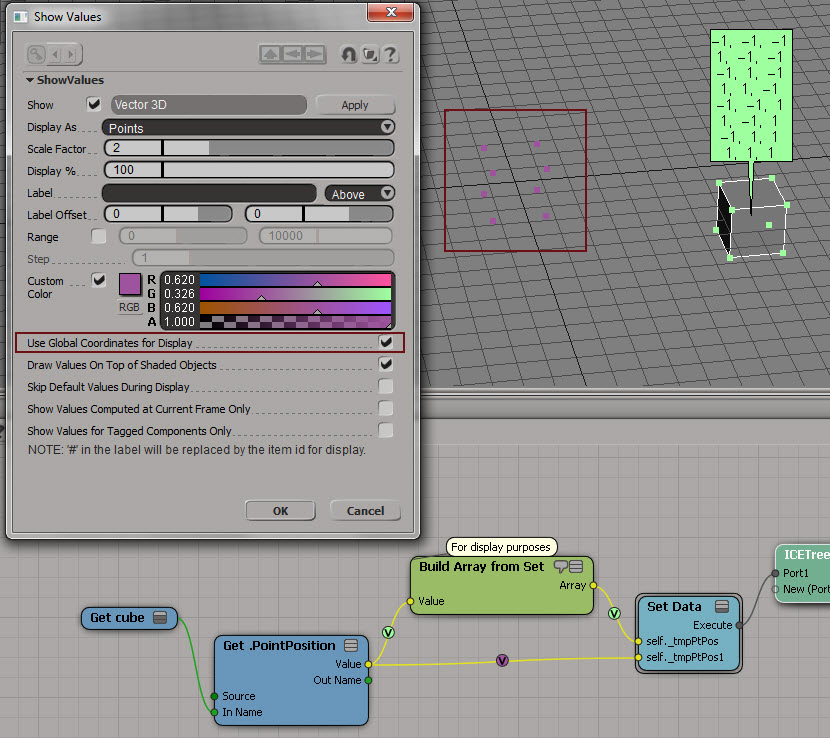
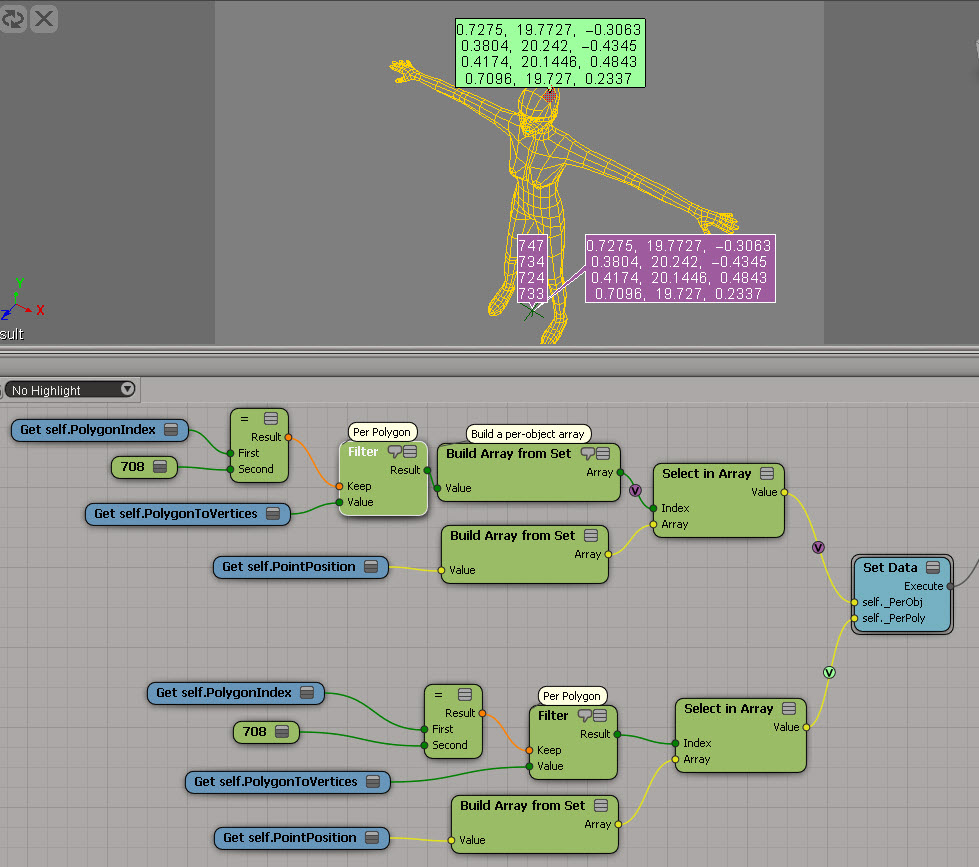
The ICE trees for something suggested by Pooby in this Storing initial values thread on si-community. In this example, I’m trying to store per-point data into a per-sample attribute, so I have do a little extra work. I’m actually storing the point position multiple times for each vertex (one vertex had N samples), but I don’t know if it’s worth the effort to try and avoid that.

Category Archives: ICE
Finding degenerate polygons by area
Degenerate polygons are usually zero-area polygons.
Here’s a script that uses the ICE attribute PolygonArea to find polygons with area less than a specified epsilon:
si = Application epsilon = 0.00001 # Get PolygonArea DataArray (which is a tuple) attr = si.Selection(0).ActivePrimitive.GetICEAttributeFromName( "PolygonArea" ) areaData = attr.DataArray # # Find the indices of the bad polys # bad = [ x for x,y in enumerate( areaData ) if y < epsilon] # Select the degenerates with a string like 'cube.poly[112,114,155]' si.SelectGeometryComponents( 'cube.poly[%s]' % ','.join(str(i) for i in bad) ) ### OR ### # # Get the actual Polygon objects # polys = si.Selection(0).ActivePrimitive.Geometry.Polygons bad = [] for i in range( len(areaData) ): if areaData[i] < epsilon: bad.append( polys(i) ) si.SelectObj( polys )
Getting the DataArray2D for the Materials ICE attribute
Here’s the Python way:
Application.SelectObj("Pedestrian_Mesh.Actor_Copies", None, None);
o = Application.Selection(0)
a = o.ActivePrimitive.Geometry.GetICEAttributeFromName("Materials")
print len(a.DataArray2D)
print len(a.DataArray2D[0] )
print a.DataArray2D[0][0]
for s in a.DataArray2D[0][0]:
print s
# 1
# 1
# (u'', u'Sources.Materials.PedestrianLib.Shoes', u'Sources.Materials.PedestrianLib.Hair', u'Sources.Materials.PedestrianLib.Legs', u'Sources.Materials.PedestrianLib.Skin', u'Sources.Materials.PedestrianLib.Shirt')
# Sources.Materials.PedestrianLib.Shoes
# Sources.Materials.PedestrianLib.Hair
# Sources.Materials.PedestrianLib.Legs
# Sources.Materials.PedestrianLib.Skin
# Sources.Materials.PedestrianLib.Shirt
And here’s how to do it in JScript:
o = Selection(0);
a = o.ActivePrimitive.Geometry.GetICEAttributeFromName("Materials");
x = new VBArray( a.DataArray2D ).toArray();
y = new VBArray( x[0] ).toArray();
for ( var i = 0; i < y.length; i++ )
{
LogMessage( y[i] )
}
ICE: translating polygons
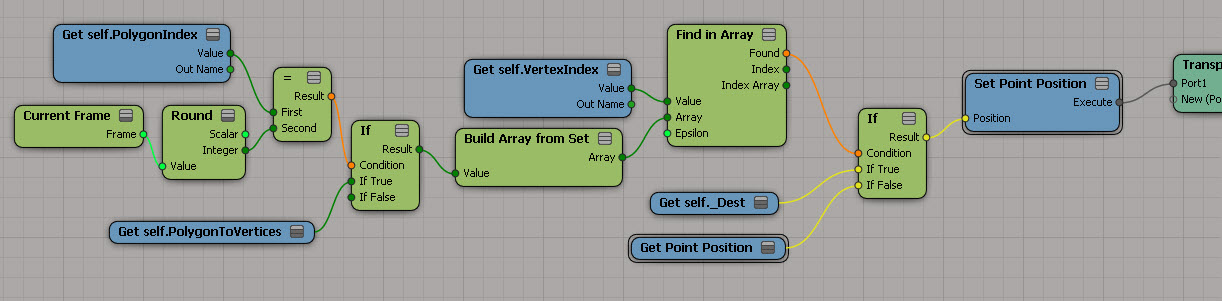
Here’s the basics for “transporting” polygons to another location. At this point, I’m just moving them one at a time (using Get Current Frame to drive it). The tricky part, if I remember correctly, was moving just some of them.
I had to calculate the destination positions in a separate ICE Tree further down the stack:
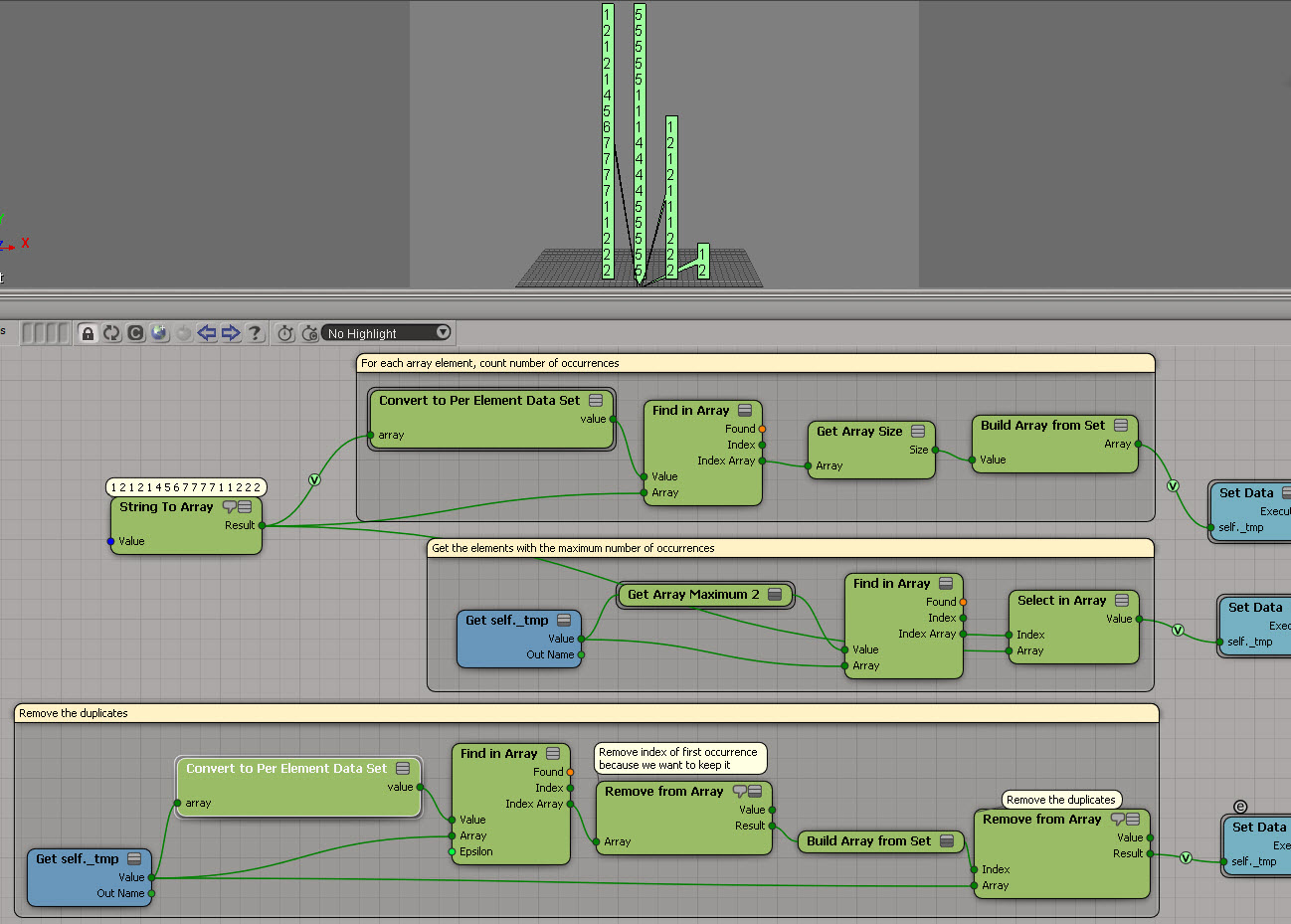
ICE: Finding the array elements that occur the most frequently
Another example usage of Generate Sample Set instead of Repeat. This time, the problem is to find the array element with the most occurrences. This seems kinda long winded (it’s a three-step process), but it does handle the case where you have two or more elements that occur the same number of times.
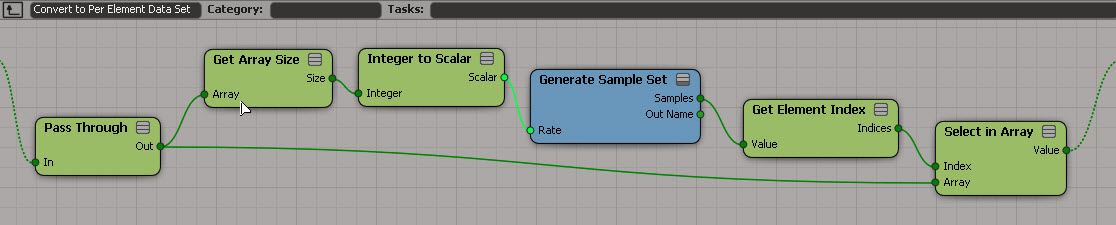
I used a temporary attribute for formatting purposes (so I didn’t have one big long horizontal tree). And I used a compound to encapsulate the bit that takes an array and converts it to a “per generated element” data set:

If you want, here’s a compound version.
ICE: Removing duplicates from arrays
Here’s an ICE tree that removes all duplicate elements from an array. It uses Generate Sample Set, so there’s no repeat nodes. But it relies on the fact that you can feed in an array of indices into Remove from Array, and Remove from Array doesn’t care if that array of indices itself contains duplicate. So, if you plug the array [1,1,1,2,2,2,3,3,3] in the Index port, Remove from Array will nicely remove elements 1, 2, and 3 with no complaints.
Unlike some other methods, this works with scalars too:
Use Global Coordinates for Display
Sometimes it can be useful to turn on Use Global Coordinates for Display. Because otherwise you’re going to be looking at points in local space, and that can mess up your thinking.
Here’s a simple example to show the difference. Purple is global, light green is local. As you can see, the purple points match up with the actual coordinates.

Now here’s a better example of the usefulness of Use Global Coordinates for Display. Red is local (and misleading). Yellow is global. Imagine you’re doing all kinds of coordinate system conversions in a complicated tree, and then you decide to show values as points. If you’re not careful, like me sometimes, you end up doubting everything you’ve done and pulling it all apart.

Get from PolygonIndex to PointPosition with PolygonToVertices
Screenshots of the week
Linkedin to me: “Picture yourself at Autodesk”
Ouch, linkedin…it’s only been six months. BTW, that picture of me? Taken at Autodesk, in the 90 Queen office.

Testing if a point is inside a cone
by Alok
One Thousand Ksoids Project
by myshli

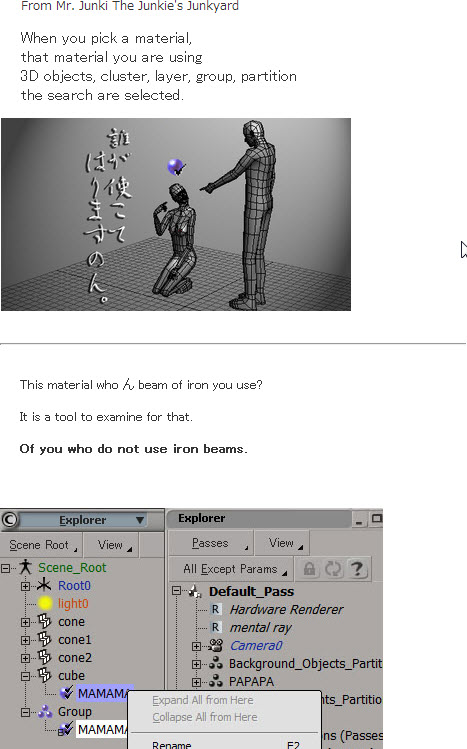
Of you who do not use iron beams
(object selection using the material)
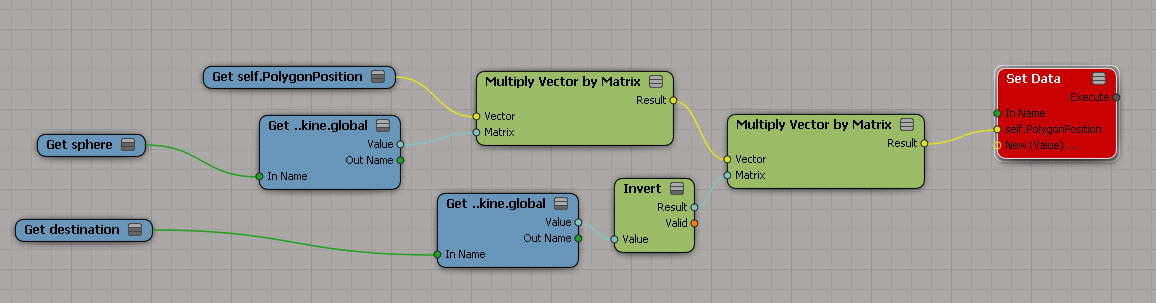
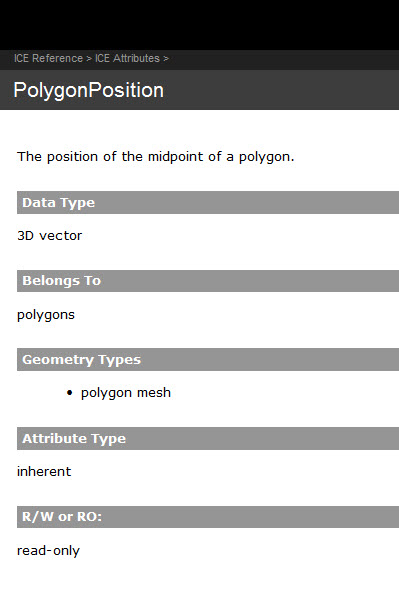
PolygonPosition is read-only
Too bad, I had such big plans for this 🙂

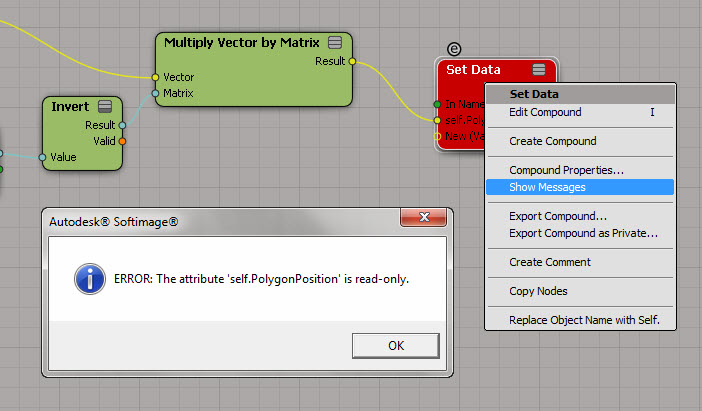
So, now that I’m at a dead end, let’s go over the different ways to figure out why a node is red…
Point to the node and wait for the tooltip to show the first error:

Right-click the node and click Show Messages.
(Log port type details can be useful sometimes, but not in this particular case.)

Read the documentation.