Drag to a viewport to install:
RCTOOLS 4.2 for Softimage 2011
Docs:
rctoolsdoc.rar

 If you want to be updated about service pack releases and other important Softimage news, turn on the Check for Announcements and Updates preferences (File > Preferences > General).
Then every time you start Softimage, announcements and updates will be displayed in the default Netview page. If this option is off, you can still click a link in the default Netview page to display them. If this option is on but Launch Netview on Startup is off, high-priority messages will still force Netview to open on startup.
Alternatively, you can subscribe to the RSS feed at http://softimage.wiki.softimage.com/motd/rss_en.xml using an RSS-aware browser.
I’ve had a couple of customers ask if satellite really does work, and I can confirm that it does. I set up a couple of Windows 7 machines for satellite, and the mental ray diagnostics show the satellite machine being used (I’ve changed the computer names for demo purposes):
// INFO : JOB  0.n  progr:    89.8%    rendered on MTL-SATELLITE:7020.6
// INFO : JOB  0.13 progr:    90.9%    rendered on MTL-MASTER.13
// INFO : JOB  0.6  progr:    91.9%    rendered on MTL-MASTER.6
// INFO : JOB  0.n  progr:    92.9%    rendered on MTL-SATELLITE:7020.7
// INFO : JOB  0.12 progr:    93.9%    rendered on MTL-MASTER.12
// INFO : JOB  0.n  progr:    94.9%    rendered on MTL-SATELLITE:7020.2
// INFO : JOB  0.n  progr:    95.9%    rendered on MTL-SATELLITE:7020.4
// INFO : JOB  0.10 progr:    96.9%    rendered on MTL-MASTER.10
// INFO : JOB  0.n  progr:    97.9%    rendered on MTL-SATELLITE:7020.0
// INFO : JOB  0.n  progr:    98.9%    rendered on MTL-SATELLITE:7020.5
MTL-SATELLITE is the satellite computer, 7020 is the port used by the Satellite service, and the number after the period is the thread number.
One gotcha: satellite didn’t work if I used a different port on each computer. For example, if I changed the port to 7004 on the Master, then satellite didn’t work.
http://autodesk.com/softimage2011-sp1
See below the fold for the complete list of fixes.
Continue reading
If you get error 1902 when you try to start the raysat satellite service, it’s probably because there is no entry for the service in the services file.
C:\Program Files\Autodesk\Softimage 2011\Application\bin>raysatsi2011_3_8_1_31server.exe /install
RaySatsi2011_3_8_1_31 Server installed.
Starting RaySatsi2011_3_8_1_31 Server.
raysatsi2011_3_8_1_31server error: (1092) RaySatsi2011_3_8_1_31 Server failed to start
Use a text editor to edit C:\Windows\system32\drivers\etc\services and add an entry that looks like this:
mi-raysatsi2011_3_8_1_31 7004/tcp #
I’ve used port 7004 in this example, but you’ll have to check that no other service is using that port.
In a recent support case, a customer reported he was getting an error that looked like this:
' INFO : Rendering frame 123 (62.5% done)
' FATAL : DB   0.14 fatal  041052: accessing unknown tag 0x41d
' FATAL : mental ray has encountered a fatal error condition.
' It has been disabled for the rest of this XSI session.
' Please save your work and and contact Softimage support (support@softimage.com).
Sometimes “accessing unknown tag” errors can happen when you run out of memory. Other times, “accessing unknown tag” errors can indicate that something is missing in the scene database created by mental ray. Everything in the scene database has a tag, including shaders and light profiles. Shaders use the tags to reference objects, so if some input to a shader is missing, you would get the “unknown tag” error.
In this particular case, the customer was able to resolve the problem by removing all unused materials and image clips from the scene.
As Luc-Eric pointed out on the XSI list today, yesterday was XSI’s 10th anniversary.
Softimage Co. Announces First Customer Shipment of SOFTIMAGE/XSI Version 1.0
MONTREAL–(BUSINESS WIRE)–May 30, 2000
Softimage Co., a subsidiary of Avid Technology, Inc. (NASDAQ: AVID), today announced the first shipment of its groundbreaking 3-D animation SOFTIMAGE(R)|XSI(TM) system. The next-generation of 3-D animation technology, the SOFTIMAGE|XSI system is a significant breakthrough in the international digital media industry because it allows animators in the broadcast, feature films and games industries to take advantage of a first-of-its-kind, truly non-linear animation system. Within the first few weeks of availability, Softimage anticipates delivering the new software to over 17,000 users worldwide.
“SOFTIMAGE|XSI represents a tremendous amount of hard work, talent and energy from Softimage and we are extremely proud of it,” said Marc Petit, vice president of 3-D products for Softimage. “This project has been an amazing challenge from day one. The mandate was simple: completely re-invent a piece of software that had set the standard in the industry and redefine the benchmark.
“The SOFTIMAGE|XSI system is a strong platform on which we’ll be able to quickly build the next generation of tools for media professionals. With SOFTIMAGE|XSI, the .xsi file format and the XSI viewer, Softimage is ideally positioned to extend its leadership into online 3-D interactive content.”
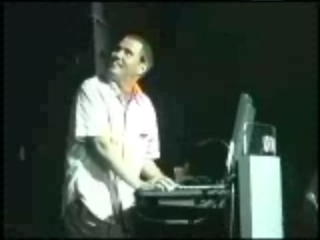
Here’s some vidcaps from the XSI launch tour:




On the subject of PhysX hardware acceleration, I saw this press release yesterday:
NVIDIA GPUs Provide Edge to 3D Animators Utilizing Autodesk Softimage 2011
Integration of NVIDIA PhysX Engine and CUDA Enables Artists to Create Realistic Water, Lifelike Characters and Dynamic Explosions With Reactive Debris
Here’s a Python version of the CustomOperator.AddParameter example in the SDK docs, which shows how to add parameters to a scripted operator (SCOP).
from win32com.client import constants
from win32com.client import constants

null1 = Application.GetPrim( "Null" )
f = XSIFactory

s = """def MySOP_Update( ctx, out ):
   xsi = Application
   xsi.logmessage( 'update' )"""

sop = f.CreateScriptedOp( "MySOP", s, "Python" )


sop.AddOutputPort( null1.posx )

param1 = sop.AddParameter( f.CreateParamDef2("text", constants.siString, "hello") )
param2 = sop.AddParameter( f.CreateParamDef2("bool", constants.siBool, True) )
param3 = sop.AddParameter( f.CreateParamDef2("int", constants.siInt4, 10, 0, 100) )
param4 = sop.AddParameter( f.CreateParamDef2("dbl", constants.siDouble, 0.5, 0.0, 1.0) )

sop.Connect()

Application.InspectObj( sop )
Raytraced soft shadows are not implemented for infinite lights.
 eX-SI
eX-SI 